
apowerb/apowerb
The open-source agentic framework to build, orchestrate, and operate production AI agents.
10K+
apowerb/apowerb repository overview
Build, run and govern AI agents that work while you don't.
The open-source agentic framework to build, orchestrate, and operate production AI agents.
Documentation • Quickstart • API Reference • Deployment • thaink2

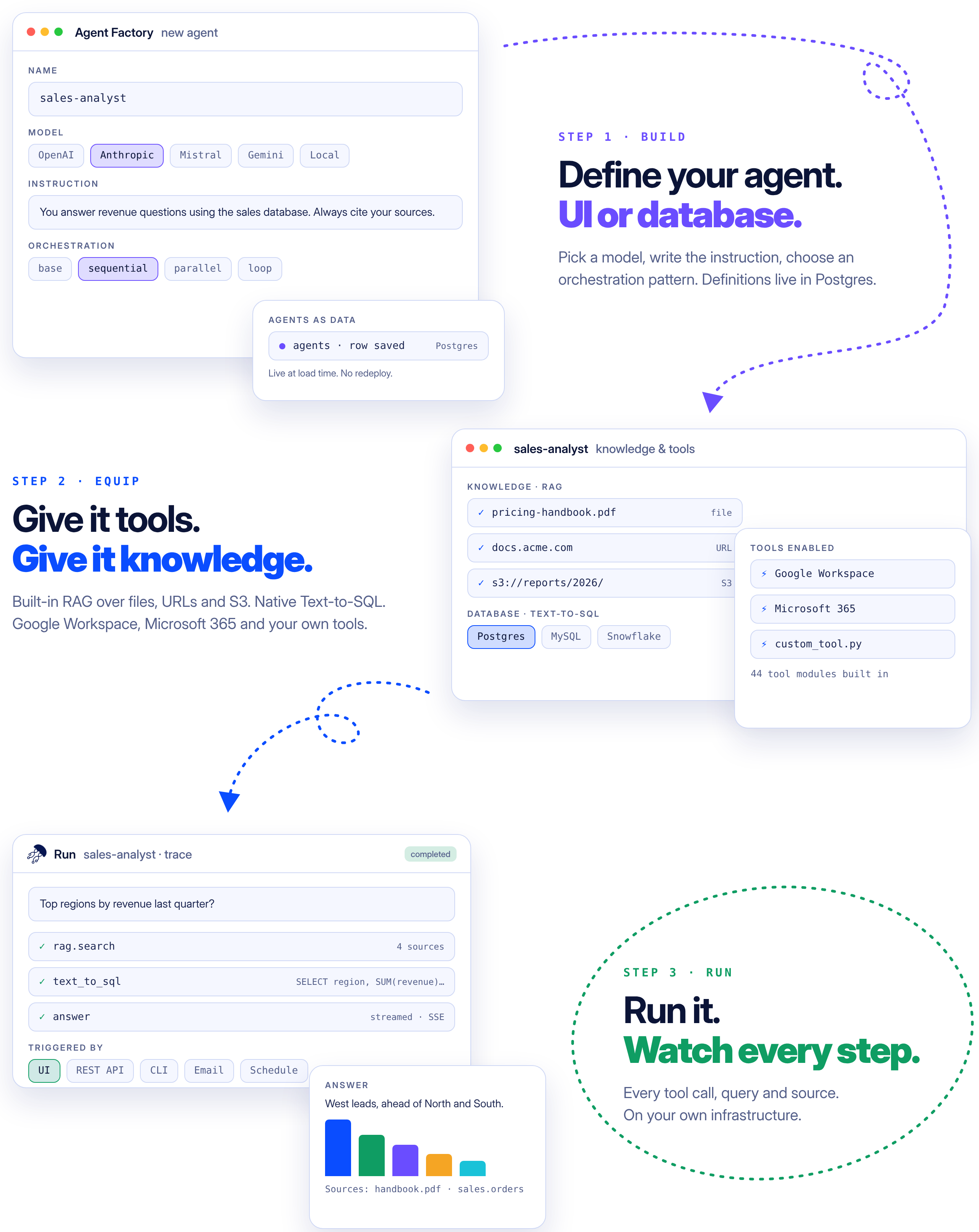
apowerb is an open-source platform to build, run and govern AI agents in production. It covers multi-agent orchestration, RAG and Text-to-SQL, MCP servers and built-in business tools, email- and schedule-triggered runs, token quotas and session audit. You can self-host it with Docker Compose or Helm. The core is Apache-2.0; a few enterprise modules (billing, identity-provider sign-in, MFA, agent evaluation, the supervision screen) are sold separately by thaink².
- Build agents from the web interface or the REST API — instructions, model, tools, knowledge bases — and compose them: sequential, parallel, loop, sub-agents.
- Connect them to your systems: any MCP server, plus built-in tools for Google Workspace, Microsoft 365, GitHub, HubSpot, Pipedrive, Odoo, SQL databases, Oracle, MongoDB, S3, web search, OCR, speech and sandboxed Python.
- Ground them in your data with built-in RAG (files, URLs, databases, S3) and Text-to-SQL.
- Run them without you: on a schedule, or triggered by a new Gmail or Outlook message.
- Operate them in production: streaming responses, auditable session traces, per-user token quotas, revocable sessions, encrypted secrets, users, groups and permissions.
Built on FastAPI, Google ADK and LiteLLM, so it works with Anthropic, OpenAI, Mistral, Gemini, Azure AI Foundry, OVHcloud and any other LiteLLM provider. Bring your own model key.
What people build with it
- Inbox triage: a new Outlook or Gmail message triggers an agent that reads it, classifies it, looks up the customer in the CRM and drafts the reply.
- Morning reports: a scheduled agent asks the database in plain language (Text-to-SQL), turns the result into a chart and mails the summary.
- Document assistants: agents answer from your contracts, procedures or SharePoint files through RAG.
- Back-office automation: create deals in HubSpot or Pipedrive, update Odoo records, file documents in OneDrive or Drive — from a conversation or unattended.
How it differs
- Unattended by design: webhooks and schedules start agents without anyone in the chat, and every run leaves an auditable session trace.
- Business systems first: Microsoft 365, Google Workspace, ERPs, CRMs and SQL databases are built-in tools, not a plugin hunt.
- Production controls in the open-source core: users, groups, permissions, per-user token quotas, revocable sessions, encrypted secrets.
- Not a canvas: agents are defined in the web interface or through the REST API, stored in PostgreSQL and run on Google ADK — scriptable, reviewable and reproducible.
See it in action
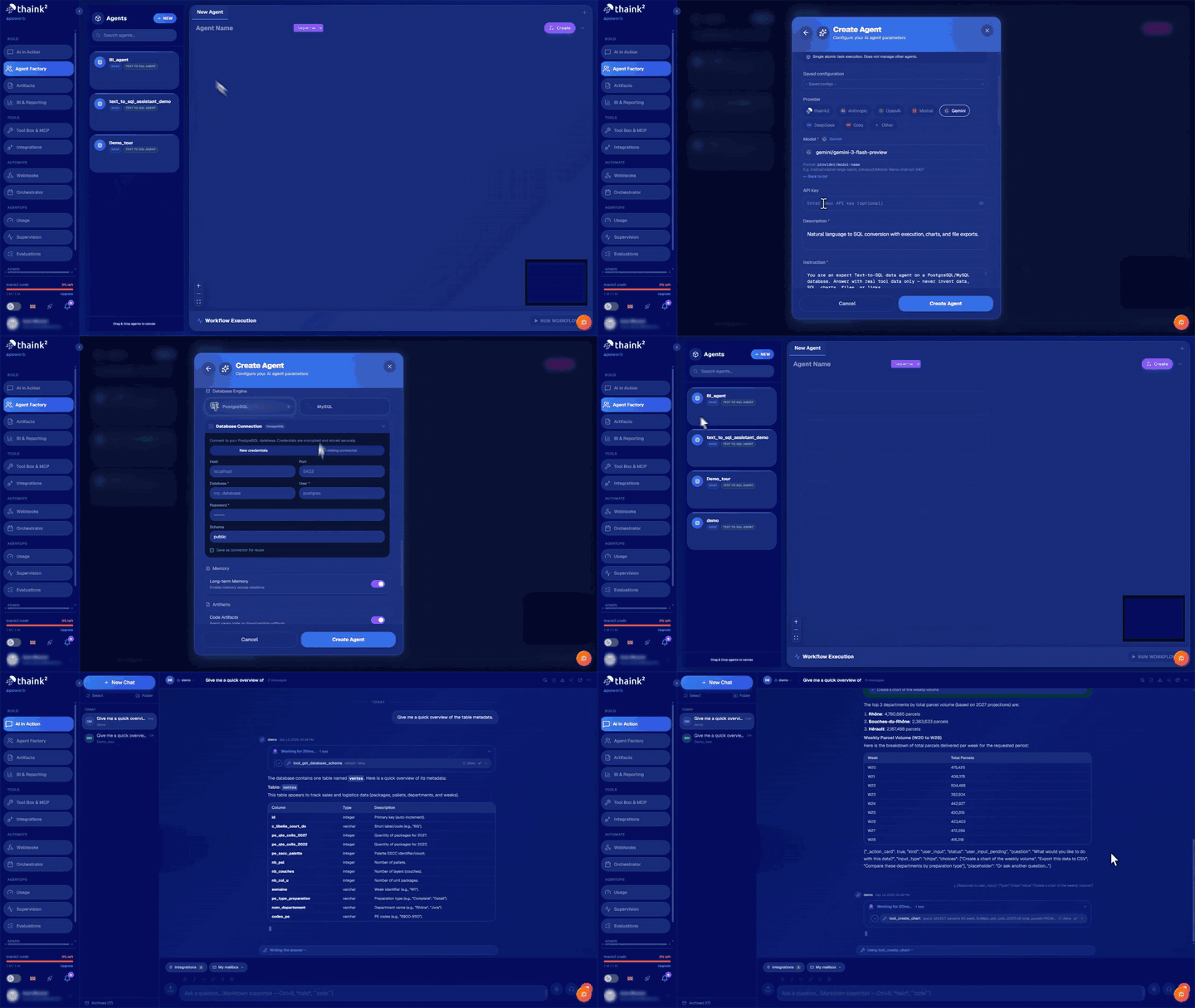 Build an agent Define it in the UI or through the REST API |
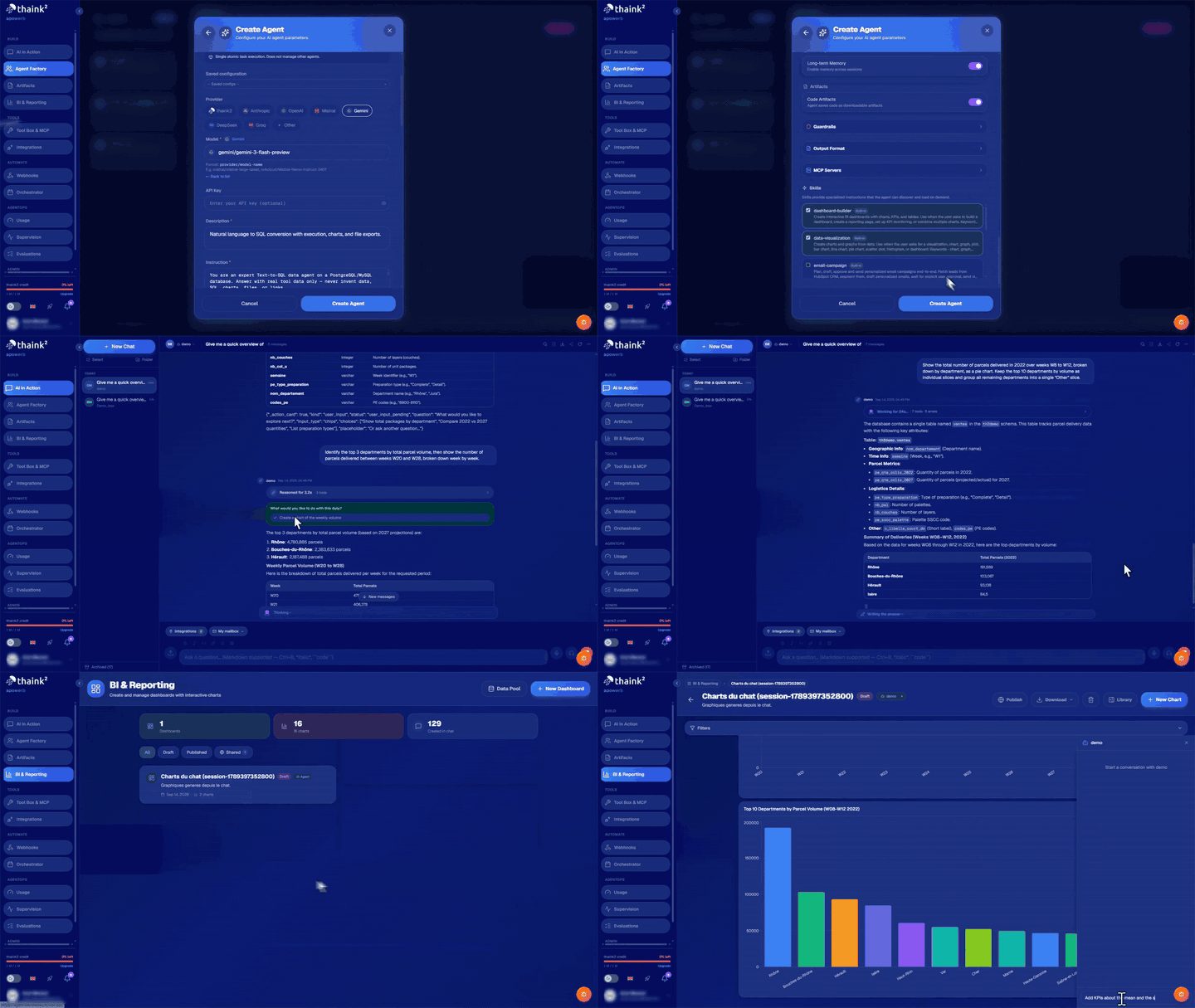 Add tools and knowledge RAG, Text-to-SQL, 44 tool modules |
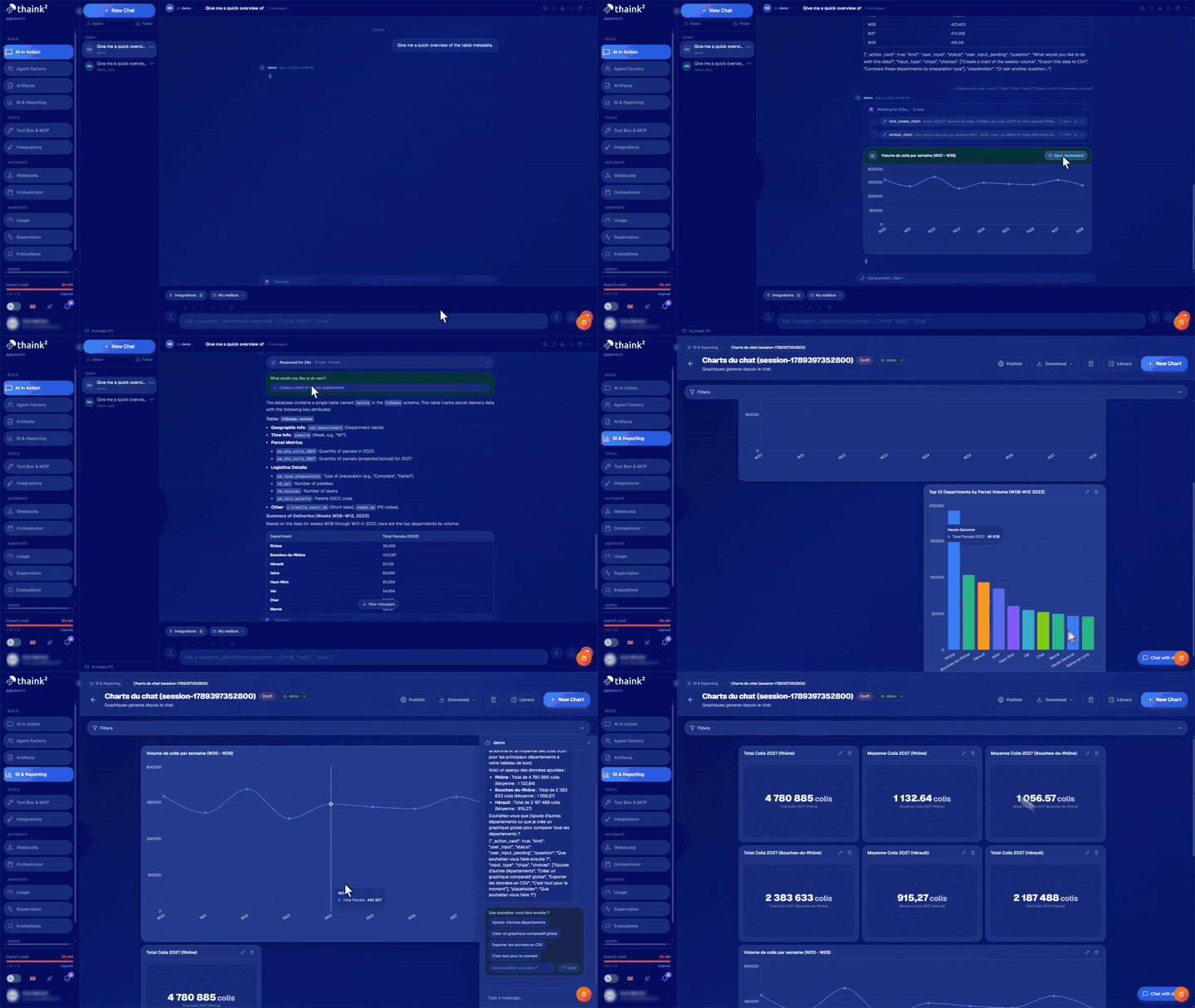 Run and watch See exactly what it did |
Quick start
Three commands, a database included, and nothing to fill in:
git clone https://github.com/apowerb/apowerb-hosting.git && cd apowerb-hosting
cp .env.example .env && ./scripts/generate-secrets.sh
docker compose -f docker-compose/docker-compose.yml --env-file .env up -d
The interface is on http://localhost:3000, the API on
port 8000. generate-secrets.sh writes the random values the stack needs, and
Postgres runs inside the stack — there is no external database to provide.
Agents need a model to answer, and that is the one thing this cannot invent for
you. Add your own key in the interface, or declare a shared one in .env
(DEFAULT_LLM_MODEL and DEFAULT_LLM_API_KEY). Until then everything else
works and the model simply does not appear in the list.
apowerb-hosting holds this
stack, plus Kubernetes manifests, a Helm chart and a Traefik overlay.
Installation from source below is the other path:
it wants your own PostgreSQL.
Tag summary
Content type
Image
Digest
sha256:38a302413…
Size
343.3 MB
Last updated
21 days ago
docker pull apowerb/apowerb