jamiltz/todolite-server repository overview
ToDoLite Server
This repository holds the configuration file for Sync Gateway and a small App Server that acts as a reverse proxy to create new users through a public endpoint.
It can be run with a Couchbase Server instance using Docker Compose and deployed to a VM using Tutum.
Getting Started
To run the application locally you must first install docker on your host and run the following commands:
$ git clone [email protected]:jamiltz/ToDoLite-Server.git
$ cd ToDoLite-Server
$ docker-compose up
Note: You may have to wait for about 20 seconds for all containers to be up.
To signup new users:
$ curl -vX POST http://<ip_address>:8000/signup \
			-H 'Content-Type: application/json' \
			-d '{"name": "james", "password": "letmein"}'
Deploying to Tutum
Pushing on the master branch of the GitHub repository will automatically trigger a build in Docker Hub and deploy it to Tutum.
It can take a couple minutes for Docker Hub to build a new image. You can see the status here.
The public IP is 178.62.157.91. The endpoint to replicate to is http://178.62.157.91:8000/todos.
And to signup new users:
$ curl -vX POST http://178.62.157.91:8000/signup \
			-H 'Content-Type: application/json' \
			-d '{"name": "james", "password": "letmein"}'
Troubleshooting in production
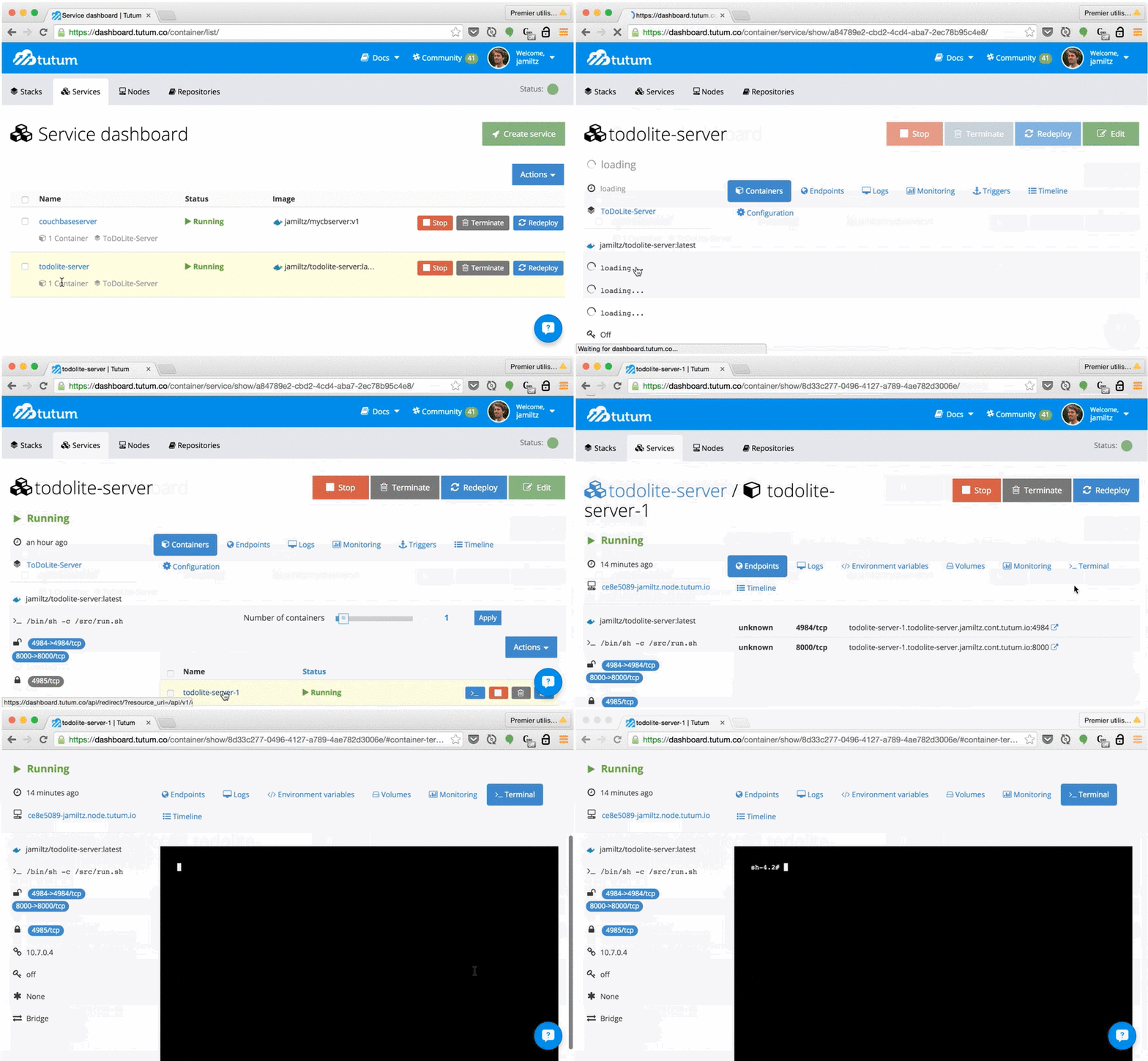
With the Tutum credentials, you can select the todolite-server container and access a Terminal to get the list of users with a simple curl command for example (curl http://localhost:4985/todos/_user/).
Tag summary
Content type
Image
Digest
sha256:d40553bca…
Size
443.7 MB
Last updated
about 11 years ago
docker pull jamiltz/todolite-server