mtapiio/mt4grpc repository overview
Quick MT4 API run
Install docker
docker pull mtapiio/mt4grpc
docker run --rm -p 5000:80 mtapiio/mt4grpc
API methods description
Proto file
Proto file is a file, which has proto3 format, which describes structure of the data used for interaction between a client and a server. You can find MT4 gRPC API proto file here.
Dot net C# client example for the MT4 gRPC API
Install dot net 6 SDK to run an example
This example has a dynamic client libraries generation provided by grpc tools nuget. Once you run a dotnet build command, libraries would be generated in the bin/debug/net6.0 folder.
The source of dynamic libraries generation is proto file. Check if it can be found by the relative path.

Restore nuget packages, build the project and run
dotnet restore
dotnet build
dotnet run

JAVA client example for the MT4 gRPC API
Install before run an example
- JAVA JDK open JDK 21.0.1 is recommended
- MAVEN plugin
This example has a dynamic client libraries generation provided by protobuf MAVEN plugin.
You can check setting in the pom.xml

Do maven clean installation with extended debug info
mvn clean install -X
Classes should be generated.
If you need generated classes separately from the example project, you can download it from the repository.
Run the example
java.exe -agentlib:jdwp=transport=dt_socket,address=127.0.0.1:61761,suspend=y,server=n -javaagent:C:\Users\Arthur\AppData\Local\JetBrains\IntelliJIdea2023.2\captureAgent\debugger-agent.jar=file:/C:/Users/Arthur/AppData/Local/Temp/capture.props -Dfile.encoding=UTF-8 -Dsun.stdout.encoding=UTF-8 -Dsun.stderr.encoding=UTF-8 -classpath "E:\MT4Repositories\grpc-proto\mt4\JavaExampleConsole\MT4.Proto.JavaConsoleExample\target\classes;C:\Users\Arthur\.m2\repository\com\google\protobuf\protobuf-java\3.24.4\protobuf-java-3.24.4.jar;C:\Users\Arthur\.m2\repository\io\grpc\grpc-netty-shaded\1.59.0\grpc-netty-shaded-1.59.0.jar;C:\Users\Arthur\.m2\repository\com\google\guava\guava\32.0.1-android\guava-32.0.1-android.jar;C:\Users\Arthur\.m2\repository\com\google\guava\failureaccess\1.0.1\failureaccess-1.0.1.jar;C:\Users\Arthur\.m2\repository\com\google\guava\listenablefuture\9999.0-empty-to-avoid-conflict-with-guava\listenablefuture-9999.0-empty-to-avoid-conflict-with-guava.jar;C:\Users\Arthur\.m2\repository\org\checkerframework\checker-qual\3.33.0\checker-qual-3.33.0.jar;C:\Users\Arthur\.m2\repository\com\google\j2objc\j2objc-annotations\2.8\j2objc-annotations-2.8.jar;C:\Users\Arthur\.m2\repository\com\google\errorprone\error_prone_annotations\2.20.0\error_prone_annotations-2.20.0.jar;C:\Users\Arthur\.m2\repository\io\perfmark\perfmark-api\0.26.0\perfmark-api-0.26.0.jar;C:\Users\Arthur\.m2\repository\io\grpc\grpc-core\1.59.0\grpc-core-1.59.0.jar;C:\Users\Arthur\.m2\repository\com\google\code\gson\gson\2.10.1\gson-2.10.1.jar;C:\Users\Arthur\.m2\repository\com\google\android\annotations\4.1.1.4\annotations-4.1.1.4.jar;C:\Users\Arthur\.m2\repository\org\codehaus\mojo\animal-sniffer-annotations\1.23\animal-sniffer-annotations-1.23.jar;C:\Users\Arthur\.m2\repository\io\grpc\grpc-context\1.59.0\grpc-context-1.59.0.jar;C:\Users\Arthur\.m2\repository\io\grpc\grpc-util\1.59.0\grpc-util-1.59.0.jar;C:\Users\Arthur\.m2\repository\io\grpc\grpc-protobuf\1.59.0\grpc-protobuf-1.59.0.jar;C:\Users\Arthur\.m2\repository\io\grpc\grpc-api\1.59.0\grpc-api-1.59.0.jar;C:\Users\Arthur\.m2\repository\com\google\code\findbugs\jsr305\3.0.2\jsr305-3.0.2.jar;C:\Users\Arthur\.m2\repository\com\google\api\grpc\proto-google-common-protos\2.22.0\proto-google-common-protos-2.22.0.jar;C:\Users\Arthur\.m2\repository\io\grpc\grpc-protobuf-lite\1.59.0\grpc-protobuf-lite-1.59.0.jar;C:\Users\Arthur\.m2\repository\io\grpc\grpc-stub\1.59.0\grpc-stub-1.59.0.jar;C:\Program Files\JetBrains\IntelliJ IDEA 2023.2.3\lib\idea_rt.jar" Main

NodeJS client example for the MT4 gRPC API
This example has a dynamic code generation You can find satic code generation in the typescript example.
Do package installation before app running
npm install
Now you can run the example
node app.js

JavaScript TypeScript grpc-js based client example for the MT4 gRPC API
You need auto generated mt4 client libraries to run the code. The example has a script named "build:proto". This script creates libraries for you, and you shouldn't care about this.
But, for those of you who has more experience and, for some reason, wants to generate libraries separately or download it directly, we provide direct link and generation script.
Direct link to the generated ts files
The script of typescript generation. Windows:
docker run -v ${pwd}:/defs namely/protoc-all -f ./proto/*.proto -l typescript -o generated --ts_opt useOptionals=all
Linux:
docker run --user "$(id -u):$(id -g)" -v `pwd`:/defs namely/protoc-all -f ./proto/*.proto -l typescript -o generated --ts_opt useOptionals=all
Let's return to our ready to run example.
Run install packages
npm install
Run proto stubs building
npm run build:proto
Run build sources script
npm run build
Run the mt4 grpc client
npm run start:client

Python client example for the MT4 gRPC API
Python installation PIP package manager installation
Install grpcio-tools package:
pip install grpcio-tools
To run the code, you need to create an autogenerated libraries. You can find it in the repository, or generate it by yourself. Generation instructions are followed below.
Grpc python libraries generation:
Once grpcio-tools is installed, you can get google protobuf python libraries form that package. Usually it is located in the python folder
Python\Python312\site-packages\google
Copy google folder to the project folder. It is needed for further library auto generation.
Put mt4 proto file to the project folder. Or check if it exists in you project folder
Run libraries generator:
python -m grpc_tools.protoc --proto_path=. --python_out=. --pyi_out=. --grpc_python_out=. ./mt4.proto
It gives you new libraries which describe service and classes for the grpc API endpoints. Use this files as source of grpc service stubs.

Run the example
python.exe --multiprocess --qt-support=auto --client 127.0.0.1 --port 54785 --file E:\MT4Repositories\grpc-proto\mt4\pythonExample\PythonGrpc.py

PHP client example for the MT4 gRPC API
Install PHP. For windows you need version 8.1, because, there isn't compiled grpc library for 8.2.
Install grpc pecl package for Linux.
sudo pecl install grpc
Add to php.ini:
extension=grpc.so
Install grpc pecl package for Windows.
- go to https://pecl.php.net/package/gRPC
- and download the package for your operation system. For example for Windows
- paste it to the PHP extension folder
- update php.ini with this package
extension=grpc
Install composer package. You should have composer json config file.
{
  "require": {
    "google/protobuf": "^3.23.3",
    "grpc/grpc": "^1.52.0"
  }
}
Then, we need to install packages, according to the config file.
composer install
The Vendor folder would be created.
Then we need to generate some php libraries by proto file. Check you have proto file mt4.proto in the solution folder. And generate files by docker. For windows:
docker run -v ${pwd}:/defs namely/protoc-all -f ./mt4.proto -l php -o generated
For linux:
docker run -v PWD:/defs namely/protoc-all -f ./mt4.proto -l php -o generated
You might find generated libraries here.
Run the example
php.exe -dxdebug.remote_enable=1 -dxdebug.remote_mode=req -dxdebug.remote_port=9000 -dxdebug.remote_host=127.0.0.1 -dxdebug.mode=debug -dxdebug.client_port=9000 -dxdebug.client_host=127.0.0.1 E:\MT4Repositories\grpc-proto\mt4\phpExample\index.php

GO client example for the MT4 gRPC API
Install go sdk first
Install autogenerated client libraries:
go get git.mtapi.io/root/grpc-proto.git/mt4/go
go get github.com/davecgh/go-spew

Alternatively, use this command for your own libraries' generation, if needed:
docker run --user "$(id -u):$(id -g)" -v `pwd`:/defs namely/protoc-all -f ./$PROJECT/Protos/mt4.proto -l go -o ./golib
Use commands to run the example:
go build main.go
go run main.go

JavaScript TypeScript WebPack browser client example for MT4 gRPC API
npm install -g npx
npm install typescript --save-dev
You need protoc tool be installed
Install protoc plugins
npm install -g protoc-gen-js
npm install -g protoc-gen-grpc-web
You can find ready to run example here
Run example steps:
Step 1. Generate client files. JS and TS files generation by mt5.proto.
protoc proto/*.proto --js_out=import_style=commonjs,binary:./grpc --grpc-web_out=import_style=typescript,mode=grpcwebtext:./grpc
where ./grpc is a output folder This script generates client's files to the "grpc" folder.
Step 2. Insert your ceredentials in the example
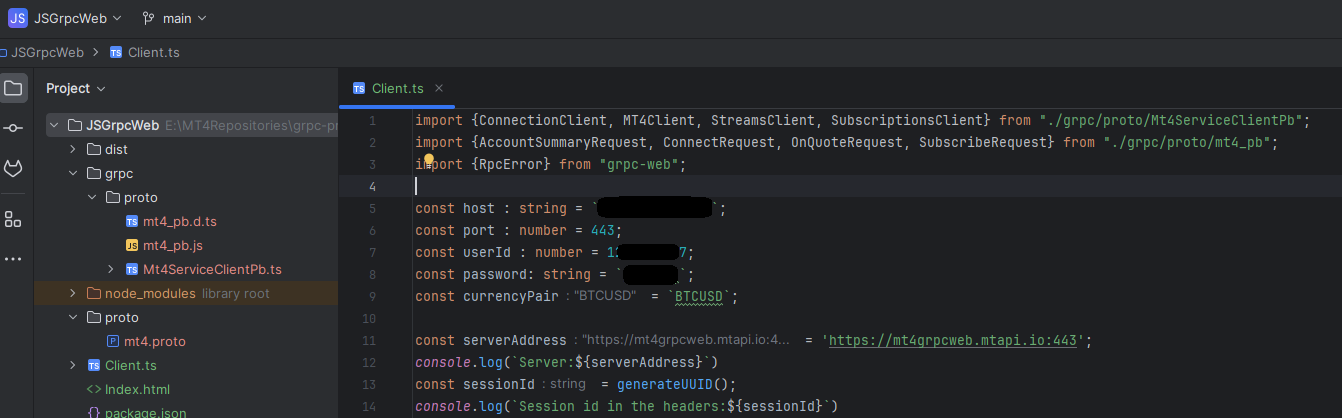
Step 3. Install all dependencies
npm install
Step 4. Compile typescript to js files.
tsc -p .
This script generates client.js file from client.ts file.
Step 5. Bild browser bundle.
npx webpack ./client.js
This script creates main.js file in the dist folder. This file could be consumed by a browser.
Step 6. Create a developer http server. Which would provide bundle files to a browser, by GET request. For the purpose of prototype demonstration, I would like to recommend using lightweigt developer http server.
npm install --global http-server
Step 7. Finally, you can run a developer server
http-server
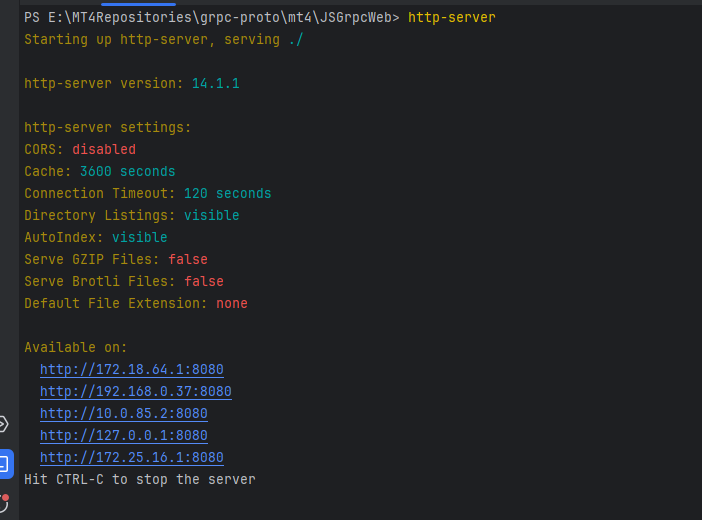
Step 8. Check how it works.
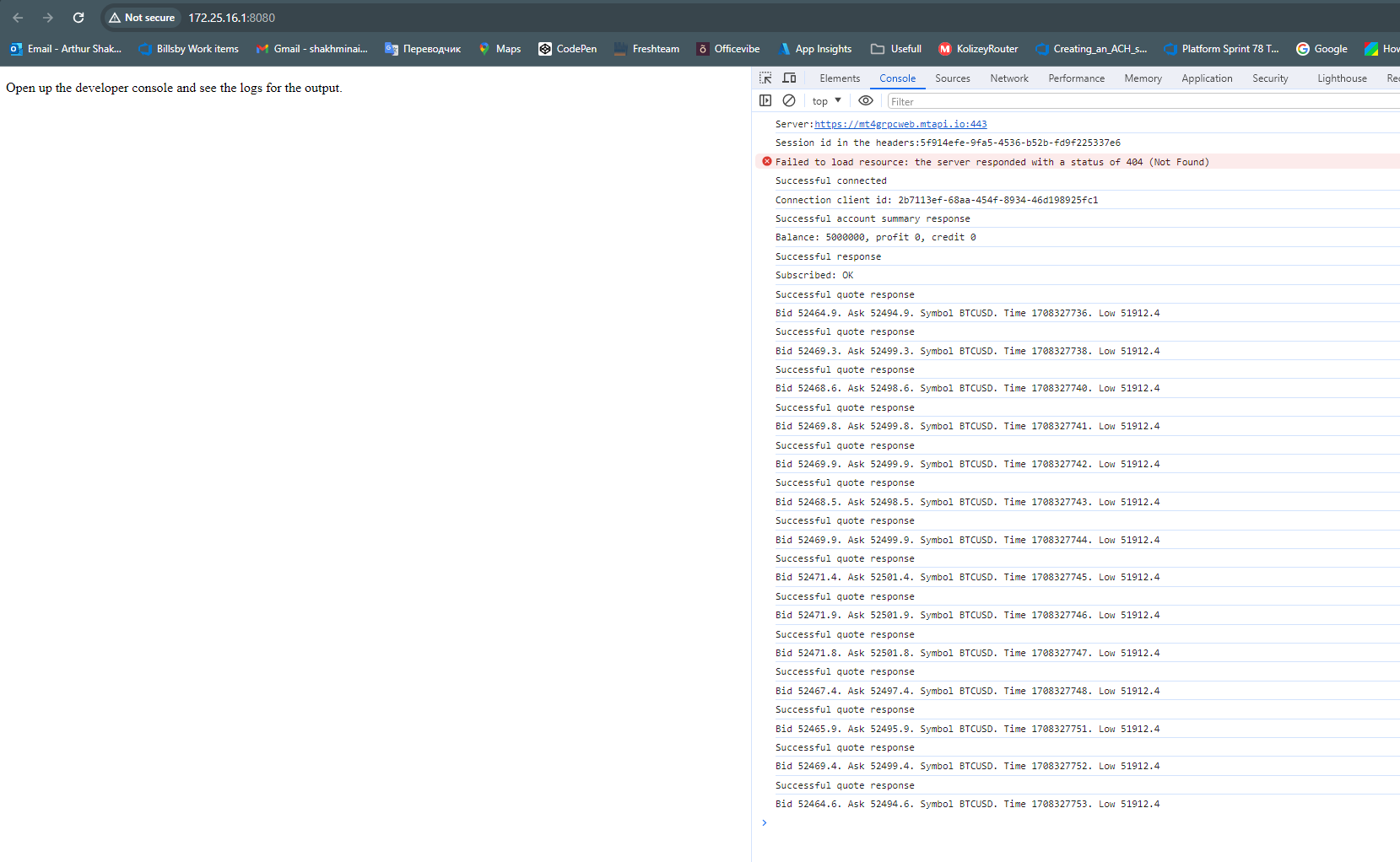
Tag summary
Content type
Image
Digest
sha256:8e34d17f0…
Size
89.4 MB
Last updated
about 2 months ago
docker pull mtapiio/mt4grpc