vvveb/vvvebjs
Drag and drop page builder javascript library.
8.7K
vvveb/vvvebjs repository overview
VvvebJs

Drag and drop page builder javascript library.
Built with Vanilla Js with no dependencies and Bootstrap 5
Website | Documentation | Forum | Twitter
Live Demo
For a full featured Open Source CMS using VvvebJs page builder check Vvveb CMS
Using Vvveb landing page template for demo page and Bootstrap 5 sections and blocks.
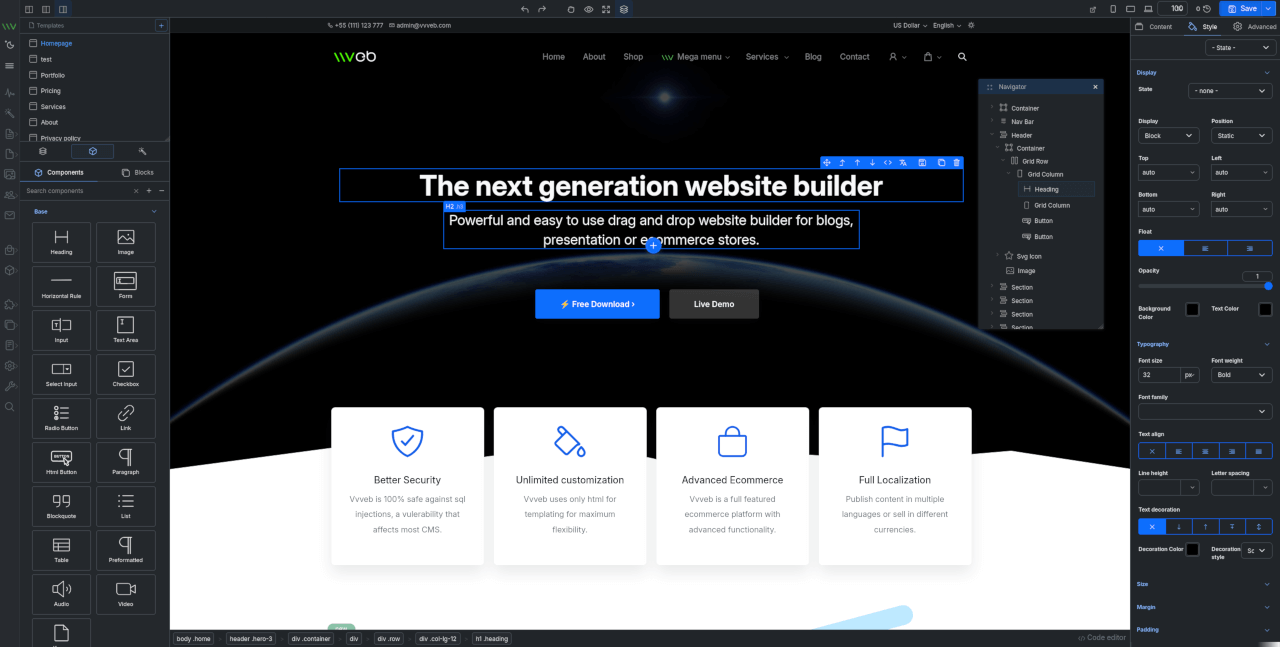
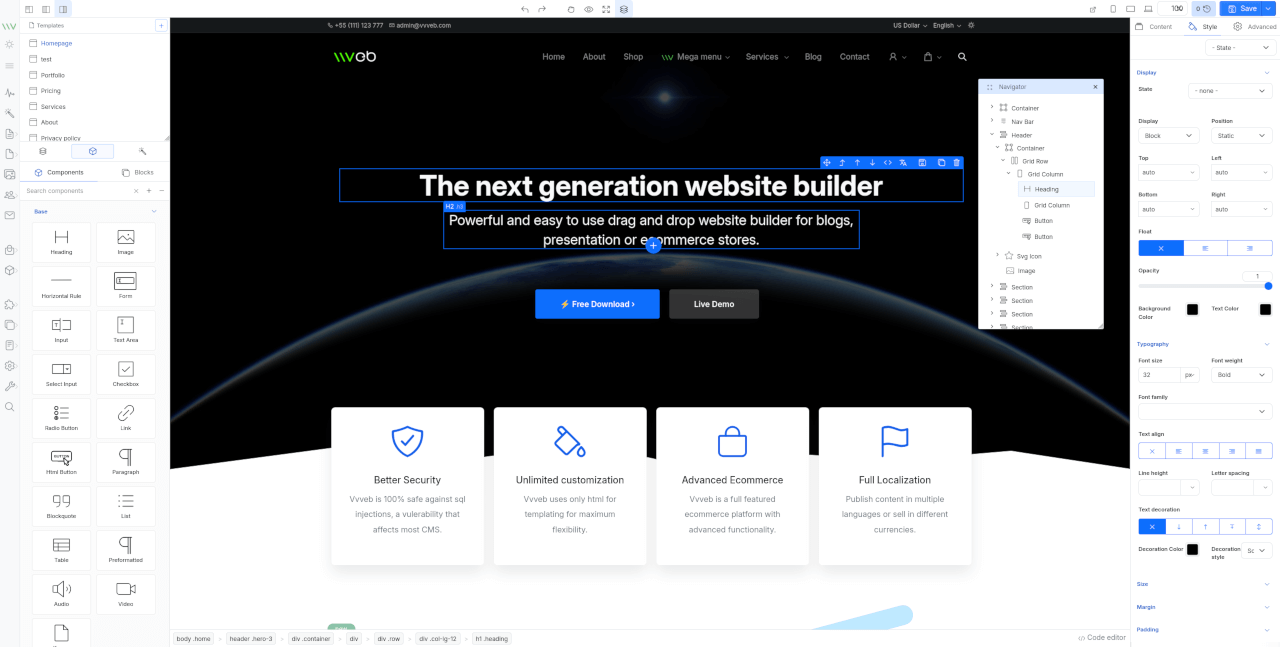
How to use this image
docker run -p 8080:80 vvveb/vvvebjs
Persistent storage
sudo docker run -p 8080:80  \
--mount type=bind,source="$(pwd)",target=/var/www/vvveb/public \
vvveb/vvvebjs
Features
- Components and blocks/snippets drag and drop and in page insert.
- Undo/Redo operations.
- One or two panels interface.
- File manager and component hierarchy navigation.
- Add new page modal with template and folder options.
- Live code editor with codemirror plugin syntax highlighting.
- Image upload with example php script included.
- Page download or export html or save page on server with example php script included.
- Components/Sections/Blocks list search.
- Bootstrap 5 components.
- Media gallery with integrated CC0 image search and server upload support.
- Image, video and iframe elements resize handles.
- Elements breadcrumb for easier parent elements selection.
- Full Google fonts list support for font selection.
- Youtube, Google maps, Charts.js etc widgets.
- Optional CKEditor plugin to replace builtin text editor.
- Zip download plugin to download the page and all assets as zip file.
- SVG Icon component bundled with hundreds of free icons.
- Animate on scroll support for page elements.
- Theme global typography and color pallette editor.
By default the editor comes with Bootstrap 5 and Widgets components and can be extended with any kind of components and inputs.
Install
- Clone the repository
#git 2.13+
git clone --recurse-submodules https://github.com/givanz/VvvebJs

# older git versions
git clone --recursive https://github.com/givanz/VvvebJs
- Pull changes
git pull --recurse-submodules
Usage
Clone the repository or download a release then open editor.html
Because of browser iframe security you need to use a webserver such as apache/xampp and open http://localhost/editor.html
To use the image upload or page save feature you need to have php installed.
Save page
Save page function needs either php or node
PHP
If you use xampp or a shared hosting account php should work without any change.
Saving is done using save.php
Node
For node go to VvvebJs folder and run
npm install express
node save.js
Open http://localhost:8080/editor.html
Saving is done using save.js
Docker
From VvvebJs folder run
docker-compose up
Open http://localhost:8080/editor.php or http://localhost:8080/editor.html
Or install image
docker run -p 8080:80 vvveb/vvvebjs
Landing template
To make changes to template files or sections run the following commands from demo/landing folder
Install gulp
npm i
Generate html files
Template html partials are located in demo/landing/src folder.
npm run gulp
Watch for changes for development
npm run gulp watch
Generate sections list for page builder
Sections html files are located in demo/landing/src/sections folder grouped in folders with the section group name.
npm run gulp sections
Generate blocks list
Blocks html files are located in demo/landing/src/blocks folder grouped in folders with the blocks group name.
npm run gulp blocks
Generate screenshots for sections
npm run gulp screenshots
Usage
Initialize example
<!-- bootstrap-->
<script src="js/popper.min.js"></script>
<script src="js/bootstrap.min.js"></script>

<!-- builder code-->
<script src="libs/builder/builder.js"></script>
<!-- undo manager-->
<script src="libs/builder/undo.js"></script>
<!-- inputs-->
<script src="libs/builder/inputs.js"></script>
<!-- components-->
<script src="libs/builder/components-bootstrap5.js"></script>
<script src="libs/builder/components-widgets.js"></script>

<script>
let pages = [
 {
	name:"narrow-jumbotron",
	title:"Jumbotron",
	url: "demo/narrow-jumbotron/index.html",
	file: "demo/narrow-jumbotron/index.html"
  },
  {name:"landing-page", title:"Landing page", url: "demo/landing/index.html", file: "demo/landing/index.html"},
];


let firstPage = Object.keys(pages)[0];
Vvveb.Builder.init(pages[firstPage]["url"], function() {
	//load code after page is loaded here
});

Vvveb.Gui.init();
Vvveb.FileManager.init();
Vvveb.SectionList.init();
Vvveb.Breadcrumb.init();

Vvveb.FileManager.addPages(pages);
Vvveb.FileManager.loadPage(pages[firstPage]["name"]);
Vvveb.Gui.toggleRightColumn(false);
Vvveb.Breadcrumb.init();

<script>
For editor html and components/input javascript templates edit editor.html
For css changes edit scss/editor.scss and scss/_builder.scss
Scss
To compile scss to css first install gulp
npm i
Then you can run
npm run gulp
or use watch to compile on file change.
npm run gulp watch
Documentation
For documentation check the wiki
License
Apache 2.0
Tag summary
Content type
Image
Digest
sha256:ca85b5db3…
Size
57.4 MB
Last updated
7 months ago
docker pull vvveb/vvvebjs