291group/lan-orangutan
Self-hosted network discovery: find all devices on your LAN & track their status. Supports Tailscale
4.0K
291group/lan-orangutan repository overview
🦧 LAN Orangutan
Self-hosted network discovery for homelabbers, with Tailscale support.
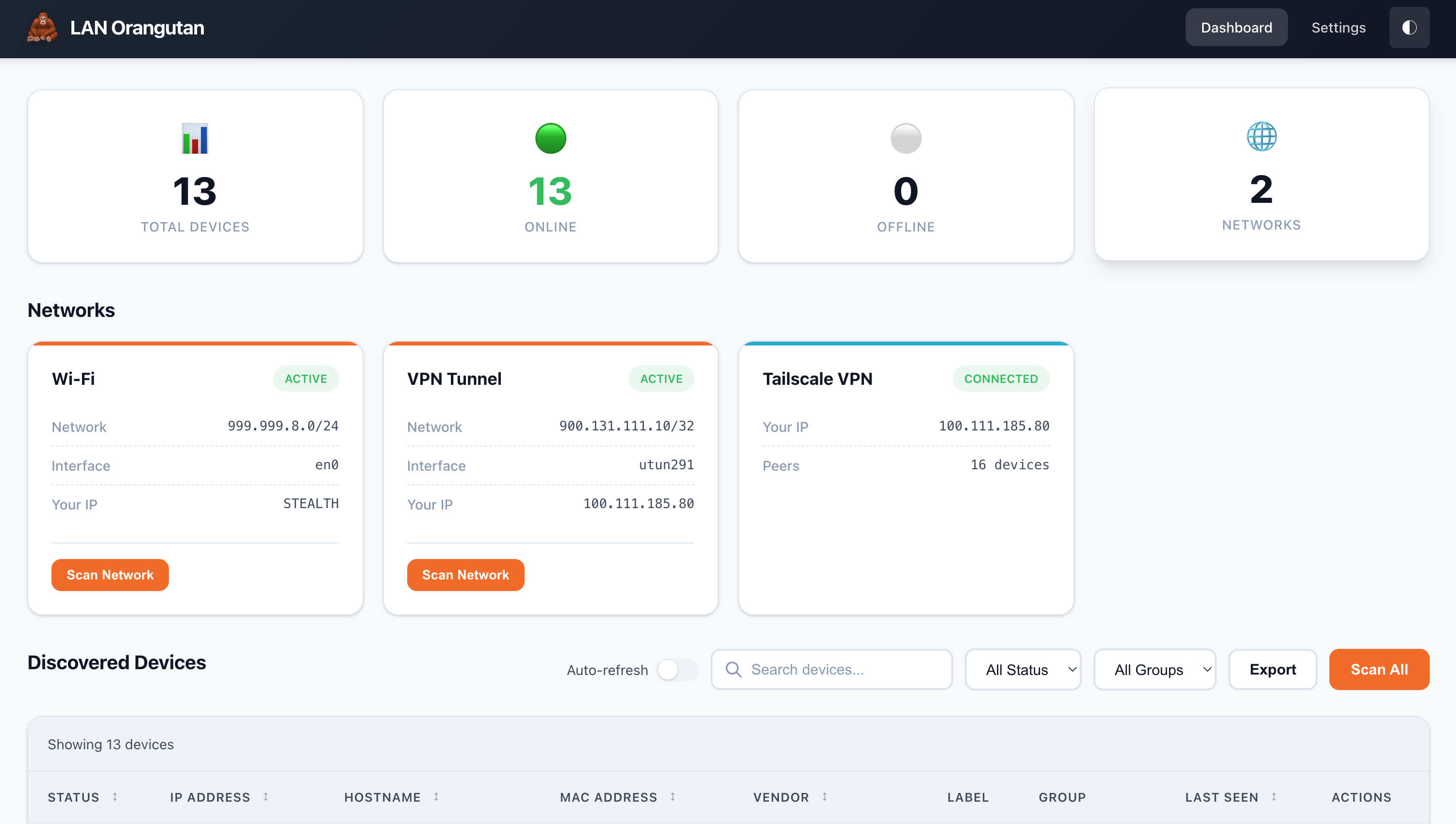
Scan your networks, discover devices, label and track them — all from a clean web UI or CLI. One binary, almost no configuration, running in seconds.
By 291 Group · GitHub · MIT licensed
⚠️ Linux only
This image needs host networking, which means it only works on Linux.
Docker Desktop on macOS and Windows runs Linux inside a virtual machine. network_mode: host attaches to that VM, not your computer — the dashboard is unreachable, and the VM's gateway answers probes for addresses that do not exist, so a scan looks successful while reporting devices that were never there. No setting fixes this.
On macOS and Windows, download the binary and run it directly instead. It is a single file and takes one command.
LAN Orangutan detects this situation itself and warns at startup and on the dashboard, so results are never silently wrong.
| How you run it | Finds devices | MAC + manufacturer |
|---|---|---|
| Docker on Linux, host networking | Yes | Yes |
| Docker on Linux, bridge networking | No | No |
| Docker on macOS or Windows | No | No |
Quick start
docker run -d \
  --name lan-orangutan \
  --network host \
  --cap-add NET_RAW --cap-add NET_ADMIN --cap-add NET_BIND_SERVICE \
  -v $(pwd)/data:/var/lib/lan-orangutan \
  --restart unless-stopped \
  291group/lan-orangutan:latest
Then open http://<that-machine>:291 and create a password. Nothing is reachable until you do — there is no default password and none is generated for you.
docker compose
curl -O https://raw.githubusercontent.com/291-Group/LAN-Orangutan/main/docker-compose.yml
docker compose up -d
The published compose file pulls from GHCR. To use Docker Hub instead, change the image: line to 291group/lan-orangutan:latest.
services:
  lan-orangutan:
    image: 291group/lan-orangutan:latest
    container_name: lan-orangutan
    restart: unless-stopped
    network_mode: host
    cap_add:
      - NET_RAW
      - NET_ADMIN
      - NET_BIND_SERVICE
    environment:
      - ORANGUTAN_PORT=291
      - TZ=UTC
    volumes:
      - ./data:/var/lib/lan-orangutan
Tags & architectures
| Tag | Meaning |
|---|---|
latest | Most recent release |
3.1.4, 3.1.3, … | A specific release |
Built for linux/amd64 and linux/arm64 (multi-arch manifest — Raspberry Pi 4/5 and other arm64 boards pull the right image automatically).
Also published to GHCR as ghcr.io/291-group/lan-orangutan. Identical images; pull from whichever you prefer.
Configuration
Every setting can be supplied through the environment, which overrides the config file at /etc/lan-orangutan/config.ini.
| Variable | Purpose |
|---|---|
ORANGUTAN_PORT | Port to listen on (default 291) |
ORANGUTAN_BIND_ADDRESS | Address to bind to |
ORANGUTAN_PASSWORD | Set the password up front instead of on first open |
ORANGUTAN_PASSWORD_FILE | Read the password from a file, e.g. a Docker secret (wins over the above) |
ORANGUTAN_SESSION_HOURS | How long a login lasts (default one week) |
ORANGUTAN_ALLOW_INSECURE | Skip password protection entirely |
ORANGUTAN_DATA_DIR | Where devices and settings are stored (preset to /var/lib/lan-orangutan) |
ORANGUTAN_SCAN_INTERVAL | Auto-scan interval in seconds |
ORANGUTAN_NETWORKS | Extra networks to scan, comma separated |
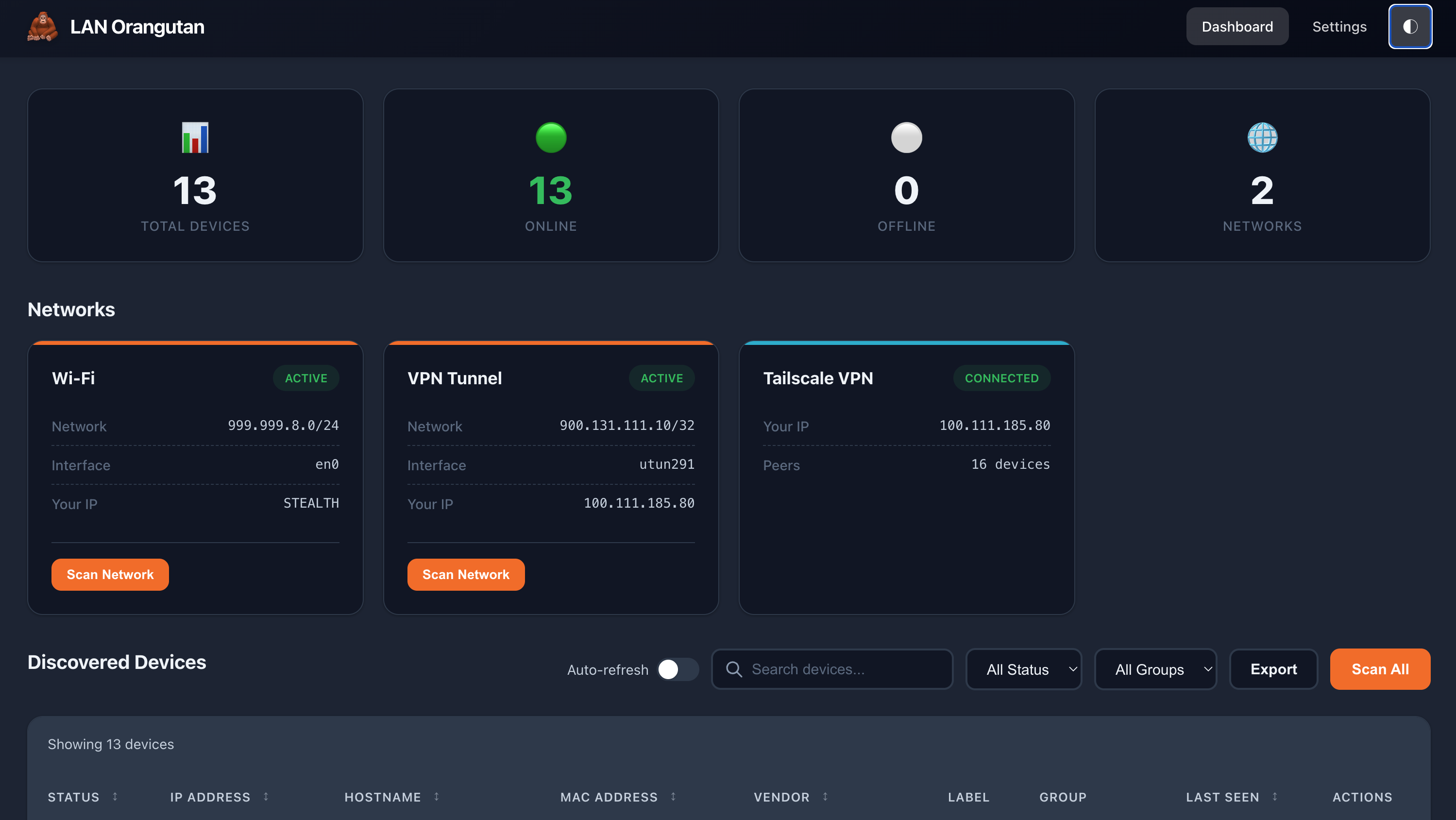
ORANGUTAN_THEME | light, dark or auto |
TZ | Container timezone |
Volume: /var/lib/lan-orangutan — your device list, labels, notes and password hash. Without it, everything is lost when the container is recreated.
Port: 291 (under host networking this is taken directly from the host).
Scanning networks that aren't detected. LAN Orangutan finds networks by reading the machine's own interfaces, so a routed subnet or VLAN is never offered automatically. List them explicitly with ORANGUTAN_NETWORKS=192.168.10.0/24,10.0.5.0/24. Results for a routed network have no MAC addresses or manufacturer names, since those come from ARP and only work on the same segment.
Features
- Auto-discovers devices with nmap (bundled in the image)
- Password protected — you set the password the first time you open it
- Label, group and add notes to devices
- Multi-network support
- Tailscale integration — connect, disconnect, and discover tailnet peers from inside the app
- Live scan progress you can cancel, with a time estimate
- Modern web dashboard, light/dark mode, keyboard shortcuts
- Full CLI with JSON output
- Export to CSV/JSON
Tailscale
If Tailscale is connected, its online peers are added to your device list alongside the machines on your local networks. Peers are read from Tailscale directly rather than scanned — Tailscale gives every node its own single-address network, so there is no range to sweep. Peers show their Tailscale hostname and OS; they have no MAC address, so no vendor is looked up. Controlling Tailscale from the dashboard requires the Tailscale CLI on the host.
Security
- First run presents a "create a password" screen. Until you finish it, every page and every API endpoint is refused. The password is stored as a bcrypt hash in a file readable only by its owner, separately from your config.
- Sign-in lasts a week by default. Five wrong guesses lock that address out for fifteen minutes.
- Set the password in advance with
ORANGUTAN_PASSWORD, or keep it out of the environment withORANGUTAN_PASSWORD_FILE=/run/secrets/orangutan. - Turn auth off with
ORANGUTAN_ALLOW_INSECURE=trueonly when access control genuinely lives elsewhere, such as a reverse proxy that handles login. - No built-in HTTPS. Put LAN Orangutan behind a reverse proxy, or reach it over Tailscale, if you need the connection encrypted.
Full details, known limitations, and how to report a vulnerability: SECURITY.md.
Why the container runs as root
nmap needs raw sockets to read the ARP table — that is what supplies MAC addresses and manufacturer names — and port 291 is privileged. Capabilities granted with cap_add land in the permitted set but never become effective for a process that starts as a non-root user, so running unprivileged meant the container could neither bind its port nor identify a single device. This is the same choice the systemd service makes. The container itself remains the isolation boundary.
Image details
- Base:
alpine:3.24, statically linked Go binary (CGO_ENABLED=0) - Includes
nmap,nmap-scripts,ca-certificates,tzdata - Built-in
HEALTHCHECKpolling a public static asset over127.0.0.1, so it reports "is the server up" rather than "is it unlocked" - Entrypoint
orangutan, default commandserve
Run any CLI command by overriding the command:
docker exec lan-orangutan orangutan list --format json
docker exec lan-orangutan orangutan status
docker exec lan-orangutan orangutan networks
Philosophy
LAN Orangutan isn't trying to be the most powerful scanner out there, and that's the point. There are already excellent, deeply capable tools in this space, and they're the right choice when you need everything they offer. LAN Orangutan is for the other times — when you just want to scan a network now, without the setup and complexity heavier tools bring.
Feedback
Bugs, problems and ideas: open an issue.
Built with ❤️ by 291 Group
Tag summary
Content type
Image
Digest
sha256:86b55c80e…
Size
15.9 MB
Last updated
about 2 months ago
docker pull 291group/lan-orangutan