291group/lan-sheriff
Watches which servers your network talks to. Self-hosted, no account. Observes only; blocks nothing.
5.4K
291group/lan-sheriff repository overview
LAN Sheriff
Nothing leaves town unnoticed.
A self-hosted network monitor that shows you, live on a world map, every server your devices are talking to — and flags the ones that don't belong.
No account, no cloud service, no telemetry, no agent on any other device. It observes and never blocks, and it stores no packet payloads.
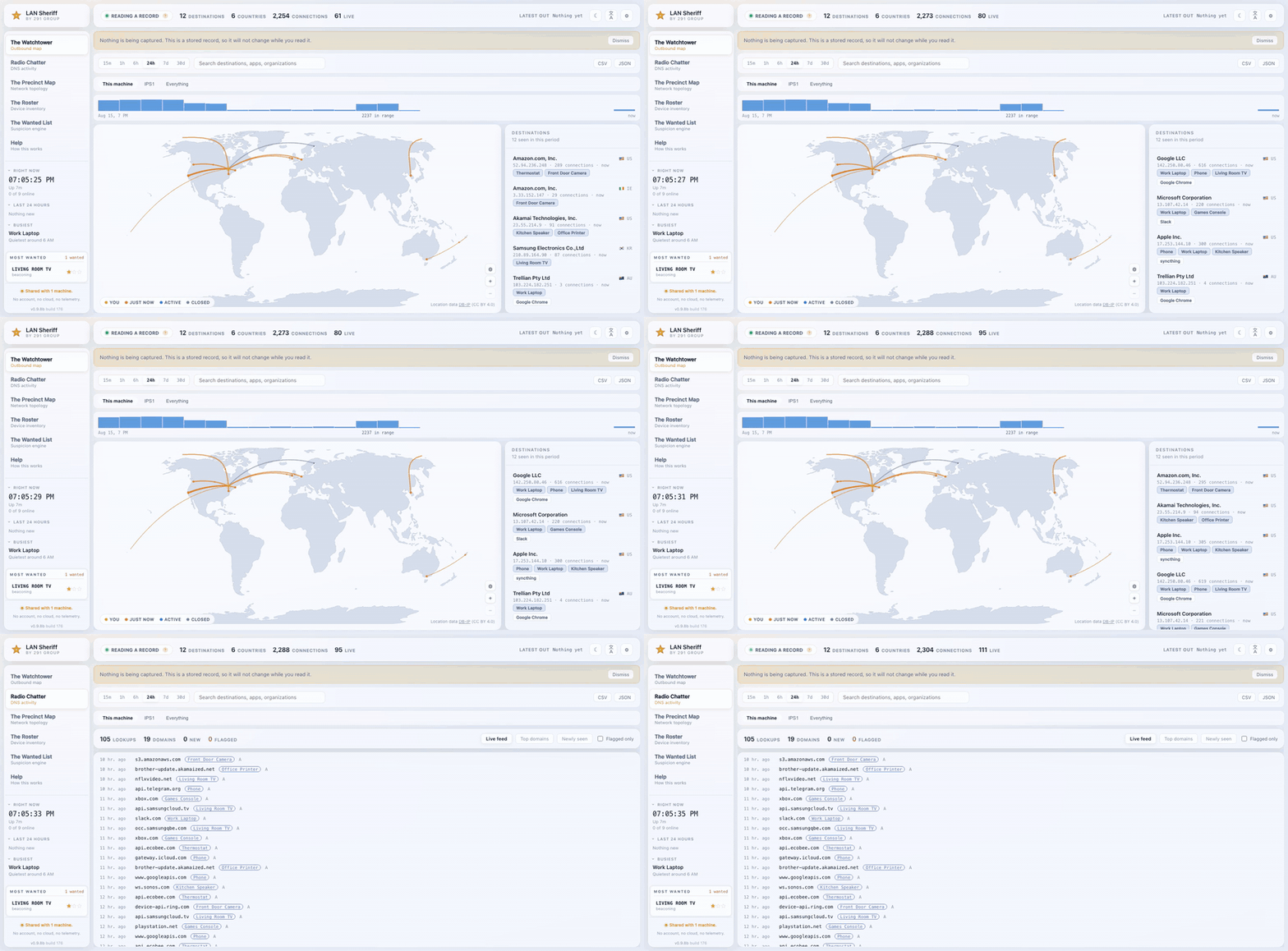
Everything shown is a synthetic network; no real one appears anywhere.
- Source: https://github.com/291-Group/LAN-Sheriff
- Also on:
ghcr.io/291-group/lan-sheriff(note the hyphen; the namespaces differ) - Licence: AGPL-3.0
Quick start
docker run -d --name lan-sheriff \
  --network host \
  --cap-drop ALL --cap-add NET_RAW --cap-add NET_ADMIN \
  -v lan-sheriff-data:/data \
  291group/lan-sheriff:1.0.0
Then open http://localhost:2911.
Or with Compose:
services:
  lan-sheriff:
    image: 291group/lan-sheriff:1.0.0
    container_name: lan-sheriff
    restart: unless-stopped
    network_mode: host
    cap_drop: [ALL]
    cap_add: [NET_RAW, NET_ADMIN]
    volumes:
      - lan-sheriff-data:/data
    environment:
      - LAN_SHERIFF_DATA_DIR=/data

volumes:
  lan-sheriff-data:
Two settings that are not optional
network_mode: host. A container on the default bridge gets its own virtual
interface, so it watches Docker's private network rather than yours. The
dashboard comes up, the device list shows nothing but other containers, and the
map stays empty. Nothing errors — it just shows you almost nothing, which is the
worst failure mode a monitor can have.
NET_RAW and NET_ADMIN. These two capabilities are what packet capture
needs. --privileged also works and is what most examples reach for; it hands
the container the entire kernel, which is a poor trade for a program whose whole
purpose is to watch carefully. Everything else is dropped.
Remove the capabilities and it still starts, in Deputy Mode, and tells you on screen what you would gain. Nothing here fails silently.
Linux hosts only, in practice
On Docker Desktop for macOS and Windows the container runs inside a Linux VM, so "host" networking means that VM rather than your laptop — you will see the VM's network and not your own. Run the binary directly on those platforms. Downloads for macOS, Windows, Linux and FreeBSD are on the releases page.
What you get
Two modes, detected automatically, running together.
Deputy Mode needs no privileges at all. It reads this machine's own socket tables and names the exact application behind every connection — something packet capture can never do, because that fact is not on the wire.
Patrol Mode captures packets and adds DNS lookups, traffic volumes, and the devices that cannot run software: the television, the thermostat, the doorbell.
The catch worth understanding before you install anything: a network switch forwards each device's traffic only to the port it is destined for. So a machine plugged into a switch sees its own traffic and broadcast, and nothing else, even with full capture privilege. To see other devices, LAN Sheriff has to sit where their traffic already goes — on the router, or on a mirror/SPAN port. The dashboard says so plainly rather than showing you an empty screen.
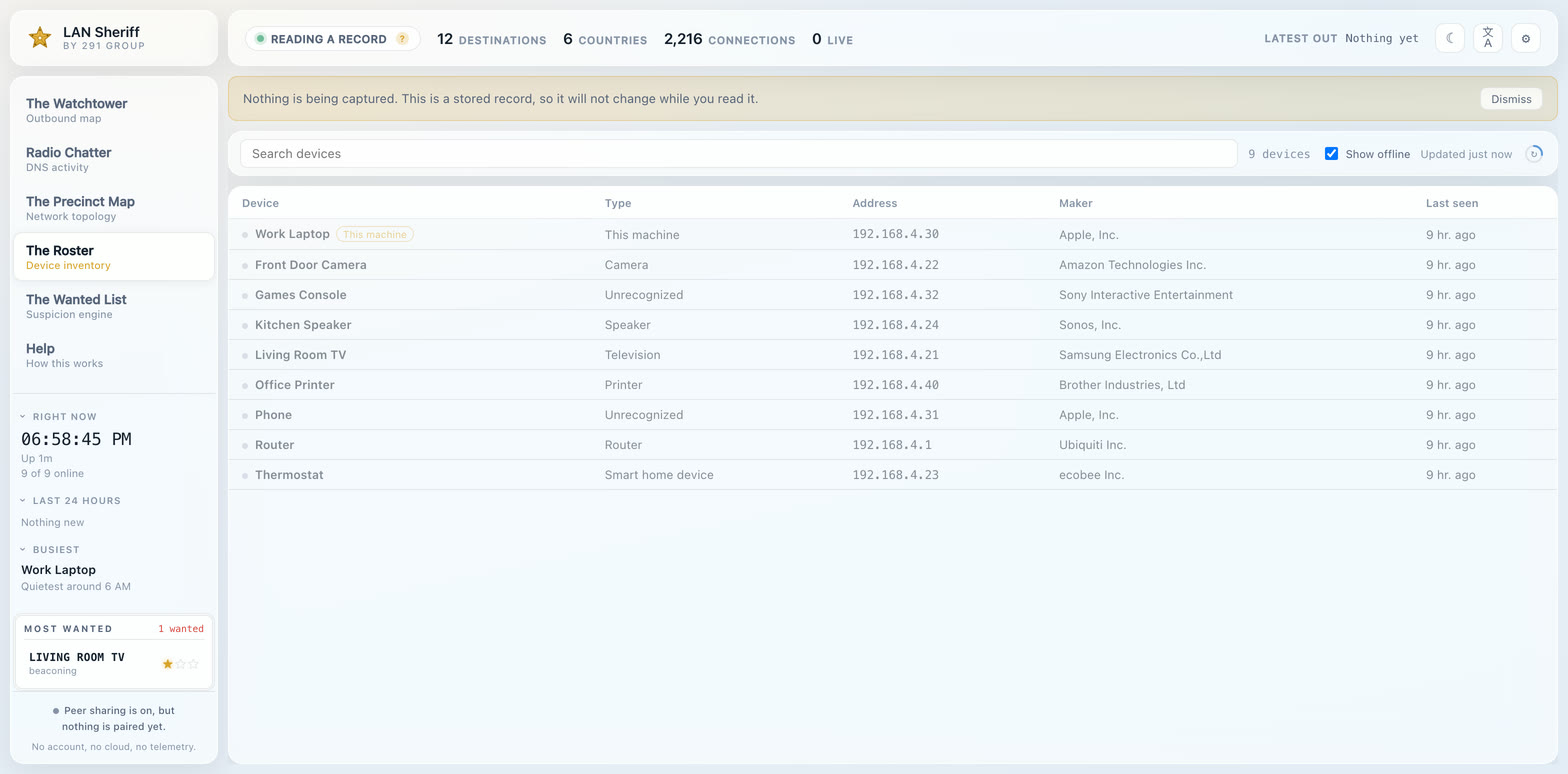
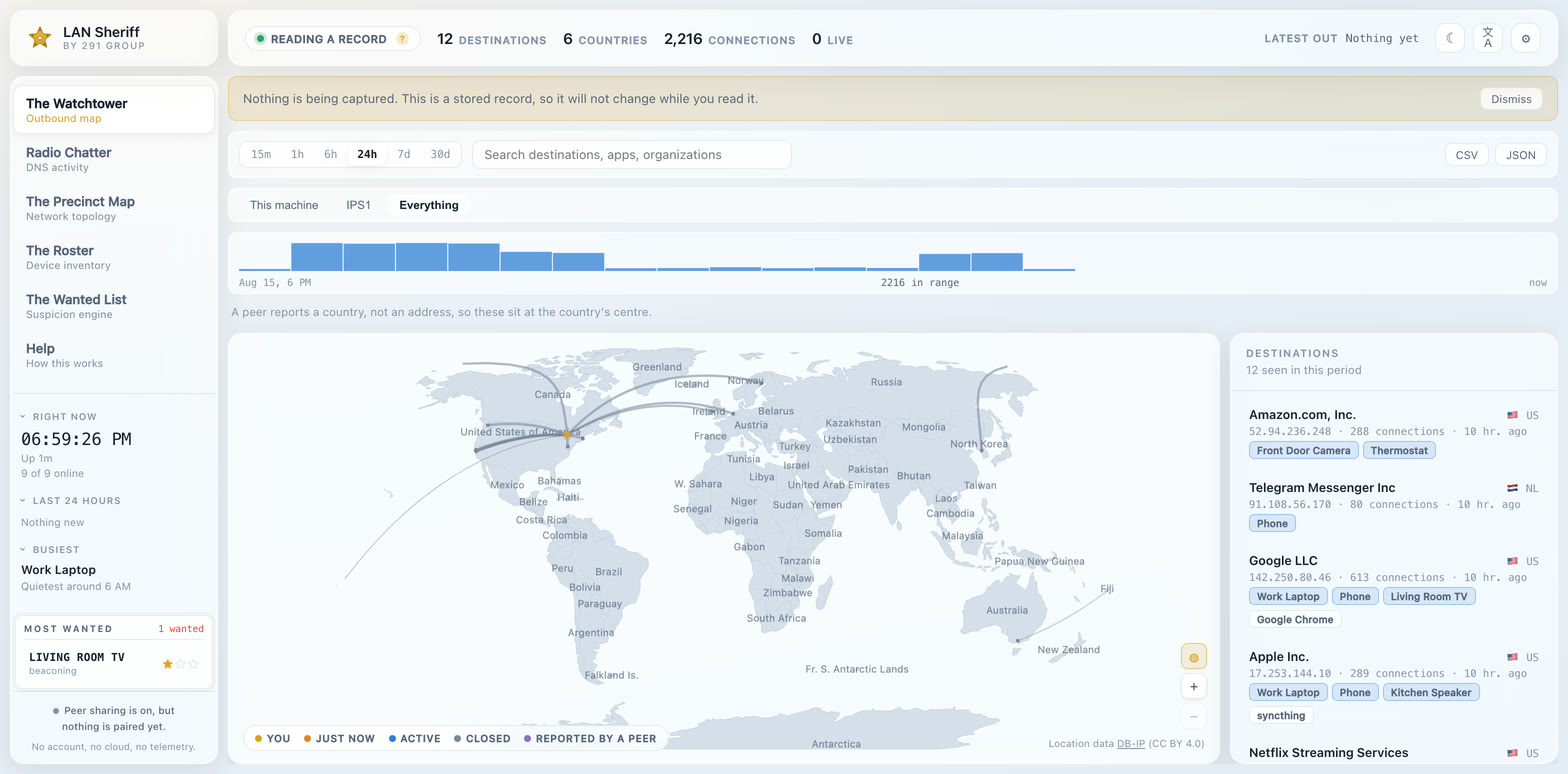
Views: a live world map of outbound connections; a readable stream of every DNS lookup; a network diagram generated from observed traffic; a device roster with manufacturer and type; and a suspicion engine whose eight rules each explain their findings in plain language rather than as a score.
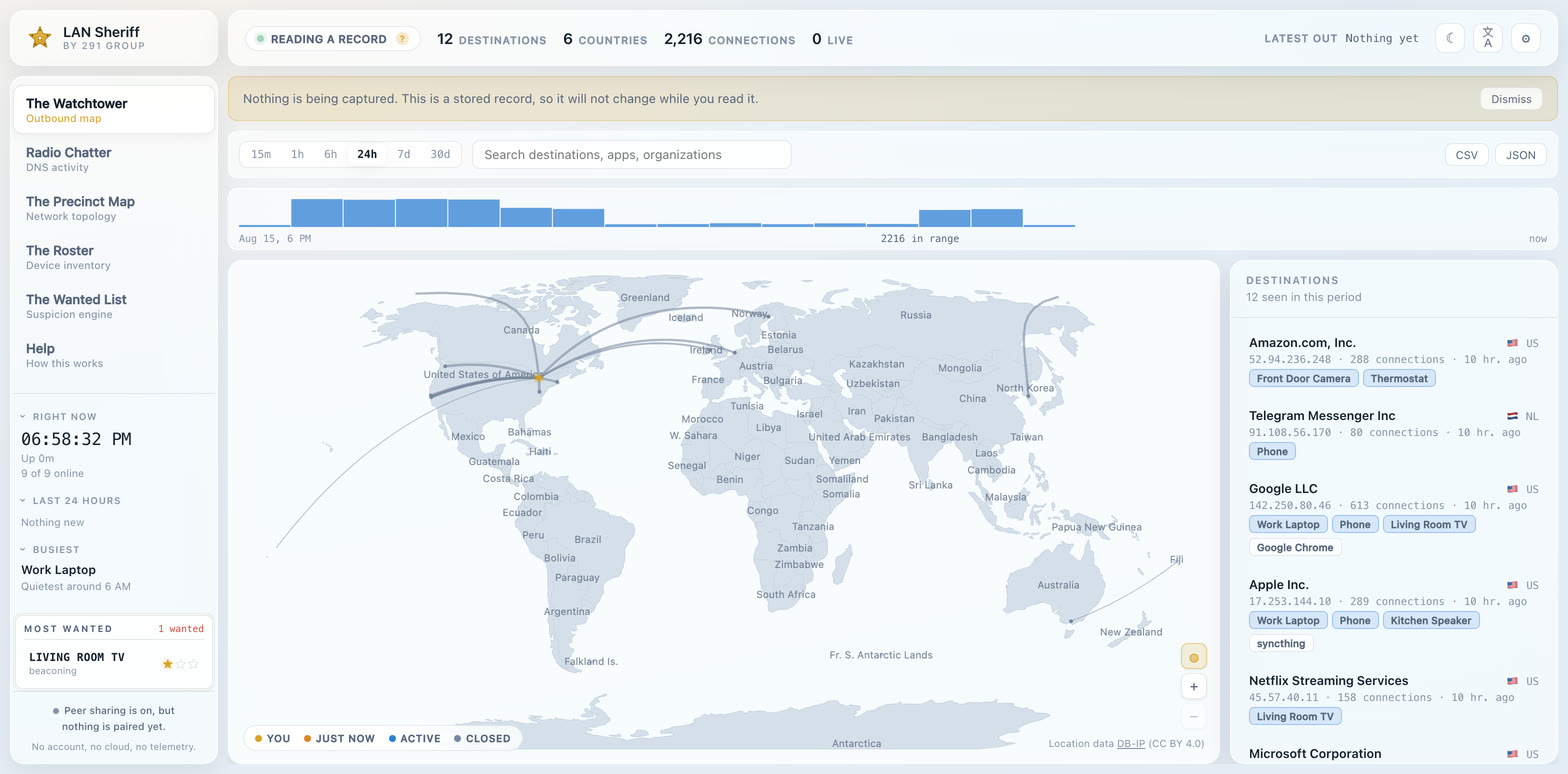
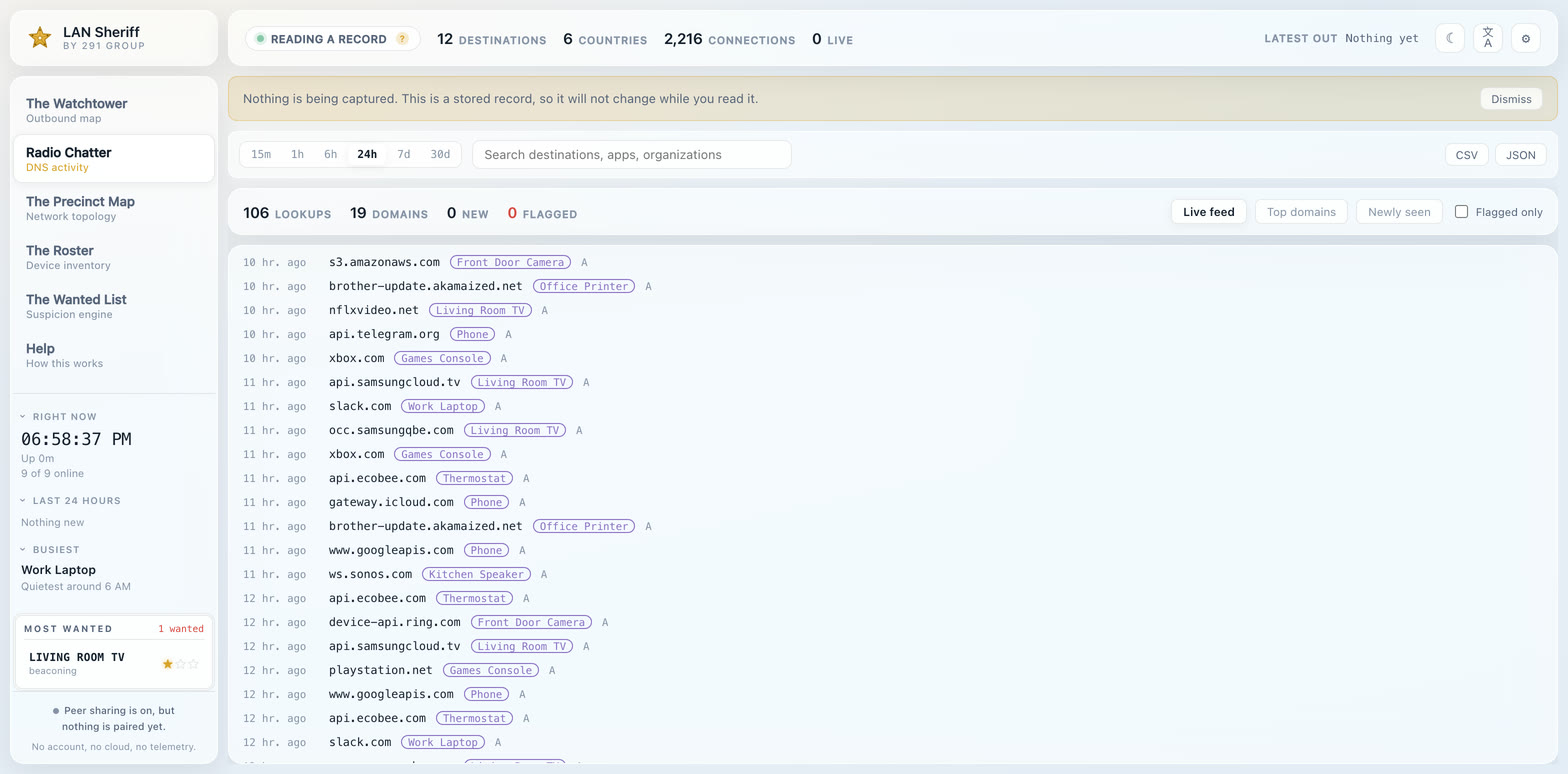
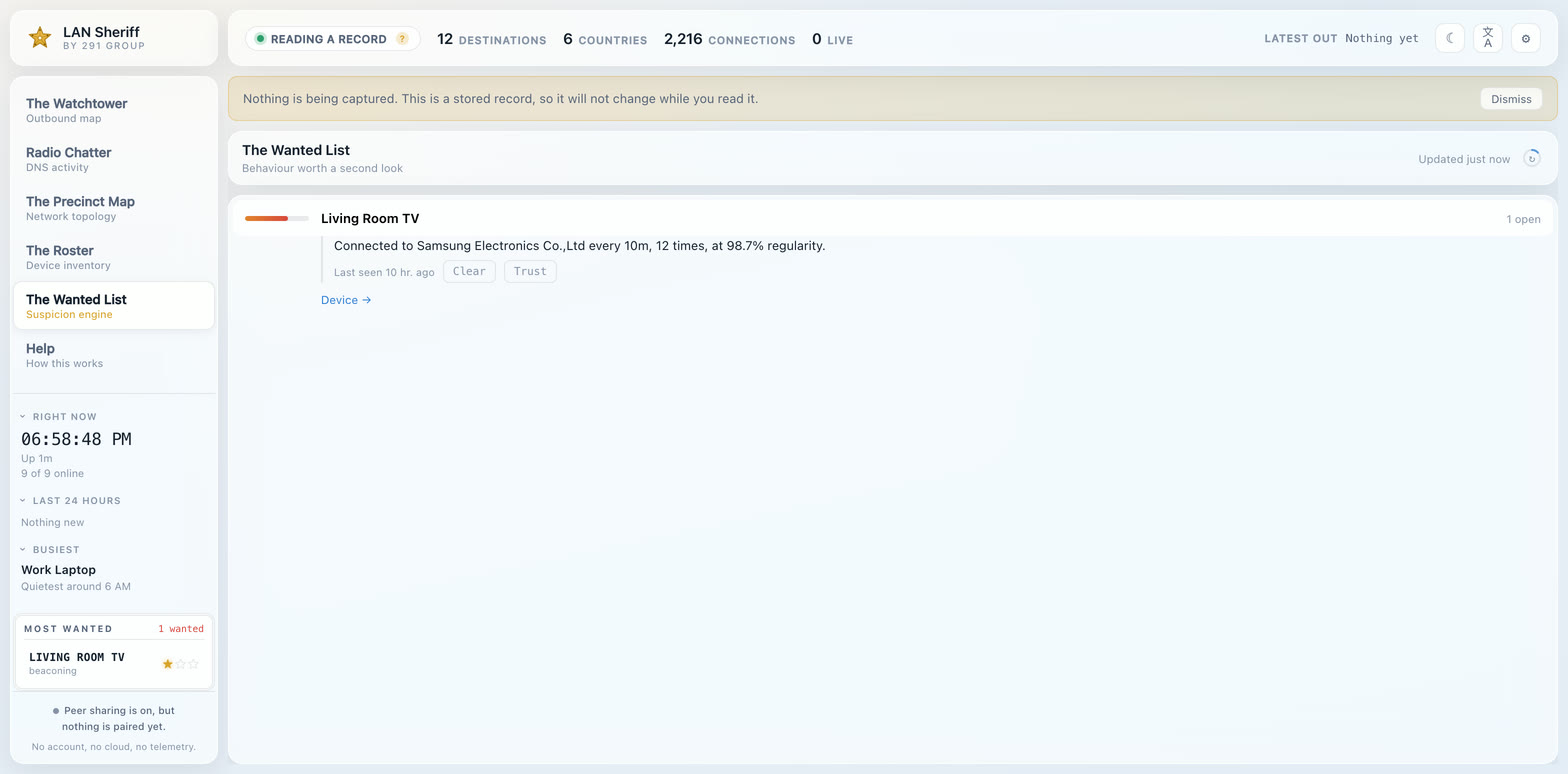
Peer sharing. Separate installations can pair by carrying a code between two machines, and then each draws the other's destinations. A peer sends an organization, a country and counts — never an address, never a domain, never an individual connection. There is no server in the middle.
Ports, data and health
| Port | 2911 (dashboard), 2912 if peer sharing is enabled |
| Data | /data, set by LAN_SHERIFF_DATA_DIR. Use a named volume so the database survives docker compose down |
| Health | lan-sheriff status --data-dir /data, which deliberately needs no password so it keeps working once one is set |
| Platforms | linux/amd64, linux/arm64 |
Set a password immediately. With host networking the dashboard is reachable from your network, and the first visitor is the one who sets the password. Until it is set, the install is unclaimed.
Privacy
By default, nothing this tool observes ever leaves the machine it runs on. Four things do go out, and the complete list is also in the app's own Help page, because a claim nobody can check is worth nothing:
- location and domain databases, fetched on a schedule as ordinary file downloads
- this network's public address, looked up once so the map has an origin
(
--locate=falsedisables it) - registration lookups, only when you open an endpoint and ask who owns it
- notifications and peer sharing, only to destinations you configured yourself
--offline stops the first three outright.
Tag summary
Content type
Image
Digest
sha256:bb77e078f…
Size
38.1 MB
Last updated
about 2 months ago
docker pull 291group/lan-sheriff