2manyvcos/enable-actual
Import transactions from European banks into Actual Budget using Enable Banking
50K+
2manyvcos/enable-actual repository overview
Enable Actual
Import transactions from European banks into Actual Budget using Enable Banking.



Enable Banking provides free (for personal use) access to bank transactions via official PSD2 APIs.
Enable Actual connects this data to Actual Budget and keeps your transactions in sync automatically.
⚠️ Security note: Enable Actual only has read-only access to your bank data. It cannot move or modify funds.
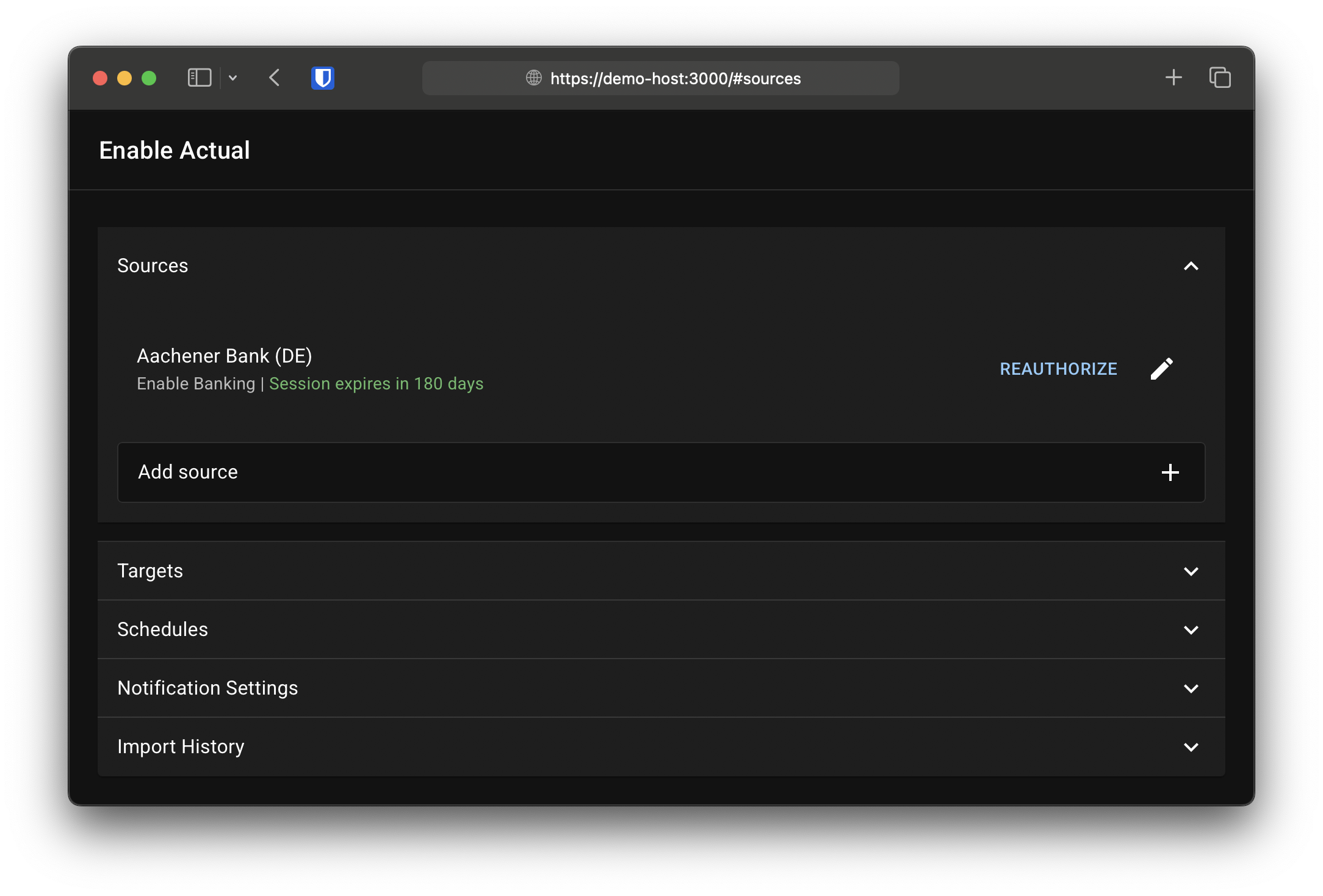
Features
- Simple web UI for setup and import history
- Supports multiple bank accounts and Actual Budget accounts
- Automatic transaction import via PSD2 APIs
- Notifications via https://ntfy.sh (session expiry, errors)
- Easy deployment using the official Docker image
Quick Start (Docker)
docker run \
  -it \
  -p 3000:3000 \
  -v ./data/sync:/data \
  -e SSL_ENABLED=true \
  -e PUBLIC_URL=https://$(hostname):3000 \
  2manyvcos/enable-actual
Then open https://YOUR-HOSTNAME:3000 in your browser and complete the setup.
⚠️ Your browser will tell you that the website uses an insecure self signed certificate, which is expected. However, you should provide your own trusted certificate for production use.
⚠️ Make sure that you use an image that is compatible with your Actual Budget server version, that is, the Actual client version included in the image must be the same or higher than the server version (see #32). A tag is available for the Docker image that tracks the Actual version, e.g.
2manyvcos/enable-actual:actual26.6.0
Security & Requirements
- HTTPS is required for production use (PSD2 requirement)
- No built-in authentication — you must secure access yourself (e.g. reverse proxy with auth)
⚠️ If your instance is exposed to the internet without proper protection, your financial data may be accessible to others.
Configuration
| Variable | Description | Default |
|---|---|---|
APP_NAME | Application name | Enable Actual |
LISTEN_ADDRESS | IP address to bind to | 0.0.0.0 |
PORT | HTTP port | 3000 |
SSL_ENABLED | Whether to use SSL (a self signed certificate is generated if none is provided) | false |
SSL_PRIVATE_KEY_FILE | Path to custom SSL private key | — |
SSL_CERTIFICATE_FILE | Path to custom SSL certificate | — |
PUBLIC_URL | Public URL (must match Enable Banking redirect URL) | http://localhost:{PORT} |
DATA_DIR | Data directory | ./data |
HISTORY_LENGTH | Number of stored history entries | 10 |
ENABLEBANKING_API | Enable Banking API | https://api.enablebanking.com |
LOG_LEVEL | Log level (none, info, debug) | info |
Recommended Data Directory Permissions
sudo install -vd -o 1001 -g 1001 -m 750 ./data/sync
Docker Compose (Traefik Example)
networks:
  frontend:
    external: true
  backend:

services:
  actualbudget:
    image: actualbudget/actual-server
    restart: unless-stopped
    networks:
      - frontend
      - backend
    volumes:
      - ./data/actualbudget:/data
    environment:
      ACTUAL_USER_CREATION_MODE: login
    labels:
      - traefik.enable=true
      - traefik.docker.network=frontend
      - traefik.http.routers.actualbudget.rule=Host(`budget.example.com`)
      - traefik.http.routers.actualbudget.entrypoints=websecure
      - traefik.http.routers.actualbudget.middlewares=my-forward-auth-middleware
      - traefik.http.services.actualbudget.loadbalancer.server.port=5006

  sync:
    image: 2manyvcos/enable-actual
    restart: unless-stopped
    networks:
      - frontend
      - backend
    volumes:
      - ./data/sync:/data
    environment:
      PUBLIC_URL: https://sync.example.com
    labels:
      - traefik.enable=true
      - traefik.docker.network=frontend
      - traefik.http.routers.actualbudget-sync.rule=Host(`sync.example.com`)
      - traefik.http.routers.actualbudget-sync.entrypoints=websecure
      - traefik.http.routers.actualbudget-sync.middlewares=my-forward-auth-middleware
      - traefik.http.services.actualbudget-sync.loadbalancer.server.port=3000
Use http://actualbudget:5006 as the Actual Budget server URL.
Troubleshooting
My transactions don't have a payee / the payee appears in the transaction notes
Normally, the bank includes the payee in the designated field. However, some banks deviate from this standard and either omit this information entirely or include it in a different field (usually remittance_information).
If the information is provided in a non standard field, you can use a payee template to specify where it is resolved from, e.g.:
{{ default | default: data.remittance_information[0] }}
My transactions appear twice after about 24 hours
Enable Actual uses the transaction ID provided by your bank for deduplication. However, at some banks (e.g., N26 (DE)), new transactions are deleted after a certain period of time and recreated with a new ID (presumably after they have been booked by the transaction partner). This results in the transactions being imported a second time during the next import.
For affected bank accounts, the ID can be ignored using an ID template. This allows Actual Budget's deduplication feature to attempt to remove duplicate transactions, which generally works quiet well as long as the transaction amount does not change retrospectively (as with payments at unmanned gas stations or similar):
{{ "" }}
How can I import transactions from multiple different banks?
First, add an application for each of your banks in Enable Banking.
Don't add all your banks to a single application!
Then, you can create a source in Enable Actual for each of your bank accounts by linking the corresponding Enable Banking applications.
After setting up your import targets, create a schedule and add an account mapping for each of the bank accounts you want to import.
I have several accounts that share the same bank name - how can I tell them apart after import?
You can customize the imported payee to include account identification (IBAN or similar) by using the following payee template:
{% if data.credit_debit_indicator == "DBIT" -%}
  {% assign payeeID = data.creditor_account.iban | default: data.creditor_account.other.identification -%}
{% else -%}
  {% assign payeeID = data.debtor_account.iban | default: data.debtor_account.other.identification -%}
{% endif -%}
{{ default }} {% if payeeID %}({{ payeeID | mask }}){% endif %}
Upgrading
2.0.0
Version 2.0.0 introduces a new web-based configuration UI.
- Automatic migration is not supported
- Start with a fresh data directory
- Reconfigure via the web interface
Contributing
Contributions are welcome and appreciated!
This project is developed without the use of AI-generated code (aside from documentation assistance). If you choose to contribute, please keep the following in mind:
- Aim for clear, maintainable, and well-structured code
- Keep pull requests focused and reasonably scoped
- Large or low-quality changes may be declined to preserve project maintainability
If you're unsure about a change, feel free to open an issue first to discuss it.
Tag summary
Content type
Image
Digest
sha256:4b6b61d25…
Size
478.3 MB
Last updated
16 days ago
docker pull 2manyvcos/enable-actual