2shell/docker-ifm
Dockerized IFM (Improved File Manager) - A web-based file manager
1.1K
2shell/docker-ifm repository overview
IFM - improved file manager
contents
- about
- features
- requirements
- installation
- security information
- keybindings
- configuration
- docker
- screenshots
- issues
about
The IFM is a web-based filemanager, which comes as a single file solution using HTML5, CSS3, JavaScript and PHP. You can test a demo here. The credentials are the default credentials: admin as username and password.

The IFM uses the following resources:
- ACE Editor
- Bootstrap v3
- custom icon set generated with Fontello
- jQuery
- Mustache
features
- create/edit files and directories
- copy/move files and directories
- download files and directories
- upload files directly, via URL or per drag & drop
- extract archives (tar, tgz, tar.gz, tar.bz2, zip)
- change permissions
- image preview
requirements
- Client
- HTML5 and CSS3 compatible browser
- activated javascript
- Server
- PHP >= 5.5
- extensions
- bz2
- curl (for remote upload)
- fileinfo
- json
- openssl (for remote uploads from https sources)
- phar
- posix
- zip
- zlib
installation
Just copy the ifm.php to your webspace - thats all :)
security information
The IFM is usually locked to it's own directory, so you are not able to go above. You can change that by setting the root_dir in the scripts configuration.
By default, it is not allowed to show or edit the .htaccess file. This is because you can configure the IFM via environment variables. Thus if anyone has the ability to edit the .htaccess file, he could overwrite the active configuration. See also.
key bindings
- e - edit / extract current file
- hjkl - vim-style navigation (alternative to arrow keys)
- g - focus the path input field (i.e. "goto")
- r - refresh file table
- u - upload a file
- o - remote upload a file
- a - show ajax request dialog
- F - new file
- D - new directory
- cm - show copy/move dialog
- / - search
- a - ajax request
- n - rename file
- Space - select a highlighted item
- Del - delete selected files
- Enter - open a file or change to the directory
configuration
See configuration.
authentication
See authentication.
docker
The docker image is based on alpine 3.5 for a small image footprint, with necessary apache, php and supporting packages installed and exposes port 80
build image
Run the following command from the top source dir:
docker build -t ifm .
run image
The script is installed inside the image at /var/www/html/index.php. Its default configuration is unchanged, thus it will display the contents of the document root (/var/www/html)
Here is an example of how to start up a container with this image:
docker run --rm -i -e IFM_AUTH=1 -p "9090:80" -v "/data:/var/www/html/data" ifm
The script's configuration can be changed by adjusting the corresponding docker environment variables listed below:
| PHP config value | Docker env var |
|---|---|
auth | IFM_AUTH |
auth_source | IFM_AUTH_SOURCE |
root_dir | IFM_ROOT_DIR |
tmp_dir | IFM_TMP_DIR |
defaulttimezone | IFM_DEFAULTTIMEZONE |
forbiddenchars | IFM_FORBIDDENCHARS |
language | IFM_LANGUAGE |
ajaxrequest | IFM_API_AJAXREQUEST |
chmod | IFM_API_CHMOD |
copymove | IFM_API_COPYMOVE |
createdir | IFM_API_CREATEDIR |
createfile | IFM_API_CREATEFILE |
edit | IFM_API_EDIT |
delete | IFM_API_DELETE |
download | IFM_API_DOWNLOAD |
extract | IFM_API_EXTRACT |
upload | IFM_API_UPLOAD |
remoteupload | IFM_API_REMOTEUPLOAD |
rename | IFM_API_RENAME |
zipnload | IFM_API_ZIPNLOAD |
showlastmodified | IFM_GUI_SHOWLASTMODIFIED |
showfilesize | IFM_GUI_SHOWFILESIZE |
showowner | IFM_GUI_SHOWOWNER |
showgroup | IFM_GUI_SHOWGROUP |
showpermissions | IFM_GUI_SHOWPERMISSIONS |
showhtdocs | IFM_GUI_SHOWHTDOCS |
showhiddenfiles | IFM_GUI_SHOWHIDDENFILES |
showpath | IFM_GUI_SHOWPATH |
contextmenu | IFM_GUI_CONTEXTMENU |
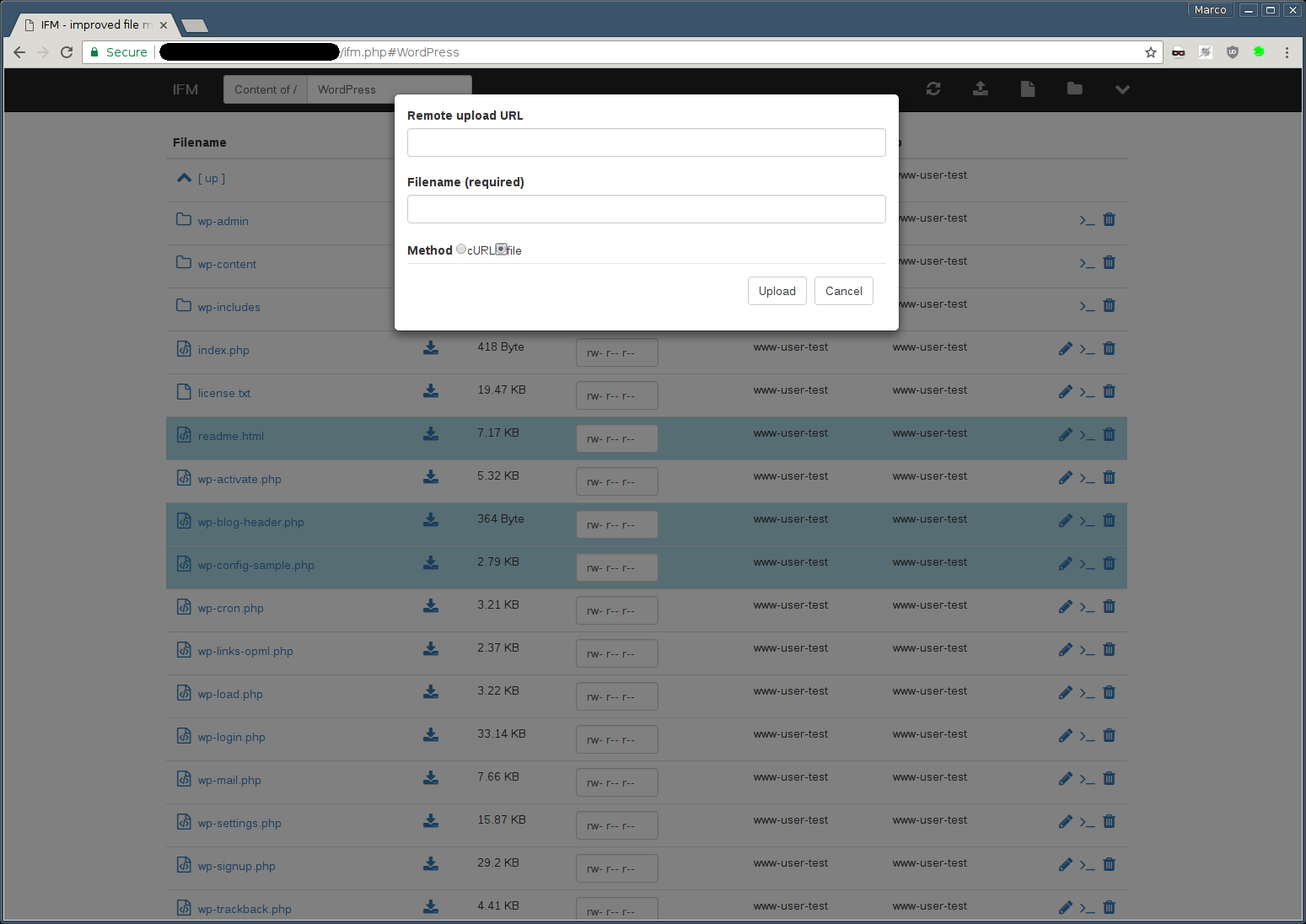
screenshots



issues
Currently there are no known issues. If you find any flaws please let me know.
Tag summary
Content type
Image
Digest
Size
30.9 MB
Last updated
almost 7 years ago
docker pull 2shell/docker-ifm