abcdkh1209/snaplake
Self-hosted database snapshot management platform
Image
0
2.6K
abcdkh1209/snaplake repository overview
Snaplake
Self-hosted tool for querying past database states without restoring backups. Captures periodic snapshots of PostgreSQL and MySQL tables as Parquet files, and lets you query any point in time with SQL powered by DuckDB.
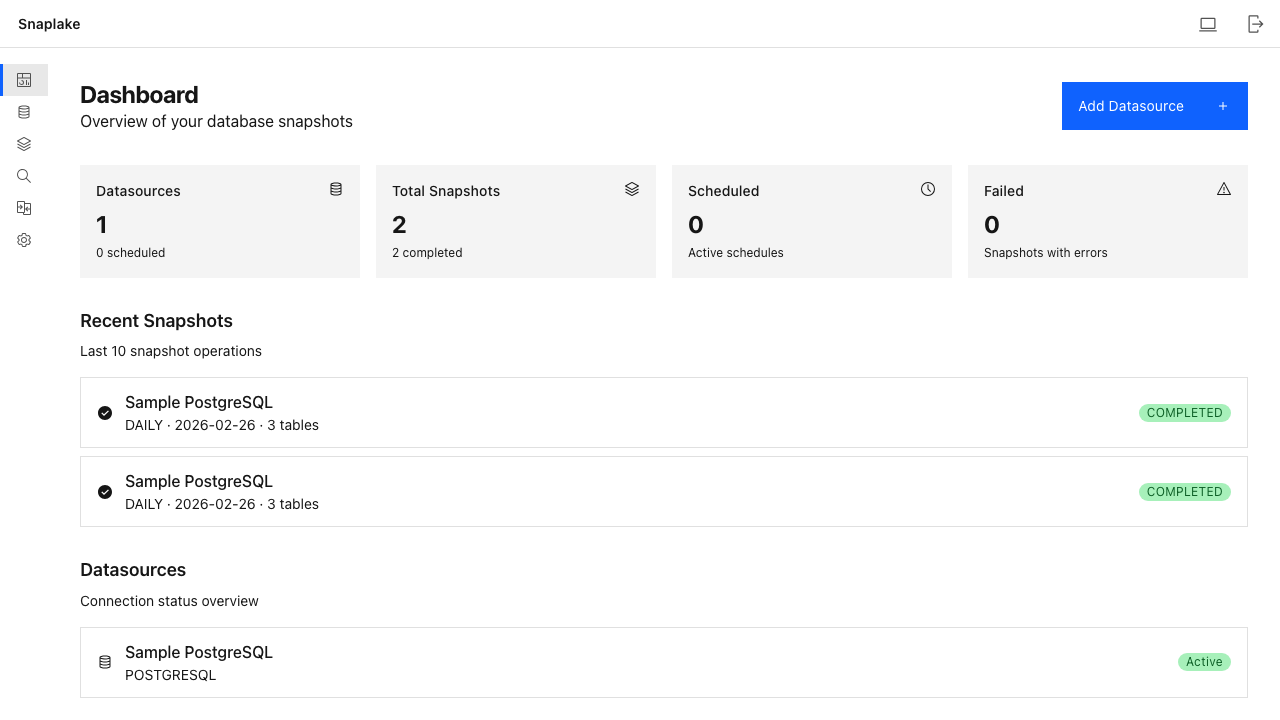
Features
- SQL Query Engine — Query any snapshot with SQL using DuckDB, supports joins and aggregations
- Snapshot Comparison — Row-level diff with color-coded highlighting
- Automatic Snapshots — Cron-based capture as Apache Parquet files
- Retention Policies — Daily/monthly retention limits to manage storage
- Flexible Storage — Local filesystem or S3-compatible object storage
- Setup Wizard — Guided initial setup for admin account, storage, and first datasource
- Dark Mode — Full dark/light theme support
Quick Start
docker run -d \
  --name snaplake \
  -p 8080:8080 \
  -v snaplake-data:/app/data \
  -e SNAPLAKE_JWT_SECRET=your-secret-key \
  -e SNAPLAKE_ENCRYPTION_KEY=your-encryption-key \
  abcdkh1209/snaplake:latest
Note: Replace
your-secret-keyandyour-encryption-keywith your own secure values. These are used for JWT signing and datasource password encryption respectively. If omitted, random keys are auto-generated on each restart, which will invalidate existing sessions and encrypted data.
Open http://localhost:8080 and follow the setup wizard.
Docker Compose
services:
  snaplake:
    image: abcdkh1209/snaplake:latest
    ports:
      - "8080:8080"
    volumes:
      - snaplake-data:/app/data
    environment:
      SNAPLAKE_DATA_DIR: /app/data
      SNAPLAKE_JWT_SECRET: your-secret-key
      SNAPLAKE_ENCRYPTION_KEY: your-encryption-key
    restart: unless-stopped

volumes:
  snaplake-data:
Try with Sample Database
services:
  snaplake:
    image: abcdkh1209/snaplake:latest
    ports:
      - "8080:8080"
    volumes:
      - snaplake-data:/app/data
    environment:
      SNAPLAKE_DATA_DIR: /app/data
      SNAPLAKE_JWT_SECRET: your-secret-key
      SNAPLAKE_ENCRYPTION_KEY: your-encryption-key
    restart: unless-stopped

  sample-db:
    image: postgres:17
    environment:
      POSTGRES_DB: sampledb
      POSTGRES_USER: demo
      POSTGRES_PASSWORD: demo1234
    ports:
      - "15432:5432"
    restart: unless-stopped

volumes:
  snaplake-data:
Connect to sample database during setup:
| Field | Value |
|---|---|
| Host | sample-db |
| Port | 5432 |
| Database | sampledb |
| Username | demo |
| Password | demo1234 |
Environment Variables
| Variable | Default | Description |
|---|---|---|
SNAPLAKE_DATA_DIR | /app/data | Directory for SQLite metadata DB and local snapshots |
SNAPLAKE_PORT | 8080 | Server port |
SNAPLAKE_JWT_SECRET | (auto-generated) | JWT signing secret |
SNAPLAKE_ENCRYPTION_KEY | (auto-generated) | AES key for encrypting datasource passwords |
Volumes
| Path | Description |
|---|---|
/app/data | SQLite metadata database and local snapshot storage |
Supported Platforms
linux/amd64linux/arm64
Links
License
Tag summary
Content type
Image
Digest
sha256:9d4111be1…
Size
275.1 MB
Last updated
5 months ago
docker pull abcdkh1209/snaplake