accetto/debian-vnc-xfce-python-g3
Headless Ubuntu/Xfce container with VNC/noVNC for Python development (G3v8).
7.5K
accetto/debian-vnc-xfce-python-g3 repository overview
Headless Debian/Xfce container with VNC/noVNC for Python development
accetto/debian-vnc-xfce-python-g3
User Guide - GitHub - Dockerfile - Readme - Changelog



This Docker Hub repository contains Docker images for headless working with the popular programming language Python and its package installer pip.
The images are based on the current Debian 13 and include Xfce desktop, TigerVNC server and noVNC client.
The free open-source programming editor Visual Studio Code in portable installation and the popular web browsers Brave, Chromium or Firefox are also included.
Adding more tools like, for example, the most popular Python GUI frameworks TKinter, PyQt5, PyQT for Python (PySide2 or PySide6), wxPython or Kivy usually requires only a single or just a few commands.
The instructions are in the provided README files and some simple test applications are also already included.
This User guide describes the images and how to use them.
The related GitHub project contains image generators that image users generally don’t need, unless they want to build the images themselves.
Sharing Visual Studio Code profiles
You can share portable Visual Studio Code profiles using volumes if you build your compose file similar to this:
volumes:
  ### The volume should be prepared beforehand, otherwise
  ### it would be removed with the service.
  some-shared-vscode-profile-volume:
    external: true

services:
  some-vscode-service:
    ....
    volumes:
      - type: volume
        source: some-shared-vscode-profile-volume:
        target: /home/headless/.vscode-portable/code/data/user-data/User
      - type: volume
        source: some-shared-vscode-profile-volume:
        target: /home/headless/.vscode-portable/code/data/extensions
Be aware, that if you don't prepare the volume beforehand, it will be removed with the service. Read more about Docker volumes and Compose volumes in the official documentation.
Tags
The following image tags are regularly built and published on Docker Hub:
-
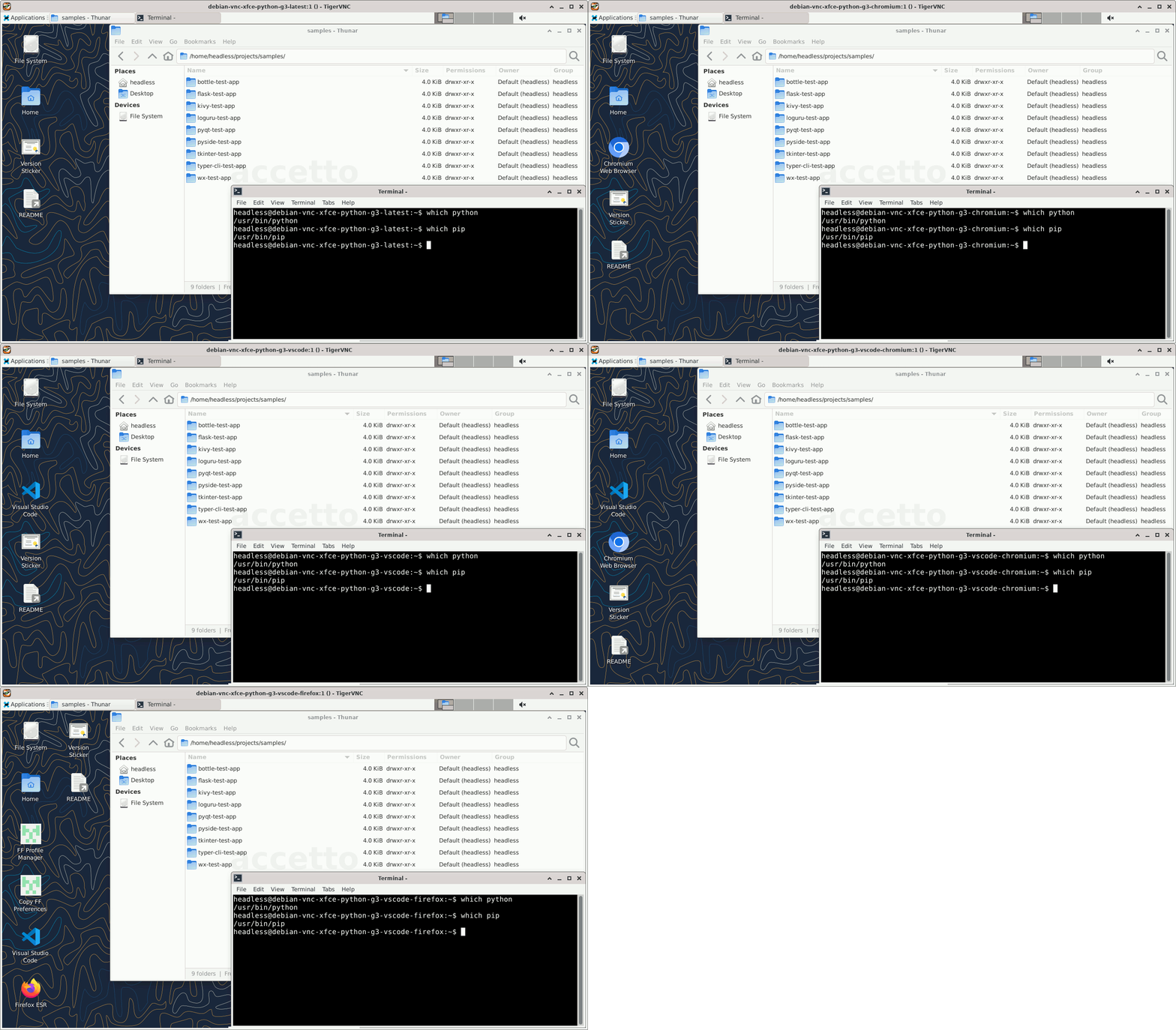
latestimplements VNC and noVNC -
braveadds only Brave Browser -
chromiumadds only Chromium Browser -
vscodeadds portable Visual Studio Code' '
-
vscode-braveadds portable Visual Studio Code and Brave Browser -
vscode-chromiumadds portable Visual Studio Code and Chromium Browser -
vscode-firefoxadds portable Visual Studio Code and Firefox


Hint: Clicking the version sticker badge reveals more information about the particular build.
Features
The main features and components of the images in the default configuration are:
- lightweight Xfce desktop environment (Debian distribution)
- sudo support
- utilities curl and git (Debian distribution)
- current version of JSON processor jq
- current version of high-performance TigerVNC server and client
- current version of noVNC HTML5 clients (full and lite) (TCP port 6901)
- popular text editor nano (Debian distribution)
- lite but advanced graphical editor mousepad (Debian distribution)
- current version of tini as the entry-point initial process (PID 1)
- support for overriding environment variables, VNC parameters, user and group (see User guide)
- support of version sticker (see User guide)
- current version of Brave Browser open-source web browser (official Brave distribution)
- current version of Chromium Browser open-source web browser (Debian distribution)
- current version of Firefox ESR (Extended Support Release) web browser and also the additional Firefox plus feature (see User guide)
- programming language Python with pip package installer (Debian distribution)
- current version of free open-source programming editor Visual Studio Code in portable installation
The following TCP ports are exposed by default:
- 5901 for access over VNC (using VNC viewer)
- 6901 for access over noVNC (using web browser)
Remarks
The related GitHub project contains also the branch bonus-images-python-gui-frameworks, which allows building images already including the most popular Python GUI frameworks (see above).
Those images could be occasionally pushed to Docker Hub, but there will be no effort to do it regularly.
However, you can built them yourself.
This is the third generation (G3) of my headless images. The second generation (G2) contains the GitHub repository accetto/xubuntu-vnc-novnc. The first generation (G1) contains the GitHub repository accetto/ubuntu-vnc-xfce.
Note that the portable Visual Studio Code does not support automatic updates.
However, manual updating is really easy.
Visit the official Portable Mode page for more information.
Alternatively you can pull or build an updated accetto image containing the new Visual Studio Code version.
Getting help
If you've found a problem or you just have a question, please check the User guide, Issues and sibling Wiki first. Please do not overlook the closed issues.
If you do not find a solution, you can file a new issue. The better you describe the problem, the bigger the chance it'll be solved soon.
If you have a question or an idea and you don't want to open an issue, you can also use the sibling Discussions.
Tag summary
Content type
Image
Digest
sha256:47611859a…
Size
251.9 MB
Last updated
3 months ago
docker pull accetto/debian-vnc-xfce-python-g3