accetto/ubuntu-vnc-xfce-chromium-g3
Headless Ubuntu/Xfce containers with VNC/noVNC and Chromium Browser (G3v8).
50K+
accetto/ubuntu-vnc-xfce-chromium-g3 repository overview
Headless Ubuntu/Xfce container with VNC/noVNC and Chromium Browser
accetto/ubuntu-vnc-xfce-chromium-g3
User Guide - GitHub - Dockerfile - Readme - Changelog


This Docker Hub repository contains Docker images for headless working.
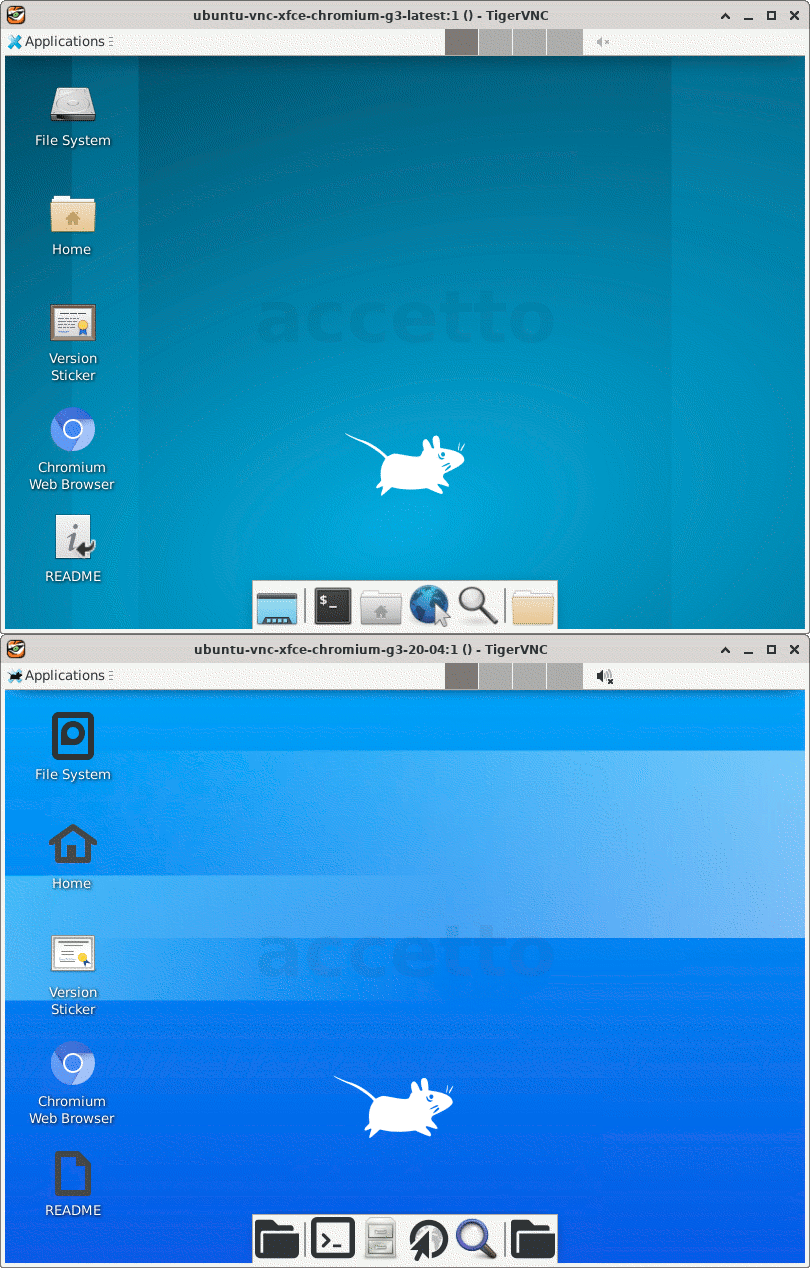
The images are based on Ubuntu 24.04, 22.04 and 20.04 LTS and include Xfce desktop, TigerVNC server and noVNC client. The popular web browser Chromium is also included.
This User guide describes the images and how to use them.
The related GitHub project contains image generators that image users generally don’t need, unless they want to build the images themselves.
Tags
The following image tags are regularly built and published on Docker Hub:
-
latest(also as24.04) based onUbuntu 24.04 LTS -
22.04based onUbuntu 22.04 LTS -
20.04based onUbuntu 20.04 LTS


Hint: Clicking the version sticker badge reveals more information about the particular build.
Features
The main features and components of the images in the default configuration are:
- light-weight Xfce desktop environment (Ubuntu distribution)
- sudo support
- current version of JSON processor jq
- current version of high-performance TigerVNC server and client
- current version of noVNC HTML5 clients (full and lite) (TCP port 6901)
- popular text editor nano (Ubuntu distribution)
- lite but advanced graphical editor mousepad (Ubuntu distribution)
- current version of tini as the entry-point initial process (PID 1)
- support for overriding environment variables, VNC parameters, user and group (see User guide)
- support of version sticker (see User guide)
- current version of Chromium Browser open-source web browser (from
Ubuntu 18.04 LTSdistribution)
The following TCP ports are exposed by default:
- 5901 for access over VNC (using VNC viewer)
- 6901 for access over noVNC (using web browser)
Remarks
There is also a similar sibling image accetto/debian-vnc-xfce-chromium-g3 based on Debian.
This is the third generation (G3) of my headless images. The second generation (G2) contains the GitHub repository accetto/xubuntu-vnc-novnc. The first generation (G1) contains the GitHub repository accetto/ubuntu-vnc-xfce.
The images contain the current Chromium Browser from the Ubuntu 18.04 LTS distribution.
This is because the versions for Ubuntu 24.04, 22.04 and 20.04 LTS depend on snap, which is currently not supported in Docker containers.
The Chromium Browser in these images runs in the --no-sandbox mode.
You should be aware of the implications.
The images are intended for testing and development.
Getting help
If you've found a problem or you just have a question, please check the User guide, Issues and Wiki first. Please do not overlook the closed issues.
If you do not find a solution, you can file a new issue. The better you describe the problem, the bigger the chance it'll be solved soon.
If you have a question or an idea and you don't want to open an issue, you can also use the Discussions.
Tag summary
Content type
Image
Digest
sha256:4c1182d94…
Size
258.3 MB
Last updated
17 days ago
Requires Docker Desktop 4.37.1 or later.