acltabontabon/draft-canvas
A local-first canvas for developers to explain software visually
2.0K
acltabontabon/draft-canvas repository overview





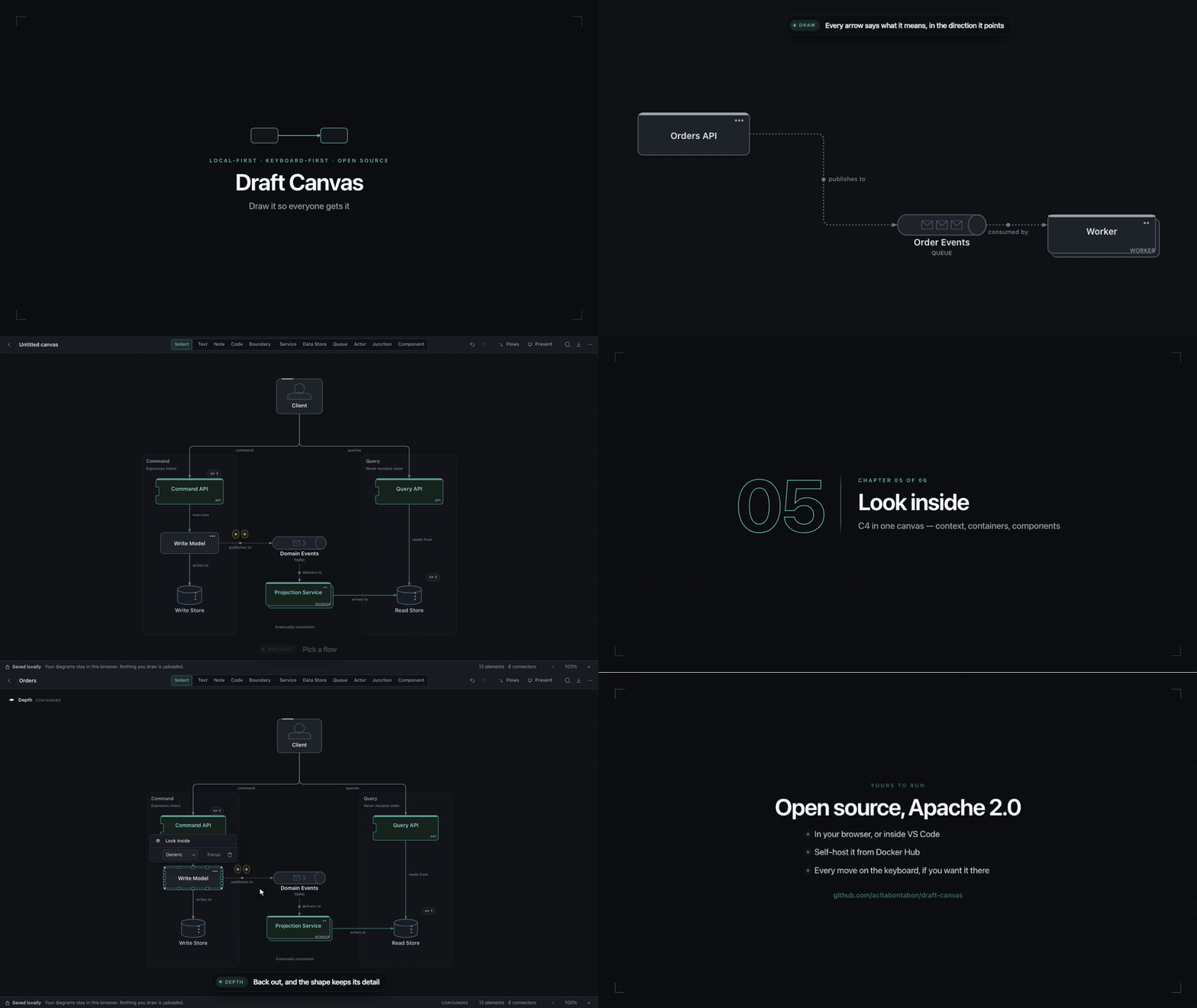
Draw it so everyone gets it.
You're in a meeting explaining a system, and someone needs to see it drawn. So you start diagramming — and then you're adjusting connectors, moving things around, working out how to represent what you were just saying. Before long you're spending more time on the diagram than on the idea.
Draft Canvas is built to reduce that friction. It gives you architecture-aware shapes, familiar technical relationships, and small assists where they help.
This image is the same static app as the hosted version, served by nginx: no backend, no database, no account, nothing to configure beyond the port you expose.
Quick start
docker run -d \
  --name draft-canvas \
  -p 8080:80 \
  acltabontabon/draft-canvas:latest
Then open http://localhost:8080.
latest follows stable releases. To stay put, pin a version — e.g. acltabontabon/draft-canvas:1.9.0.
Put it behind HTTPS
Serving it to other machines? Put it behind HTTPS. Browsers only allow the encryption Draft Canvas stores your diagrams with on HTTPS or localhost, so over plain http://192.168.x.x it can't save anything.
What you get
- Architecture-aware shapes — Service, Data Store, Queue/Topic, Actor, Component, Boundary, each one knowing what it means. Connectors work out the relationship themselves and caption it in the direction the arrow points.
- C4-aware depth — Look inside any shape and draw what runs there, in the same canvas. Tell a view it shows System context, Containers or Components and the level below follows from it; the depth map in the corner always shows the way back out.
- Keyboard-first — Press a letter to drop a shape under the cursor, Tab to accept what it suggests comes next, ⌘K for everything else.
- Flows and presentations — Group connectors into a flow and walk a room through it step by step, with notes and code arriving on the steps they belong to. Export a flow as a Mermaid or PlantUML sequence diagram.
- Takeaways — Capture the decisions, questions and open actions a diagram produced without stopping the drawing, and copy them out as Markdown.
- Ten starters — Microservices, Event-Driven, Hexagonal, CQRS, Saga, Outbox and more, each composed and each shipping its own flows.
- A handbook that plays itself — Learn docks beside the canvas with recipes drawn live by the real renderer, not recorded.
- Local by default — IndexedDB, encrypted at rest with a key only that browser holds. Works offline after the first load, and the build's own tests enforce that it makes no network calls.
- Export ready —
.draftcanvasJSON, encrypted.dcenc, PNG or SVG.
Also lives in VS Code
Keep the diagram next to the code it describes. Draft Canvas for VS Code opens any .draftcanvas file on the canvas and saves it back as plain JSON, so it shows up in a pull request like everything else.
Image details
- Built from the same
Dockerfile as every release: a Node build stage, then a minimalnginx:alpineruntime — no Node, no source, nonode_modulesin the final image - Multi-arch:
linux/amd64andlinux/arm64 - Published with build provenance and an SBOM
- Tags:
latest(tracks the newest stable release),X.Y.Z, andX.Y
Links
Tag summary
Content type
Image
Digest
sha256:99d2e997a…
Size
24.5 MB
Last updated
about 5 hours ago
docker pull acltabontabon/draft-canvas