aeciopires/go-sse
A web application for testing Server-Sent Events (SSE) protocol using Golang
3.8K
aeciopires/go-sse repository overview
go-sse
- go-sse
- Introduction
- Architecture
- Running using Docker
- Running locally without Docker
- Build image
- Developers
- License
Introduction
A web application for testing and demonstrating the Server-Sent Events (SSE) protocol using Golang.
Server-Sent Events (SSE) is a lightweight, unidirectional protocol for streaming real-time text data from a server to a client over a single, long-lived HTTP connection. Using the text/event-stream format, it enables efficient server-to-browser updates (e.g., dashboards, notifications) with built-in auto-reconnection.
References:
- Server-Sent Events - HTML Living Standard
- MDN Web Docs - Server-Sent Events
- RFC 6797 - HTTP Over TLS
It implements a Backend in Go serving a Frontend, Prometheus metrics, and Docker configurations.
Architecture
The application follows a clean, modular architecture:
- Frontend: A server-side rendered HTML template served by Go with Vanilla JavaScript to consume SSE events in real-time.
- Backend: Written in Go, exposing a
/sseendpoint that streams Server-Sent Events with proper headers and persistent connections. - Observability: Uses prometheus/client_golang to expose system and application metrics.
Features
SSE Protocol Compliance
The application correctly implements the Server-Sent Events specification with:
- Persistent HTTP Connection: Long-lived TCP connection maintained between client and server
- No Caching:
Cache-Control: no-cacheheader set - No Compression: Uncompressed streaming for real-time delivery
- No Buffering: Server-side flushing with
http.Flusherinterface - Proper Streaming Headers:
Content-Type: text/event-streamConnection: keep-aliveHTTP/1.1 200 OK
- Built-in Auto-reconnection: Browser automatically reconnects on connection loss
Application Features
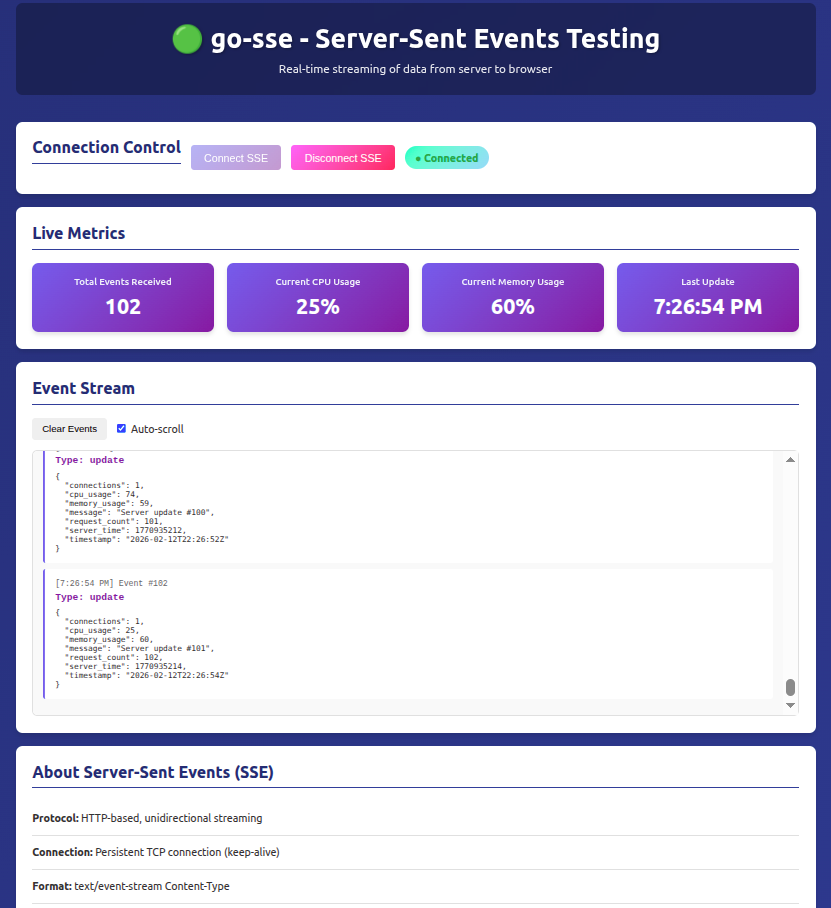
- Real-time Event Streaming: Server sends simulated system metrics every 2 seconds
- Event Types: Welcome message, periodic updates with simulated system data
- Connection Management: Track active SSE connections
- Frontend Dashboard: Display received events, metrics, and connection status
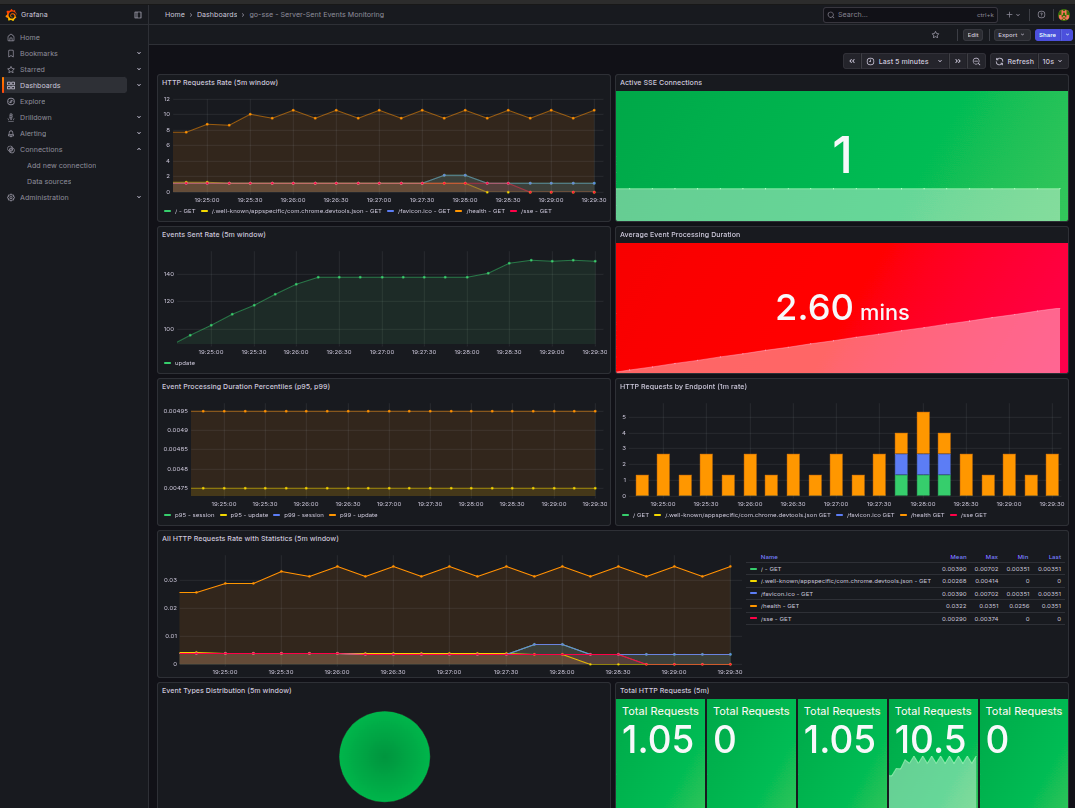
- Prometheus Metrics:
- HTTP request counts
- Active SSE connections
- Events sent counter
- Event processing duration
API Endpoints
| Endpoint | Method | Description |
|---|---|---|
/ | GET | Frontend HTML interface |
/sse | GET | Server-Sent Events stream |
/health | GET | Health check endpoint |
/metrics | GET | Prometheus metrics endpoint |
/static/* | GET | Static assets (CSS, JavaScript) |
Metrics Documentation
The application exposes the following Prometheus metrics:
sse_http_requests_total- Total HTTP requests by path and methodsse_active_connections- Number of active SSE connectionssse_events_sent_total- Total events sent via SSE endpointsse_event_duration_seconds- Event processing duration histogram
Running using Docker
Prerequisites
Build and Run
cd app

# Using Docker Compose (includes Prometheus and Grafana)
docker-compose up -d

# Check logs
docker-compose logs -f go-sse

# Open the application
# Frontend: http://localhost:8080
# Prometheus: http://localhost:9090
# Grafana: http://localhost:3000 (admin / admin)

# Stop services
docker-compose down
Using Docker Image
docker build -t aeciopires/go-sse:1.0.0 .

docker run -d -p 8080:8080 --name go-sse aeciopires/go-sse:1.0.0

docker logs -f go-sse

docker stop go-sse
Running locally without Docker
Prerequisites
- Go 1.25.0 or later
- Make
Installation and Execution
- Install dependencies:
cd app
go mod download
go mod tidy
- Run the application:
go run main.go
- Access the application:
Open your browser and navigate to http://localhost:8080
The application will:
- Serve the frontend on
/ - Stream events on
/sse - Expose metrics on
/metrics - Provide health check on
/health
Using Makefile
cd app

# Build the binary
make build

# Build and run Docker image
make up

# View logs
make logs

# Stop the container
make down

# Recreate container
make recreate
Build image
To build a Docker image with multi-platform support:
cd app

# Build for multiple platforms and push to Docker Hub
make image

# You will be prompted for:
# - Docker Hub username
# - Docker Hub password
The command will build and push images for:
linux/amd64linux/arm/v6linux/arm/v7linux/arm64
Developers
See the CONTRIBUTING.md file for development guidelines and instructions on how to contribute to this project.
License
This project is licensed under the GPL-3.0 License - see the LICENSE file for details.
Tag summary
Content type
Image
Digest
sha256:6679f7830…
Size
11.5 MB
Last updated
8 months ago
docker pull aeciopires/go-sse