agileworksnet/cronicle
This project is build based on Cronicle, a multi-server task scheduler and runner.
1.1K
agileworksnet/cronicle repository overview
Overview
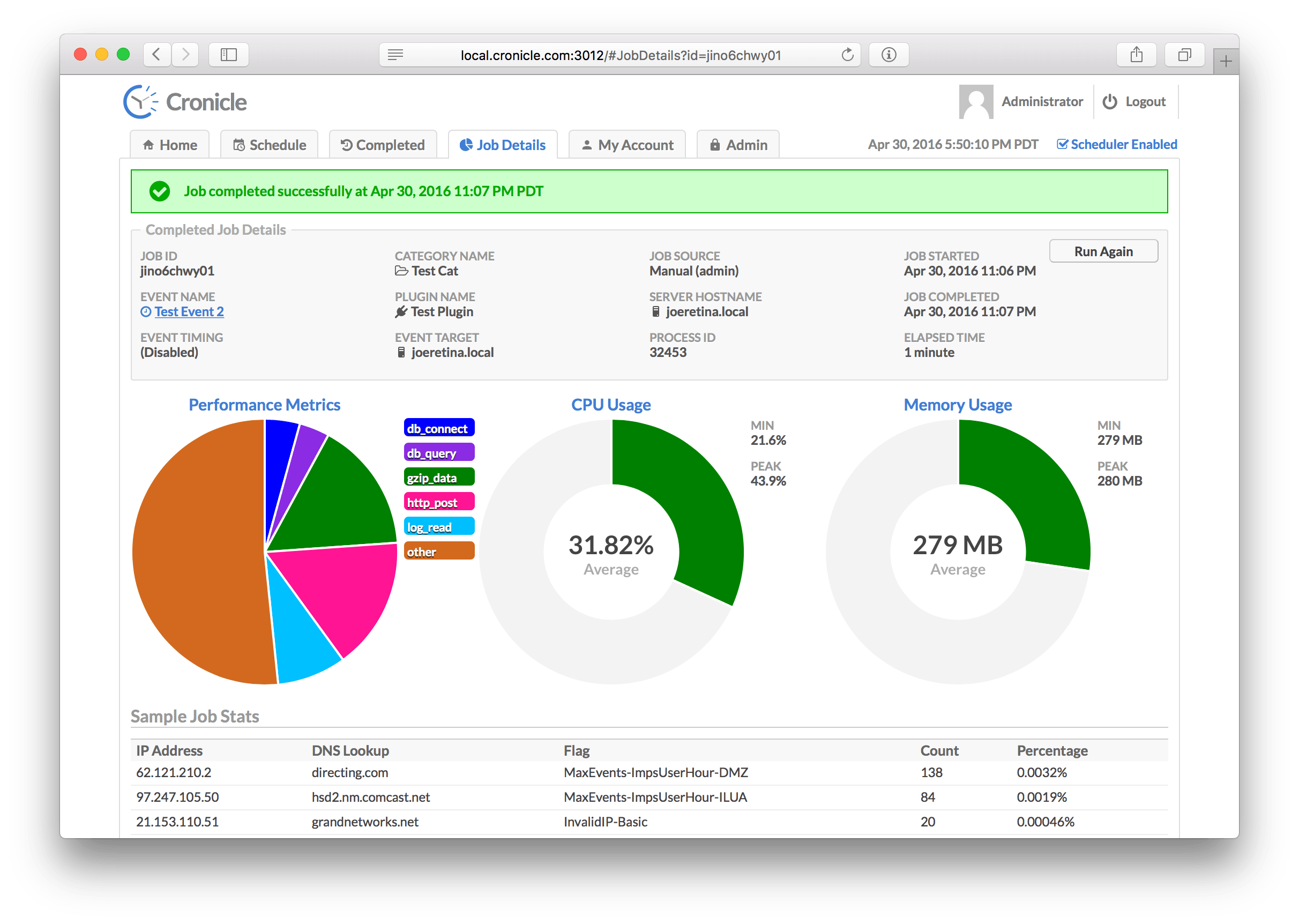
This project is build based on Cronicle, a multi-server task scheduler and runner, with a web based front-end UI. It handles both scheduled, repeating and on-demand jobs, targeting any number of worker servers, with real-time stats and live log viewer. It's basically a fancy Cron replacement written in Node.js. You can give it simple shell commands, or write Plugins in virtually any language.
Documentation
We add the Cronicle documentation to manage the application:
- → Installation & Setup
- → Configuration
- → Setup
- → Web UI
- → Plugins
- → Command Line
- → Inner Workings
- → API Reference
- → Development
Features
This project can manage commands in a docker deployment context. The image is a idea extracted from Docker Cronicle By Soulteary.
Docker commands with Cronicle
Importnate: if you need to manage the crontab of a docker applications, you can bind the volume of docker host with - /var/run/docker.sock:/var/run/docker.sock to make that cronicle exec commands in a docker container. View the docker-compose.yml example added to this project.
docker exec -it $(docker ps -aqf "name=container_name") sh -c "echo a && echo b"
- Replace
container_namewith the docker container name. You can define it on the service ondocker-compose.yml. - Add event with
shell pluginand connect the command with your container:
#!/bin/sh

# Enter your shell script code here
docker exec -it $(docker ps -aqf "name=container_name") sh -c "echo a && echo b"
Prevent input device is not a TTY
Another requirement is that the container need tty enable to prevent Error: Script exited with code: 1: the input device is not a TTY when you run the script. this error appears when docker exec command is running with flag -t, which assigs a pseudo-TTY, in a docker context with no support for interactive terminal.
# Job ID: jlwq3cmyt05
# Event Title: Docker exec command
# Hostname: main
# Date/Time: 2024/05/28 09:43:49 (GMT+2)

the input device is not a TTY

# Job failed at 2024/05/28 09:43:49 (GMT+2).
# Error: Script exited with code: 1: the input device is not a TTY
# End of log.
If you don't need a interactive terminal, don't use the flag -t. For example:
docker exec -i $(docker ps -aqf "name=container_name") sh -c "echo a && echo b"
# Job ID: jlwq3jjnr07
# Event Title: Docker exec command
# Hostname: main
# Date/Time: 2024/05/28 09:49:12 (GMT+2)

[2024/05/28 09:49:12] a
[2024/05/28 09:49:12] b

# Job completed successfully at 2024/05/28 09:49:12 (GMT+2).
# End of log.
Application with url context
Is neccesary update some scripts of the original project of Cronicle, that is updated on image construction:
# Only copy this scripts, another scripts are Cronicle property
COPY ./bin/docker-entrypoint.js ./bin/docker-entrypoint.js
COPY ./bin/build-tools.js ./bin/build-tools.js
docker-entrypoint.js: config the project and build the docker context of the application.
build-tools.js: add the deployment context from config.json file. This make that in HTML compilation, the base tag is added to head.
{
	"base_app_url": "http://localhost:3012/context",
  ...
}
Now our application url base is listen on http://localhost:3012/context. An exmaple with a apache proxy:
# our_domain/context
# Crons server to our application
ProxyPass "/context"  "http://our_ip:3012/"
ProxyPassReverse "/context"  "http://our_ip:3012/"
ProxyHTMLURLMap http://our_ip:3012/ /context

ProxyPreserveHost On
SSLProxyEngine on
SSLProxyVerify none
SSLProxyCheckPeerCN off
SSLProxyCheckPeerName off
SSLProxyCheckPeerExpire off
Reference
License
The MIT License (MIT)
Copyright (c) 2015 - 2023 Joseph Huckaby
Permission is hereby granted, free of charge, to any person obtaining a copy of this software and associated documentation files (the "Software"), to deal in the Software without restriction, including without limitation the rights to use, copy, modify, merge, publish, distribute, sublicense, and/or sell copies of the Software, and to permit persons to whom the Software is furnished to do so, subject to the following conditions:
The above copyright notice and this permission notice shall be included in all copies or substantial portions of the Software.
THE SOFTWARE IS PROVIDED "AS IS", WITHOUT WARRANTY OF ANY KIND, EXPRESS OR IMPLIED, INCLUDING BUT NOT LIMITED TO THE WARRANTIES OF MERCHANTABILITY, FITNESS FOR A PARTICULAR PURPOSE AND NONINFRINGEMENT. IN NO EVENT SHALL THE AUTHORS OR COPYRIGHT HOLDERS BE LIABLE FOR ANY CLAIM, DAMAGES OR OTHER LIABILITY, WHETHER IN AN ACTION OF CONTRACT, TORT OR OTHERWISE, ARISING FROM, OUT OF OR IN CONNECTION WITH THE SOFTWARE OR THE USE OR OTHER DEALINGS IN THE SOFTWARE.
Tag summary
Content type
Image
Digest
sha256:d0f9c122d…
Size
131.1 MB
Last updated
over 2 years ago
docker pull agileworksnet/cronicle