ai4drug/xlassify
An alignment-free deep-learning model trained to classify human gut bacteria
918
ai4drug/xlassify repository overview
Xlassify
Fast and accurate taxonomic classification of bacteria genomes is a key step in human gut microbiome analysis. Here we propose Xlassify, an alignment-free deep-learning model that is specifically trained to classify human gut bacteria.
Xlassify demonstrated 98% accuracy in UHGG genomes dataset and ~90% accuracy on an independent testset of 76 gut bacterial genomes isolated from healthy Chinese individuals. Better than alignment-based methods such as GTDBTk, Xlassify requires only <4GB of memory and reaches thirty-second-per-genome speed on a single CPU.
Architecture
16S model:
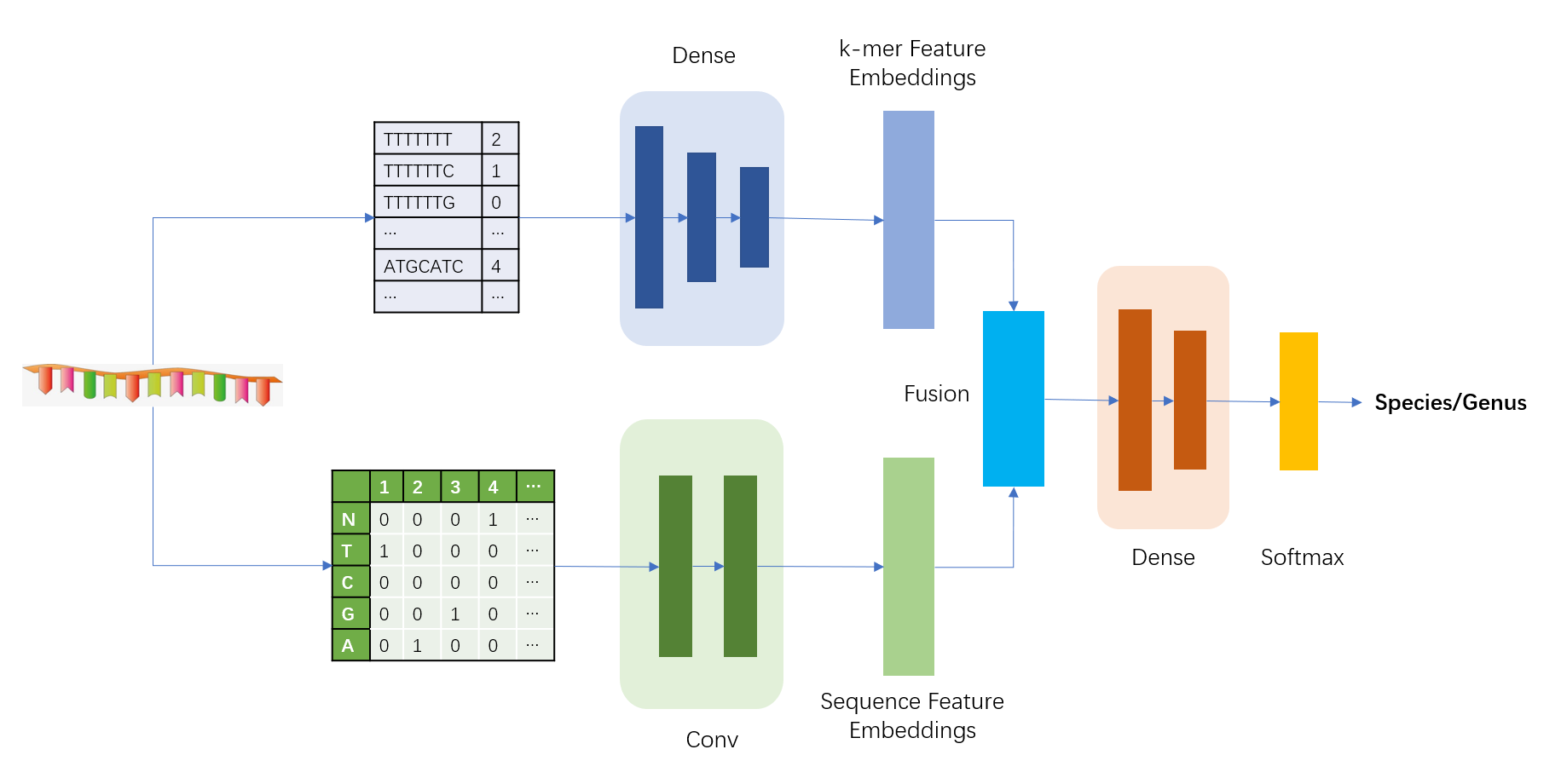
genome model:

Installation
We provide three ways to install Xlassify locally via pip, conda or Docker.
From pip:
pip install xlassify
From conda:
conda install -c ai4drug xlassify
From Docker:
docker pull ai4drug/xlassify
Usage
usage: xlassify [-h] [-m MODEL_NAME] [-i INPUT_PATH]
                [-f INPUT_FILE_LST [INPUT_FILE_LST ...]] [-s SAVE_PATH]
                [-r SAVE_FILE] [--save_kmer SAVE_KMER] [-b BATCH] [-k K]
                [--nproc NPROC]

optional arguments:
  -h, --help            show this help message and exit
  -m MODEL_NAME, --model_name MODEL_NAME
                        Choose a model from {compute_kmer, species_genome,
                        genus_full, species_full}. Default: species_genome
  -i INPUT_PATH, --input_path INPUT_PATH
                        The path of input fasta file. Using testing data as
                        default.
  -f INPUT_FILE_LST [INPUT_FILE_LST ...], --input_file_lst INPUT_FILE_LST [INPUT_FILE_LST ...]
                        The list of input file.
  -s SAVE_PATH, --save_path SAVE_PATH
                        The path of save file. Default: ./Xlassify_results
  -r SAVE_FILE, --save_file SAVE_FILE
                        The path of results file. Default: res.csv
  --save_kmer SAVE_KMER
                        Save kmer or not {0,1}. Default: 1
  -b BATCH, --batch BATCH
                        The batch of prediction.
  -k K                  The k of kmer. Default: 7
  --nproc NPROC         The number of CPUs to use. Default: 1
Tag summary
Content type
Image
Digest
Size
1.2 GB
Last updated
over 4 years ago
docker pull ai4drug/xlassify