aigamedeveloper/mcp-server
Engine-agnostic MCP server for the Unity, Godot & Unreal MCP plugins (Model Context Protocol)
10K+
aigamedeveloper/mcp-server repository overview
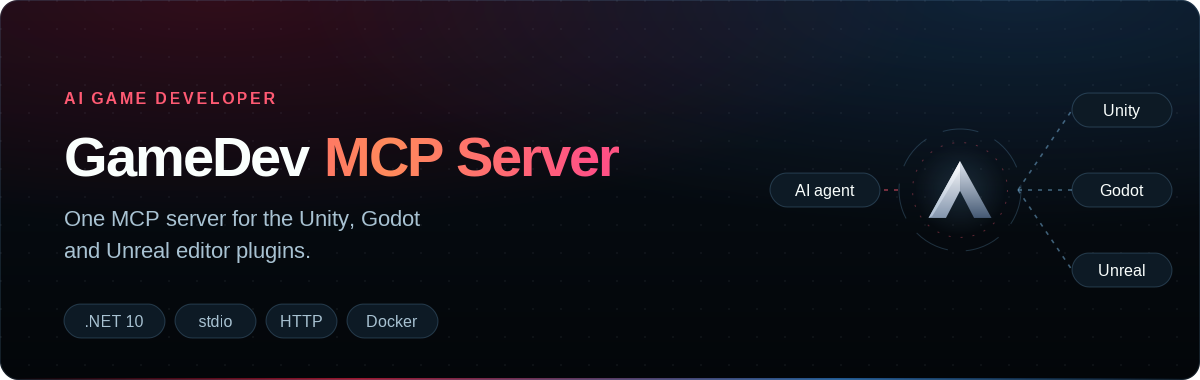







GameDev MCP Server is the one Model Context Protocol server behind the Unity-MCP, Godot-MCP and Unreal-MCP plugins. It sits between your AI agent and the game editor: the agent speaks MCP to the server, the engine plugin connects to it over SignalR, and every tool, prompt and resource comes from the plugin. There is no engine-specific code here — it is a thin ASP.NET Core host over the NuGet packages com.IvanMurzak.McpPlugin.Server and com.IvanMurzak.ReflectorNet.
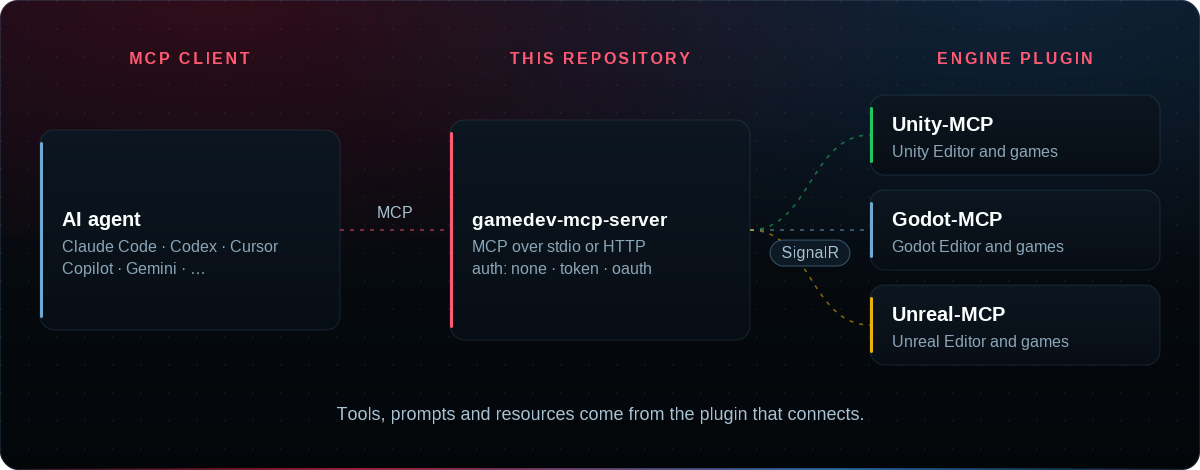
You usually do not install this yourself: each engine plugin downloads and starts the matching server version. Install it directly to run it in Docker, on a server, or from your own scripts.
Not to be confused with AI-Game-Dev-Server, the cloud service. This project is the local MCP host.
Features
✅ One server, three engines — Unity, Godot and Unreal plugins share one binary
✅ Two transports — stdio for spawned servers, streamableHttp for URL clients
✅ Auth modes — none locally, a shared token, or oauth for signed-in use
✅ Agent setup — configure --agent <id> writes a pinned, URL-only client config
✅ Survives restarts — with REDIS_URL, HTTP sessions outlive a server restart
✅ Runs anywhere — executables for 7 platforms, Docker image, .NET global tool
Install
- Executable —
gamedev-mcp-server-<rid>.zipfrom Releases for Windows, Linux and macOS - Docker —
docker pull aigamedeveloper/mcp-server(linux/amd64,linux/arm64) - .NET tool —
dotnet tool install --global com.IvanMurzak.GameDev.MCP.Server(needs the .NET 10 runtime)
Quick start
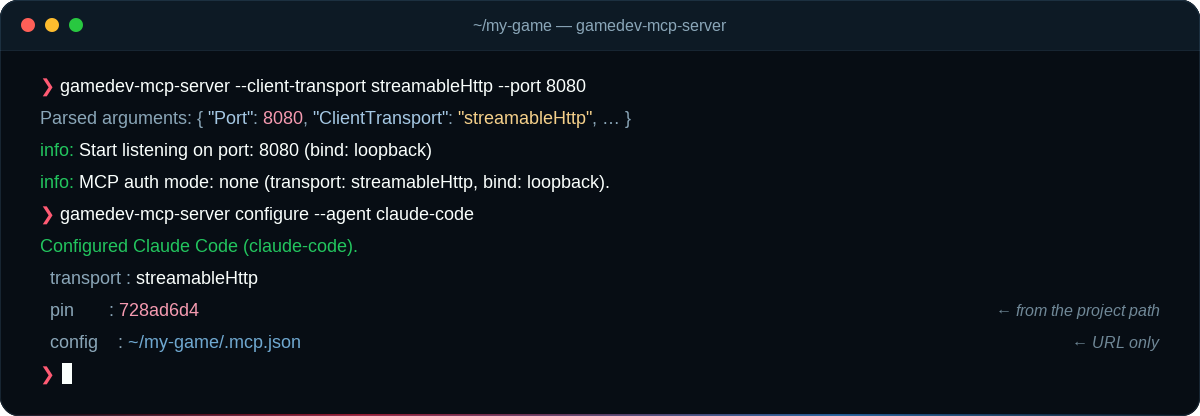
Run it. The default is stdio on port 8080; the engine plugin connects to that port.
gamedev-mcp-server --port 8080 --client-transport stdio
Let an agent spawn it (stdio MCP client config):
{
  "mcpServers": {
    "GameDev-MCP": {
      "command": "path/to/gamedev-mcp-server",
      "args": ["--port=8080", "--client-transport=stdio"]
    }
  }
}
Or configure an agent for this project in one command:
gamedev-mcp-server configure --agent claude-code # configure --help lists every agent
Docker. Inside a container the server must listen on all interfaces (MCP_BIND=any), or the port mapping cannot reach it:
docker run --rm -p 127.0.0.1:8080:8080 \
  -e MCP_PLUGIN_CLIENT_TRANSPORT=streamableHttp -e MCP_BIND=any \
  aigamedeveloper/mcp-server
Configuration
Every option is an environment variable or a CLI argument (arguments win). The ones you will reach for:
| CLI argument | Environment variable | Default | Meaning |
|---|---|---|---|
--port | MCP_PLUGIN_PORT | 8080 | Port for AI clients and the engine plugin |
--client-transport | MCP_PLUGIN_CLIENT_TRANSPORT | stdio | stdio or streamableHttp |
--tool-timeout | MCP_PLUGIN_TOOL_TIMEOUT | 300000 | Max time for one tool call (ms) |
--auth | MCP_AUTH | by transport | none, token or oauth |
--bind | MCP_BIND | loopback | loopback, any or an IP |
More options, logging and the configure command: docs/configuration.md.
Documentation
- Configuration — every option, logs,
configure --agent - Hosting and authentication —
none/token/oauth, bind and Origin rules, Docker, sessions and Redis - Compatibility — server ↔ McpPlugin ↔ ReflectorNet versions and plugin-dependent behavior
Each release entry lists its exact McpPlugin and ReflectorNet pins.
Build from source
dotnet build com.IvanMurzak.GameDev.MCP.Server.csproj
dotnet run --project com.IvanMurzak.GameDev.MCP.Server.csproj -- --client-transport stdio --port 8080
dotnet test tests/GameDev.MCP.Server.Tests/GameDev.MCP.Server.Tests.csproj
Self-contained executables for all 7 platforms: python build/build_all.py (Python 3.9+, any OS; pass RIDs to build only some). Output lands in publish/<rid>/ and is zipped as gamedev-mcp-server-<rid>.zip.
Related
- Engine plugins: Unity-MCP · Godot-MCP · Unreal-MCP
- Server core: MCP-Plugin-dotnet · ReflectorNet
- Community: Discord
License
Apache-2.0 — Copyright © 2026 Ivan Murzak
Tag summary
Content type
Image
Digest
sha256:4a15b1833…
Size
71.9 MB
Last updated
2 days ago
docker pull aigamedeveloper/mcp-server