albahadly/serviceatlas
Live service dependency map with health monitoring & blast-radius simulation. .NET 10 Blazor.
825
albahadly/serviceatlas repository overview
ServiceAtlas
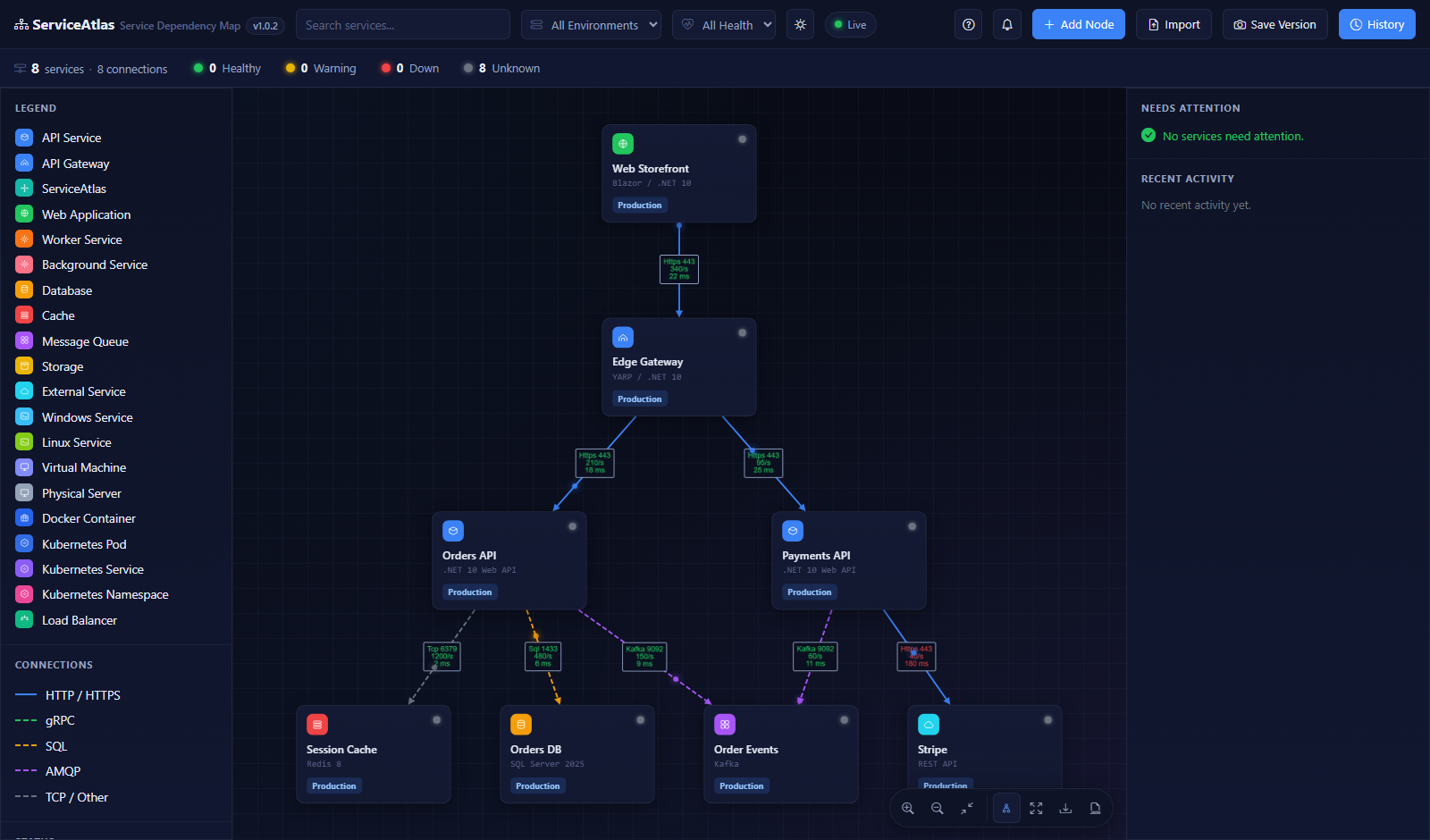
A live map of everything your systems depend on — and what breaks if one of them goes down.
Register your services and the connections between them, and you get a real-time interactive dependency graph: live health status per service and connection, full version history with restore, JSON export/import, and a blast-radius "what if this goes down?" simulation on any node — sandboxed from real health data.
Source, full documentation, and issues: https://github.com/albahadly/ServiceAtlas
Tags
| Tag | Meaning |
|---|---|
latest | Most recent build of master |
1.0.17 (semver) | Immutable release version, auto-bumped per build |
<commit-sha> | Exact commit build, for pinning/rollback |
Platform: linux/amd64. The app runs as a non-root user and serves HTTP on port 8080.
Quick start
Against a PostgreSQL or SQL Server instance you already have:
docker run -d --name serviceatlas -p 8080:8080 \
  -e DatabaseProvider=PostgreSql \
  -e ConnectionStrings__ServiceAtlas="Host=YOUR_HOST;Port=5432;Database=infraDB;Username=postgres;Password=YOUR_PASSWORD" \
  albahadly/serviceatlas:latest
Then open http://localhost:8080. The database is created and migrated automatically on first start.
Docker Compose (self-contained, with PostgreSQL)
services:
  serviceatlas:
    image: albahadly/serviceatlas:latest
    ports:
      - "8080:8080"
    environment:
      DatabaseProvider: PostgreSql
      ConnectionStrings__ServiceAtlas: "Host=postgres;Port=5432;Database=infraDB;Username=postgres;Password=${POSTGRES_PASSWORD}"
      # SeedDemoData: "true"   # optional: demo topology on an empty database
    depends_on:
      postgres:
        condition: service_healthy
    restart: unless-stopped

  postgres:
    image: postgres:16
    environment:
      POSTGRES_USER: postgres
      POSTGRES_PASSWORD: ${POSTGRES_PASSWORD}
    volumes:
      - ./postgres-data:/var/lib/postgresql/data
    healthcheck:
      test: ["CMD-SHELL", "pg_isready -U postgres"]
      interval: 10s
      timeout: 5s
      retries: 10
    restart: unless-stopped
Put POSTGRES_PASSWORD=... in a .env file next to the compose file and docker compose up -d.
Configuration
Everything is standard ASP.NET Core configuration via environment variables (__ = :).
| Variable | Default | Purpose |
|---|---|---|
ConnectionStrings__ServiceAtlas | — (required) | Database connection string |
DatabaseProvider | SqlServer | SqlServer or PostgreSql |
ApplyMigrationsOnStartup | true | Create/migrate the database on startup |
SeedDemoData | false | Seed a small demo topology (empty database only) |
ASPNETCORE_FORWARDEDHEADERS_ENABLED | false | Set true behind a reverse proxy |
SERVICEATLAS_OTLP_ENDPOINT | — | Optional OTLP exporter for traces/metrics |
A Prometheus scrape endpoint is always available at /metrics.
License
Tag summary
Content type
Image
Digest
sha256:6c39e80eb…
Size
131.4 MB
Last updated
3 months ago
docker pull albahadly/serviceatlas