alexanderwyss/discord-bot-node
A Discord Music Bot with WebUI
Image
0
2.8K
alexanderwyss/discord-bot-node repository overview
Discord Music Bot with Webinterface
Update to new Discord Api WIP some things are missing
Demo
Build & Run
Create bot, get token and add to Discord server
Node.js 16.13.0 or newer is required.
Create .env file or set environment variables in commandline and add NODE_ENV=production to disable .env file.
TOKEN=<discord token>
OWNER=<Discord owner User Id>
URL=<url/ip of this server in format http(s)://foo.bar:port>
PORT=<port to start server on (Default 3000)>
DEFAULT_VOLUME=<0-150 (optional: default 20)>
RADIO_MAX_VIDEO_LENGTH=<length in seconds, 0 for no max length, Default: 600)
Build the server first then the client.
> npm install
> npm run build
client> npm install
client> npm run build:prod
> node ./bin/www
If the client was build without prod flag it will always access the server via localhost:3000 (for development).
Docker
Or run with Docker:
docker run -d -p 80:80 --restart unless-stopped --name discord-bot-node -e NODE_ENV=production -e PORT=80 -e TOKEN=<discord token> -e OWNER=<discord owner id> -e URL=<url/ip e.g http(s)://foo.bar:port> alexanderwyss/discord-bot-node:latest
Slash Commands
The slash commands must initially be register with !RegisterCommands. This must be done per guild.
Web UI
The Web UI can be used by multiple Users concurrently.
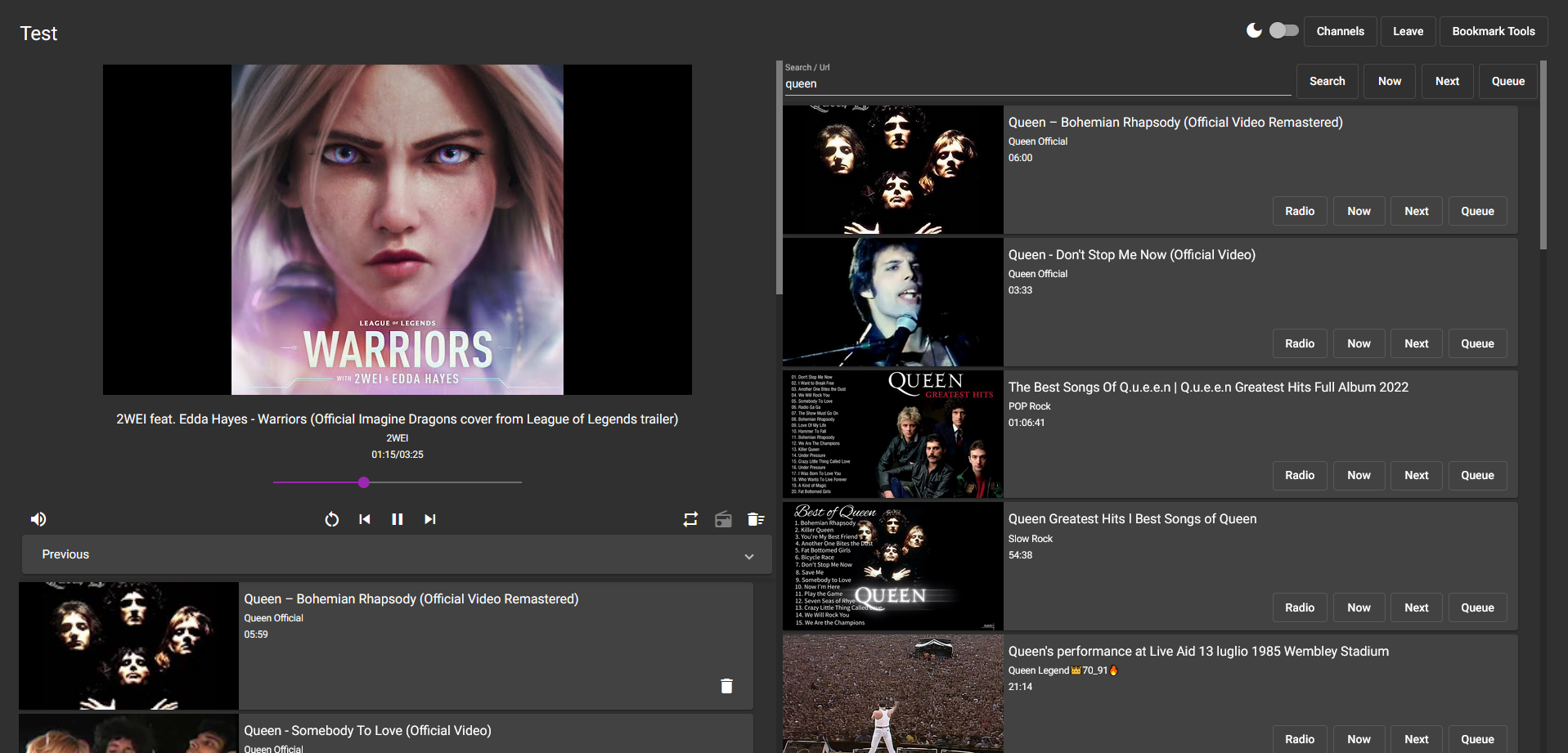
Keyboard Shortcuts:
<ctrl> + fFocus search- While searchbar focused:
<enter>Search<ctrl> + <enter>Play first result now<ctrl> + <shift> + <enter>Play first result next<shift> + <enter>Queue first result
Tested with Firefox & Chrome.
Tag summary
Content type
Image
Digest
sha256:a871e55e7…
Size
470.2 MB
Last updated
about 2 years ago
docker pull alexanderwyss/discord-bot-node