alifa/hackathon-starter repository overview
 Hackathon Starter


Live Demo: http://hackathonstarter.herokuapp.com
Jump to What's new in 4.0.1?
:bulb: Looking for ES5 code? Click here.
A boilerplate for Node.js web applications.
If you have attended any hackathons in the past, then you know how much time it takes to get a project started: decide on what to build, pick a programming language, pick a web framework, pick a CSS framework. A while later, you might have an initial project up on GitHub and only then can other team members start contributing. Or how about doing something as simple as Sign in with Facebook authentication? You can spend hours on it if you are not familiar with how OAuth 2.0 works.
When I started this project, my primary focus was on simplicity and ease of use. I also tried to make it as generic and reusable as possible to cover most use cases of hackathon web apps, without being too specific. In the worst case you can use this as a learning guide for your projects, if for example you are only interested in Sign in with Google authentication and nothing else.
Modern Theme

Flatly Bootstrap Theme

API Examples
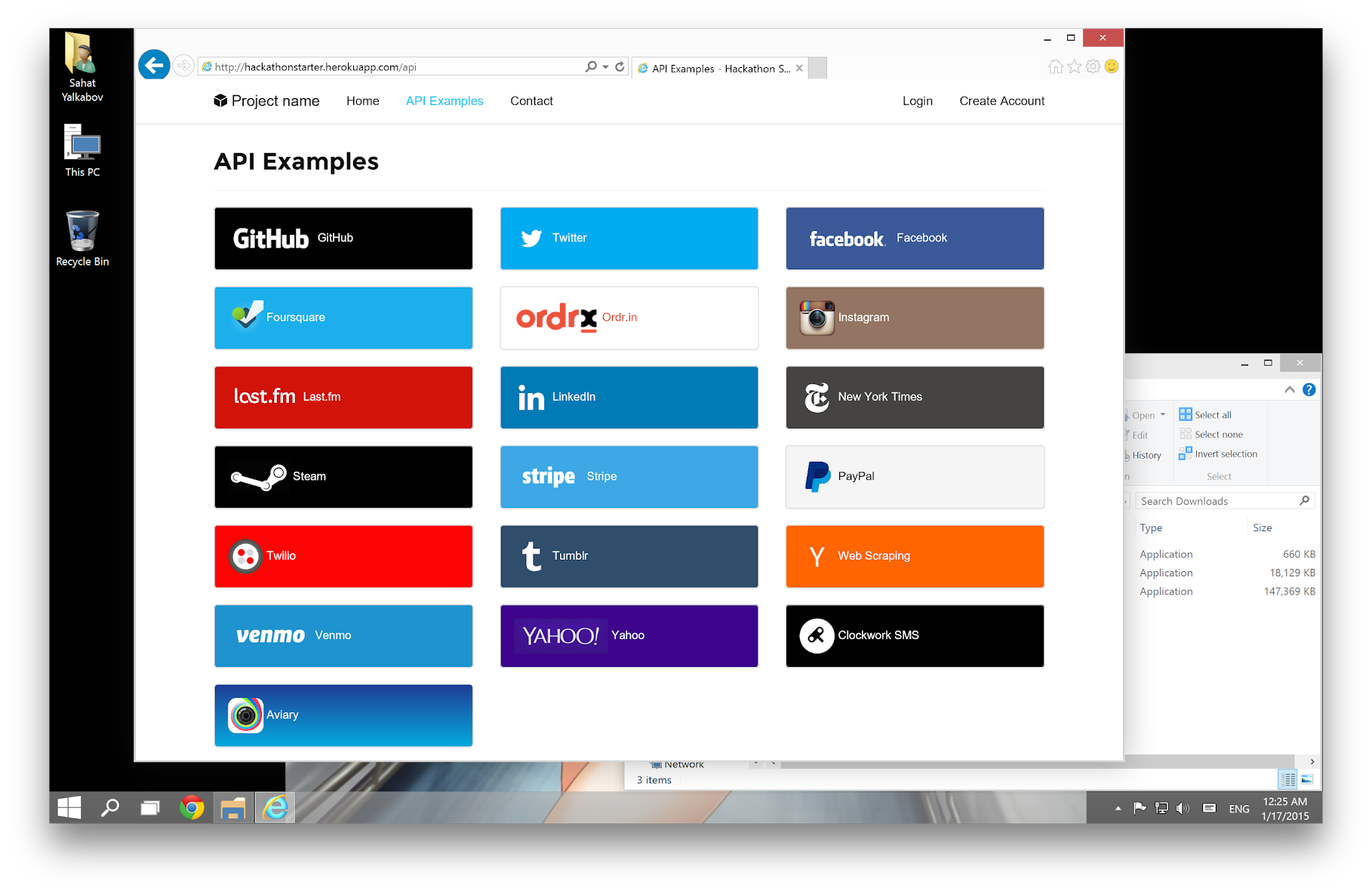
Table of Contents
- Features
- Prerequisites
- Getting Started
- Obtaining API Keys
- Project Structure
- List of Packages
- Useful Tools and Resources
- Recommended Design Resources
- Recommended Node.js Libraries
- Recommended Client-side Libraries
- Pro Tips
- FAQ
- How It Works
- Mongoose Cheatsheet
- Deployment
- Changelog
- Contributing
- License
Features
- Local Authentication using Email and Password
- OAuth 1.0a Authentication via Twitter
- OAuth 2.0 Authentication via Facebook, Google, GitHub, LinkedIn, Instagram
- Flash notifications
- MVC Project Structure
- Node.js clusters support
- Sass stylesheets (auto-compiled via middleware)
- Bootstrap 3 + Extra Themes
- Contact Form (powered by Mailgun, Sendgrid or Mandrill)
- Account Management
- Gravatar
- Profile Details
- Change Password
- Forgot Password
- Reset Password
- Link multiple OAuth strategies to one account
- Delete Account
- CSRF protection
- API Examples: Facebook, Foursquare, Last.fm, Tumblr, Twitter, Stripe, LinkedIn and more.
Prerequisites
- MongoDB
- Node.js 6.0+
- Command Line Tools
 Mac OS X: Xcode (or OS X 10.9+:
 xcode-select --install) Windows: Visual Studio
 Ubuntu /
  Linux Mint:
 sudo apt-get install build-essential Fedora:
 sudo dnf groupinstall "Development Tools" OpenSUSE:
 sudo zypper install --type pattern devel_basis
Note: If you are new to Node or Express, I recommend to watch Node.js and Express 101 screencast by Alex Ford that teaches Node and Express from scratch. Alternatively, here is another great tutorial for complete beginners - Getting Started With Node.js, Express, MongoDB.
Getting Started
The easiest way to get started is to clone the repository:
# Get the latest snapshot
git clone --depth=1 https://github.com/sahat/hackathon-starter.git myproject

# Change directory
cd myproject

# Install NPM dependencies
npm install

node app.js
Note: I highly recommend installing Nodemon.
It watches for any changes in your node.js app and automatically restarts the
server. Once installed, instead of node app.js use nodemon app.js. It will
save you a lot of time in the long run, because you won't need to manually
restart the server each time you make a small change in code. To install, run
sudo npm install -g nodemon.
Obtaining API Keys
To use any of the included APIs or OAuth authentication methods, you will need to obtain appropriate credentials: Client ID, Client Secret, API Key, or Username & Password. You will need to go through each provider to generate new credentials.
Hackathon Starter 2.0 Update: I have included dummy keys and passwords for all API examples to get you up and running even faster. But don't forget to update them with your credentials when you are ready to deploy an app.
 - Visit [Google Cloud Console](https://cloud.google.com/console/project)
- Click on the **Create Project** button
- Enter *Project Name*, then click on **Create** button
- Then click on *APIs & auth* in the sidebar and select *API* tab
- Click on **Google+ API** under *Social APIs*, then click **Enable API**
- Next, under *APIs & auth* in the sidebar click on *Credentials* tab
- Click on **Create new Client ID** button
- Select *Web Application* and click on **Configure Consent Screen**
- Fill out the required fields then click on **Save**
- In the *Create Client ID* modal dialog:
- **Application Type**: Web Application
- **Authorized Javascript origins**: http://localhost:3000
- **Authorized redirect URI**: http://localhost:3000/auth/google/callback
- Click on **Create Client ID** button
- Copy and paste *Client ID* and *Client secret* keys into `.env`
- Visit [Google Cloud Console](https://cloud.google.com/console/project)
- Click on the **Create Project** button
- Enter *Project Name*, then click on **Create** button
- Then click on *APIs & auth* in the sidebar and select *API* tab
- Click on **Google+ API** under *Social APIs*, then click **Enable API**
- Next, under *APIs & auth* in the sidebar click on *Credentials* tab
- Click on **Create new Client ID** button
- Select *Web Application* and click on **Configure Consent Screen**
- Fill out the required fields then click on **Save**
- In the *Create Client ID* modal dialog:
- **Application Type**: Web Application
- **Authorized Javascript origins**: http://localhost:3000
- **Authorized redirect URI**: http://localhost:3000/auth/google/callback
- Click on **Create Client ID** button
- Copy and paste *Client ID* and *Client secret* keys into `.env`
Note: When you ready to deploy to production don't forget to
add your new url to Authorized Javascript origins and Authorized redirect URI,
e.g. http://my-awesome-app.herokuapp.com and
http://my-awesome-app.herokuapp.com/auth/google/callback respectively.
The same goes for other providers.
 - Visit [Facebook Developers](https://developers.facebook.com/)
- Click **My Apps**, then select **Add a New App* from the dropdown menu
- Select **Website** platform and enter a new name for your app
- Click on the **Create New Facebook App ID** button
- Choose a **Category** that best describes your app
- Click on **Create App ID** button
- In the upper right corner click on **Skip Quick Star**
- Copy and paste *App ID* and *App Secret* keys into `.env`
- **Note:** *App ID* is **clientID**, *App Secret* is **clientSecret**
- Click on the *Settings* tab in the left nav, then click on **+ Add Platform**
- Select **Website**
- Enter `http://localhost:3000` under *Site URL*
- Visit [Facebook Developers](https://developers.facebook.com/)
- Click **My Apps**, then select **Add a New App* from the dropdown menu
- Select **Website** platform and enter a new name for your app
- Click on the **Create New Facebook App ID** button
- Choose a **Category** that best describes your app
- Click on **Create App ID** button
- In the upper right corner click on **Skip Quick Star**
- Copy and paste *App ID* and *App Secret* keys into `.env`
- **Note:** *App ID* is **clientID**, *App Secret* is **clientSecret**
- Click on the *Settings* tab in the left nav, then click on **+ Add Platform**
- Select **Website**
- Enter `http://localhost:3000` under *Site URL*
Note: After a successful sign in with Facebook, a user will be redirected back to home page with appended hash #_=_ in the URL. It is not a bug. See this Stack Overflow discussion for ways to handle it.
 - Go to [Account Settings](https://github.com/settings/profile)
- Select **Applications** from the sidebar
- Then inside **Developer applications** click on **Register new application**
- Enter *Application Name* and *Homepage URL*
- For *Authorization Callback URL*: http://localhost:3000/auth/github/callback
- Click **Register application**
- Now copy and paste *Client ID* and *Client Secret* keys into `.env` file
- Go to [Account Settings](https://github.com/settings/profile)
- Select **Applications** from the sidebar
- Then inside **Developer applications** click on **Register new application**
- Enter *Application Name* and *Homepage URL*
- For *Authorization Callback URL*: http://localhost:3000/auth/github/callback
- Click **Register application**
- Now copy and paste *Client ID* and *Client Secret* keys into `.env` file
 - Sign in at [https://apps.twitter.com/](https://apps.twitter.com/)
- Click **Create a new application**
- Enter your application name, website and description
- For **Callback URL**: http://127.0.0.1:3000/auth/twitter/callback
- Go to **Settings** tab
- Under *Application Type* select **Read and Write** access
- Check the box **Allow this application to be used to Sign in with Twitter**
- Click **Update this Twitter's applications settings**
- Copy and paste *Consumer Key* and *Consumer Secret* keys into `.env` file
- Sign in at [https://apps.twitter.com/](https://apps.twitter.com/)
- Click **Create a new application**
- Enter your application name, website and description
- For **Callback URL**: http://127.0.0.1:3000/auth/twitter/callback
- Go to **Settings** tab
- Under *Application Type* select **Read and Write** access
- Check the box **Allow this application to be used to Sign in with Twitter**
- Click **Update this Twitter's applications settings**
- Copy and paste *Consumer Key* and *Consumer Secret* keys into `.env` file
 - Sign in at [LinkedIn Developer Network](https://developer.linkedin.com/)
- From the account name dropdown menu select **API Keys**
- *It may ask you to sign in once again*
- Click **+ Add New Application** button
- Fill out all the *required* fields
- **OAuth 2.0 Redirect URLs**: http://localhost:3000/auth/linkedin/callback
- **JavaScript API Domains**: http://localhost:3000
- For **Default Application Permissions** make sure at least the following is checked:
- `r_basicprofile`
- Finish by clicking **Add Application** button
- Copy and paste *API Key* and *Secret Key* keys into `.env` file
- *API Key* is your **clientID**
- *Secret Key* is your **clientSecret**
- Sign in at [LinkedIn Developer Network](https://developer.linkedin.com/)
- From the account name dropdown menu select **API Keys**
- *It may ask you to sign in once again*
- Click **+ Add New Application** button
- Fill out all the *required* fields
- **OAuth 2.0 Redirect URLs**: http://localhost:3000/auth/linkedin/callback
- **JavaScript API Domains**: http://localhost:3000
- For **Default Application Permissions** make sure at least the following is checked:
- `r_basicprofile`
- Finish by clicking **Add Application** button
- Copy and paste *API Key* and *Secret Key* keys into `.env` file
- *API Key* is your **clientID**
- *Secret Key* is your **clientSecret**
 - Visit the **Account** section of your Venmo profile after logging in
- Click on the **Developers** tab
- Then click on the [new](https://venmo.com/account/app/new) link next to **Your Applications (0)**
- Fill in the required fields: *App Name* and *What Will The App Be Used For?*
- For **Web Redirect URL** enter: http://localhost:3000/auth/venmo/callback
- Hit **Create** button
- Back on the **Developers** tab click on **view** link next to **Your Applications (1) new**
- Copy and paste **ID** and **Secret** keys into `.env` file
- Visit the **Account** section of your Venmo profile after logging in
- Click on the **Developers** tab
- Then click on the [new](https://venmo.com/account/app/new) link next to **Your Applications (0)**
- Fill in the required fields: *App Name* and *What Will The App Be Used For?*
- For **Web Redirect URL** enter: http://localhost:3000/auth/venmo/callback
- Hit **Create** button
- Back on the **Developers** tab click on **view** link next to **Your Applications (1) new**
- Copy and paste **ID** and **Secret** keys into `.env` file
 - [Sign up](https://stripe.com/) or log into your [dashboard](https://manage.stripe.com)
- Click on your profile and click on Account Settings
- Then click on [API Keys](https://manage.stripe.com/account/apikeys)
- Copy the **Secret Key**. and add this into `.env` file
- [Sign up](https://stripe.com/) or log into your [dashboard](https://manage.stripe.com)
- Click on your profile and click on Account Settings
- Then click on [API Keys](https://manage.stripe.com/account/apikeys)
- Copy the **Secret Key**. and add this into `.env` file
 - Visit [PayPal Developer](https://developer.paypal.com/)
- Log in to your PayPal account
- Click **Applications > Create App** in the navigation bar
- Enter *Application Name*, then click **Create app**
- Copy and paste *Client ID* and *Secret* keys into `.env` file
- *App ID* is **client_id**, *App Secret* is **client_secret**
- Change **host** to api.paypal.com if you want to test against production and use the live credentials
- Visit [PayPal Developer](https://developer.paypal.com/)
- Log in to your PayPal account
- Click **Applications > Create App** in the navigation bar
- Enter *Application Name*, then click **Create app**
- Copy and paste *Client ID* and *Secret* keys into `.env` file
- *App ID* is **client_id**, *App Secret* is **client_secret**
- Change **host** to api.paypal.com if you want to test against production and use the live credentials
 - Go to [foursquare for Developers](https://developer.foursquare.com/)
- Click on **My Apps** in the top menu
- Click the **Create A New App** button
- Enter *App Name*, *Welcome page url*,
- For **Redirect URI**: http://localhost:3000/auth/foursquare/callback
- Click **Save Changes**
- Copy and paste *Client ID* and *Client Secret* keys into `.env` file
- Go to [foursquare for Developers](https://developer.foursquare.com/)
- Click on **My Apps** in the top menu
- Click the **Create A New App** button
- Enter *App Name*, *Welcome page url*,
- For **Redirect URI**: http://localhost:3000/auth/foursquare/callback
- Click **Save Changes**
- Copy and paste *Client ID* and *Client Secret* keys into `.env` file
 - Go to http://www.tumblr.com/oauth/apps
- Once signed in, click **+Register application**
- Fill in all the details
- For **Default Callback URL**: http://localhost:3000/auth/tumblr/callback
- Click **✔Register**
- Copy and paste *OAuth consumer key* and *OAuth consumer secret* keys into `.env` file
- Go to http://www.tumblr.com/oauth/apps
- Once signed in, click **+Register application**
- Fill in all the details
- For **Default Callback URL**: http://localhost:3000/auth/tumblr/callback
- Click **✔Register**
- Copy and paste *OAuth consumer key* and *OAuth consumer secret* keys into `.env` file
 - Go to http://steamcommunity.com/dev/apikey
- Sign in with your existing Steam account
- Enter your *Domain Name*, then and click **Register**
- Copy and paste *Key* into `.env` file
- Go to http://steamcommunity.com/dev/apikey
- Sign in with your existing Steam account
- Enter your *Domain Name*, then and click **Register**
- Copy and paste *Key* into `.env` file
 - Go to https://sendgrid.com/user/signup
- Sign up and **confirm** your account via the *activation email*
- Then enter your SendGrid *Username* and *Password* into `.env` file
- Go to https://sendgrid.com/user/signup
- Sign up and **confirm** your account via the *activation email*
- Then enter your SendGrid *Username* and *Password* into `.env` file
 - Go to http://www.mailgun.com
- Sign up and add your *Domain Name*
- From the domain overview, copy and paste the default SMTP *Login* and *Password* into `.env` file
- Go to http://www.mailgun.com
- Sign up and add your *Domain Name*
- From the domain overview, copy and paste the default SMTP *Login* and *Password* into `.env` file
 - Go to https://test.bitgo.com/
- Sign up for an account.
- Once logged into the dashboard, go to the top right selector and click 'account settings'
- Under the developers tab, create your access token and copy and paste it into `.env` file
- Go to https://test.bitgo.com/
- Sign up for an account.
- Once logged into the dashboard, go to the top right selector and click 'account settings'
- Under the developers tab, create your access token and copy and paste it into `.env` file
 - Go to https://www.twilio.com/try-twilio
- Sign up for an account.
- Once logged into the dashboard, expand the link 'show api credentials'
- Copy your Account Sid and Auth Token
- Go to https://www.twilio.com/try-twilio
- Sign up for an account.
- Once logged into the dashboard, expand the link 'show api credentials'
- Copy your Account Sid and Auth Token
Project Structure
| Name | Description |
|---|---|
| config/passport.js | Passport Local and OAuth strategies, plus login middleware. |
| controllers/api.js | Controller for /api route and all api examples. |
| controllers/contact.js | Controller for contact form. |
| controllers/home.js | Controller for home page (index). |
| controllers/user.js | Controller for user account management. |
| models/User.js | Mongoose schema and model for User. |
| public/ | Static assets (fonts, css, js, img). |
| public/js/application.js | Specify client-side JavaScript dependencies. |
| public/js/main.js | Place your client-side JavaScript here. |
| public/css/main.scss | Main stylesheet for your app. |
| public/css/themes/default.scss | Some Bootstrap overrides to make it look prettier. |
| views/account/ | Templates for login, password reset, signup, profile. |
| views/api/ | Templates for API Examples. |
| views/partials/flash.jade | Error, info and success flash notifications. |
| views/partials/header.jade | Navbar partial template. |
| views/partials/footer.jade | Footer partial template. |
| views/layout.jade | Base template. |
| views/home.jade | Home page template. |
| .travis.yml | Travis CI integration. |
| .env.example | Your API keys, tokens, passwords and database URI. |
| app.js | The main application file. |
| package.json | NPM dependencies. |
Note: There is no preference how you name or structure your views.
You could place all your templates in a top-level views directory without
having a nested folder structure, if that makes things easier for you.
Just don't forget to update extends ../layout and corresponding
res.render() paths in controllers.
List of Packages
| Package | Description |
|---|---|
| async | Utility library that provides asynchronous control flow. |
| bcrypt-nodejs | Library for hashing and salting user passwords. |
| bitgo | Multi-sig Bitcoin wallet API. |
| cheerio | Scrape web pages using jQuery-style syntax. |
| clockwork | Clockwork SMS API library. |
| connect-mongo | MongoDB session store for Express. |
| dotenv | Loads environment variables from .env file. |
| express | Node.js web framework. |
| body-parser | Express 4 middleware. |
| express-session | Express 4 middleware. |
| morgan | Express 4 middleware. |
| compression | Express 4 middleware. |
| errorhandler | Express 4 middleware. |
| serve-favicon | Express 4 middleware offering favicon serving and caching. |
| express-flash | Provides flash messages for Express. |
| express-validator | Easy form validation for Express. |
| fbgraph | Facebook Graph API library. |
| github-api | GitHub API library. |
| jade | Template engine for Express. |
| lastfm | Last.fm API library. |
| instagram-node | Instagram API library. |
| lob | Lob API library |
| lusca | CSRF middleware. |
| mongoose | MongoDB ODM. |
| node-foursquare | Foursquare API library. |
| node-linkedin | LinkedIn API library. |
| node-sass-middleware | Sass middleware compiler. |
| nodemailer | Node.js library for sending emails. |
| passport | Simple and elegant authentication library for node.js |
| passport-facebook | Sign-in with Facebook plugin. |
| passport-github | Sign-in with GitHub plugin. |
| passport-google-oauth | Sign-in with Google plugin. |
| passport-twitter | Sign-in with Twitter plugin. |
| passport-instagram | Sign-in with Instagram plugin. |
| passport-local | Sign-in with Username and Password plugin. |
| passport-linkedin-oauth2 | Sign-in with LinkedIn plugin. |
| passport-oauth | Allows you to set up your own OAuth 1.0a and OAuth 2.0 strategies. |
| paypal-rest-sdk | PayPal APIs library. |
| request | Simplified HTTP request library. |
| stripe | Offical Stripe API library. |
| tumblr.js | Tumblr API library. |
| twilio | Twilio API library. |
| twit | Twitter API library. |
| lodash | Handy JavaScript utlities library. |
| validator | Used in conjunction with express-validator in controllers/api.js. |
| mocha | Test framework. |
| chai | BDD/TDD assertion library. |
| supertest | HTTP assertion library. |
| yui | Used by the Yahoo API example. |
Useful Tools and Resources
- JavaScripting - The Database of JavaScript Libraries
- JS Recipes - JavaScript tutorials for backend and frontend development.
- Jade Syntax Documentation by Example - Even better than official Jade docs.
- HTML to Jade converter - Extremely valuable when you need to quickly copy and paste HTML snippets from the web.
- JavascriptOO - A directory of JavaScript libraries with examples, CDN links, statistics, and videos.
- Favicon Generator - Generate favicons for PC, Android, iOS, Windows 8.
Recommended Design Resources
- Code Guide - Standards for developing flexible, durable, and sustainable HTML and CSS.
- Bootsnipp - Code snippets for Bootstrap.
- UIBox - Curated HTML, CSS, JS, UI components.
- Bootstrap Zero - Free Bootstrap templates themes.
- Google Bootstrap - Google-styled theme for Bootstrap.
- Font Awesome Icons - It's already part of the Hackathon Starter, so use this page as a reference.
- Colors - A nicer color palette for the web.
- Creative Button Styles - awesome but
Tag summary
Content type
Image
Digest
Size
246.7 MB
Last updated
over 10 years ago
docker pull alifa/hackathon-starter