aliustaoglu/espruino repository overview
Use this Docker image to flash Espruino firmware and upload program to ESP8266 or ESP32.
It uses espruino-create-project to create boilerplates.
https://www.npmjs.com/package/espruino-create-project
If you're using macOS, you'll need to be able to access the USB port that your ESP chip connected to. Since Docker now uses native drivers (not Virtual Machine) we need to tell Docker to switch to Virtual Machine. We can later on switch using native drivers.
Install docker-machine if you don't have
https://docs.docker.com/machine/install-machine/
Create
docker-machine create --driver virtualbox default
Now we need to add the USB device to the Virtual Machine.
First stop docker machine
docker-machine stop
And open VirtualBox and find your image (named default)
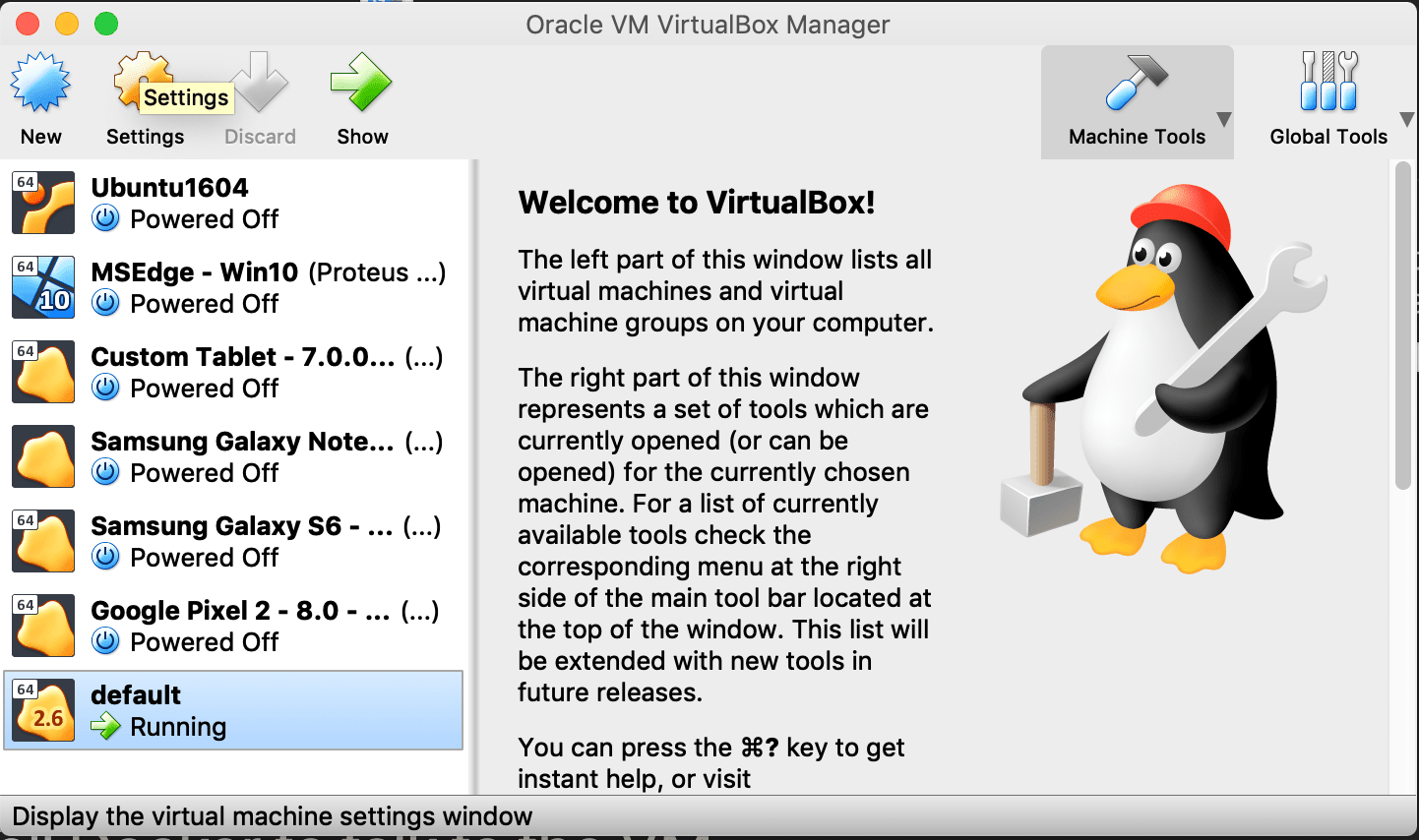
And make USB device available from the virtual machine
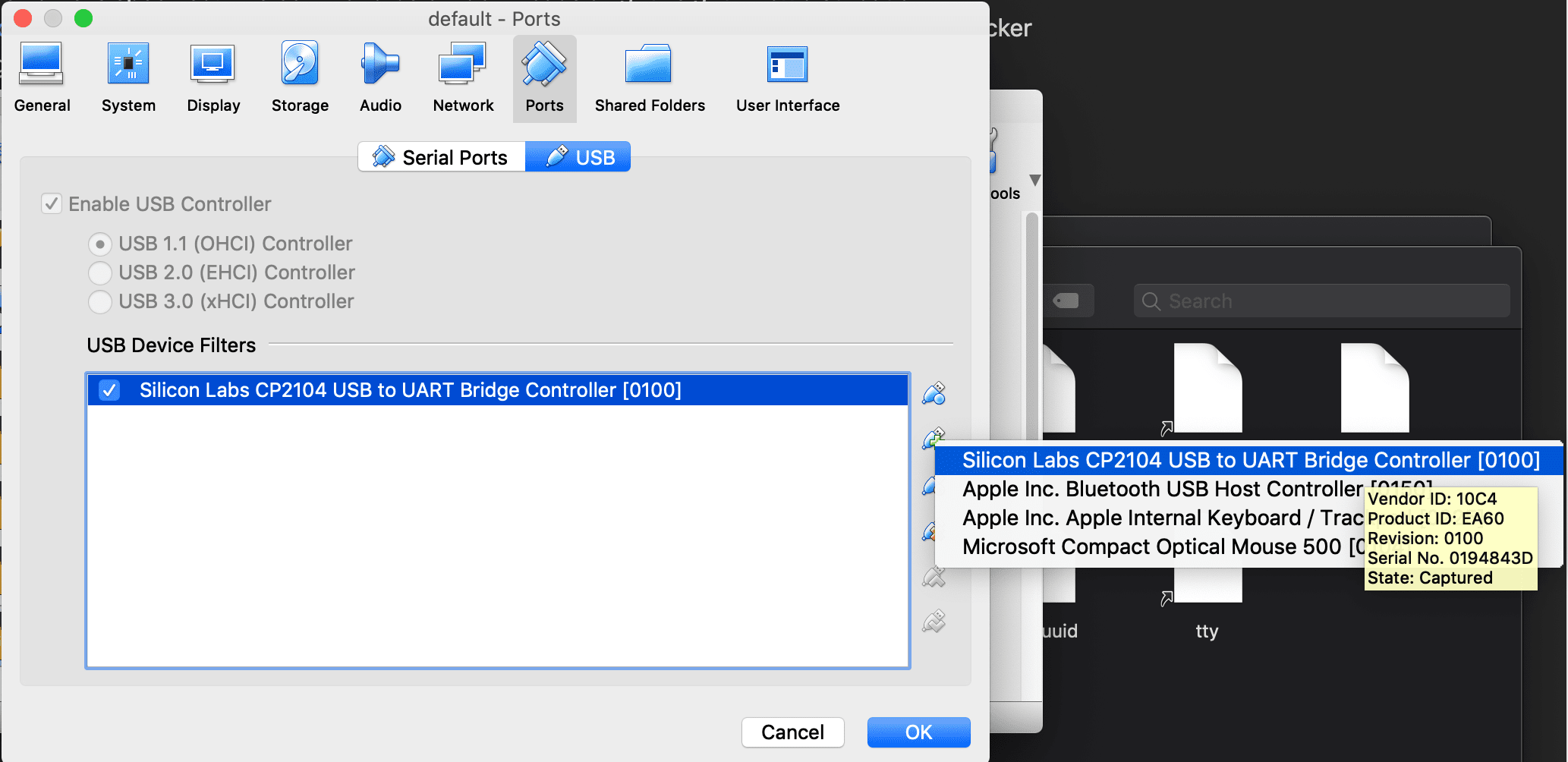
Inside the image it will be something like this. And this name is important.
/dev/ttyUSB0
Now set the environment to be the one we've created above
eval "$(docker-machine env default)"
Then follow steps below on how to create boilerplate and use the port you've created above.
https://www.npmjs.com/package/espruino-create-project
When you finish and want to switch back to native drivers run below:
eval $(docker-machine env -u)
Tag summary
Content type
Image
Digest
Size
116.8 MB
Last updated
over 7 years ago
docker pull aliustaoglu/espruino:0.1.0