amslertec/cinarox
Self-hosted media server for your movies and shows: web, Android, iPhone, iPad, Apple TV and Mac.
2.7K
amslertec/cinarox repository overview

Cinarox
Your films. Your server. Every screen.
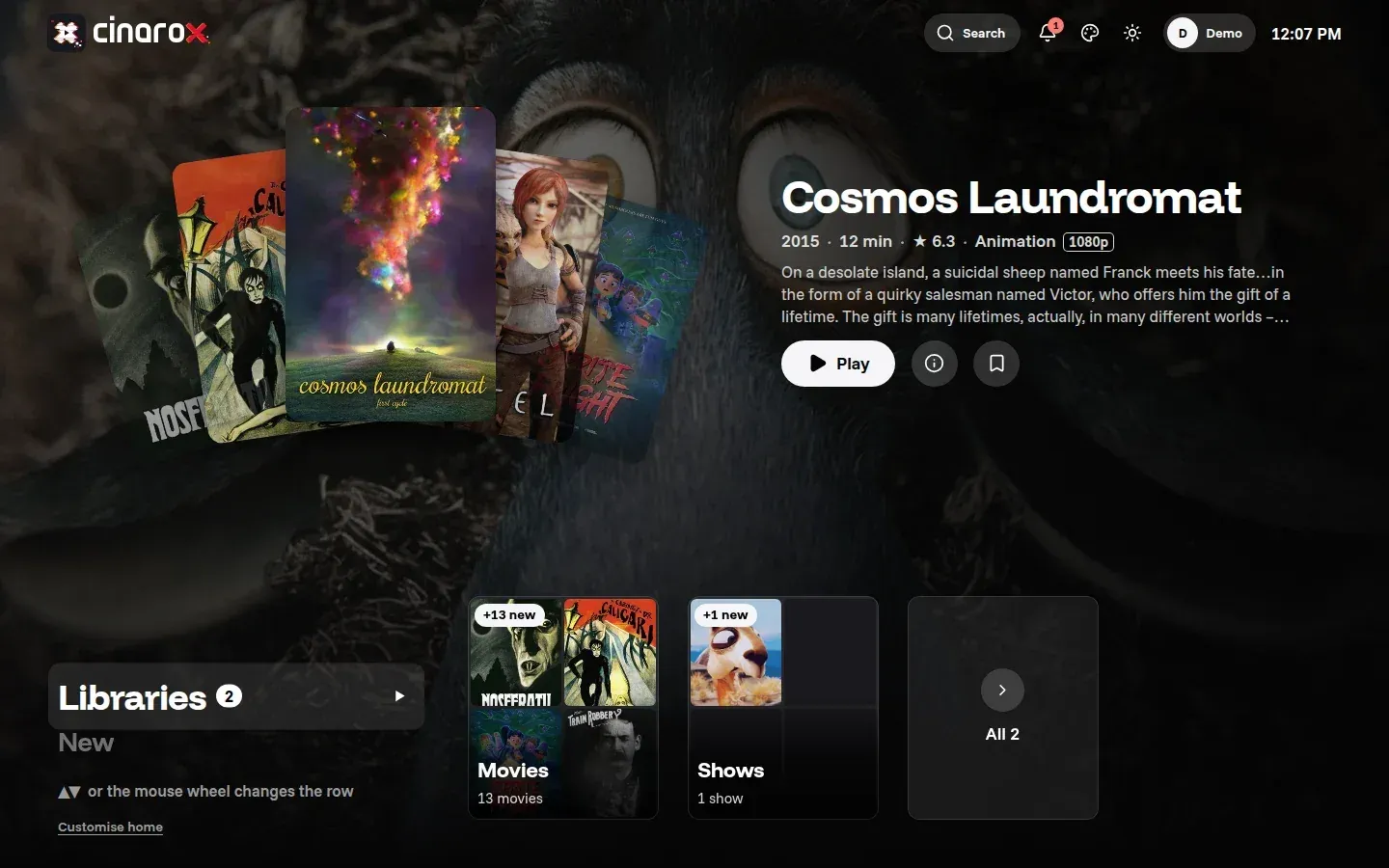
Cinarox is a self-hosted media server for your movie and TV show folders. Point it at your media, and it builds a library with artwork, plot and cast, then streams to the browser and to its own apps for Android (phone, tablet, TV), iPhone, iPad, Apple TV and Mac. Your files never leave your server.
Website and documentation: https://cinarox.com

Features
- Libraries for movies and shows with posters, backdrops, plot, cast and trailers from TMDB.
Local
.nfofiles and artwork next to your media take priority. - Direct play and transcoding to HLS when a device needs it, with hardware acceleration (Intel / AMD via VAAPI and QSV, NVIDIA via NVENC).
- Continue watching on every device: positions follow you from the TV to the phone.
- Native apps for Android, Android TV, iPhone, iPad, Apple TV and Mac. Connect them by scanning the server code.
- Users and permissions, two-factor sign-in, sessions overview, IP rules.
- Offline downloads in the apps, subtitles and multiple audio tracks.
- Cluster mode: add worker nodes for more transcoding power.
- Backups of the database and settings from the admin area.
- Setup wizard on first start: admin account, libraries and TMDB key in a few steps.
Apps
| Platform | App |
|---|---|
| Browser | web app served by the server, installable as a PWA |
| Android phone, tablet, Android TV | native app, in closed testing on Google Play, public release coming soon |
| iPhone, iPad | native app (on the App Store; one purchase covers iPhone, iPad, Apple TV and Mac) |
| Apple TV | native app (on the App Store; one purchase covers iPhone, iPad, Apple TV and Mac) |
| Mac | native app (on the Mac App Store; one purchase covers iPhone, iPad, Apple TV and Mac) |
Quick start with Docker Compose
Cinarox needs PostgreSQL and Redis. The compose file below starts all three; database and Redis are only reachable inside the compose network.
1. Create a directory and save the compose file in it as docker-compose.yaml:
mkdir -p /opt/cinarox && cd /opt/cinarox
nano docker-compose.yaml
name: cinarox

x-logging: &logging
  driver: json-file
  options: { max-size: "10m", max-file: "3" }

services:
  config-perms:              # makes config.yaml readable for the non-root user (uid 100), then exits
    image: amslertec/cinarox:0.1.42
    user: "0:0"
    entrypoint: ["sh", "-c", "chown 100:100 /cfg/config.yaml && chmod 0640 /cfg/config.yaml"]
    volumes: ["./config.yaml:/cfg/config.yaml"]
    restart: "no"
    logging: *logging

  cinarox:
    image: amslertec/cinarox:0.1.42
    container_name: cinarox
    restart: unless-stopped
    ports:
      - "8977:8977"          # HTTP: web app and native apps
      - "9977:9977"          # HTTPS, self-signed certificate created on first start
    environment:
      TZ: ${TZ:-Europe/Zurich}
    volumes:
      - ./config.yaml:/etc/cinarox/config.yaml:ro
      - cinarox-data:/var/lib/cinarox     # caches, images, TLS certificate, master key
      - cinarox-logs:/var/log/cinarox
      - /srv/media:/media:ro              # your media, read-only
    # Hardware transcoding with an Intel or AMD GPU:
    # devices: ["/dev/dri:/dev/dri"]
    depends_on:
      config-perms: { condition: service_completed_successfully }
      postgres:     { condition: service_healthy }
      redis:        { condition: service_healthy }
    logging: *logging

  postgres:
    image: postgres:18.6-alpine
    container_name: cinarox-postgres
    restart: unless-stopped
    environment:
      POSTGRES_DB: cinarox
      POSTGRES_USER: cinarox
      POSTGRES_PASSWORD: ${POSTGRES_PASSWORD:?set POSTGRES_PASSWORD in .env}
      POSTGRES_INITDB_ARGS: "--auth-host=scram-sha-256 --data-checksums"
    volumes: ["cinarox-postgres:/var/lib/postgresql"]
    healthcheck:
      test: ["CMD-SHELL", "pg_isready -U cinarox -d cinarox"]
      interval: 10s
      timeout: 5s
      retries: 10
      start_period: 20s
    logging: *logging

  redis:
    image: redis:7.4.11-alpine
    container_name: cinarox-redis
    restart: unless-stopped
    command: ["sh", "-c", "exec redis-server --requirepass \"$$REDIS_PASSWORD\" --appendonly yes"]
    environment:
      REDIS_PASSWORD: ${REDIS_PASSWORD:?set REDIS_PASSWORD in .env}
      REDISCLI_AUTH: ${REDIS_PASSWORD}
    volumes: ["cinarox-redis:/data"]
    healthcheck:
      test: ["CMD", "redis-cli", "ping"]
      interval: 10s
      timeout: 5s
      retries: 10
    logging: *logging

volumes:
  cinarox-data:
  cinarox-logs:
  cinarox-postgres:
  cinarox-redis:
2. Create .env and config.yaml with generated passwords (run this block once in the same
directory; it writes the same passwords into both files, which must match):
PG=$(openssl rand -hex 24); RD=$(openssl rand -hex 24)
umask 077
cat > .env <<EOF
POSTGRES_PASSWORD=$PG
REDIS_PASSWORD=$RD
TZ=Europe/Zurich
EOF
cat > config.yaml <<EOF
http:
  listen_addr: "0.0.0.0:8977"
  tls_listen_addr: "0.0.0.0:9977"
  public_url: "http://192.0.2.10:8977"   # the address your users open
database:
  dsn: "postgres://cinarox:$PG@postgres:5432/cinarox?sslmode=disable"
redis:
  addr: "redis:6379"
  password: "$RD"
  db: 0
auth:
  jwt_secret: ""                          # generated and stored encrypted on first start
media:
  transcode_dir: /var/lib/cinarox/transcode
  cache_dir: /var/lib/cinarox/cache
EOF
Set public_url to the address your users open, and change /srv/media in the compose file to
your media directory.
3. Start and check:
docker compose up -d
docker compose ps
curl -s http://localhost:8977/api/health      # {"status":"ok",...,"db":"ok"}
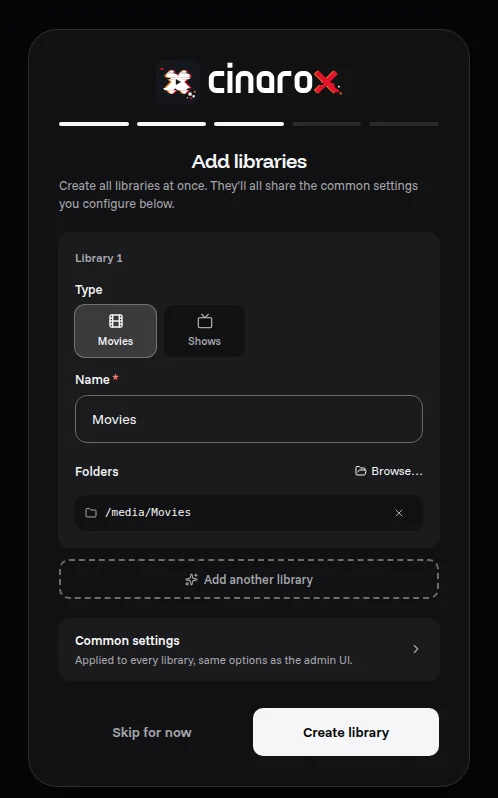
4. Open http://<your-server>:8977. The setup wizard creates the admin account and asks for
your movie and show folders (paths inside the container, for example /media/Movies and
/media/Shows) and an optional TMDB key.
The config-perms container. On every docker compose up -d this small helper starts once, sets the owner of config.yaml to the user Cinarox runs as in the container (uid 100) and the mode to 0640, and exits. Cinarox starts only after it finished. In the container list it shows as Exited (0) or stopped: that is correct, not an error. It runs again after every update (a new image version is a new container). Keep it: Cinarox does not run as root, and without it a config.yaml saved by an editor with other permissions can no longer be read.
Ports, volumes and paths
8977/tcp | HTTP: web app, API and native apps |
9977/tcp | HTTPS with a self-signed certificate (set tls_listen_addr: "" to turn it off) |
/etc/cinarox/config.yaml | server configuration (mount read-only) |
/var/lib/cinarox | caches, artwork, TLS certificate, master key: keep this volume in your backups |
/var/log/cinarox | log files |
/media | your media, read-only |
The image runs as a non-root user (uid 100), includes FFmpeg, fpcalc and the PostgreSQL client
tools 16 to 18 for backups, and has a built-in health check (/api/health).
Updates
# change the image tag in docker-compose.yaml to the new version, then:
docker compose pull && docker compose up -d
The admin area shows a notice with the exact command when a new version is published. Release notes: https://cinarox.com/download
Backup
docker compose exec postgres pg_dump -U cinarox -Fc cinarox > cinarox-db-$(date +%F).dump
docker run --rm -v cinarox_cinarox-data:/data -v "$PWD":/backup alpine \
  tar czf /backup/cinarox-data-$(date +%F).tar.gz -C /data .
The data volume holds the master key that decrypts stored secrets: without it a database backup cannot be fully restored.
Not using Docker?
Cinarox also ships as a Debian package for Ubuntu 24.04 or newer and Debian 12/13, with its own
APT repository so updates arrive with sudo apt update && sudo apt upgrade. Instructions:
https://cinarox.com/download
Tags
0.1.0and later: one tag per release, linux/amd64. Use a fixed version tag, there is nolatesttag.
Support
Questions, bug reports and feature requests: https://forum.cinarox.com
License
Cinarox is proprietary software. Copyright (c) 2026 Amslertec (Pascal Amsler). All rights
reserved. You may use the published releases free of charge for private or internal use; resale,
hosting for third parties, redistributing modified versions and reverse engineering are not
permitted. Bundled third-party programs (for example FFmpeg, yt-dlp, the PostgreSQL client tools)
keep their own licences, listed in /usr/share/doc/cinarox/third-party/ inside the image.
Tag summary
Content type
Image
Digest
sha256:6b6bd7ea4…
Size
218 MB
Last updated
about 1 hour ago
docker pull amslertec/cinarox:0.1.49