anantha/spring-boot-application-template
Template for a typical Spring Boot web application with everything set up for rapid development.
745
anantha/spring-boot-application-template repository overview
Quick reference
-
Maintained by: Anantha Raju C
-
Where to get help: GitHub
Supported tags and respective Dockerfile links
Quick reference (cont.)
-
Where to file issues: https://github.com/AnanthaRajuC/Spring-Boot-Application-Template/search?type=Issues
-
Source of this description: https://github.com/AnanthaRajuC/Spring-Boot-Application-Template/blob/master/README.md
What is Spring Boot Application Template?
The only thing better than a Maven archetype is a repo you can fork with everything already setup to speed up the creation of new Spring Boot based Web applications, just fork-and-code.
This repository contains a recipe/scaffolding for bootstrapping a Monolithic Web Application with the features & Technology stack listed below. Delete the sample code (or keep it.) and add your own, you’re good to go.
Essentially it's a simple on-demand application backend for rapd-prototyping.
Features include but not limited to:
- User account creation via Email Id
- Account activation via Email verification
- Supported user actions - CREATE (POST), READ (GET), UPDATE (UPDATE), DELETE (DELETE)
- Supports Admin accounts for application maintainence
- User Account security via JSON Web Token (JWT)




Details
- Technology stack & other Open-source libraries
- Technical Functionalities and To-Do
- Getting Started
- Architecture
- Installation
- Deployment
- Explore Rest APIs
- Security
- Testing API
- Files and Directories Structure
- Changelog
- Code Coverage
- Documentation
How to use this image
Start the web application: DEV profile (H2DB)
$ docker run -e "SPRING_PROFILES_ACTIVE=test" -p 8080:8080 --name spring-boot-application-template spring-boot-application-template
At this point go to https://localhost:8080/sbat/index or https://192.168.99.102:8080/sbat/index to interact with this webapp.
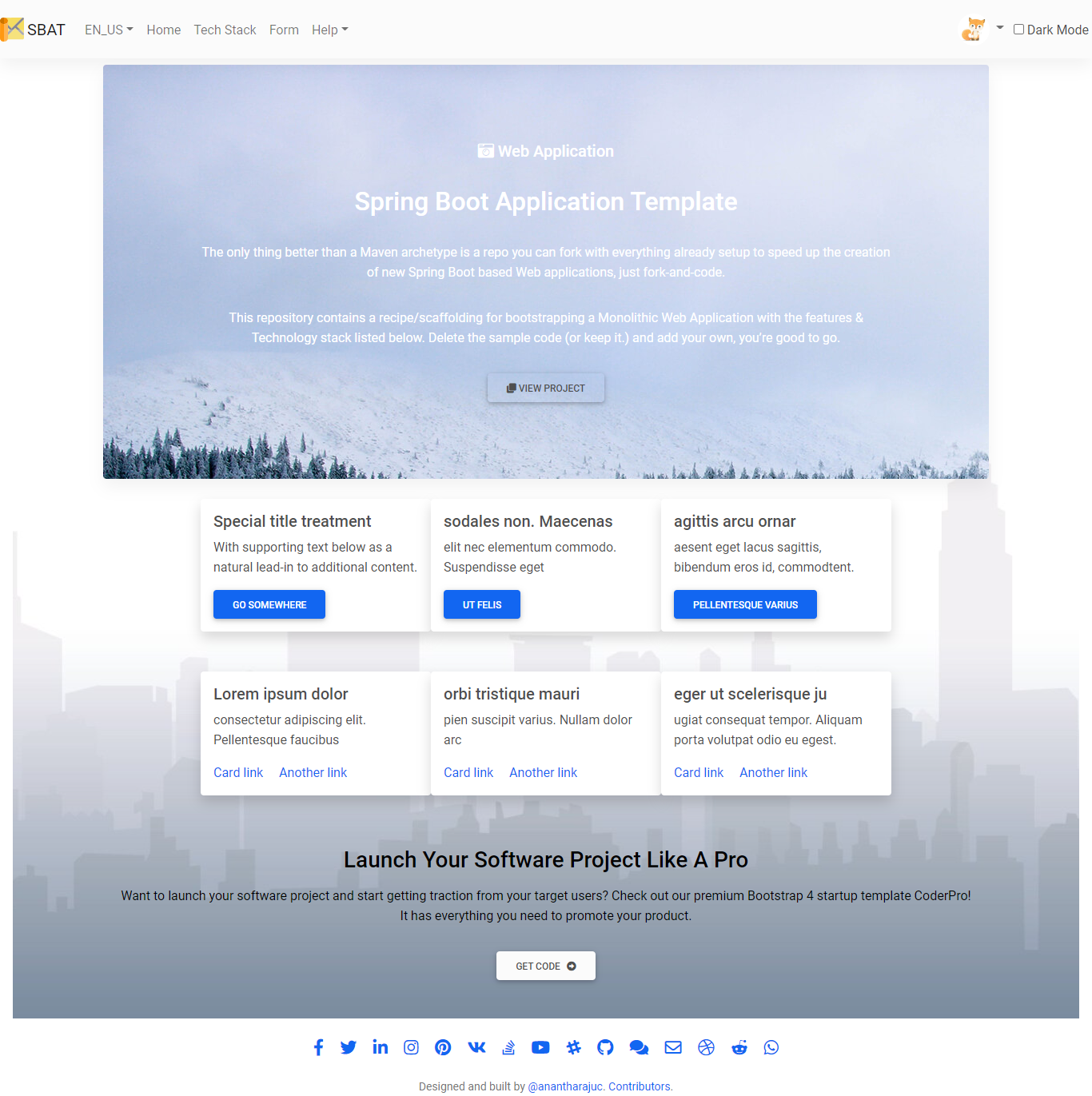
More Screenshots
Start the web application: PRODUCTION profile (MySQL)
In the /src/main/resources/application-production.properties file, un-comment the JDBC URL of the docker database and comment the JDBC URL of the MySQL database
Ensure you have a MySQL docker image. If not you can pull the same using the following command
$ docker pull mysql:5.7
Ensure the MySQL docker image is up and running.
$ docker run --name mysql-docker -e MYSQL_ROOT_PASSWORD=password -e MYSQL_DATABASE=sbat -e MYSQL_USER=sbat -e MYSQL_PASSWORD=sbat -d mysql:5.7
Run the Spring Boot Application Template container by using the following command
$ docker run -e "SPRING_PROFILES_ACTIVE=production" -p 8080:8080 --name spring-boot-application-template --link mysql-docker:mysql spring-boot-application-template
At this point go to https://localhost:8080/sbat/index to interact with this webapp.
Stop the web application:
docker stop [container_id]
How to build this image
Build the image:
$ git clone https://github.com/Spring-Boot-Framework/Spring-Boot-Application-Template.git
$ cd Spring-Boot-Application-Template
$ mvn package -DskipTests
$ docker build -t spring-boot-application-template .
Documentation
You can find the complete documentation: https://github.com/Spring-Boot-Framework/Spring-Boot-Application-Template/blob/master/README.md
License
View license information for the software contained in this image.
As with all Docker images, these likely also contain other software which may be under other licenses (such as Lombok, etc from the base distribution, along with any direct or indirect dependencies of the primary software being contained).
Some additional license information which was able to be auto-detected might be found here.
As for any pre-built image usage, it is the image user's responsibility to ensure that any use of this image complies with any relevant licenses for all software contained within.
https://microbadger.com/images/anantha/spring-boot-application-template
Tag summary
Content type
Image
Digest
Size
162.7 MB
Last updated
almost 5 years ago
docker pull anantha/spring-boot-application-template