antiantiops/vscode-browser-docker
VS Code Server Docker environment running the official Microsoft Visual Studio Code Server (CLI).
10K+
antiantiops/vscode-browser-docker repository overview
VS Code Server - Docker Edition
A lightweight, flexible Docker environment running the official Microsoft Visual Studio Code Server (CLI).
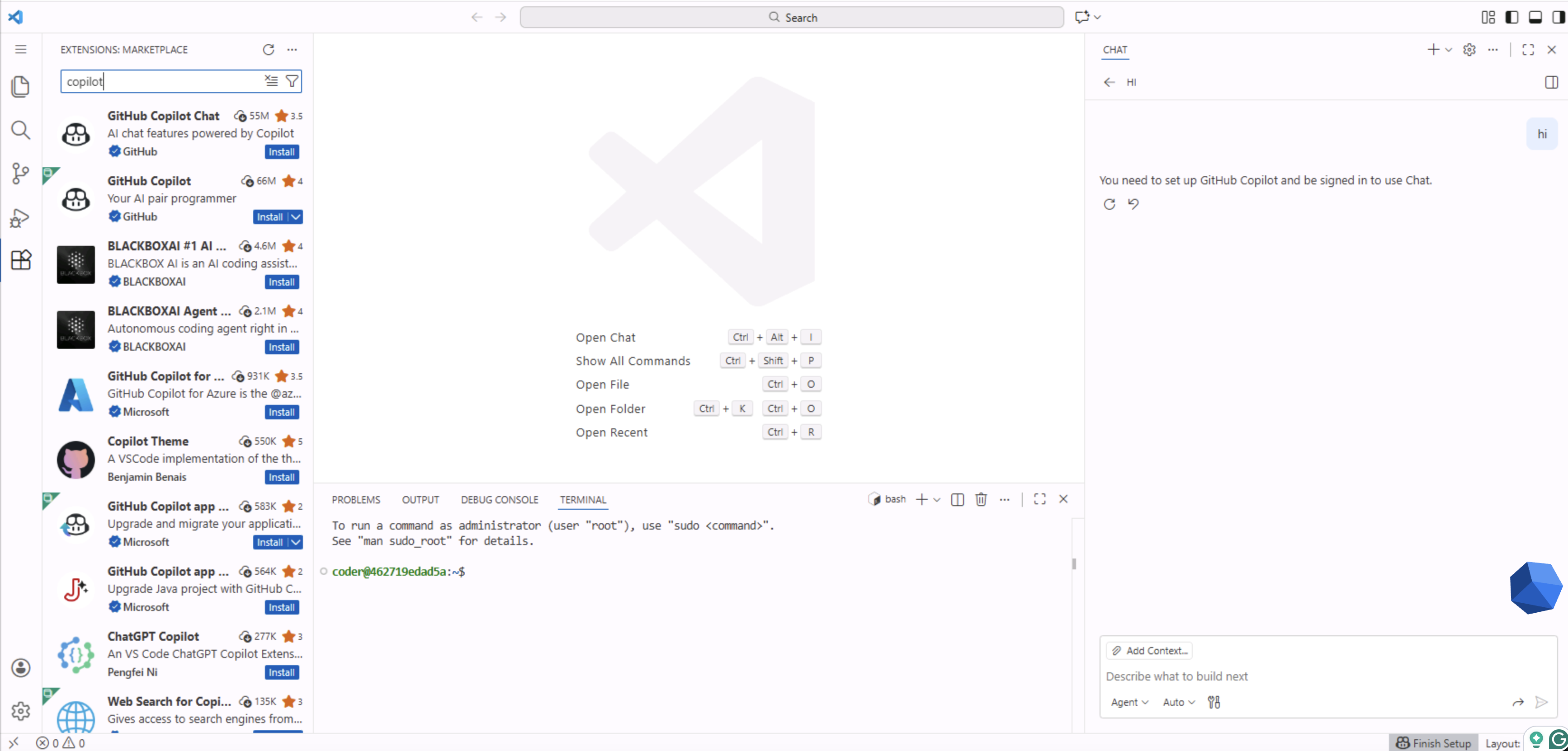
This repository provides a Dockerfile to build a remote development environment that retains full compatibility with proprietary Microsoft extensions, including GitHub Copilot and Copilot Chat, which often fail to run on standard open-source web IDE implementations.
🚀 Why Use This Image?
While many web-based IDE solutions exist, most are built on the "Code OSS" (Open Source) foundation. While excellent, those versions lack the specific proprietary APIs and licenses required to authenticate and run certain official extensions.
Key Advantages:
- 🤖 Full GitHub Copilot Support: Unlike generic open-source builds, this image runs the official server binary. This means GitHub Copilot and Copilot Chat work out-of-the-box without complex workarounds or authentication errors.
- 🛒 Official Marketplace Access: Direct access to the full Visual Studio Code Marketplace (not a third-party registry).
- 🎯 Smart Versioning: You are not forced to use the "latest" unstable build. You can pin specific versions (e.g.,
1.85.1) during the build process, and the Dockerfile intelligently resolves the correct Commit SHA for you. - ⚡ Sudo Access: The environment comes with a non-root user (
coder) pre-configured with passwordlesssudoprivileges, allowing you to install system packages on the fly.
Run the Container
docker run -it -p 8000:8000 \
  -v $(pwd):/home/coder/project \
  antiantiops/vscode-browser-docker:latest
☸️ Install on Kubernetes (Helm)
Install the chart from Artifact Hub:
https://artifacthub.io/packages/helm/openvscode-server-helm/openvscode-server
* **Access the IDE:** Open your browser and navigate to `http://localhost:8000`.
* **Persist Data:** The command above maps your current directory to `/home/coder/project`. Any changes made inside that folder will be saved to your host machine.
Tag summary
Content type
Image
Digest
sha256:bc82987df…
Size
93.1 MB
Last updated
3 days ago
docker pull antiantiops/vscode-browser-docker