anvesh35/echo-pod-name
Echo Pod Name is a lightweight Docker image, to display the k8s pod name and node name.
5.2K
anvesh35/echo-pod-name repository overview
echo-pod-name
Source Code
The source code for this image can be found in the kubernetes repository.
The Dockerfile is located in the dockerfiles/echo-pod directory.
The image is built using a multi-stage build process, ensuring a minimal footprint and secure.
Echo Pod Name is a lightweight Docker image based on Nginx and Alpine, designed to display the Kubernetes pod name and node name dynamically on a web page. It is a simple tool for developers and operators to verify their Kubernetes setup and to provide quick insights into pod information.
Features
- Displays the Pod Name and Node Name dynamically based on the environment.
- Uses a lightweight base image (nginx:alpine) for fast startup and reduced resource usage.
- Includes default values for pod and node names if not provided, ensuring robust behavior.
- Simple HTML/CSS layout for easy customization and readability.
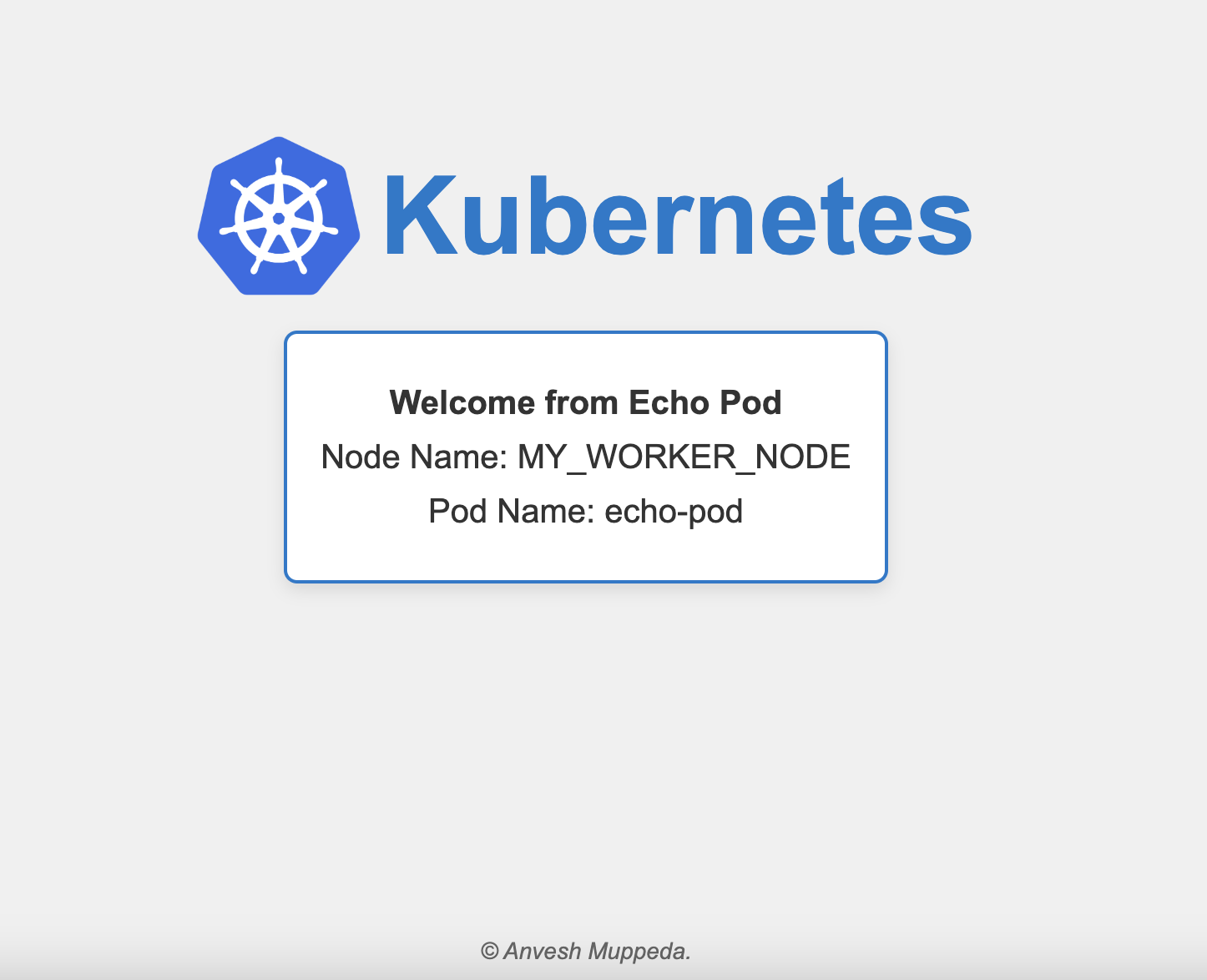
Usage
1. Pull the Image:
docker pull anvesh35/echopod:latest
2. Run the Container:
docker run -d -p 80:80 -e NODE_NAME="your-node-name" anvesh35/echo-pod-name:latest
3. Access the Application:
Open your web browser and navigate to http://:80 to see the pod information displayed.
Environment Variables
NODE_NAME: Specify the name of the node where the pod is running. If not provided, the default value will be "Unknown Node".
POD_NAME: The Pod Name is automatically determined by the hostname of the container.
Notes on Using Echo Pod Name in Kubernetes
Sample Kubernetes YAML Configuration.
Here’s a sample Kubernetes manifest to deploy the Echo Pod Name image:
apiVersion: v1
kind: Pod
metadata:
  name: echo-pod
  labels:
    app: echo-pod
spec:
  containers:
    - name: echo-pod-container
      image: anvesh35/echo-pod-name:latest
      env:
        - name: NODE_NAME
          valueFrom:
            fieldRef:
              fieldPath: spec.nodeName
      ports:
        - containerPort: 80
---
apiVersion: v1
kind: Service
metadata:
  name: echo-svc
spec:
  type: NodePort
  selector:
    app: echo-pod
  ports:
    - protocol: TCP
      port: 80
      targetPort: 80
Tag summary
Content type
Image
Digest
sha256:c90f7eea4…
Size
21.5 MB
Last updated
about 1 year ago
docker pull anvesh35/echo-pod-name