atomgraph/linkeddatahub
Low-code Knowledge Graph application platform
100K+
atomgraph/linkeddatahub repository overview
The low-code Knowledge Graph application platform
LinkedDataHub (LDH) is open source software you can use to manage data, create visualizations and build apps on RDF Knowledge Graphs.

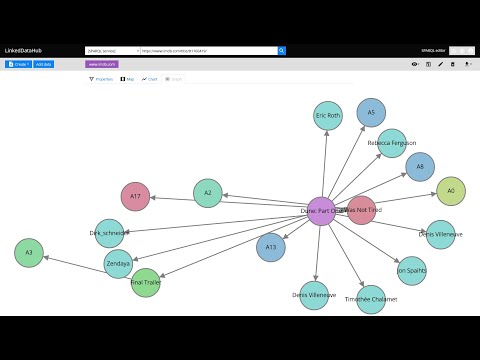
What's new in LinkedDataHub v3? Watch this video for a feature overview:
We started the project with the intention to use it for Linked Data publishing, but gradually realized that we've built a multi-purpose data-driven platform.
We are building LinkedDataHub primarily for:
- researchers who need an RDF-native FAIR data environment that can consume and collect Linked Data and SPARQL documents and follows the FAIR principles
- developers who are looking for a declarative full stack framework for Knowledge Graph application development, with out-of-the-box UI and API
What makes LinkedDataHub unique is its completely data-driven architecture: applications and documents are defined as data, managed using a single generic HTTP API and presented using declarative technologies. The default application structure and user interface are provided, but they can be completely overridden and customized. Unless a custom server-side processing is required, no imperative code such as Java or JavaScript needs to be involved at all.
Follow the Get started guide to LinkedDataHub. The setup and basic configuration sections are provided below and should get you running.
LinkedDataHub is also available as a free AWS Marketplace product! 
It takes a few clicks and filling out a form to install the product into your own AWS account. No manual setup or configuration necessary!
Setup
Click to expand
Prerequisites
bashshell 4.x. It should be included by default on Linux. On Windows you can install the Windows Subsystem for Linux.- Java's
keytool available on$PATH. It comes with the JDK. openssl available on$PATHuuidgen available on$PATH- Docker installed. At least 8GB of memory dedicated to Docker is recommended.
- Docker Compose installed
Steps
- Fork this repository and clone the fork into a folder
- In the folder, create an
.envfile and fill out the missing values (you can use.env_sample as a template). For example:COMPOSE_CONVERT_WINDOWS_PATHS=1 COMPOSE_PROJECT_NAME=linkeddatahub PROTOCOL=https HTTP_PORT=81 HTTPS_PORT=4443 HOST=localhost ABS_PATH=/ [email protected] OWNER_GIVEN_NAME=John OWNER_FAMILY_NAME=Doe OWNER_ORG_UNIT=My unit OWNER_ORGANIZATION=My org OWNER_LOCALITY=Copenhagen OWNER_STATE_OR_PROVINCE=Denmark OWNER_COUNTRY_NAME=DK - Setup SSL certificates/keys by running this from command line (replace
$owner_cert_pwdand$secretary_cert_pwdwith your own passwords):The script will create an./scripts/setup.sh .env ssl $owner_cert_pwd $secretary_cert_pwd 3650sslsub-folder where the SSL certificates and/or public keys will be placed. - Launch the application services by running this from command line:
It will build LinkedDataHub's Docker image, start its container and mount the following sub-folders:
docker-compose up --builddatawhere the triplestore(s) will persist RDF datauploadswhere LDH stores content-hashed file uploads The first should take around half a minute as datasets are being loaded into triplestores. After a successful startup, the last line of the Docker log should read something like:
linkeddatahub_1 | 09-Feb-2021 14:18:10.536 INFO [main] org.apache.catalina.startup.Catalina.start Server startup in [32609] milliseconds - Install
ssl/owner/keystore.p12into a web browser of your choice (password is the$owner_cert_pwdvalue supplied tosetup.sh)- Google Chrome:
Settings > Advanced > Manage Certificates > Import... - Mozilla Firefox:
Options > Privacy > Security > View Certificates... > Import... - Apple Safari: The file is installed directly into the operating system. Open the file and import it using the Keychain Access tool (drag it to the
localsection). - Microsoft Edge: Does not support certificate management, you need to install the file into Windows. Read more here.
- Google Chrome:
- Open https://localhost:4443/ in that web browser
Notes
- There might go up to a minute before the web server is available because the nginx server depends on healthy LinkedDataHub and the healthcheck is done every 20s
- You will likely get a browser warning such as
Your connection is not privatein Chrome orWarning: Potential Security Risk Aheadin Firefox due to the self-signed server certificate. Ignore it: clickAdvancedandProceedorAccept the riskto proceed.- If this option does not appear in Chrome (as observed on some MacOS), you can open
chrome://flags/#allow-insecure-localhost, switchAllow invalid certificates for resources loaded from localhosttoEnabledand restart Chrome
- If this option does not appear in Chrome (as observed on some MacOS), you can open
.env_sampleand.envfiles might be invisible in MacOS Finder which hides filenames starting with a dot. You should be able to create it using Terminal however.- On Linux your user may need to be a member of the
dockergroup. Add it using
sudo usermod -aG docker ${USER}
and re-login with your user. An alternative, but not recommended, is to run
sudo docker-compose up
Configuration
Click to expand
Base URI
A common case is changing the base URI from the default https://localhost:4443/ to your own.
Lets use https://ec2-54-235-229-141.compute-1.amazonaws.com/linkeddatahub/ as an example. We need to split the URI into components and set them in the .env file using the following parameters:
PROTOCOL=https
HTTP_PORT=80
HTTPS_PORT=443
HOST=ec2-54-235-229-141.compute-1.amazonaws.com
ABS_PATH=/linkeddatahub/
ABS_PATH is required, even if it's just /.
Dataspaces
Dataspaces are configured in config/system-varnish.trig. Relative URIs will be resolved against the base URI configured in the .env file.
:warning: Do not use blank nodes to identify applications or services. We recommend using the urn: URI scheme, since LinkedDataHub application resources are not accessible under their own dataspace.
Environment
LinkedDataHub supports a range of configuration options that can be passed as environment parameters in docker-compose.yml. The most common ones are:
CATALINA_OPTS- Tomcat's command line options
SELF_SIGNED_CERTtrueif the server certificate is self-signedSIGN_UP_CERT_VALIDITY- Validity of the WebID certificates of signed up users (not the owner's)
IMPORT_KEEPALIVE- The period for which the data import can keep an open HTTP connection before it times out, in ms. The larger files are being imported, the longer it has to be in order for the import to complete.
MAX_CONTENT_LENGTH- Maximum allowed size of the request body, in bytes
MAIL_SMTP_HOST- Hostname of the mail server
MAIL_SMTP_PORT- Port number of the mail server
GOOGLE_CLIENT_ID- OAuth 2.0 Client ID from Google. When provided, enables the Login with Google authentication method.
GOOGLE_CLIENT_SECRET- Client secret from Google
The options are described in more detail in the configuration documentation.
Reset
If you need to start fresh and wipe the existing setup (e.g. after configuring a new base URI), you can do that using
sudo rm -rf data uploads && docker-compose down -v
:warning: This will remove the persisted data and files as well as Docker volumes.
Documentation
Command line interface
LinkedDataHub CLI wraps the HTTP API into a set of shell scripts with convenient parameters. The scripts can be used for testing, automation, scheduled execution and such. It is usually much quicker to perform actions using CLI rather than the user interface, as well as easier to reproduce.
The scripts can be found in the scripts subfolder.
:warning: The CLI scripts internally use Jena's CLI commands. Set up the Jena environment before running the scripts.
An environment variable JENA_HOME is used by all the command line tools to configure the class path automatically for you. You can set this up as follows:
On Linux / Mac
export JENA_HOME=the directory you downloaded Jena to
export PATH="$PATH:$JENA_HOME/bin"
Sample applications
Third party
- KGDN - an open-source, collaborative project documenting RDF Knowledge Graph technologies, including RDF, SPARQL, OWL, and SHACL
- LDH Uploader - a collection of shell scripts used to upload files or directory of files to a LinkedDataHub instance by @tmciver
Demo apps
These demo applications can be installed into a LinkedDataHub instance using the provided CLI scripts.
:warning: Before running app installation scripts that use LinkedDataHub's CLI scripts, set the SCRIPT_ROOT environmental variable to the scripts subfolder of your LinkedDataHub fork or clone. For example:
export SCRIPT_ROOT="/c/Users/namedgraph/WebRoot/AtomGraph/LinkedDataHub/scripts"
How to get involved
- contribute a new LDH application or modify one of ours
- work on good first issues
- work on the features in our Roadmap
- join our community
Test suite
LinkedDataHub includes an HTTP test suite. The server implementation is also covered by the Processor test suite.


Dependencies
Browser
Java
Docker
Support
Please report issues if you've encountered a bug or have a feature request.
Commercial consulting, development, and support are available from AtomGraph.
Community
- [email protected] (mailing list)
- linkeddatahub/Lobby on gitter
- @atomgraphhq on Twitter
- AtomGraph on LinkedIn
Tag summary
Content type
Image
Digest
sha256:a9fc7f5d3…
Size
395.9 MB
Last updated
4 days ago
docker pull atomgraph/linkeddatahub