autoapply/autosetup
Quickly set up autoapply in a Kubernetes cluster
Image
0
2.9K
autoapply/autosetup repository overview
autosetup



Quickly set up autoapply in a Kubernetes cluster.
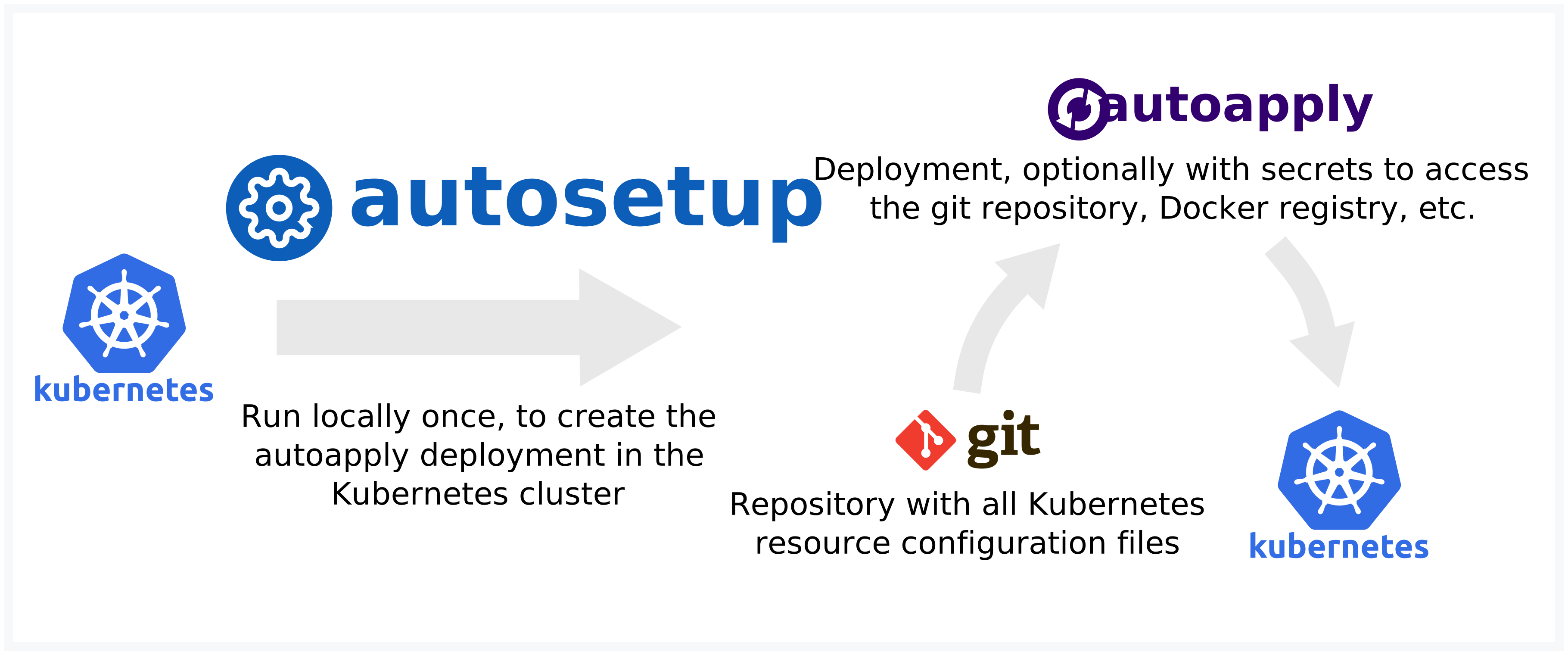
- Create a configuration file with the repository URL and required secrets
- Run autosetup to create Kubernetes resource files based on the configuration file
- Apply the resource files to your Kubernetes cluster to create the autoapply deployment
Usage
Run autosetup by using the Docker image autoapply/autosetup.
$ docker run --rm autoapply/autosetup \
    -c git.url=https://github.com/autoapply/template-kubectl \
    -c 'kubernetes.paths=["common","dev"]' \
    -c kubernetes.namespace=autoapply-test \
    > output.yaml
info: All templates successfully generated!
$ cat output.yaml
$ kubectl apply -f output.yaml
Alternatively, you can also install it locally using yarn global add autosetup or npm install -g autosetup.

Configuration
A simple configuration file looks like this:
git:
  url: "https://github.com/autoapply/template-kubectl"
kubernetes:
  paths:
    - "common"
    - "dev"
For more details, see example-config.yaml.
See template-kubectl and template-kustomize for example repositories.
SSH key
The SSH key to access Git repositories can be generated using
$ ssh-keygen -N '' -m PEM -b 4096 -t rsa -f id_rsa -C autoapply
yaml-crypt keys
A new yaml-crypt key can be generated using
$ yaml-crypt --generate-key
sops configuration
For information on how to setup sops, see the documentation.
License
Tag summary
Content type
Image
Digest
sha256:18f976efd…
Size
58.7 MB
Last updated
almost 3 years ago
docker pull autoapply/autosetup