automaticmode/active_workflow repository overview
ActiveWorkflow
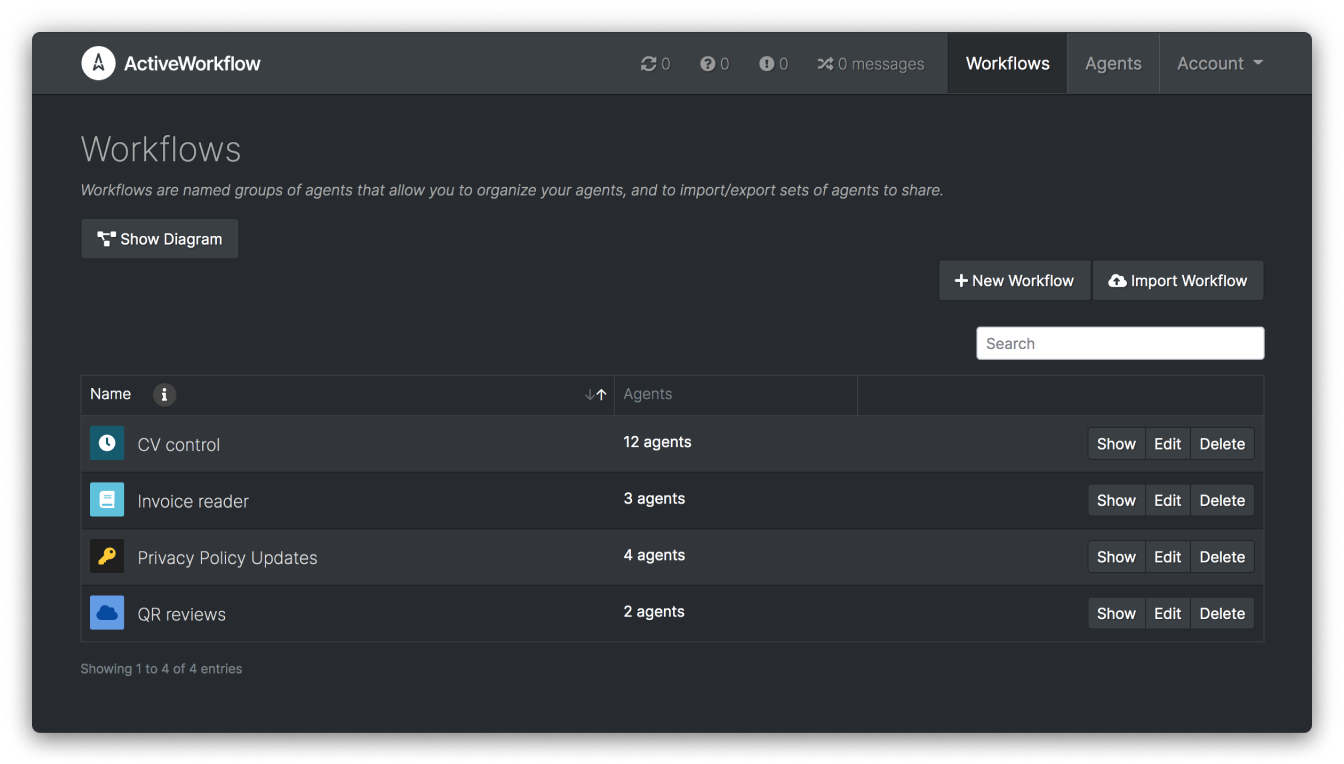
ActiveWorkflow helps you to automate your business or product workflows with software agents; autonomous entities that act on schedule or react to external triggers. These unsupervised agents -which can be written in any programming language- connect to APIs, process information, perform routine tasks, and generally enable you to automate internal or external workflows.
For more information about ActiveWorkflow, please visit ActiveWorkflow on GitHub.
Usage
ActiveWorkflow uses postgres database for data persistence.
Create a PostgreSQL Instance (Optional)
If you have a PostgreSQL database instance configured and running you can skip this section.
Start a PostgreSQL database instance using docker:
docker run --rm --name activeworkflow-db \
  -e POSTGRES_PASSWORD=activeworkflowpassword \
  -e POSTGRES_USER=activeworkflow \
  -v activeworkflow-data:/var/lib/postgresql/data \
  -d docker.io/postgres
This starts a database with the username/password you provided and mounts a docker volume (activeworkflow-data) so your data is preserved during runs.
You can stop the database with:
docker stop activeworkflow-db
Run ActiveWorkflow
The default ActiveWorkflow instance consists of three containers: web, scheduler and worker. You can run ActiveWorkflow using the official docker image with:
docker run --rm --name activeworkflow-web \
  --link activeworkflow-db:postgres \
  -e DATABASE_URL=postgres://activeworkflow:activeworkflowpassword@postgres/active_workflow
  -e SECRET_KEY_BASE=secretrandomstring \
  -e CREATE_DATABASE=true \
  -e DISABLE_SSL=true \
  -p 3000:3000 \
  -d docker.io/automaticmode/active_workflow

docker run --rm --name activeworkflow-scheduler \
  --link activeworkflow-db:postgres \
  -e DATABASE_URL=postgres://activeworkflow:activeworkflowpassword@postgres/active_workflow
  -e SECRET_KEY_BASE=secretrandomstring \
  -e CREATE_DATABASE=true \
  -e DISABLE_SSL=true \
  -d docker.io/automaticmode/active_workflow bundle exec rails runner bin/scheduler.rb

docker run --rm --name activeworkflow-worker \
  --link activeworkflow-db:postgres \
  -e DATABASE_URL=postgres://activeworkflow:activeworkflowpassword@postgres/active_workflow
  -e SECRET_KEY_BASE=secretrandomstring \
  -e CREATE_DATABASE=true \
  -e DISABLE_SSL=true \
  -d docker.io/automaticmode/active_workflow bundle exec script/delayed_job -n 2 run
The above commands assume that you have a PostgreSQL instance in a docker
container named activeworkflow-db and that you link it to ActiveWorkflow. If
your database is hosted differently edit the --link line accordingly and/or
omit it and use the corresponding DATABASE_URL environment variable.
ActiveWorkflow is configured by default with user admin and password
password and is accessible using a web browser on http://localhost:3000.
You can stop ActiveWorkflow with:
docker stop activeworkflow-web activeworkflow-scheduler activeworkflow-worker
!Note: For production deployment we strongly recommend you to use a web server
(like nginx or Apache) to provide an SSL front. The DISABLE_SSL variable
allows AcitveWorkflow to run without SSL encryption and should be omitted for
production.
Environment
ActiveWorkflow tries to follow the best practices of a 12 factor app. You can configure your ActiveWorkflow instance by setting environment variables. The following environment variables are supported:
-
DATABASE_USERNAME,DATABASE_PASSWORD,DATABASE_HOSTandDATABASE_NAMEare self-explanatory credentials required to establish a connection to the PostgreSQL database. -
DATABASE_URLsubstitutes all of the above environment variables and could be used for convenience. It has the formatpostgres://{username}:{password}@{hostname}/{database_name}, where{}should replaced by corresponding values. -
CREATE_DATABASEshould betruefor the web process to create a database. Usually it is used during the first run if you haven't created a database instance in advance. It is idempotent, so it can be given even if a database has been already created. -
DO_NOT_MIGRATEshould betrueto skip database migrations. By default the ActiveWorkflow web process runs database migration scripts to update the database schema to the latest version. -
DO_NOT_SEEDshould betrueto avoid seeding a database. By default the ActiveWorkflow web process creates a new user and a simple example workflow. The seed user is configured by using the environment variables described below. -
SEED_EMAIL,SEED_USERNAMEandSEED_PASSWORDare the credentials of the user that the ActiveWorkflow web process should create (unlessDO_NOT_SEEDis set totrue). Created user is made an admin. If a user with the provided email already exists, the operation is skipped. If these variables are not set ActiveWorkflow creates a useradminwith passwordpasswordand email[email protected]. -
SECRET_KEY_BASEis a random string used to encrypt data, specifically session information. -
AGENT_LOG_LENGTHdefines how many log entries per entries to keep. 200 log entries are kept if this variable is undefined. -
PORTis the port where the ActiveWorkflow web process should listen on. -
DISABLE_SSLcould be set totruewhen testing by using direct connection on localhost. For production you should use some web server to provide an SSL front (like nginx or Apache) and leaveDISABLE_SSLunset. -
WEB_CONCURRENCY,RAILS_MAX_THREADSdefine how many processes and threads should the web process use to serve requests. -
SMTP_DOMAIN,SMTP_SERVER,SMTP_PORT,SMTP_AUTHENTICATION('none' or 'plain'),SMTP_SSL(false or true),SMTP_USER_NAME,SMTP_PASSWORDare all used for SMTP configuration. -
SMTP_ENABLE_STARTTLS_AUTO- you may need to set this totruefor some servers. -
SMTP_OPENSSL_VERIFY_MODE- usepeerfor production ornonefor testing.
How to Build Your Own Docker Image
You can build your own docker image of ActiveWorkflow by checking out the
ActiveWorkflow repository
and using docker build command:
git clone https://github.com/automaticmode/active_workflow.git
cd active_workflow
docker build -t {yourname}/active_workflow .
License
ActiveWorkflow is released under the MIT License.
The image itself likely also contains other software which may be under other licenses (such as Bash, etc from the base distribution, along with any direct or indirect dependencies of the primary software being contained).
Tag summary
Content type
Image
Digest
sha256:da81ea81a…
Size
413.2 MB
Last updated
over 3 years ago
docker pull automaticmode/active_workflow