bandi13/gui-docker
Container for running GUI applications completely inside a Docker container.
10K+
bandi13/gui-docker repository overview




GUI Docker
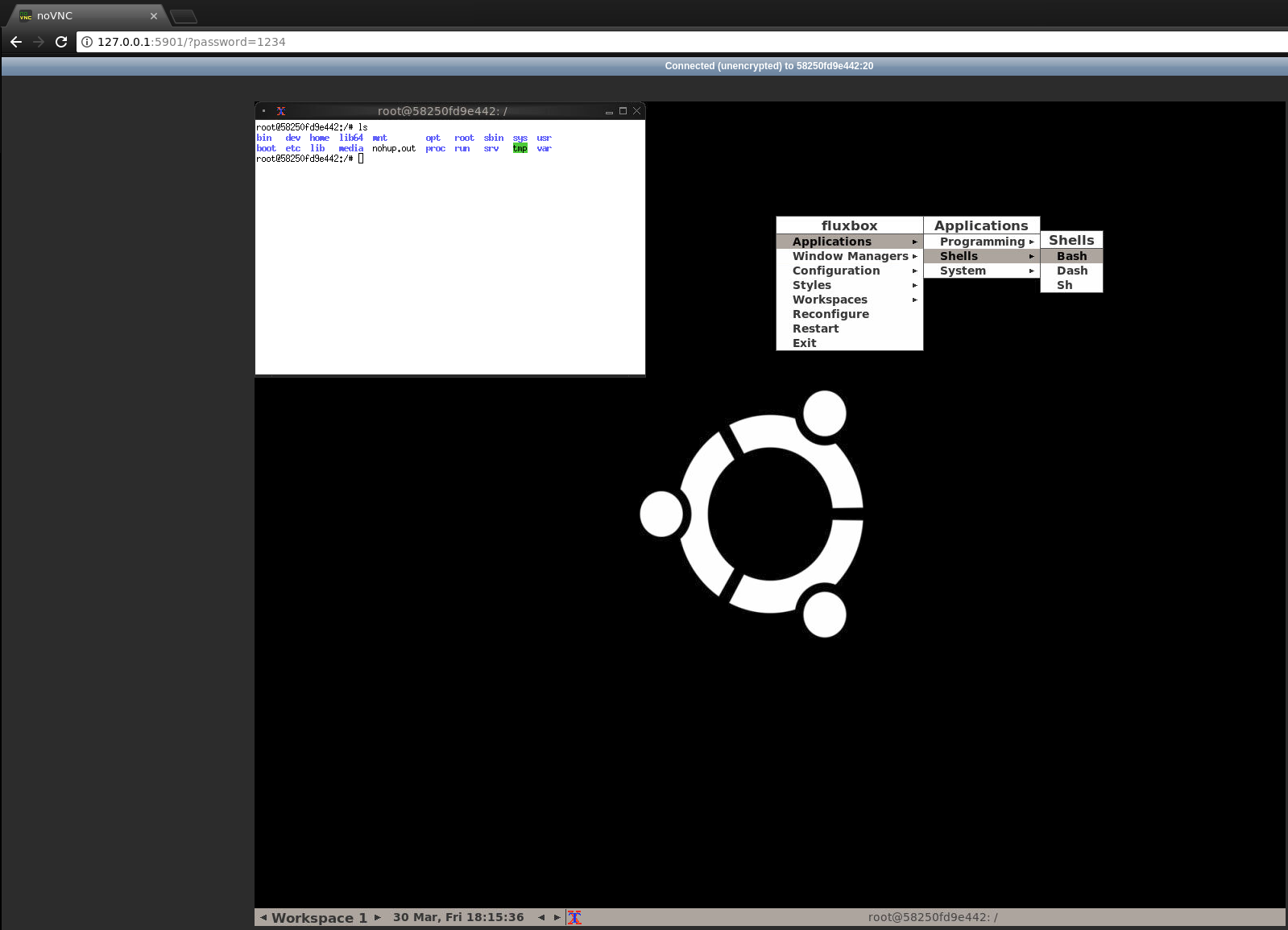
This is a container for running GUI applications completely inside a Docker container. You do not need to forward your running XAuth or allow Docker to draw onto your display. Nor do you need to use SSH to forward X11. This container exposes a VNC webclient to the host and therefore everything is contained within the container.
The VNC server is on port 5900 and a webclient is on port 5901.
Here is a screenshot:
To run
This is based on Ubuntu 18.10 and installs TigerVNC for the VNC server, and uses noVNC for the HTML5-based webclient. You can start the container with:
docker run --shm-size=256m -it -p 5901:5901 -e VNC_PASSWD=123456 bandi13/gui-docker
The shm-size argument is to make sure that the webclient does not run out of shared memory and crash. You can change the default VNC password of '123456' on the docker run command to whatever you wish.
To use your own VNC client, you just need:
docker run --shm-size=256m -it -p 5900:5900 -e VNC_PASSWD=123456 bandi13/gui-docker
Where port 5900 is exposing the VNC Server port.
Customization
Containers that build on this will be able to have scripts run inside the Fluxbox window manager. Any custom scripts can be placed in /opt/startup_scripts.
Adding in additional menu items to the bottom is as easy as:
RUN echo "?package(bash):needs=\"X11\" section=\"DockerCustom\" title=\"Xterm\" command=\"xterm -ls -bg black -fg white\"" >> /usr/share/menu/custom-docker && update-menus
Or this for running shell scripts:
RUN echo "?package(bash):needs=\"text\" section=\"DockerCustom\" title=\"Some Script\" command=\"touch /tmp/file\"" >> /usr/share/menu/custom-docker && update-menus
Screenshots
You can have a screenshot of the container by doing the following on the host:
docker exec -e DISPLAY=:0.0 -w /tmp $CONTAINER scrot -z -t 20 -e 'cat $m && rm $f $m' > screenshot.png
This will take a screenshot in the containerID=$CONTAINER and output it to 'screenshot.png' on the host.
Tag summary
Content type
Image
Digest
sha256:d7b038791…
Size
157.9 MB
Last updated
3 months ago
docker pull bandi13/gui-docker