blazordevlab/paddleocrapi
A simple way to deploy PaddleOCR based on FastAPI.
7.6K
blazordevlab/paddleocrapi repository overview
PaddleOCRFastAPI
A simple way to deploy PaddleOCR based on FastAPI.
Support Version
| PaddleOCR | Branch |
|---|---|
| v2.7.3 | paddleocr-v2.7.3 |
Features
- Local path image recognition
- Base64 data recognition
- Upload file recognition
Deployment Methods
Deploy Directly
-
Copy the project to the deployment path
git clone https://github.com/neozhu/PaddleOCRFastAPIThe master branch is the most recent version of PaddleOCR supported by the project. To install a specific version, clone the branch with the corresponding version number.
-
(Optional) Create new virtual environment to avoid dependency conflicts
-
Install required dependencies
pip3 install -r requirements.txt -
Run FastAPI
uvicorn main:app --host 0.0.0.0
Docker Deployment
Test completed in Centos 7, Ubuntu 20.04, Ubuntu 22.04, Windows 10, Windows 11, requires Docker to be installed.
-
Copy the project to the deployment path
git clone https://github.com/cgcel/PaddleOCRFastAPI.gitThe master branch is the most recent version of PaddleOCR supported by the project. To install a specific version, clone the branch with the corresponding version number.
-
Building a Docker Image
docker build -t paddleocrfastapi:<your_tag> . -
Edit
docker-compose.ymlversion: "3.8" services: paddleocr: container_name: paddle_ocr_api # 自定义容器名 image: blazordevlab/paddleocrapi:latest # 第2步自定义的镜像名与标签 environment: - TZ=Asia/Hong_Kong - OCR_LANGUAGE=ch ports: - 8000:8000 # 自定义服务暴露端口, 8000为FastAPI默认端口, 不做修改 restart: unless-stopped -
Create the Docker container and run
docker compose up -d -
Swagger Page at
localhost:<port>/docs
Change language
-
Clone this repo to localhost.
-
Edit
routers/ocr.py, modify the parameter "lang":ocr = PaddleOCR(use_angle_cls=True, lang="ch")Before modify, read the supported language list.
-
Rebuild the docker image, or run the
main.pydirectly.
Screenshots
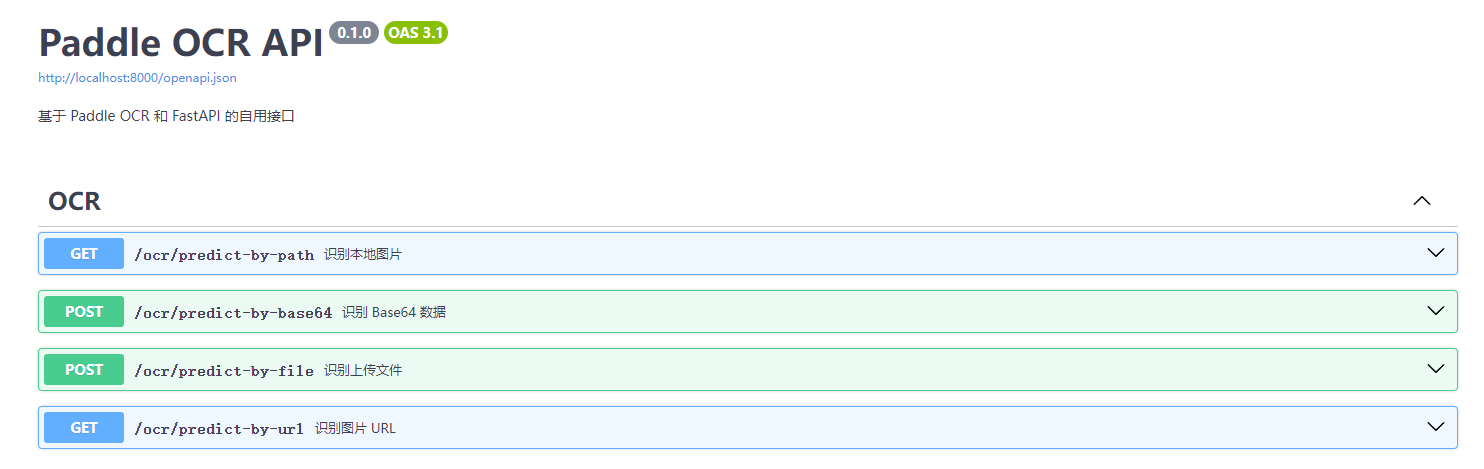
Todo
- support ppocr v4
- GPU mode
- Image url recognition
License
PaddleOCRFastAPI is licensed under the MIT license. Refer to LICENSE for more information.
Tag summary
Content type
Image
Digest
sha256:c004a5a1d…
Size
988.3 MB
Last updated
over 1 year ago
docker pull blazordevlab/paddleocrapi