boringdownload/jira-integration
Jira Development Integration for any CI/CD provider
10K+
boringdownload/jira-integration repository overview




Jira Development Integration
Integrate your CI/CD pipeline's Build and Deployment information into the Jira Development Panel.
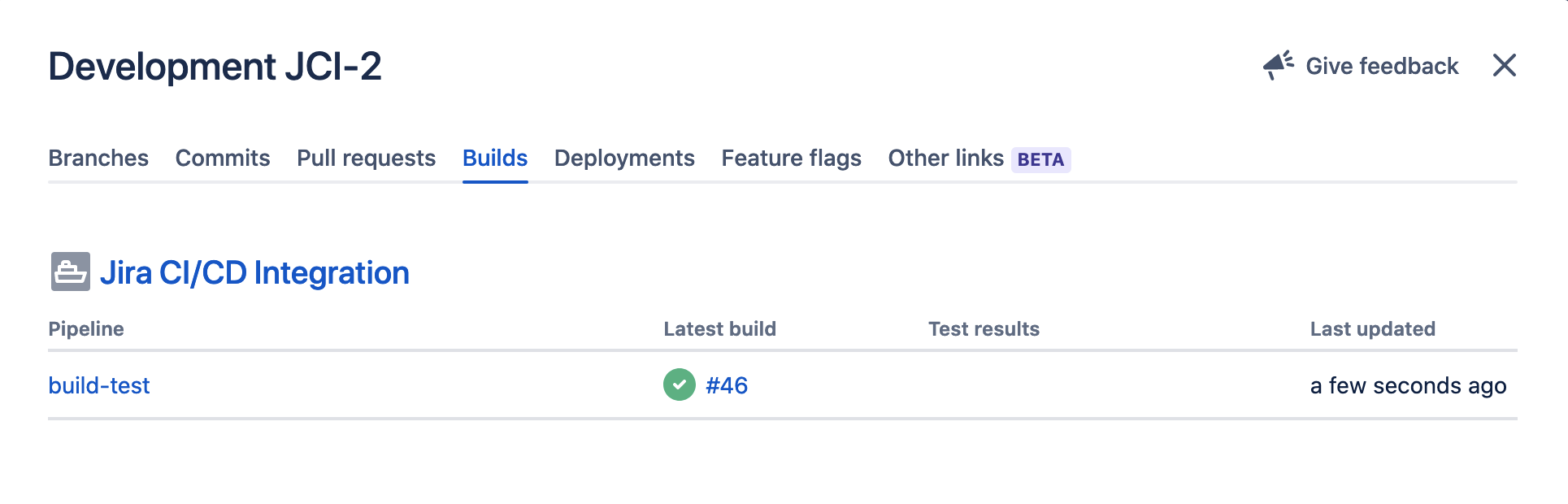
Read Blog Post here: https://rohit.page/blog/projects/jira-ci-cd-integration-for-builds-deploys/
Only supports Jira Cloud. Does not support Jira Server (hosted)
Prerequisites
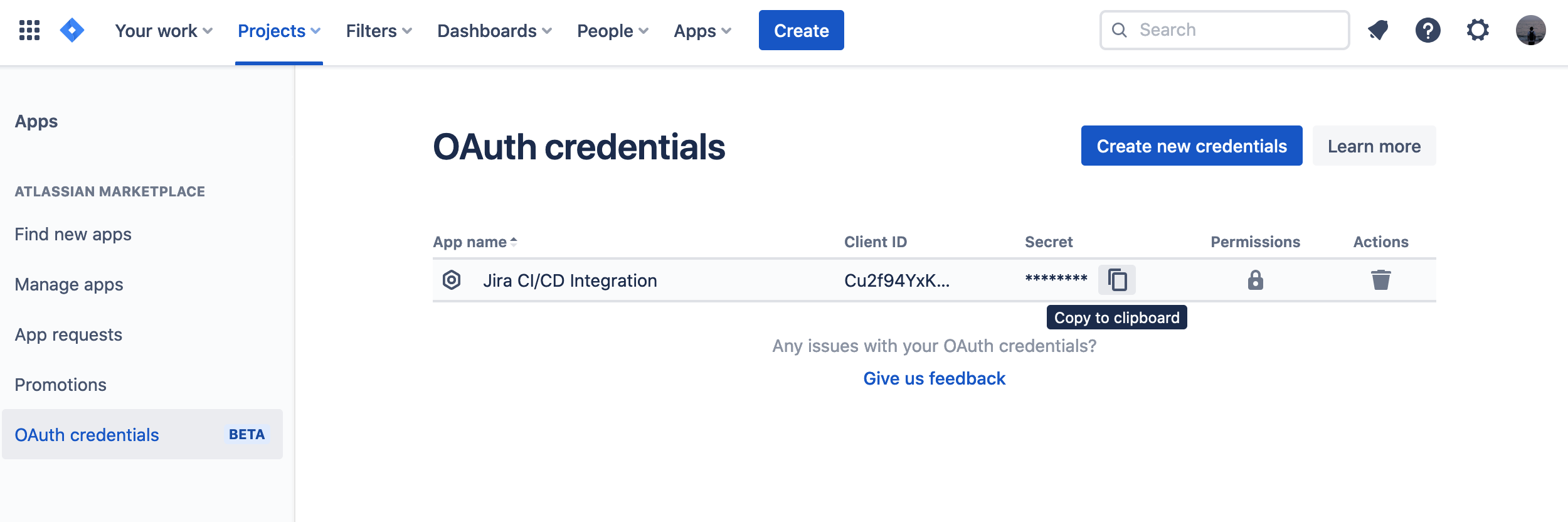
Generate Credentials
Generate new OAuth Credentials and copy
Use with Any CI/CD Providers
Supported in providers which support running arbitrary Docker images (like Drone, Gitlab CI, Cloud Run).
Docker Images are available from:
- Docker Hub:
boringdownload/jira-integration - Github Container Registry:
ghcr.io/rohit-gohri/jira-ci-cd-integration - Gitlab Container Registry:
registry.gitlab.com/rohit-gohri/jira-ci-cd-integration
Pick whatever you want and is convenient for you.
Set Env Vars
Configuration for the Docker image is through env vars. Read more in options.
Drone.io

Add secrets for JIRA_CLIENT_ID and JIRA_CLIENT_SECRET and then add this to your pipeline:
steps:
  - name: jira-integration
    image: boringdownload/jira-integration:v0
    environment:
      BUILD_NAME: drone-pipeline
      JIRA_INSTANCE: companyname
      JIRA_CLIENT_ID:
        from_secret: jira_client_id
      JIRA_CLIENT_SECRET:
        from_secret: jira_client_secret
Gitlab CI/CD

Add a CI/CD Variable to your project for JIRA_CLIENT_ID and JIRA_CLIENT_SECRET (remember to mask them) and then add these steps to your pipeline (we use .post stage so it runs last)
jira-integration-on-success:
  stage: .post
  when: on_success
  image: registry.gitlab.com/rohit-gohri/jira-ci-cd-integration:v0
  script: jira-integration
  variables:
    BUILD_STATE: successful
    BUILD_NAME: gitlab-pipeline
    JIRA_INSTANCE: companyname

jira-integration-on-failure:
  extends: jira-integration-on-success
  when: on_failure
  variables:
    BUILD_STATE: failure
Options
Provide these options directly in case of Github Actions or via the env variable in the brackets for Docker.
Inputs
jira_instance (JIRA_INSTANCE)
Sub Domain of Jira Cloud Instance. This part of the url: https://<jira_instance>.atlassian.net
client_id (JIRA_CLIENT_ID)
ClientID of OAuth Creds
client_secret (JIRA_CLIENT_SECRET)
Client Secret of OAuth Creds
event_type (JIRA_EVENT_TYPE) (optional)
"build" or "deployment", (default is "build")
state (BUILD_STATE) (optional)
"successful"/"success", "failed", or "canceled" (default is "unknown")
issue (JIRA_ISSUES) (optional)
Will be parsed from branch name automatically if absent. Or you can provide it according to your own logic. Can be multiple issues.
token (optional)
Only for Github Action
Github Token to get commit message in Pull Request Events. Since github context doesn't have commit message, we use the Github API to get it from sha.
Pipeline Info
Commit Message (COMMIT_MESSAGE)
If you have the jira id in the commit message then provide this.
Pipeline Name (BUILD_NAME)
A name for your pipeline
Tag summary
Content type
Image
Digest
sha256:318c9600f…
Size
46.8 MB
Last updated
almost 2 years ago
docker pull boringdownload/jira-integration