bridgetek/esd
Eve Screen Designer building environment
416
bridgetek/esd repository overview
Introduction
Provide the instructions on how to build a docker image and run it in a container to build ESD and create the installation package
Docker
Build Docker Image
To pull the existing image from the Docker hub, run:
docker pull bridgetek/esd
Or build an image, in the project source directory, run:
docker build -t bridgetek/esd -f Deployment/docker/Dockerfile Deployment/docker
or add network configuration option --network "Default Switch"
docker build -t bridgetek/esd -f Deployment/docker/Dockerfile Deployment/docker --network "Default Switch"
if there is similar error observed:
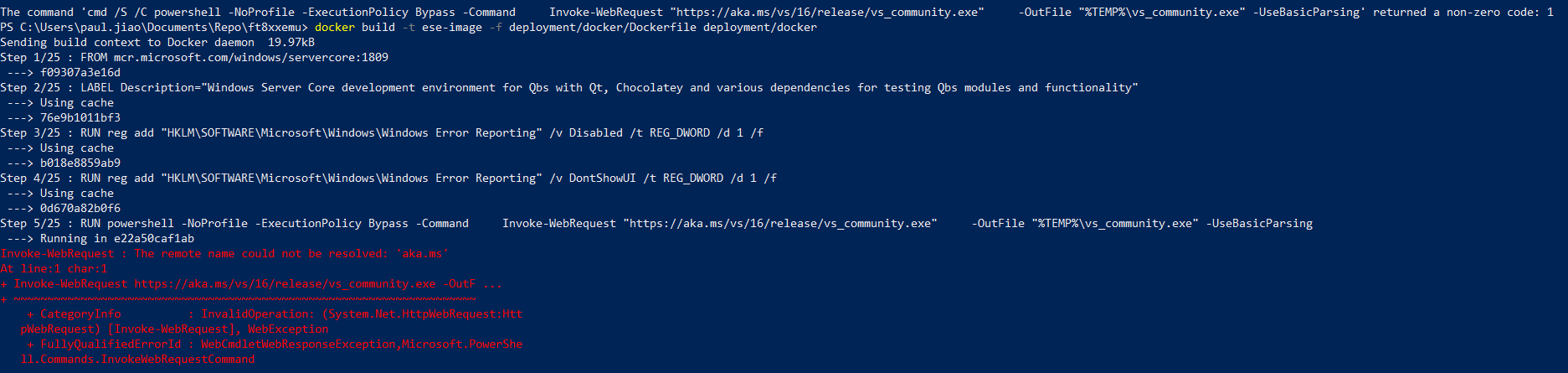
Run the container:
To run the created docker image, in the project source directory, run:
docker run --rm --mount type=bind,source="%cd%",target="%cd%" -w "%cd%" bridgetek/esb ESD_Build.bat
docker run --rm --mount type=bind,source="%cd%",target="%cd%" -w "%cd%" bridgetek/esd "%cd%/Distrib/ESD_Deploy.bat
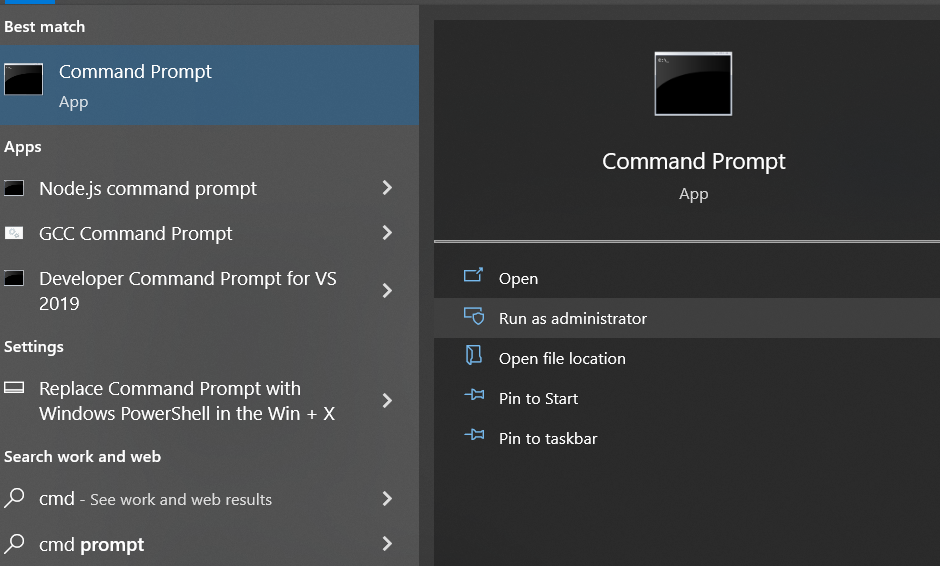
in the windows command prompt , other than power shell with administrator privilege :
Note
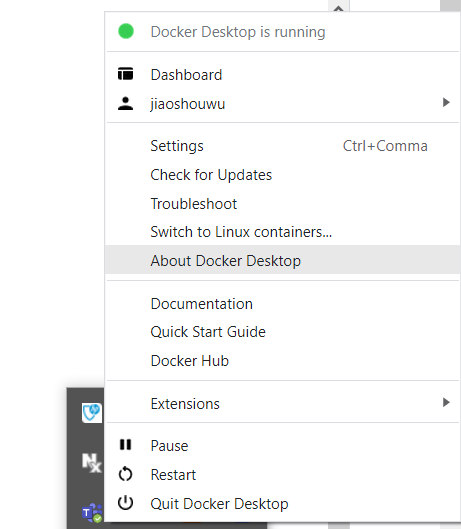
Please ensure the container your Docker Desktop is windows container , not linux container:
Version of the software
PYTHON_VERSION=3.10.0
7ZIP_VERSION=19.0
GIT_VERSION=2.24.0
QBS_VERSION=1.23.1
CMAKE_VERSION=3.25.1
QT_VERSION=6.5.3
INNOSETUP_VERSION=6.2.1
Toolchain-type:
MSVC2019_64(win64_msvc2019_64)
Components of toolchain-type:
qtbase qttools qtdeclarative qtscript qtsvg qt5compat opengl32sw
How to get the output files from the container?
The output files are in folder: $(Project Source Code directory)/Deployment/esd/Ouput
Tag summary
Content type
Image
Digest
sha256:7c11f0c83…
Size
6.1 GB
Last updated
over 2 years ago
docker pull bridgetek/esd