butch708/tv-background-suite
This is a fork of adelatour11`s amazing androidtvbackground Script with a webgui with layout editor.
10K+
butch708/tv-background-suite repository overview
TV Background Suite & Web Editor
TV Background Suite is a powerful, web-based tool designed to generate high-quality, customized background images and posters from media servers like Jellyfin, Emby, and Plex and use it for Android TV launchers or what ever you want to.
It features a full WYSIWYG (What You See Is What You Get) editor allowing you to add metadata, ratings, and apply advanced texture effects to text.
| Editor Interface | Saved Layouts |
|---|---|
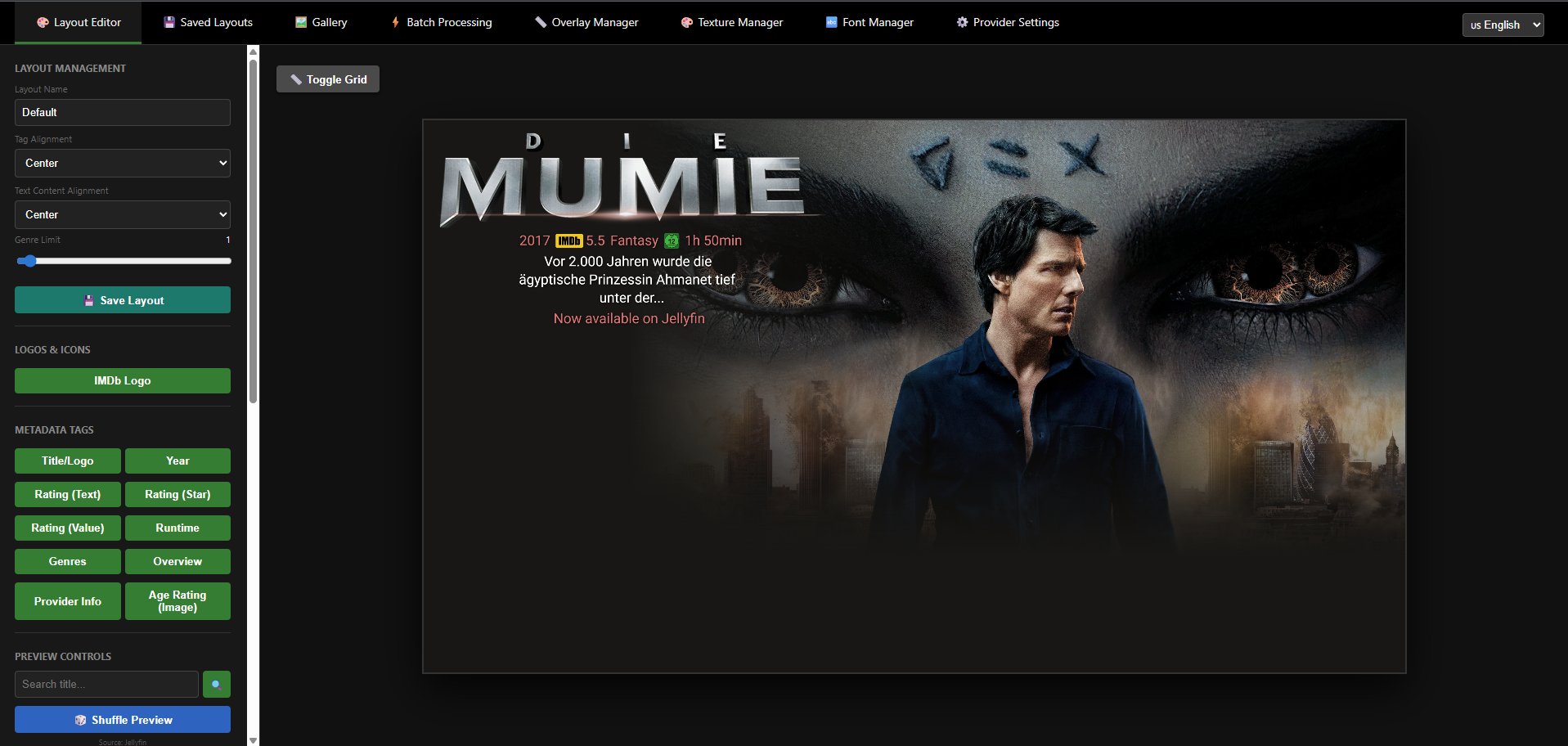 | 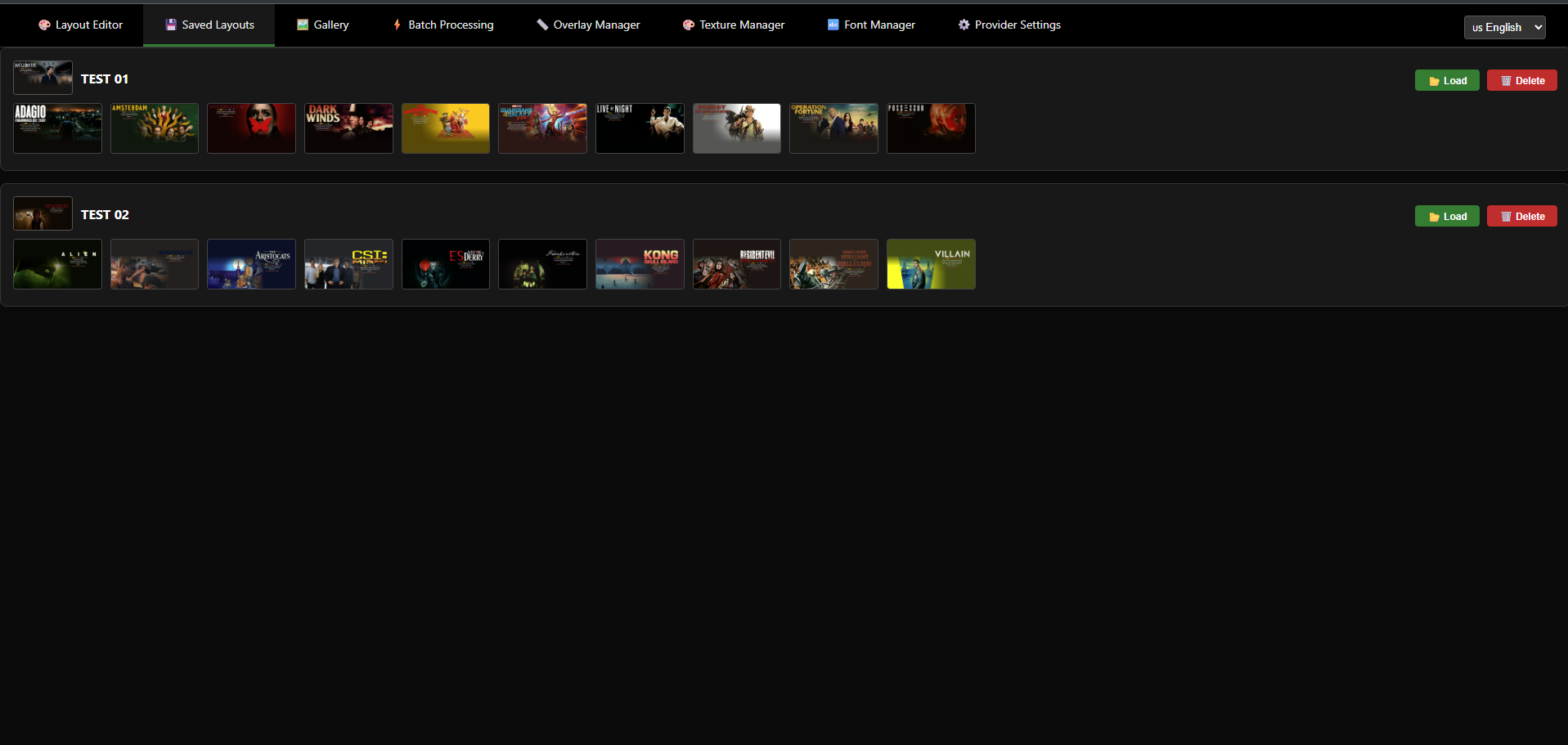 |
| Guide Overlay (Google TV) | Guide Overlay (ProjectIvy) |
|---|---|
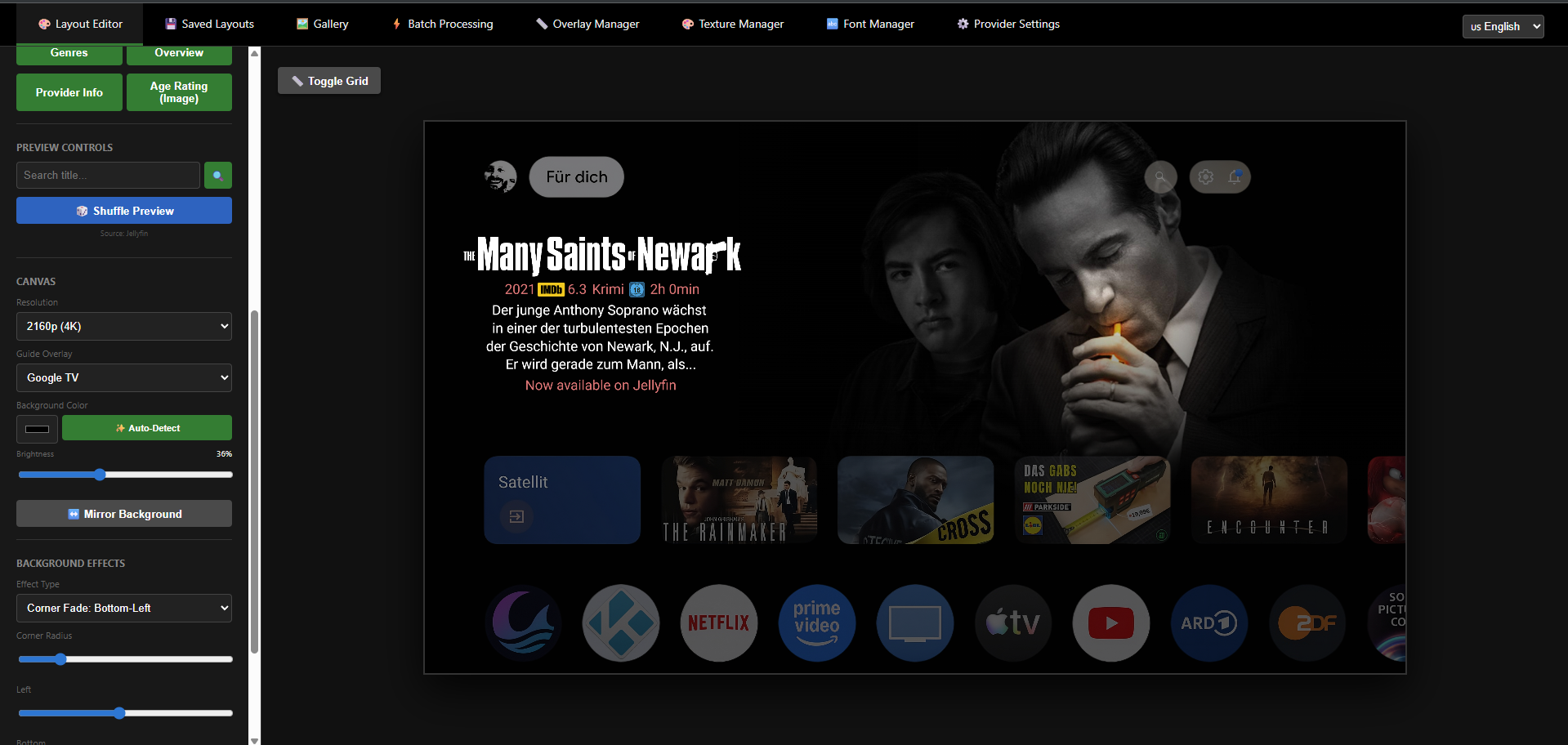 | 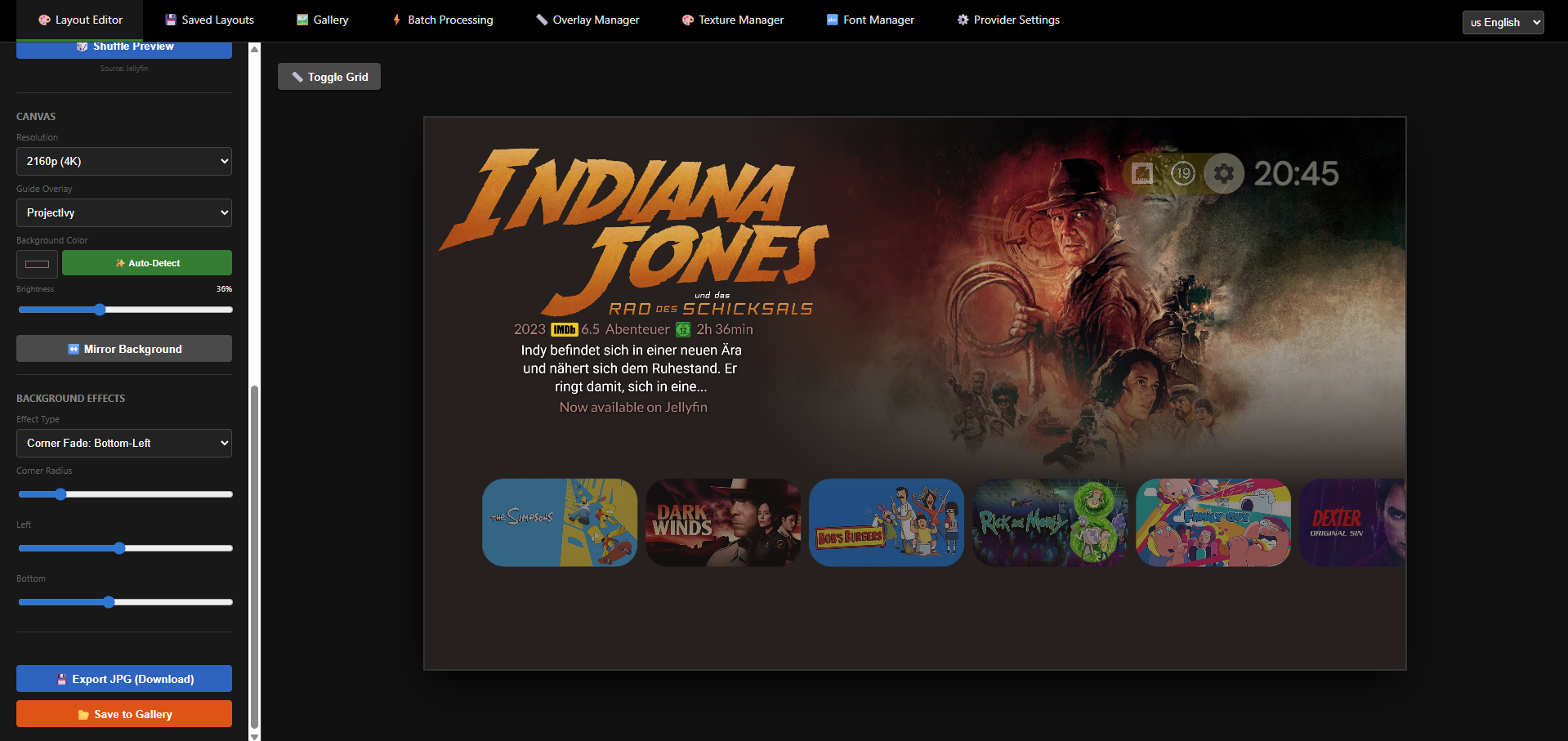 |
✨ Features
- Web-Based Editor: Create layouts visually in your browser. Drag, drop, and customize text and images.
- Media Server Integration: Connects directly to Jellyfin, Plex, Radarr, Sonarr, Trakt, and TMDB to fetch metadata and artwork automatically.
- Advanced Layout Tools:
- Smart Positioning: Auto-aligns new tags.
- Manual Mode: Toggle "Snap to Objects" for free positioning.
- Layer Control: Move elements up/down in the stack.
- Bulk Actions: Apply font, size, or color to all tags at once.
- Texture Manager: Apply "Magic Textures" (e.g., Gold, Silver, Grunge) to your text for a premium look.
- Overlay Manager: Easily upload and place guide overlays (e.g., for Google TV or ProjectIvy).
- Font Manager: Upload and use your own
.ttfor.otffonts. - Icon Manager: Upload custom icons and logos to use in your designs.
- Saved Layouts: Save your designs as templates and reload them later.
- Batch Processing: Automate the generation of backgrounds for entire libraries or collections.
- Gallery & Editing: View generated images and re-edit them by loading their original layout state.
- Multi-Language: Interface available in English, German, Italian, French, Polish, Czech, Spanish, and Romanian.
- Docker Ready: Easy deployment on NAS systems like Unraid, TrueNAS, or Synology.
🗺️ Roadmap
- Android TV App: A dedicated Android TV application is planned to automatically fetch and rotate these backgrounds directly on your device.
🧩 Projectivy Launcher Plugin
For users of the Projectivy Launcher, there is now a dedicated plugin available to easily integrate the generated backgrounds directly into your launcher.
👉 Get the Projectivy TVBG Suite Plugin
🚀 Installation (Docker)
The easiest way to run the application is via Docker.
Docker Compose (Recommended)
Create a docker-compose.yml file:
version: '3.8'

services:
  tv-background:
    image: butch708/tv-background-suite:latest
    container_name: tv-background-editor
    ports:
      - "5000:5000"
    volumes:
      - ./config.json:/app/config.json
      - ./layouts:/app/layouts
      - ./overlays:/app/overlays
      - ./textures:/app/textures
      - ./fonts:/app/fonts
      - ./custom_icons:/app/custom_icons
      - ./output:/app/editor_backgrounds
    restart: unless-stopped
Run the container:
docker-compose up -d
Access the editor at: http://YOUR_SERVER_IP:5000/editor
Docker Run
docker run -d \
  --name=tv-background-editor \
  -p 5000:5000 \
  -v /path/to/config.json:/app/config.json \
  -v /path/to/output:/app/editor_backgrounds \
  butch708/tv-background-suite:latest
📂 Configuration & Volumes
To persist your data and access generated images, map the following volumes:
| Container Path | Description |
|---|---|
/app/config.json | Stores API keys, URLs, and general settings. |
/app/layouts | Stores your saved design layouts (.json). |
/app/overlays | Folder for custom overlay images (PNG). |
/app/textures | Folder for text texture patterns (JPG/PNG). |
/app/fonts | Folder for custom fonts (.ttf, .otf). |
/app/editor_backgrounds | Output: Images generated by the Web Editor. |
Networking (DNS)
If you are running this in Docker and trying to connect to a local media server (e.g., on the same NAS) using a hostname like http://truenas:8096, the container might not resolve the name.
Option 1 (Use IP): Use the IP address of your server in the settings (e.g., http://192.168.1.50:8096).
Option 2 (Use host.docker.internal):
Add this to your docker-compose.yml:
    extra_hosts:
      - "host.docker.internal:host-gateway"
Then, in the editor settings, use http://host.docker.internal:8096 as the URL.
Option 3 (Map Hostname):
If you prefer to use your NAS hostname (e.g., truenas), map it manually:
    extra_hosts:
      - "truenas:192.168.1.100"
🛠️ Usage
-
Provider Settings: Go to the Settings tab. Enter your URL and API Keys for Jellyfin, Plex, or TMDB. Use the "Test Connection" buttons to verify connectivity.
-
Layout Editor:
- Use Shuffle Preview to load random media from your connected services.
- Adjust text alignment, colors, and fonts.
- Apply Textures to text for artistic effects.
- Add Metadata Tags (Rating, Year, Runtime) dynamically.
-
Batch Processing: Go to the Batch Processing tab to generate backgrounds for your entire library automatically based on your selected layout.
🖼️ Gallery
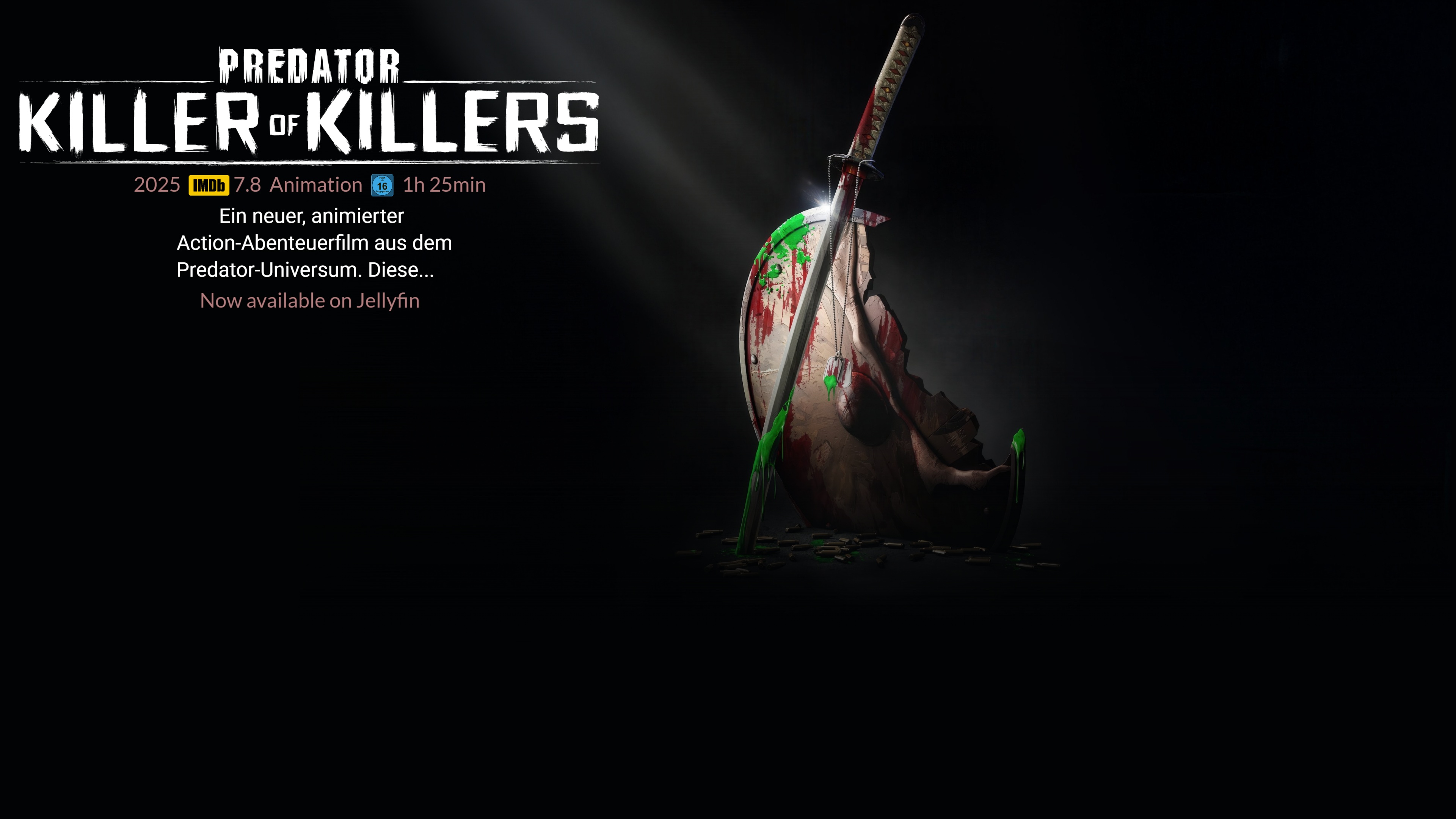
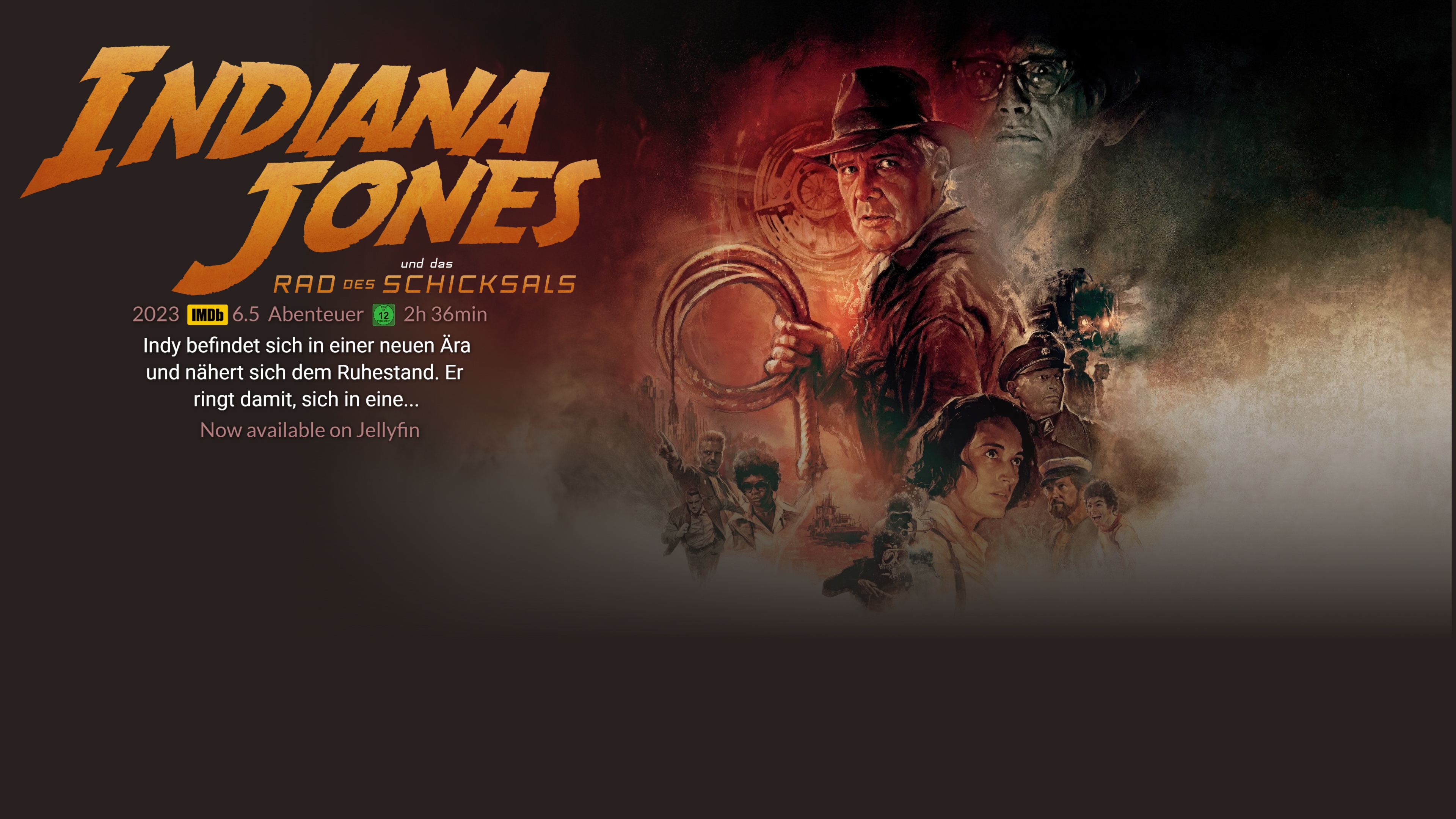
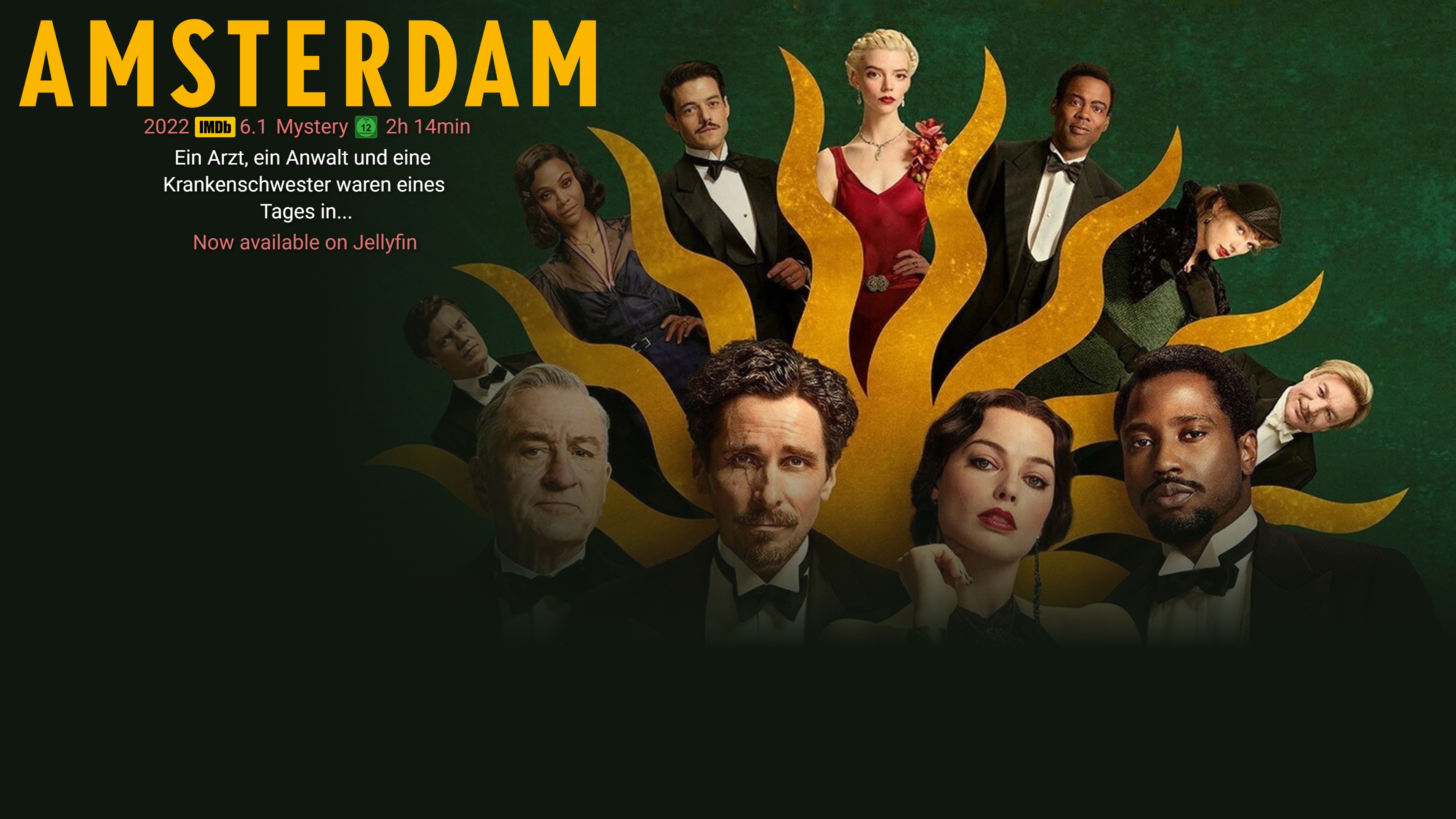
Here are some examples of what you can create with the TV Background Suite.
| Predator (Magic Texture) | Freies Land (Clean Layout) |
|---|---|
 |  |
| Indiana Jones (Logo Integration) | Amsterdam (Custom Font) |
 |  |
🤝 Contributing
Contributions are welcome! Please feel free to submit a Pull Request.
- Fork the Project
- Create your Feature Branch (
git checkout -b feature/AmazingFeature) - Commit your Changes (
git commit -m 'Add some AmazingFeature') - Push to the Branch (
git push origin feature/AmazingFeature) - Open a Pull Request
Credits
- Original Project: This project is a fork of androidtvbackground created by adelatour11.
- Development: Major refactoring, Web GUI implementation, and Docker integration were developed with the assistance of Gemini Code Assist.
📄 License
Distributed under the MIT License.
Tag summary
Content type
Image
Digest
sha256:9a7c1bf7b…
Size
633.5 MB
Last updated
8 months ago
docker pull butch708/tv-background-suite