c0de1ndex/netman
Web interface for managing additional IP addresses on Linux network interfaces.
995
c0de1ndex/netman repository overview
Netman - Network Manager
A lightweight web-based network interface management tool for Linux systems. Manage IP addresses on your network interfaces through a clean, modern web interface. Netman adds additional IP addresses to existing interfaces without modifying your system's network configuration files. In case of reboot or network interface changes, configured IP addresses are automatically reapplied.
Designed primarily for IoT edge devices and embedded systems where you need to add temporary or additional IP addresses for testing, multi-network access, or connecting to devices on different subnets without disrupting the primary network configuration.
Features
- Web-based interface for managing network configurations
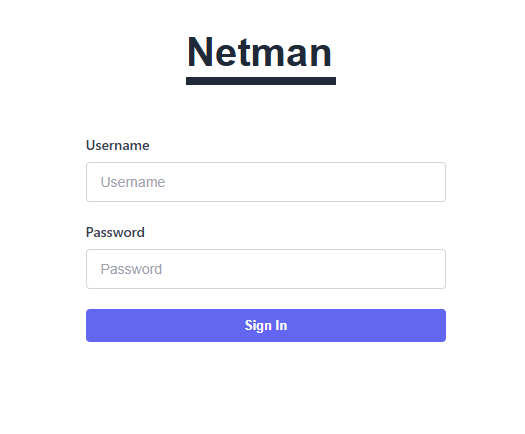
- Secure authentication system
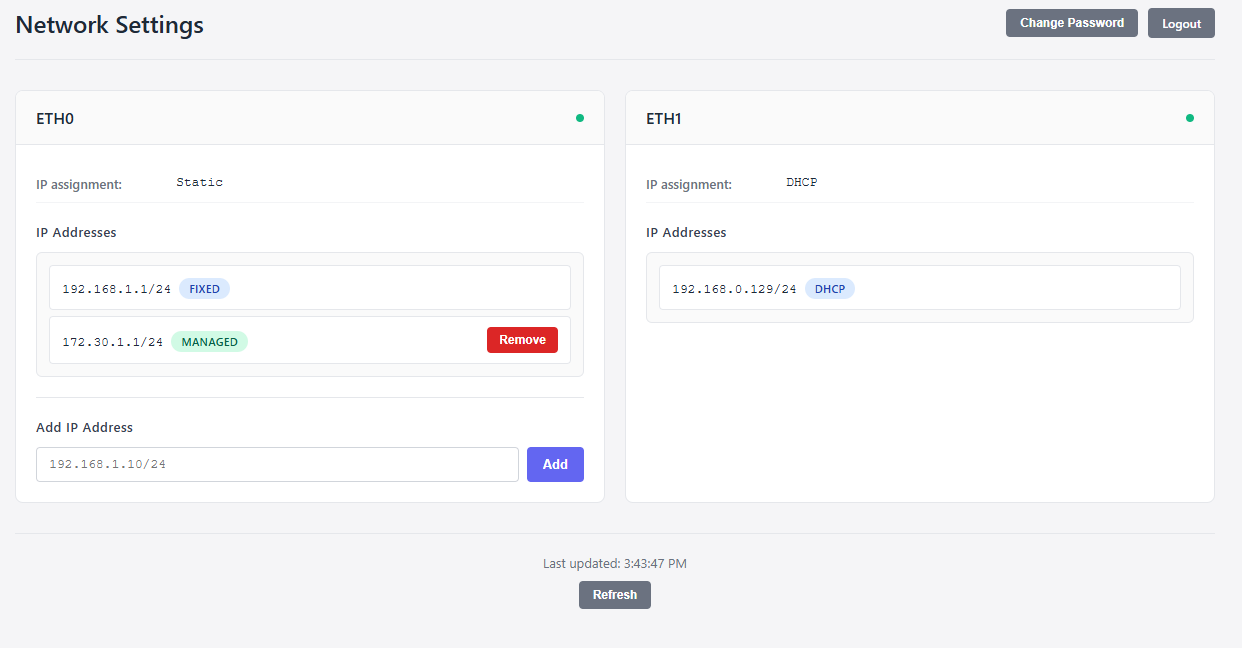
- Add/remove IP addresses dynamically
- Auto-refresh interface status
- Conflict detection for IP addresses
Screenshots
Quick Start
Using Docker Compose (Recommended)
Create a docker-compose.yml file:
services:
  netman:
    image: c0de1ndex/netman:latest
    container_name: netman
    network_mode: host
    restart: unless-stopped
    environment:
      - USERNAME=admin
      - PASSWORD=your_secure_password
      - PORT=8843
    cap_add:
      - NET_ADMIN
    volumes:
      - ./config:/app/config
      - /etc/systemd/network:/etc/systemd/network:ro
Then run:
docker-compose up -d
Using Docker Run
docker run -d \
  --name netman \
  --network host \
  --restart unless-stopped \
  --cap-add NET_ADMIN \
  -e USERNAME=admin \
  -e PASSWORD=your_secure_password \
  -e PORT=8843 \
  -v $(pwd)/config:/app/config \
  -v /etc/systemd/network:/etc/systemd/network:ro \
  c0de1ndex/netman:latest
Access the web interface at http://your-server-ip:8843
Configuration
Environment Variables
| Variable | Description | Default |
|---|---|---|
USERNAME | Web interface username | admin |
PASSWORD | Web interface password | admin |
PORT | Web server port | 8843 |
Volume Mounts
The application reads network configuration from your system. Mount the appropriate directory for your distribution:
systemd-networkd (most modern systems):
- /etc/systemd/network:/etc/systemd/network:ro
Debian/Ubuntu (ifupdown):
- /etc/network:/etc/network:ro
Ubuntu (netplan):
- /etc/netplan:/etc/netplan:ro
SUSE/openSUSE:
- /etc/sysconfig/network:/etc/sysconfig/network:ro
You can mount multiple directories if your system uses multiple configuration methods.
Persistent Data
Application data (user credentials, managed IP addresses) is stored in /app/config. Mount a local directory to persist this data across container restarts:
- ./config:/app/config
Requirements
- Docker or Docker Compose
- Linux host with network interfaces configured through standard configuration files
NET_ADMINcapability for IP address management- Host network mode for direct interface access
Security Considerations
Important Security Notes:
- Change the default password immediately after first login
- This container requires NET_ADMIN capability and host networking
- Consider running behind a reverse proxy with TLS
- Restrict access to trusted networks only
- The application distinguishes between:
- Fixed IPs: Configured in system network files (cannot be removed)
- DHCP IPs: Assigned by DHCP server (cannot be removed)
- Managed IPs: Added through Netman interface (can be removed)
Supported Network Configuration Systems
- systemd-networkd
- Debian/Ubuntu ifupdown
- Ubuntu netplan
- SUSE/openSUSE wicked
Troubleshooting
No interfaces showing up
Make sure you've mounted the correct network configuration directory for your distribution and that your interfaces are properly configured in system files.
Cannot add IP addresses
- Verify the container has
NET_ADMINcapability - Check that the interface is not configured for DHCP
- Ensure no IP conflicts exist with other interfaces
View logs
docker logs netman
Default Credentials
Username: admin
Password: admin (or value set in PASSWORD environment variable)
Change these immediately after first login.
For issues and feedback, please use the Docker Hub feedback system.
Tag summary
Content type
Image
Digest
sha256:58c8a903f…
Size
51.7 MB
Last updated
about 1 year ago
docker pull c0de1ndex/netman