camuschat/camus
Peer-to-peer group video chat using WebRTC, Python, and Javascript. https://camus.chat
4.8K
camuschat/camus repository overview
Camus




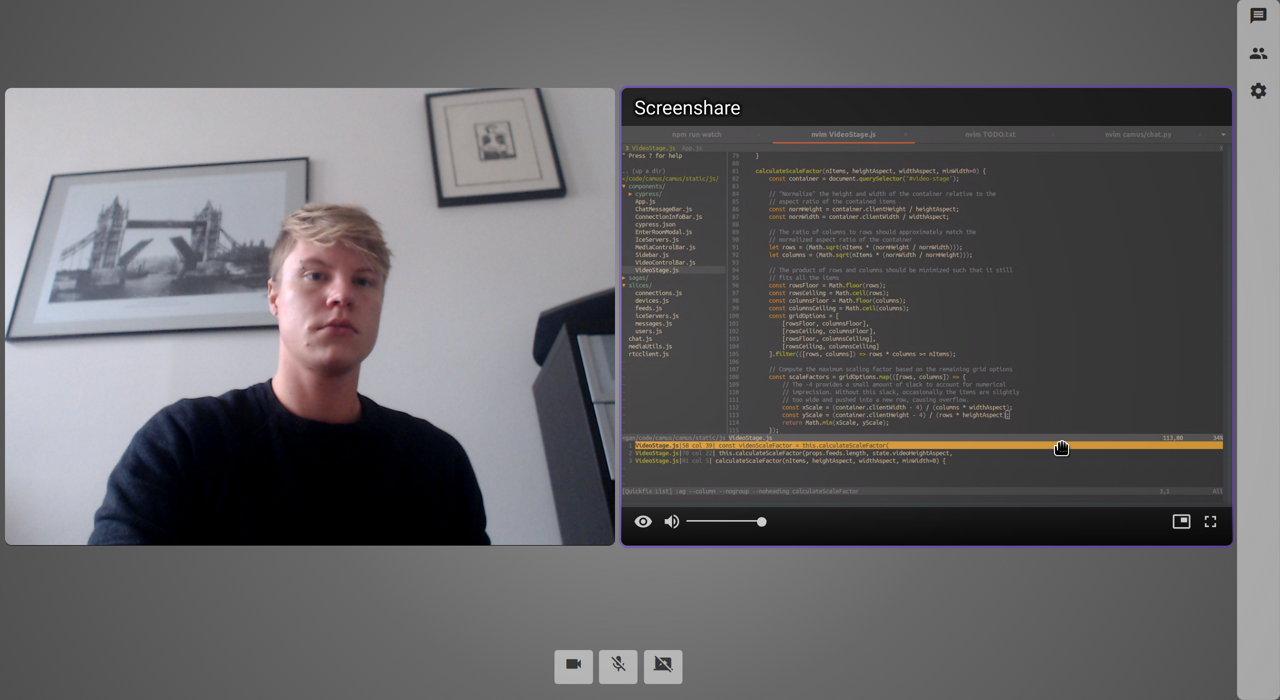
Camus is a group video chat app that uses WebRTC for direct peer-to-peer communication. Users can create and join rooms, stream audio and video with a microphone and webcam, share their screen, and send text messages. You can try a demo at https://camus.chat, or run your own server using Snap, pip, Docker, or Heroku.
Features
- Create public or private rooms, optionally with a password and guest limit
- Stream audio & video
- Share your desktop
- Send text messages
- Control video feeds -- set your camera resolution, toggle fullscreen or picture-in-picture, disable incoming video
- Configure custom STUN and TURN servers
- Responsive user interface that works on large or small screens
Installation
Snap
Make sure you have snapd installed. Install Camus:
$ sudo snap install camus
Once installed, Camus runs automatically as a Snap service. See the Snap service management documentation for details on starting and stopping services.
Go to localhost:5000 in your browser. For local testing, you can visit
the same room in multiple tabs and each tab will act as a separate
client.
Pip
Camus requires Python 3.7 or higher since it makes use of Quart and async syntax. As usual, it's best to use a virtual environment.
Install Camus:
$ pip install camus-chat
Run Camus:
$ camus
Go to localhost:5000 in your browser. For local testing, you can visit
the same room in multiple tabs and each tab will act as a separate
client.
Docker
You can find a pre-built Docker image on Docker Hub. Use the following command to pull the image and run a container:
$ docker pull camuschat/camus
$ docker run -d -p 5000:5000 camuschat/camus
Go to localhost:5000 in your browser. For local testing, you can visit
the same room in multiple tabs and each tab will act as a separate
client.
Heroku

Simply click the button above or see the deployment documentation for detailed instructions.
Documentation
See the official documentation at https://docs.camus.chat for more information about configuring and running Camus.
Contributing
If you want to make a contribution, please read the Contributing guidelines first.
Tag summary
Content type
Image
Digest
Size
46.6 MB
Last updated
over 5 years ago
docker pull camuschat/camus