canso/exploit-seek
A client-server application for CVE analysis and exploit detection with bilingual support.
1.3K
canso/exploit-seek repository overview
Exploit Seek

🔍 CVE Analysis & Exploit Detection System
A powerful client-server application for comprehensive CVE analysis, exploit detection and vulnerability assessment.
Designed for security professionals with modern interface, bilingual support and detailed reporting capabilities.
Application Interface & Analysis Dashboard
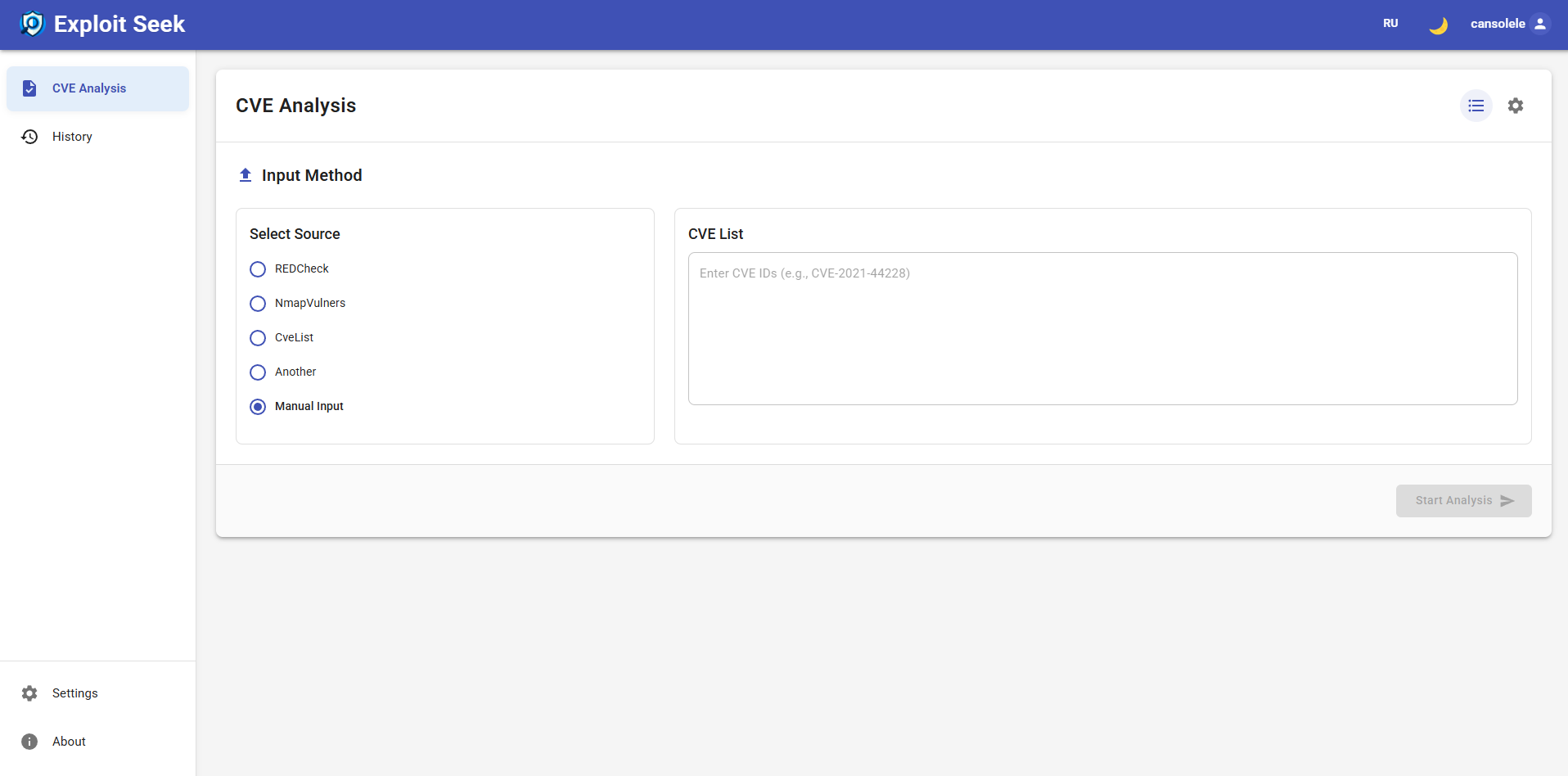
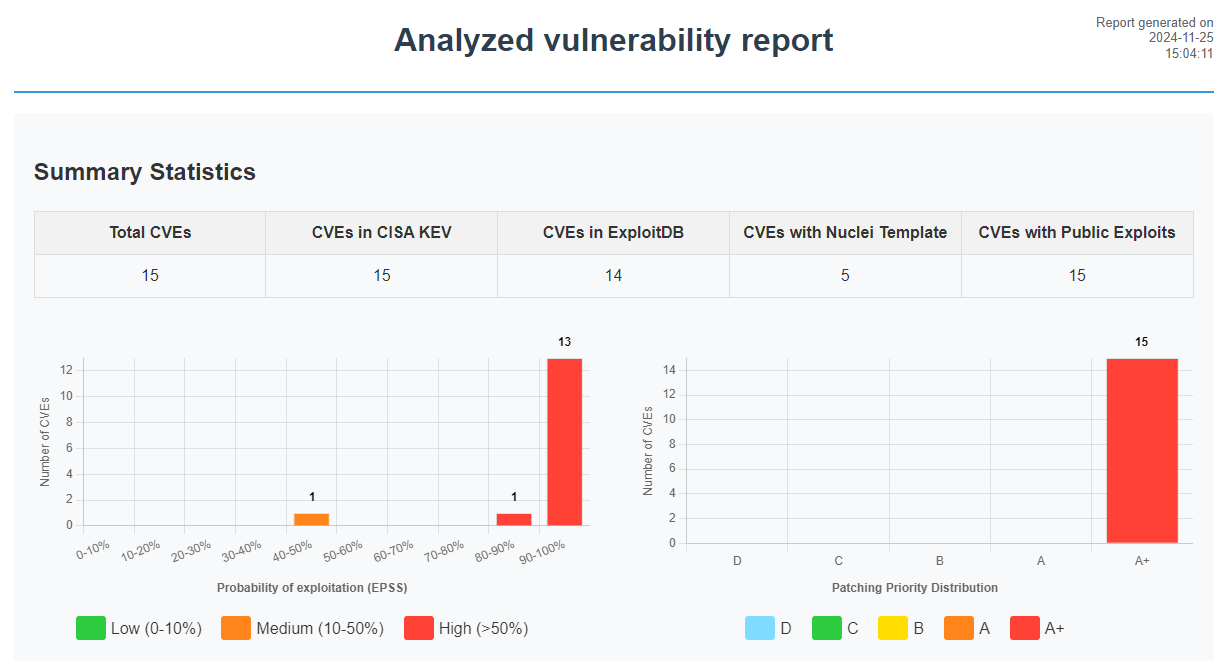
Features
- 🔍 Comprehensive CVE analysis with CVSS scoring and NVD data
- 🎯 Public exploit detection from multiple sources (ExploitDB, GitHub, VulnCheck)
- 📊 Exploitation probability evaluation (EPSS)
- 🛡️ Integration with CISA KEV catalog
- 📝 Multiple input formats:
- Manual CVE list input
- REDCheck reports
- Nmap XML output
- PDF reports
- Plain text files
- 📊 Detailed Excel and HTML reports with statistics
- 🌐 Bilingual interface (English/Russian)
- 🎨 Dark/Light theme support
- 💾 API response caching for optimal performance
- 🔒 Secure authentication and API key management
- 🌐 HTTP/HTTPS proxy support with authentication
Quick Start
docker run -d \
  -p 5000:5000 -p 8080:8080 \
  -v exploit_seek_data:/app/exploit_seek_data \
  --name exploit-seek \
  --restart unless-stopped \
  canso/exploit-seek:latest
Access the application:
- API Server: http://your-ip:5000
- Web Interface: http://your-ip:8080
Data Persistence
The container uses a volume exploit_seek_data to store:
- Analysis cache
- Reports
- Databases
- Logs
- Uploaded files
Updates
Automatic Updates (Recommended)
Set up Watchtower for automatic container updates:
# Run Watchtower in the background to check for updates daily
docker run -d \
  --name watchtower \
  -v /var/run/docker.sock:/var/run/docker.sock \
  containrrr/watchtower \
  --interval 86400 \
  exploit-seek
Or check for updates manually:
# One-time update check
docker run --rm \
  -v /var/run/docker.sock:/var/run/docker.sock \
  containrrr/watchtower \
  --run-once exploit-seek
Manual Update
If you prefer to update manually:
# Pull the latest image
docker pull canso/exploit-seek:latest

# Stop and remove the old container
docker stop exploit-seek
docker rm exploit-seek

# Run the new container
docker run -d \
  -p 5000:5000 -p 8080:8080 \
  -v exploit_seek_data:/app/exploit_seek_data \
  --name exploit-seek \
  --restart unless-stopped \
  canso/exploit-seek:latest
Your data will be preserved in the exploit_seek_data volume during updates.
Required API Keys
For full functionality, configure these API keys in the web interface:
- NVD API key (https://nvd.nist.gov/developers/request-an-api-key)
- Enhanced CVE data access
- Higher rate limits
- Priority updates
- VulnCheck API key (https://vulncheck.com)
- Additional exploit sources
- Detailed vulnerability data
More Information
Visit our GitHub repository for:
- 📚 Full documentation
- 📊 Example reports
- 🖼️ More screenshots
Repository: https://github.com/cansolele/exploit-seek
Support
For questions and support: [email protected]
Tag summary
Content type
Image
Digest
sha256:87da01a95…
Size
329 MB
Last updated
over 1 year ago
docker pull canso/exploit-seek