carlocgc/aniqueue
Ranks your anime backlog with an LLM you choose, against your own past scores.
975
carlocgc/aniqueue repository overview
AniQueue
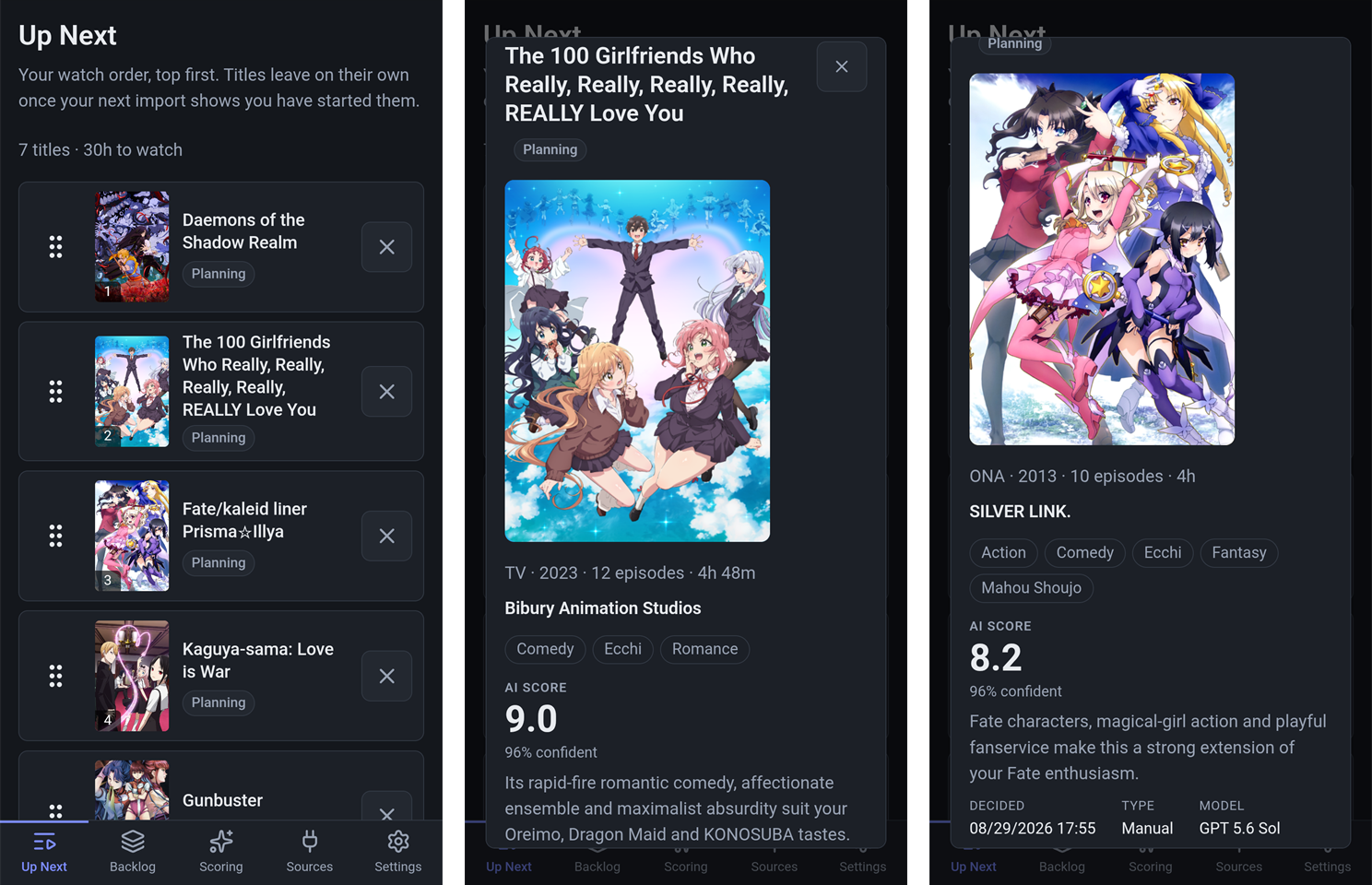
Self-hosted. Ranks your anime backlog with an LLM you choose, against your own past scores — not global popularity.
Your library stays on MyAnimeList or AniList. AniQueue decides what you watch next.
⚠️ Trusted networks only. No security audit, and it serves plain HTTP. The optional password protects you from other people on your LAN and from nothing else. Do not put it on a public IP, or behind a proxy or tunnel that does not terminate HTTPS.
Run it
docker run -d \
  --name aniqueue \
  --restart unless-stopped \
  -p 8377:8080 \
  -v aniqueue-data:/data \
  carlocgc/aniqueue:latest
Open http://localhost:8377. The first start creates the database, applies every migration
and writes userconfig.json beside it. The library starts empty and offers an AniList sync
or a MyAnimeList import.
There is a compose file if you would rather use one. It caps the logs, which the default Docker driver does not do.
What it does
- Ranks your backlog with an LLM, against the scores you have already given. No account and no API key: paste the request into any chat window, or point AniQueue at a model you host yourself.
- A hand-ordered Up Next. Titles leave it on their own once you start or finish them.
- Imports a MyAnimeList XML export, or syncs a public AniList list on a schedule. Nothing is written back to either.
- Shows what each title comes with — prequels, sequels, side stories — and queues a show and its sequels in one click.
- One container, one SQLite file. No cloud dependency.
Tags
| Tag | What it is |
|---|---|
latest | The newest release, and what the compose file pulls. |
vX.Y.Z | One release, pinned. It never moves. |
dev | Rebuilt from development on every merge and overwritten each time. A moving edge, not somewhere to keep data. |
linux/amd64 only.
The volume
/data holds everything that must outlive the container: aniqueue.db, the
userconfig.json beside it, the cached cover art under art/, and the signing keys under
keys/ that keep open browser pages working across an upgrade. Recreating the container
keeps all of it. Deleting the volume deletes your library, so a backup is a copy of the
volume taken with the container stopped.
A host path needs nothing prepared — the Unraid arrangement works on first run:
-v /mnt/user/appdata/aniqueue:/data
AniQueue runs as UID 1654, and the container starts as root only long enough to hand
/data to that user before dropping to it. Pass an explicit --user and it is honoured as
given, taking no ownership, so the directory has to match already.
Ports, settings, health
The container listens on 8080; publish it wherever suits. 8377 above is only a
suggestion that stays clear of the ports its neighbours usually claim.
Every setting lives in userconfig.json in the volume. AniQueue writes it whenever you
change something in the application, and you can edit it by hand when the pages cannot be
reached. Database__Path is the one thing worth setting as an environment variable, and
almost nobody needs to. For more in the log:
-e Logging__LogLevel__AniQueue=Debug
/health answers without a password, and the image declares its own HEALTHCHECK against
it, so docker ps reports healthy rather than just running. It allows 40 seconds at
startup, because a first run applies every migration before it serves anything.
Optional password
There is none until you set one at Settings → Password, and setting one is the whole of
turning the lock on. There is no username, because there is one account. Forgotten it? Put
"Auth:Enabled": false in userconfig.json and restart — that start forgets the password
and leaves AniQueue open until you set a new one.
Links
- Source, documentation and issues: https://github.com/carlocgc/AniQueue
- Release notes: https://github.com/carlocgc/AniQueue/blob/main/docs/RELEASE-NOTES.md
- Licence: AGPL-3.0
Built with .NET 10, ASP.NET Core Blazor and SQLite.
Tag summary
Content type
Image
Digest
sha256:d9376f8eb…
Size
113.3 MB
Last updated
2 months ago
docker pull carlocgc/aniqueue