cbenning/fussel
Docker image for the fussel static gallery generator.
50K+
cbenning/fussel repository overview
Fussel


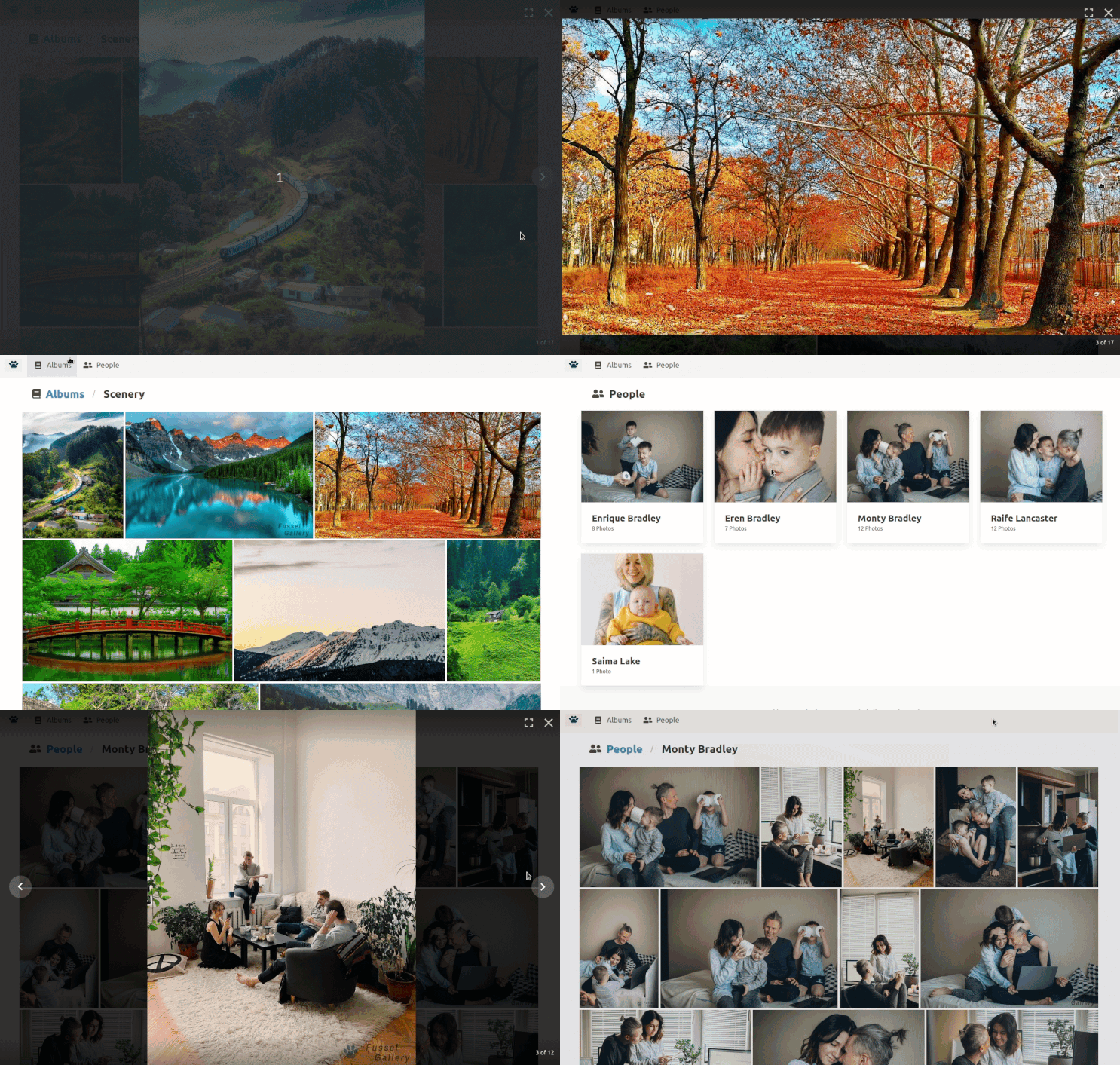
Fussel is a static photo gallery generator. It can build a simple static photo gallery site with nothing but a directory full of photos.
Features and Properties:
- Absolutely no server-side code to worry about once deployed
- Builds special "Person" gallery for people found in XMP face tags.
- Adds watermarks
- Mobile friendly
Screenshots
 |  |
|---|---|
 |  |
Demo
Setup
Requirements
- Python 3
- Node + Yarn
Install dependencies
Site Generator
pip install -r requirements.txt
Node Frontend
cd webyarn installcd ../
Setup Site
Configure
- Copy
.env.exampleto.env - Edit
.envto your needs (minimal change is to set INPUT_PATH)
Curate photos
The folder you point INPUT_PATH at, must have albums in subfolders inside it with the folder names as the name of the albums you want in the gallery. Any further-nested folders will be ignored.
Example
If you have your .env setup with:
INPUT_PATH = /home/user/Photos/gallery
Then that path should look like this:
/home/user/Photos/gallery:
  - Album 1
  - Album 2
  - Album 3
  - ...
Generate your site
Run the following script to generate your site into web/build folder.
./generate_site.sh
Host your site
Point your web server at web/build or copy/upload the web/build folder to your web host HTTP root.
Quick setup
After running generate_site.sh
python -m http.server --directory web/build(go to localhost:8000 in browser)
Development setup
cd webyarn start
Docker
If you don't want to fuss with anything and would like to use docker instead fo generate your site...
Usage
Required:
/my-input-folderis the absolute path to top-level photo folder/my-output-folderis the absolute path to where you want the generated site written to
Note: The two -e env variables PGID and PUID tells the container what to set the output folder permissions to once done. Otherwise it is set to root permissions
docker run \
    -e PGID=$(id -g) \
    -e PUID=$(id -u) \
    -v /my-input-folder:/input:ro \
    -v /my-output-folder:/fussel/web/build \
	cbenning/fussel:latest
Optional:
You can provide any value found in the .env.sample file in a docker env variable using -e MYVAR=THING
docker run \
    -e PGID=$(id -g) \
    -e PUID=$(id -u) \
    -v /my-input-folder:/input:ro \
    -v /my-output-folder:/fussel/web/build \
    -e HTTP_ROOT=/my/alternate/path \
    -e WATERMARK_ENABLE=false \
    cbenning/fussel:latest
Once complete you can upload the output folder to your webserver, or see what it looks like with
python -m http.server --directory /my-output-folder
Tag summary
Content type
Image
Digest
Size
89.4 MB
Last updated
almost 6 years ago
docker pull cbenning/fussel