cegepdefi/kasm-wordpress-app
Wordpress for kasm workspaces. wordpress + phpmyadmin + chromium for kasm workspaces
Image
Languages & frameworks
Developer tools
Web servers
0
499
cegepdefi/kasm-wordpress-app repository overview
wordpress + phpmyadmin + chromium [single application] for kasm workspaces
Add to kasm workspaces
1) Build the Image
sudo docker build -t cegepdefi/kasm-wordpress-app:latest -f Dockerfile .
2) register a new Workspace
Log into the Kasm UI as an administrator and register a new Workspace by selecting the Workspaces panel and clicking on Add Workspace (It is also possible using the three dot menu to clone the configuration of an existing workspace)
3) Build the Image
In the Docker Image section set the image cegepdefi/kasm-wordpress-app:latestimportant : Do not use for production, only for testing. "contains bad security practice"
Documentation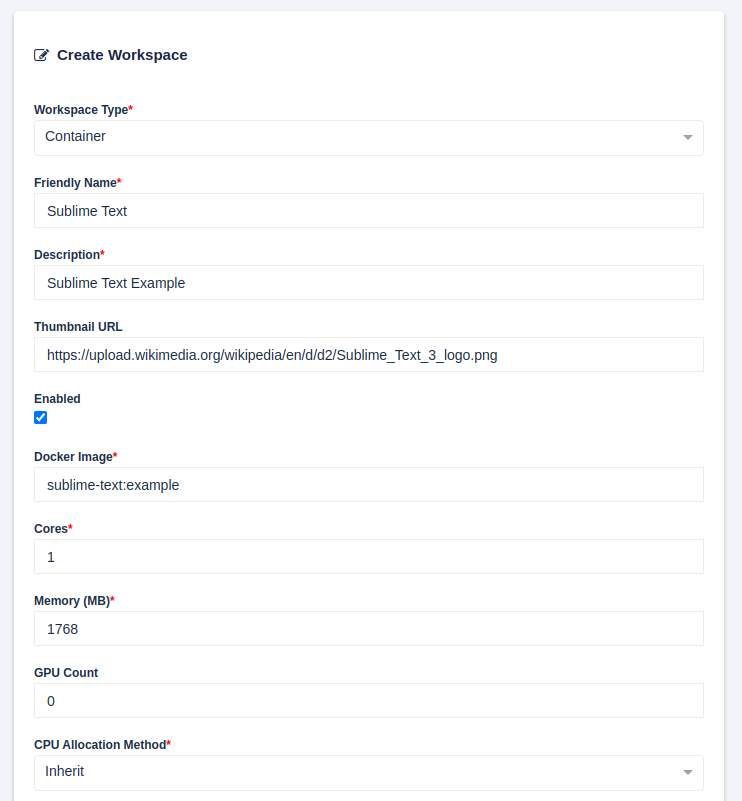
Tag summary
Content type
Image
Digest
sha256:36e413975…
Size
1.4 GB
Last updated
about 3 years ago
docker pull cegepdefi/kasm-wordpress-app