certifytheweb/management-hub
Certify Management Hub is a solution for ACME certificate management.
100K+
certifytheweb/management-hub repository overview
See https://certifytheweb.com for more details.
All the core features of our popular Certify Certificate Manager app, with a web based management UI and API:
- Self-hosted, cross-platform including Linux, macOS or Windows.
- Optionally manage thousands of certs across hundreds of existing Certify Certificate Manager instances (including Certify Management Agent), or renew centrally, from a "single pane of glass" UI.
- Multi-user role based access security for administration and consuming certificates, with support for app/service security principles and individual scoped API access
- Distribute certs using optional installed agents, deployment tasks, or use the API to pull the latest cert using your own integrations.
- Optional centralized DNS challenges compatible with most popular ACME clients, so that privileged DNS credentials do not need to be stored across individual ACME clients.
- Optionally centrally monitor renewal status for other 3rd party ACME clients using Certify Management Agent: https://hub.docker.com/repository/docker/certifytheweb/certify-agent
- ACME API for proxying orders to the real CA. This lets standard ACME clients use the hub to automatically complete DNS challenges with minimal client config (auth via standard EAB).
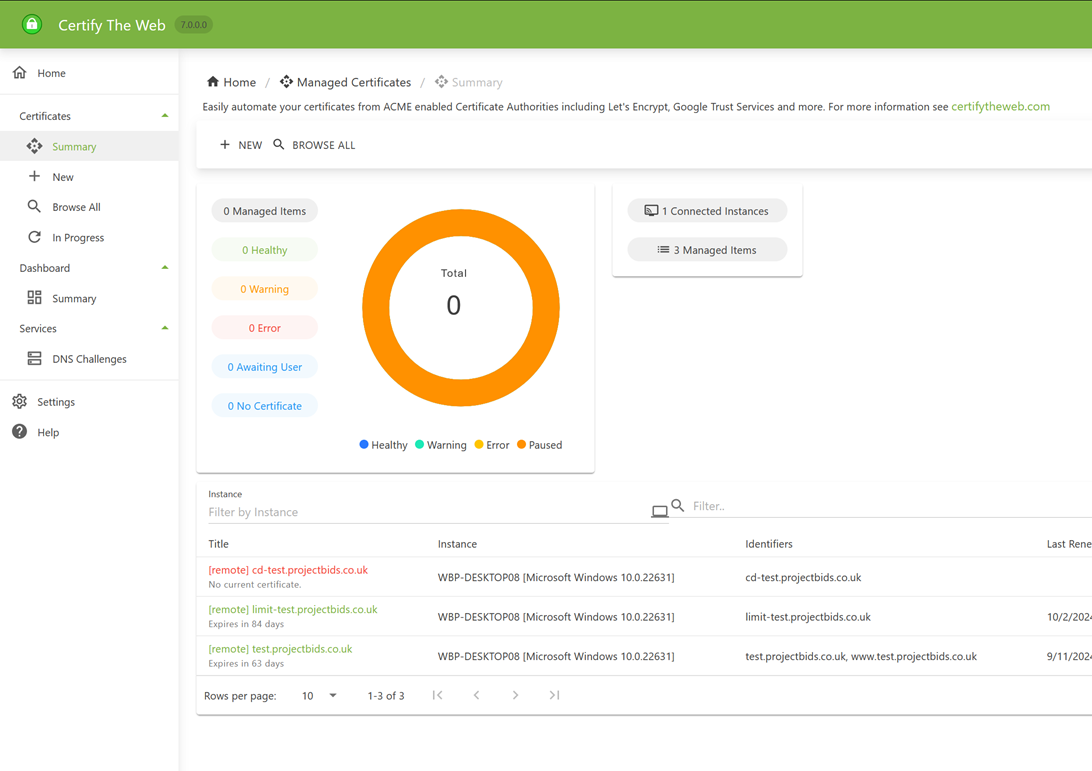
Tip: mount a volume for /usr/share/certify in order to persistently store settings or override path by setting the CERTIFY_APPDATA_PATH environment variable. By default the UI and API are exposed on port 8080. This image runs as a non-root user.
Quick Start using Docker Compose
Save this file as docker-compose.yaml
name: certify-management-hub
services:
  certify-hubservice:
    image: docker.io/certifytheweb/management-hub:latest
    ports:
      - "8080:8080"
    volumes:
      - certifydata:/usr/share/certify/
    restart: unless-stopped
volumes:
  certifydata:
Then from the same path, run docker compose up -d to start the container.
The default admin login is admin:changeme! and you should change the password immediately before configuring any other parts of the system.
If your initial login fails with "Failed to fetch", click the settings icon on the login screen and set the API url to http://localhost:8080 - in some configurations you may need to use the local IP such as http://127.0.0.1:8080 or if you are hosting on a remote instance specify that IP or hostname. For current documentation see https://docs.certifytheweb.com/docs/hub/
Tag summary
Content type
Image
Digest
sha256:e81cd8ee9…
Size
212.7 MB
Last updated
6 days ago
docker pull certifytheweb/management-hub