cexiolabs/http-https-echo
Original http-https-echo + ability to set own SSL certificate in any location
Image
0
6.3K
cexiolabs/http-https-echo repository overview
Docker image which echoes various HTTP request properties back to client, as well as in docker logs.
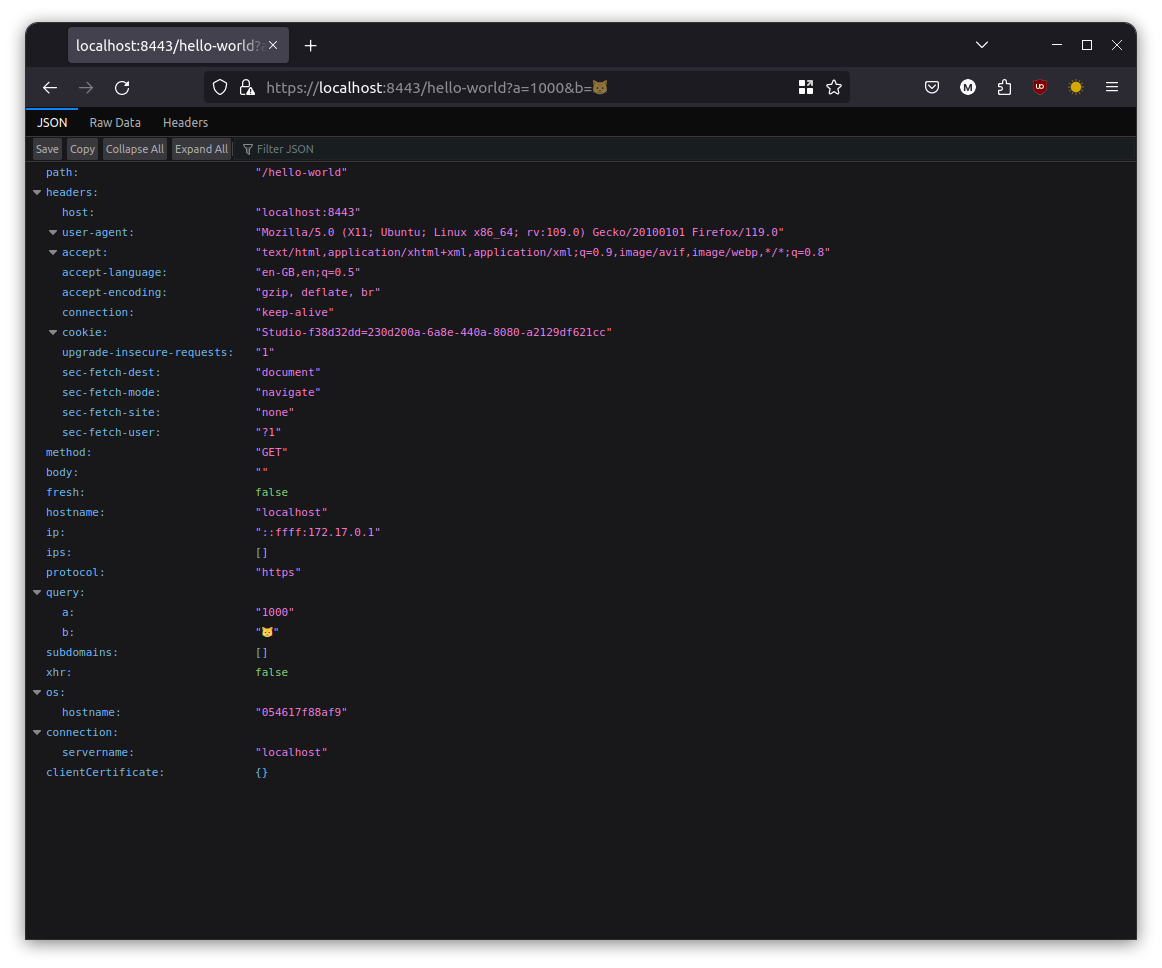
Usage
docker run --publish 8080:80 --publish 8443:443 --rm --tty cexiolabs/http-https-echo

docker run --publish 8080:8888 --publish 8443:9999 --volume /my/ssl/path:/etc/ssl --env HTTP_PORT=8888 HTTPS_PORT=9999 --env --env SSL_CERT_FILE=/etc/ssl/mycert.pem --env SSL_KEY_FILE=/etc/ssl/mycert.key --rm --tty cexiolabs/http-https-echo
Then issue a request via your browser or curl -
curl -k -X PUT -H "Arbitrary:Header" -d aaa=bbb https://localhost:8443/hello-world
Docker Compose
You can substitute the certificate and private key with your own. This example uses the snakeoil cert.
my-http-listener:
    image: cexiolabs/http-https-echo
    ports:
        - "8080:8888"
        - "8443:9999"
    environment:
        - SSL_CERT_FILE=/etc/ssl/mycert.pem
        - SSL_KEY_FILE=/etc/ssl/mycert.key
        - HTTP_PORT=8888
        - HTTPS_PORT=9999
    volumes:
        - /my/ssl/path:/etc/ssl
Output
Curl output

docker logs output

Building
docker build --tag cexiolabs/http-https-echo .
Tag summary
Content type
Image
Digest
Size
24.9 MB
Last updated
almost 5 years ago
docker pull cexiolabs/http-https-echo