cford38/amiss_aml
Custom Docker image for running the `amiss` R package in Azure Machine Learning with HyperDrive
10K+
cford38/amiss_aml repository overview
Scaling the amiss R framework with Azure Machine Learning
Quest Diagnostics, Blueprint Genetics, and BlueGranite
amiss R package repository: https://github.com/blueprint-genetics/amiss
Since the amiss framework performs a grid search across a number of parameters, this process can be distributed across multiple nodes in a compute cluster. Using Azure Machine Learning, a cloud-based service to help build, scale, monitor, and deploy machine learning models, we can distribute this search with ease.
To learn more about Azure Machine Learning, click here.
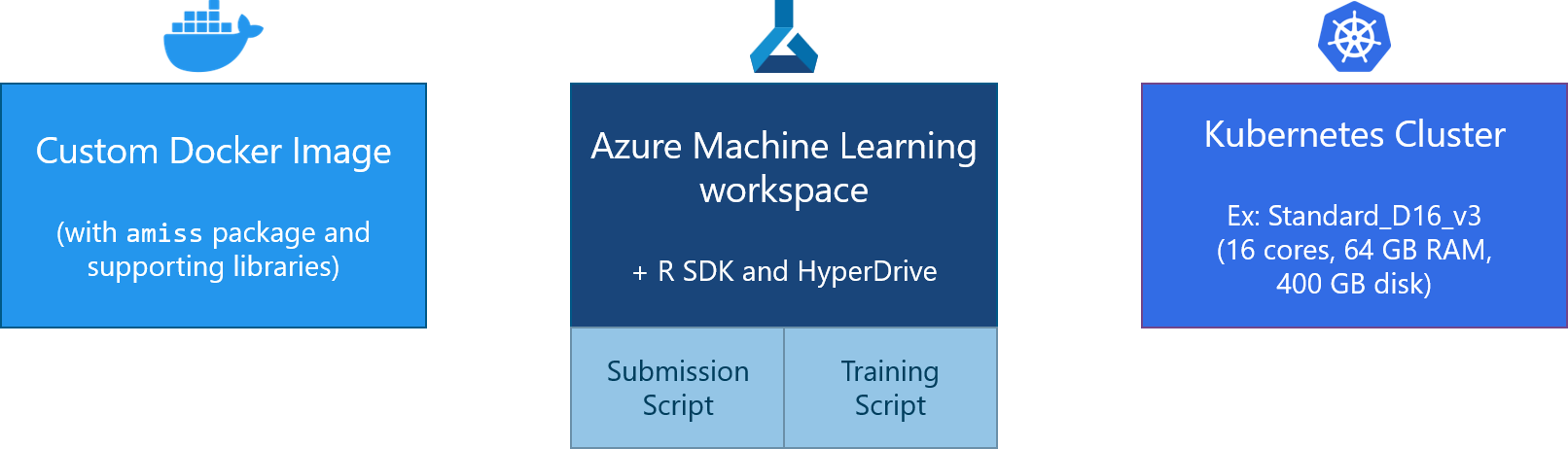
How it works - HyperDrive
As part of the Azure Machine Learning Python and R SDKs, there is a hyperparameter tuning package called HyperDrive.
HyperDrive allows for more efficient hyperparameter tuning by distributing combinations of parameters to separate compute contexts on a cluster. This helps to find the set of parameters that result in the best performance.
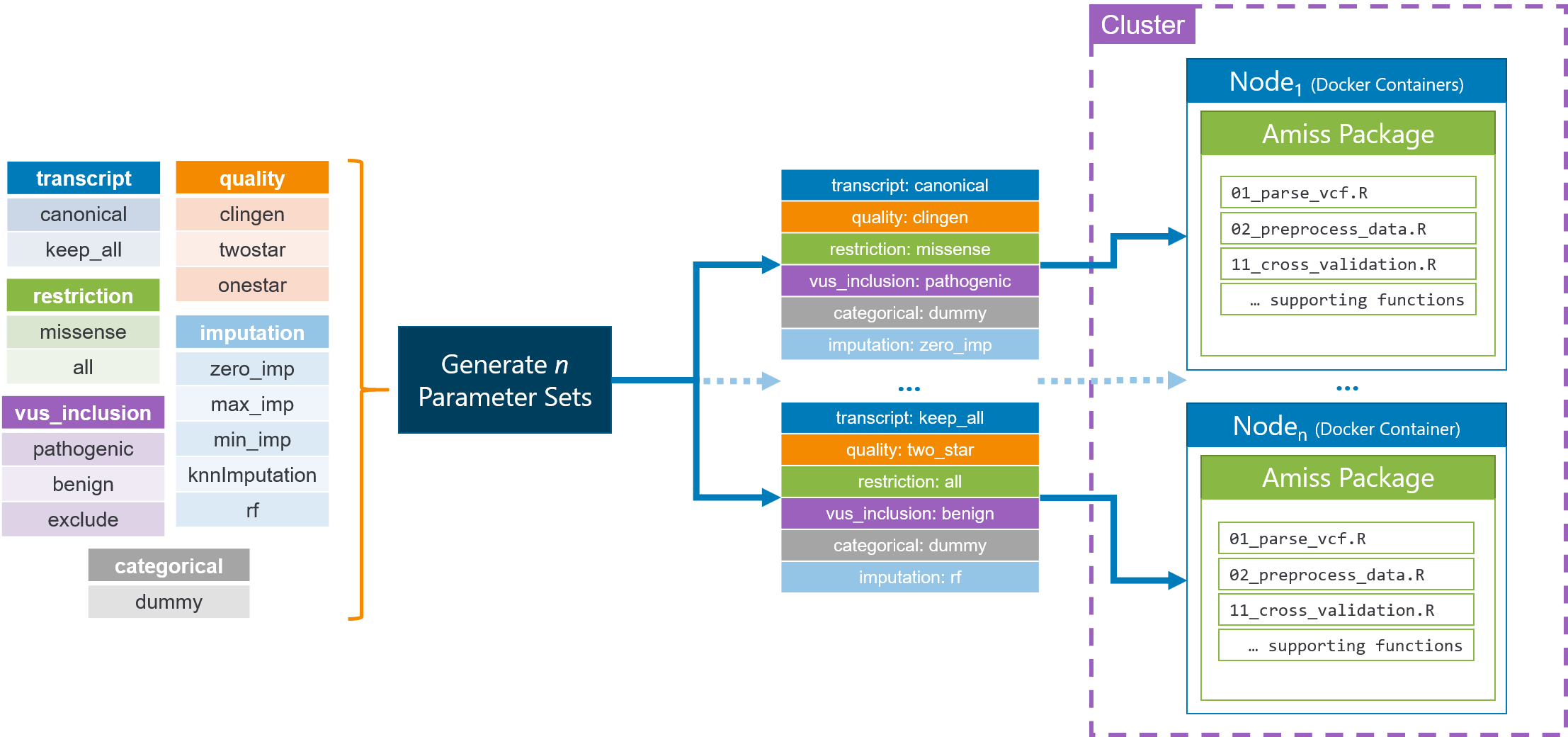
Running amiss in Azure ML
-
Provision an Azure Machine Learning workspace in your Azure tenant using the following instructions: https://docs.microsoft.com/en-us/azure/machine-learning/quickstart-create-resources#create-the-workspace
-
Once the Azure ML workspace is ready, create a Compute Instance as described here.
-
Once the Compute Instance is up and running, click on the RStudio link to open an RStudio Server instance in your browser.
-
Upload the aml_r_sdk_hyperdrive.rmd notebook and the amiss_test_script.R script into RStudio.
-
Upload your data into RStudio under the
/datadirectory. (You may have to create this directory first.) -
Change the values in the the
aml_r_sdk_hyperdrive.rmdnotebook to fit your desired computational workload. -
Run the cells from the
aml_r_sdk_hyperdrive.rmdnotebook to start the experiment runs in Azure ML. (You will not need to manually execute anything in theamiss_test_script.Rscript.)
Tag summary
Content type
Image
Digest
Size
1.1 GB
Last updated
over 5 years ago
docker pull cford38/amiss_aml