changemakerstudiosus/papercut-smtp
Papercut SMTP Service -- https://github.com/ChangemakerStudios/Papercut-SMTP
50K+
changemakerstudiosus/papercut-smtp repository overview

The Simple Desktop Email Helper
The problem
If you ever send emails from an application or website during development, you're familiar with the fear of an email being released into the wild. Are you positive none of the 'test' emails are addressed to colleagues or worse, customers? Of course, you can set up and maintain a test email server for development -- but that's a chore. Plus, the delay when waiting to view new test emails can radically slow your development cycle.
Papercut SMTP to the rescue!
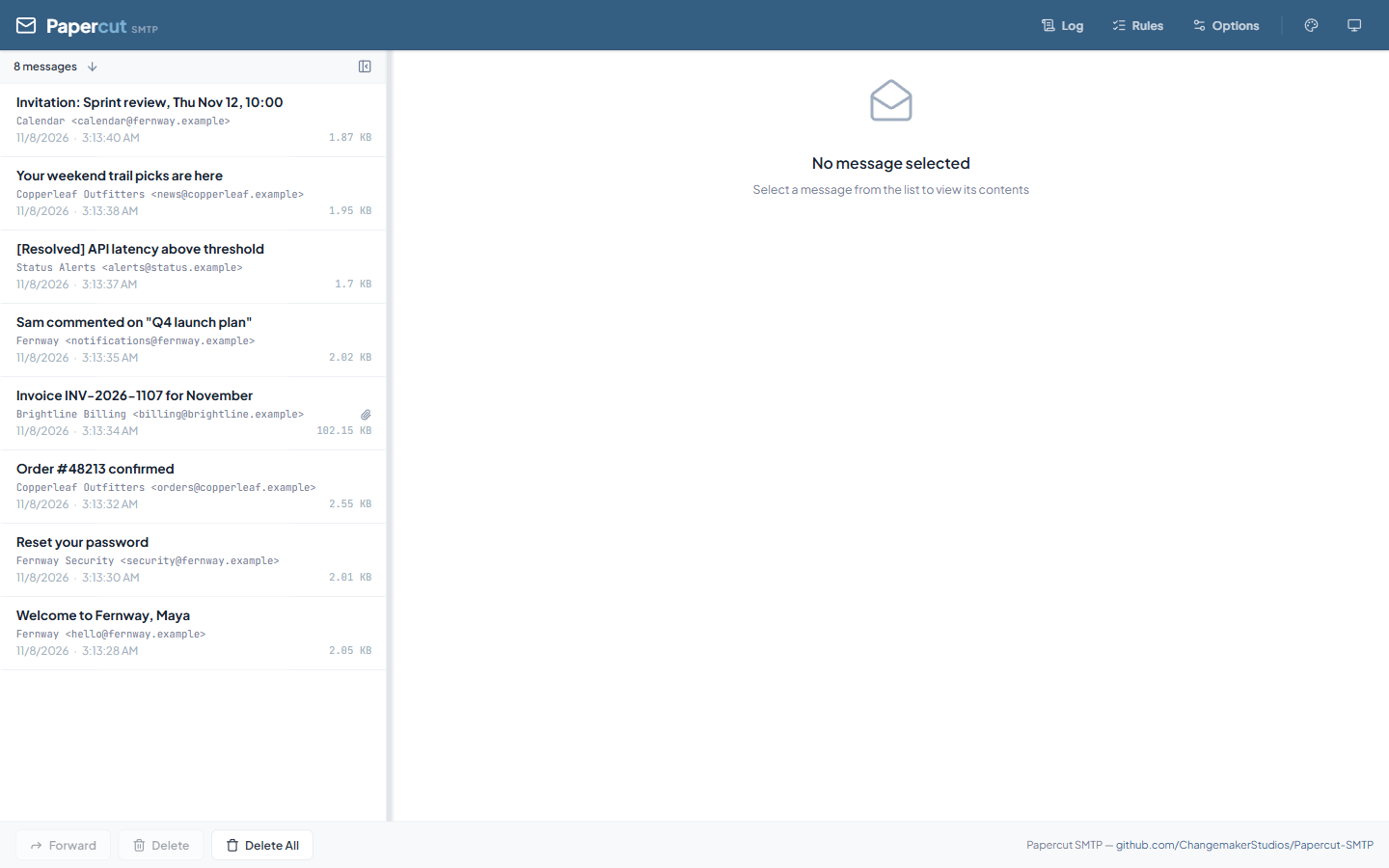
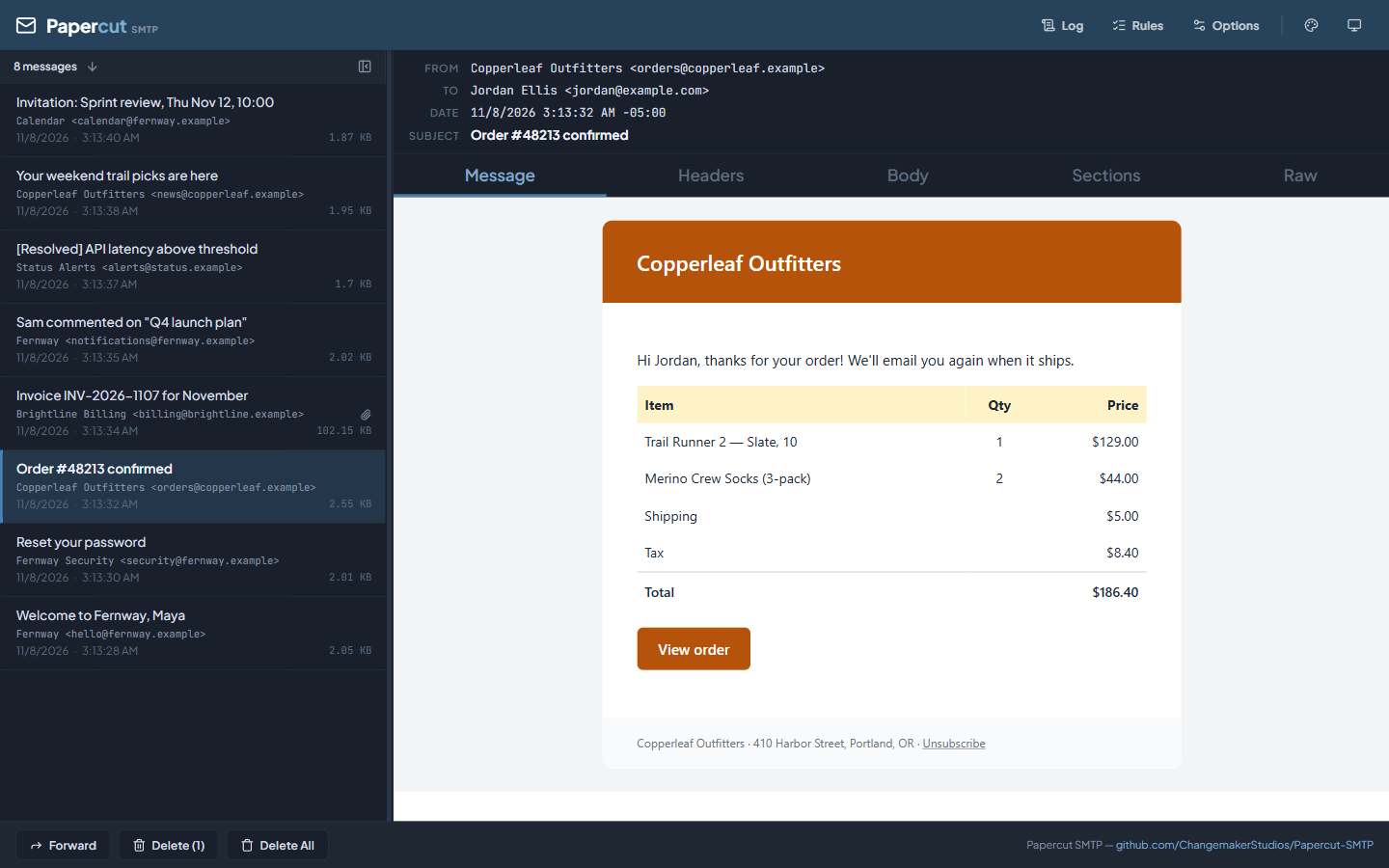
Papercut SMTP is a 2-in-1 quick email viewer AND built-in SMTP server (designed to receive messages only). Papercut SMTP doesn't enforce any restrictions on how you prepare your email, but it allows you to view the whole email: body, HTML, headers, and attachments. This Docker image runs the Papercut SMTP Service with an embedded web UI for viewing emails.
Quick Start
# Pull the latest image
docker pull changemakerstudiosus/papercut-smtp:latest

# Run with default configuration
docker run -d \
  --name papercut \
  -p 37408:8080 \
  -p 2525:2525 \
  changemakerstudiosus/papercut-smtp:latest
Access the web UI at: http://localhost:37408
Send test emails to: localhost:2525
Papercut SMTP Web UI
Port Configuration
The Docker image uses non-privileged ports by default, allowing the container to run securely without root privileges:
| Service | Container Port | Suggested Host Port | Traditional Port |
|---|---|---|---|
| HTTP Web UI | 8080 | 37408 | 80 |
| SMTP Server | 2525 | 2525 | 25 |
Why Non-Privileged Ports?
Ports below 1024 (like 25 and 80) require special permissions in Linux. By using ports 2525 and 8080, Papercut runs securely without needing:
- Root/administrator access
--sysctlflags- Special container capabilities
Mapping to Traditional Ports
If you want the service available on traditional ports on your host, you can map them:
# Map to traditional ports on the host
docker run -d \
  --name papercut \
  -p 80:8080 \
  -p 25:2525 \
  changemakerstudiosus/papercut-smtp:latest
Access: http://localhost (port 80) | SMTP: localhost:25
Configuration
Using Environment Variables
Override default configuration using environment variables:
docker run -d \
  --name papercut \
  -e SmtpServer__IP=0.0.0.0 \
  -e SmtpServer__Port=2525 \
  -e Urls=http://0.0.0.0:8080 \
  -p 8080:8080 \
  -p 2525:2525 \
  changemakerstudiosus/papercut-smtp:latest
Available Environment Variables:
SmtpServer__IP- SMTP listening address (default: "Any" = 0.0.0.0)SmtpServer__Port- SMTP listening port (default: 2525, use 587 for STARTTLS)SmtpServer__MessagePath- Path where emails are stored (default: /app/Incoming)SmtpServer__LoggingPath- Path for log files (default: /app/logs)SmtpServer__AllowedIps- IP allowlist for SMTP connections (default: "*" = all IPs allowed)SmtpServer__RateLimit- Message reception rate limit as<count>/<window>, e.g.500/1h(default: "*" = no limit)SmtpServer__RateLimitReplyCode- SMTP reply code returned once the rate limit is hit (default: 451)Urls- HTTP server URLs (default: http://0.0.0.0:8080)HttpPathPrefix- Serve the web UI and API under a path prefix, e.g./webmail(default: empty = serve at root)CorsAllowedOrigins- Other web origins allowed to call the API and public host names Papercut answers to, separated by;(default: empty = none). See Calling the API from a Web Page
Security - SMTP IP Allowlist Configuration:
SmtpServer__AllowedIps- Comma-separated list of allowed IP addresses or CIDR ranges for SMTP connections*- Allow all IPs (default, backward compatible)192.168.1.0/24- Allow single CIDR range192.168.1.0/24,10.0.0.0/8- Allow multiple CIDR ranges192.168.1.100- Allow single IP192.168.1.100,192.168.1.101- Allow multiple specific IPs- Localhost (127.0.0.1/::1) is always allowed
- Supports both IPv4 and IPv6
- Note: This restricts SMTP connections only, not HTTP web UI access
TLS/STARTTLS Configuration (Optional):
SmtpServer__CertificateFindType- Certificate search method (default: "FindBySubjectName")SmtpServer__CertificateFindValue- Certificate identifier (empty = TLS disabled)SmtpServer__CertificateStoreLocation- Store location: "LocalMachine" or "CurrentUser" (default: "LocalMachine")SmtpServer__CertificateStoreName- Store name: "My", "Root", etc. (default: "My")
Using Custom Configuration File
Mount your own appsettings.Production.json:
docker run -d \
  --name papercut \
  -v /path/to/your/appsettings.Production.json:/app/appsettings.Production.json:ro \
  -p 8080:8080 \
  -p 2525:2525 \
  changemakerstudiosus/papercut-smtp:latest
Example appsettings.Production.json:
{
  "Urls": "http://0.0.0.0:8080",

  "SmtpServer": {
    "IP": "Any",
    "Port": 2525,
    "MessagePath": "/app/Incoming",
    "LoggingPath": "/app/logs"
  }
}
Persisting Email Messages
By default, emails are stored inside the container and will be lost when the container is removed. To persist emails, mount a volume:
Using Docker Named Volume
docker run -d \
  --name papercut \
  -p 37408:8080 \
  -p 2525:2525 \
  -v papercut-messages:/app/Incoming \
  changemakerstudiosus/papercut-smtp:latest
Using Host Directory
docker run -d \
  --name papercut \
  -p 37408:8080 \
  -p 2525:2525 \
  -v /path/on/host/messages:/app/Incoming \
  changemakerstudiosus/papercut-smtp:latest
Docker Compose
Create a docker-compose.yml:
version: '3.8'

services:
  papercut:
    image: changemakerstudiosus/papercut-smtp:latest
    container_name: papercut-smtp
    ports:
      - "37408:8080"  # Web UI
      - "2525:2525"   # SMTP
    volumes:
      - papercut-messages:/app/Incoming
      - papercut-logs:/app/logs
    environment:
      - SmtpServer__IP=0.0.0.0
      - SmtpServer__Port=2525
      - Urls=http://0.0.0.0:8080
    restart: unless-stopped

volumes:
  papercut-messages:
  papercut-logs:
Run with:
docker compose up -d
TLS/STARTTLS and SMTP Authentication
Papercut SMTP supports optional TLS/STARTTLS encryption and SMTP authentication for secure email testing.
Quick TLS Setup
Enable STARTTLS using environment variables:
docker run -d \
  --name papercut-tls \
  -p 8080:8080 \
  -p 587:587 \
  -e SmtpServer__Port=587 \
  -e SmtpServer__CertificateFindType=FindBySubjectName \
  -e SmtpServer__CertificateFindValue=localhost \
  changemakerstudiosus/papercut-smtp:latest
Certificate Requirements
TLS/STARTTLS requires an X.509 certificate. The certificate must be installed in the Windows certificate store (LocalMachine or CurrentUser).
Create a self-signed certificate for testing (on Windows host):
# Create certificate
$cert = New-SelfSignedCertificate `
    -Subject "CN=localhost" `
    -DnsName "localhost" `
    -CertStoreLocation "cert:\LocalMachine\My" `
    -NotAfter (Get-Date).AddYears(2)

# Get thumbprint for configuration
$cert.Thumbprint
Then use the thumbprint in your Docker configuration:
docker run -d \
  --name papercut-tls \
  -p 8080:8080 \
  -p 587:587 \
  -e SmtpServer__Port=587 \
  -e SmtpServer__CertificateFindType=FindByThumbprint \
  -e SmtpServer__CertificateFindValue=YOUR_THUMBPRINT_HERE \
  changemakerstudiosus/papercut-smtp:latest
Docker Compose with TLS
version: '3.8'

services:
  papercut-tls:
    image: changemakerstudiosus/papercut-smtp:latest
    container_name: papercut-smtp-tls
    ports:
      - "8080:8080"
      - "587:587"  # STARTTLS port
    volumes:
      - papercut-messages:/app/Incoming
      - papercut-logs:/app/logs
    environment:
      # Basic configuration
      - SmtpServer__IP=0.0.0.0
      - SmtpServer__Port=587
      - Urls=http://0.0.0.0:8080
      # TLS configuration
      - SmtpServer__CertificateFindType=FindByThumbprint
      - SmtpServer__CertificateFindValue=YOUR_CERT_THUMBPRINT
      - SmtpServer__CertificateStoreLocation=LocalMachine
      - SmtpServer__CertificateStoreName=My
    restart: unless-stopped

volumes:
  papercut-messages:
  papercut-logs:
Configuration in appsettings.json
Alternatively, configure TLS in a custom appsettings.Production.json:
{
  "Urls": "http://0.0.0.0:8080",

  "SmtpServer": {
    "IP": "Any",
    "Port": 587,
    "MessagePath": "/app/Incoming",
    "LoggingPath": "/app/logs",
    "CertificateFindType": "FindByThumbprint",
    "CertificateFindValue": "YOUR_CERT_THUMBPRINT_HERE",
    "CertificateStoreLocation": "LocalMachine",
    "CertificateStoreName": "My"
  }
}
SMTP Ports Explained
| Port | Mode | Description |
|---|---|---|
| 25 | Plain SMTP | No encryption (default) |
| 587 | STARTTLS | Start plain, upgrade to TLS (recommended) |
| 465 | SMTPS | Immediate TLS encryption |
| 2525 | Plain SMTP | Non-privileged alternative to port 25 |
Certificate Search Methods
| FindType | Example | Use Case | Ease of Use |
|---|---|---|---|
FindBySubjectName | localhost | Find by common name | ⭐⭐⭐ Recommended - Easiest |
FindByThumbprint | ABC123DEF456... | Most specific | ⭐⭐ More secure but harder to configure |
FindBySubjectDistinguishedName | CN=localhost, O=Company | Full distinguished name | ⭐ Most specific |
SMTP Authentication
SMTP AUTH is automatically available when using TLS/STARTTLS. By default, Papercut accepts all credentials for development/testing purposes.
Test with authentication:
# Using openssl
openssl s_client -connect localhost:587 -starttls smtp

# Should see in EHLO response:
# 250-STARTTLS
# 250-AUTH PLAIN LOGIN
Send email with MailKit (C#):
using var client = new SmtpClient();
client.Connect("localhost", 587, SecureSocketOptions.StartTls);
client.Authenticate("anyuser", "anypass");  // Accepts any credentials
client.Send(message);
client.Disconnect(true);
Testing TLS Connection
# Test STARTTLS connection
openssl s_client -connect localhost:587 -starttls smtp

# Expected output should include:
# - STARTTLS in EHLO response
# - Certificate details
# - "Verify return code: 0 (ok)" or self-signed warning
Troubleshooting TLS
Certificate Not Found:
Error: No certificate found matching FindByThumbprint='...'
- Verify certificate is installed in the correct store
- Check thumbprint is correct (remove spaces)
- Ensure container has access to host certificate store
Multiple Certificates Found:
Error: Multiple certificates (3) found matching...
- Use a more specific search method (e.g., thumbprint instead of subject name)
Connection Refused on Port 587:
- Ensure port mapping includes 587:
-p 587:587 - Verify TLS is configured (non-empty CertificateFindValue)
- Check logs:
docker logs papercut-tls | grep TLS
Advanced Examples
SMTP IP Allowlist / Access Control
Restrict SMTP connections to specific IP addresses or networks using the SmtpServer__AllowedIps environment variable:
Allow specific network:
docker run -d \
  --name papercut \
  -e SmtpServer__AllowedIps=192.168.1.0/24 \
  -p 8080:8080 \
  -p 2525:2525 \
  changemakerstudiosus/papercut-smtp:latest
Allow multiple networks:
docker run -d \
  --name papercut \
  -e SmtpServer__AllowedIps=192.168.1.0/24,10.0.0.0/8,172.16.0.0/12 \
  -p 8080:8080 \
  -p 2525:2525 \
  changemakerstudiosus/papercut-smtp:latest
Allow specific IPs only:
docker run -d \
  --name papercut \
  -e SmtpServer__AllowedIps=192.168.1.100,192.168.1.101 \
  -p 8080:8080 \
  -p 2525:2525 \
  changemakerstudiosus/papercut-smtp:latest
Docker Compose with IP filtering:
services:
  papercut:
    image: changemakerstudiosus/papercut-smtp:latest
    ports:
      - "8080:8080"
      - "2525:2525"
    environment:
      - SmtpServer__AllowedIps=192.168.1.0/24,10.0.0.0/8
    restart: unless-stopped
Notes:
- The IP allowlist applies only to SMTP connections, not HTTP web UI access
- Localhost (127.0.0.1 and ::1) is always allowed for SMTP
- Supports CIDR notation for efficient network range specification
- Supports both IPv4 and IPv6 addresses
- Use
SmtpServer__AllowedIps=*to allow all IPs (default behavior) - Changes require container restart
- HTTP web UI access is not restricted by this setting
Serve Under a Path Prefix (Reverse Proxy / Ingress)
When running behind a reverse proxy or Kubernetes ingress, the web UI and API can be served under a path prefix using the HttpPathPrefix environment variable:
docker run -d \
  --name papercut \
  -e HttpPathPrefix=/webmail \
  -p 8080:8080 \
  -p 2525:2525 \
  changemakerstudiosus/papercut-smtp:latest
Access the web UI at: http://localhost:8080/webmail/
Requests without the prefix continue to work, so proxies that strip the prefix before forwarding are also supported. Note for prefix-stripping proxies: if your proxy strips the prefix, it must also redirect the bare prefix (/webmail → /webmail/) itself — the app only sees / and cannot issue that redirect. Forwarding the full prefix (with HttpPathPrefix set) avoids this entirely.
Calling the API from a Web Page
Web pages on another origin get 403 from the API, MCP and the live-update hub, so a website you visit can't read or delete your captured mail. Scripts, curl, your tests and MCP clients aren't affected, because they don't send an Origin header.
To let your own page call Papercut, list its origin. Separate several with ;:
docker run -d \
  --name papercut \
  -e "CorsAllowedOrigins=http://localhost:3000;https://tools.example.com" \
  -p 8080:8080 \
  -p 2525:2525 \
  changemakerstudiosus/papercut-smtp:latest
* allows any origin and any host name, which also lets any website you visit reach your mail. Avoid it unless the container is locked down.
Host names: to stop DNS rebinding, where a website points its own domain at your machine, Papercut only answers to names that can't be taken over. This applies to every caller, including scripts and curl. IP addresses, localhost, single-word names such as a Compose service name, and names ending in .localhost, .local, .internal, .test or .home.arpa need no setting. Any other name, such as mail.example.com, gets 403 until you add its URL to CorsAllowedOrigins. Only the name has to match, so the port doesn't matter.
Behind a reverse proxy or ingress: set CorsAllowedOrigins to the public URL of the web UI, such as https://mail.example.com. If the public name is one that needs no setting, the web UI also works when the proxy keeps the original Host header or sets X-Forwarded-Host, including on WebSocket upgrades. If it does neither, the web UI shows a blank page. nginx does neither by default.
IPv6 Support
To listen on IPv6:
docker run -d \
  --name papercut \
  -e SmtpServer__IP=::0 \
  -e Urls=http://[::]:8080 \
  -p 8080:8080 \
  -p 2525:2525 \
  changemakerstudiosus/papercut-smtp:latest
Custom Ports
To use completely custom ports:
docker run -d \
  --name papercut \
  -e SmtpServer__Port=3025 \
  -e Urls=http://0.0.0.0:9080 \
  -p 9080:9080 \
  -p 3025:3025 \
  changemakerstudiosus/papercut-smtp:latest
With Persistent Storage and Custom Config
docker run -d \
  --name papercut \
  -p 37408:8080 \
  -p 2525:2525 \
  -v papercut-messages:/app/Incoming \
  -v papercut-logs:/app/logs \
  -v $(pwd)/appsettings.Production.json:/app/appsettings.Production.json:ro \
  changemakerstudiosus/papercut-smtp:latest
Kubernetes Deployment
Example Kubernetes deployment:
apiVersion: apps/v1
kind: Deployment
metadata:
  name: papercut-smtp
  labels:
    app: papercut-smtp
spec:
  replicas: 1
  selector:
    matchLabels:
      app: papercut-smtp
  template:
    metadata:
      labels:
        app: papercut-smtp
    spec:
      containers:
      - name: papercut
        image: changemakerstudiosus/papercut-smtp:latest
        ports:
        - containerPort: 8080
          name: http
          protocol: TCP
        - containerPort: 2525
          name: smtp
          protocol: TCP
        env:
        - name: SmtpServer__Port
          value: "2525"
        - name: Urls
          value: "http://0.0.0.0:8080"
        # Optional: serve the web UI under a sub-path behind an ingress
        # - name: HttpPathPrefix
        #   value: "/webmail"
        volumeMounts:
        - name: messages
          mountPath: /app/Incoming
        - name: logs
          mountPath: /app/logs
      volumes:
      - name: messages
        emptyDir: {}
      - name: logs
        emptyDir: {}
---
apiVersion: v1
kind: Service
metadata:
  name: papercut-smtp
  labels:
    app: papercut-smtp
spec:
  type: ClusterIP
  selector:
    app: papercut-smtp
  ports:
  - name: http
    port: 8080
    targetPort: 8080
    protocol: TCP
  - name: smtp
    port: 2525
    targetPort: 2525
    protocol: TCP
Apply with:
kubectl apply -f papercut-deployment.yaml
Access via port-forward for testing:
kubectl port-forward svc/papercut-smtp 37408:8080 2525:2525
Exposing behind an ingress under a sub-path? Set the HttpPathPrefix environment variable (e.g. /webmail) in the deployment so the web UI serves itself under that prefix — no path rewriting needed in the ingress. Also set CorsAllowedOrigins to the ingress's public URL, because ingresses keep the original Host. See Calling the API from a Web Page.
Troubleshooting
Port Permission Errors
Error: Permission denied when binding to ports
Solution: Use the default non-privileged ports (2525, 8080) or map ports at the host level:
# Correct - map at host level
docker run -d -p 25:2525 -p 80:8080 changemakerstudiosus/papercut-smtp:latest

# Avoid - requires special permissions
docker run -d --sysctl net.ipv4.ip_unprivileged_port_start=0 changemakerstudiosus/papercut-smtp:latest
Volume Permission Errors (Permission Denied)
Error:
System.UnauthorizedAccessException: Access to the path '/app/Incoming/...' is denied.
---> System.IO.IOException: Permission denied
Cause: Papercut runs as a non-root user inside the container (UID 1654). When you mount a host directory with -v /path/on/host:/app/Incoming, the host directory may be owned by root or your host user, which the container process cannot write to.
Solutions:
Option 1 — Use a Docker named volume (simplest):
Named volumes are managed by Docker and permissions are handled automatically:
docker run -d \
  --name papercut \
  -p 37408:8080 \
  -p 2525:2525 \
  -v papercut-messages:/app/Incoming \
  changemakerstudiosus/papercut-smtp:latest
Option 2 — Fix host directory ownership:
Set the host directory owner to UID 1654 (the app user inside the container):
# Create the directory and set ownership
mkdir -p /path/on/host/messages
chown -R 1654:1654 /path/on/host/messages

docker run -d \
  --name papercut \
  -p 37408:8080 \
  -p 2525:2525 \
  -v /path/on/host/messages:/app/Incoming \
  changemakerstudiosus/papercut-smtp:latest
Option 3 — Run the container with a matching user:
Use --user to run the container as your host user so it can write to your directories:
docker run -d \
  --name papercut \
  --user "$(id -u):$(id -g)" \
  -p 37408:8080 \
  -p 2525:2525 \
  -v /path/on/host/messages:/app/Incoming \
  changemakerstudiosus/papercut-smtp:latest
Cannot Access Web UI
Symptoms: Cannot connect to http://localhost:37408
Checks:
- Verify container is running:
docker ps - Check logs:
docker logs papercut - Verify port mapping:
docker port papercut - Try alternate port based on your mapping: http://localhost:8080
Web UI Is Blank or Gets 403 Errors
Symptoms: Behind a reverse proxy, the web UI is a blank page, with 403 errors for its scripts in the browser console. Or your own web page gets a CORS or 403 error calling the API.
Check the logs:
docker logs papercut | grep Blocked
A line like Blocked GET /main-RVU45O6T.js from https://mail.example.com means that origin isn't allowed. Set it in CorsAllowedOrigins, or configure your proxy to pass Host or X-Forwarded-Host. A line like Blocked GET / for host mail.example.com means the host name isn't allowed, so add its URL to CorsAllowedOrigins. See Calling the API from a Web Page.
SMTP Not Receiving Emails
Symptoms: Emails not appearing in Papercut
Checks:
- Test SMTP connection:
telnet localhost 2525 - Verify SMTP port mapping:
docker port papercut - Check container logs:
docker logs papercut | grep SMTP - Verify firewall allows the port
- Ensure your application is sending to the correct port (2525, not 25)
Configuration Not Taking Effect
Symptoms: Environment variables or config changes ignored
Checks:
- Verify the container is using Production environment:
docker logs papercut | grep ASPNETCORE_ENVIRONMENT - Check that configuration was loaded:
docker logs papercut | grep "SMTP Server Configuration Initialized" - Ensure environment variable format is correct (use double underscores:
__)
Container Exits Immediately
Symptoms: Container starts then immediately stops
Checks:
- View logs:
docker logs papercut - Verify WebView2 or other dependencies aren't causing issues (should not affect service)
- Check for port conflicts with existing services
Testing Your Setup
Send a Test Email via Command Line
Linux/Mac:
echo -e "Subject: Test Email\n\nThis is a test message." | nc localhost 2525
Windows PowerShell:
$smtp = New-Object Net.Mail.SmtpClient("localhost", 2525)
$smtp.Send("[email protected]", "[email protected]", "Test Subject", "Test body")
Send Test Email via Telnet
telnet localhost 2525
EHLO localhost
MAIL FROM:<[email protected]>
RCPT TO:<[email protected]>
DATA
Subject: Test Email

This is a test message.
.
QUIT
Links
- GitHub Repository: https://github.com/ChangemakerStudios/Papercut-SMTP
- Desktop Application: https://github.com/ChangemakerStudios/Papercut-SMTP/releases
- Documentation: https://www.papercut-smtp.com/docker/
- Issues: https://github.com/ChangemakerStudios/Papercut-SMTP/issues
Support Papercut SMTP
Papercut SMTP is free, open source, and maintained by one person. If your team runs it in CI or local development, a company sponsorship keeps it maintained and puts your logo in the README and docs. GitHub can invoice your organization, so no personal card is needed.
License
Papercut SMTP is licensed under the Apache License, Version 2.0.
Tag summary
Content type
Image
Digest
sha256:423564aa9…
Size
117.2 MB
Last updated
6 days ago
docker pull changemakerstudiosus/papercut-smtp