cheetahlab/cloud2mqtt
MQTT bridge for Levoit air purifiers via VeSync: your own broker, web UI, control. Self-hosted.
441
cheetahlab/cloud2mqtt repository overview

MQTT bridge for cloud-locked smart home devices.
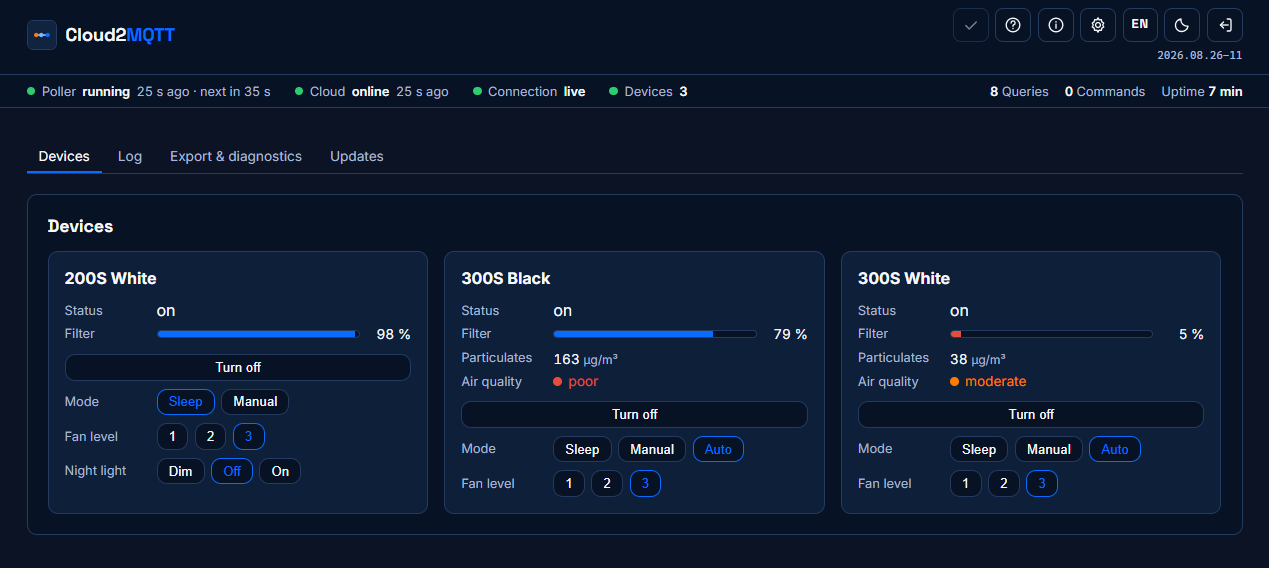
Cloud2MQTT reads your Levoit air purifiers through the VeSync cloud and mirrors them onto your own MQTT broker — Mosquitto, Home Assistant, EisBär SCADA, whatever you run. It also gives you a web interface with live values and control.
Devices like Levoit speak no native MQTT; they are reachable only through their manufacturer's cloud. This gateway polls that cloud, normalises the values and publishes them retained. Commands travel the same road in the opposite direction.
What it does
- Polls the VeSync cloud at a fixed interval and publishes every device as one retained JSON, plus each reading on its own topic
- Commands over MQTT (
cmnd/<property>) — the web interface uses the very same path, there is no second way in - Shows only what the model can do: fields a device lacks are omitted, never
sent as
null - Home Assistant discovery, optional and switchable — turning it off removes the entities again instead of leaving ghosts behind
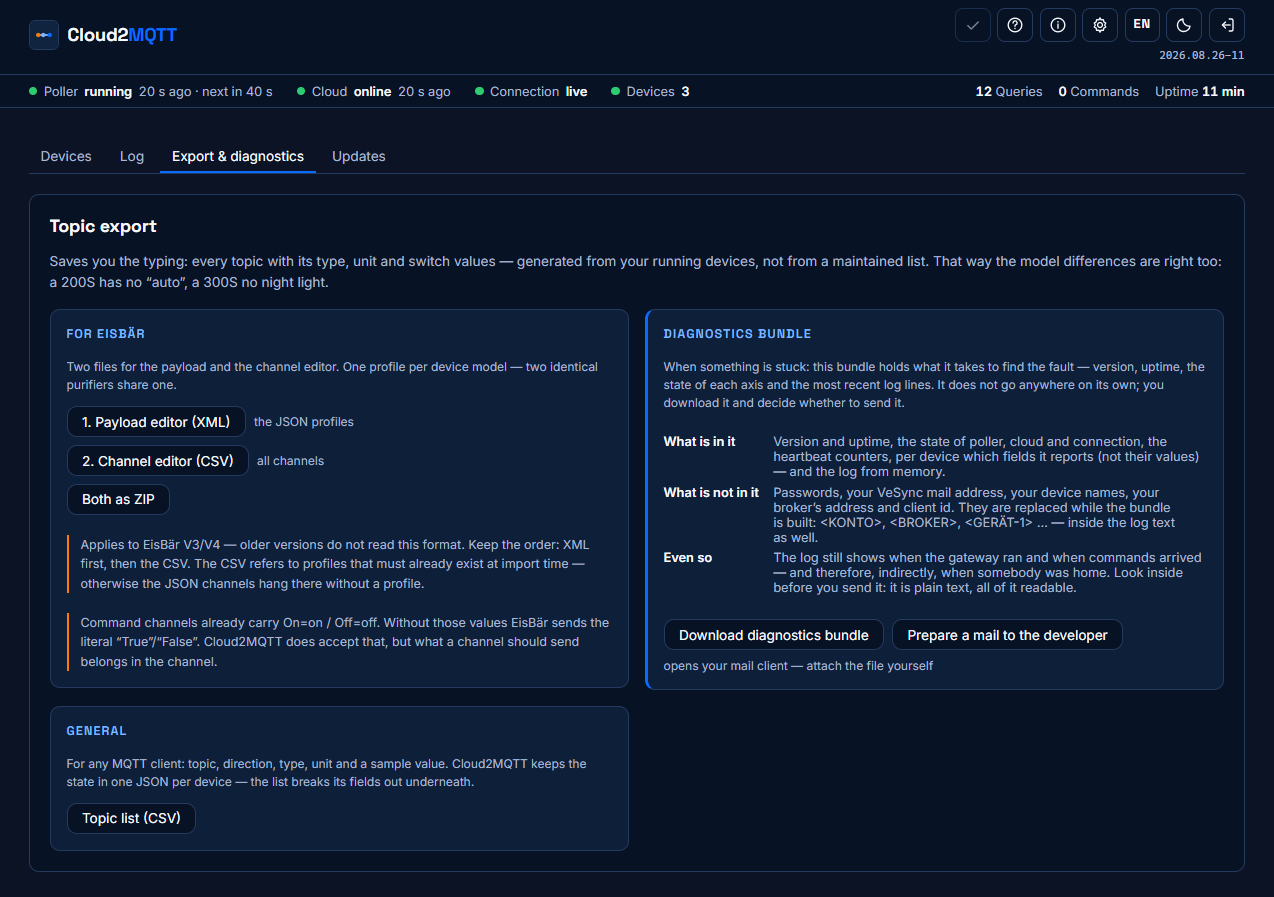
- Topic export for EisBär SCADA V3/V4 (channel CSV + payload profile XML)
- Diagnostics bundle: report, configuration without credentials and the log in one ZIP — account, broker and device names replaced by placeholders
Running it
services:
  cloud2mqtt:
    image: cheetahlab/cloud2mqtt:latest
    container_name: cloud2mqtt
    restart: unless-stopped
    ports:
      - "8088:8080"
    volumes:
      - ./configdir:/config          # a DIRECTORY, not the file
    environment:
      - CLOUD2MQTT_PASSWORD=choose-one   # only needed for the first start
    stop_grace_period: 20s
Then open http://your-host:8088 and enter your VeSync account and broker
address in the settings.
Mount a directory, not the file. The interface writes the configuration
with os.replace, which is atomic. On a single-file mount that fails with
Device or resource busy — renaming onto the exact mount point of a single file
is structurally blocked, on every filesystem.
stop_grace_period: 20s is worth setting: Docker's default of 10 s cuts the
shutdown short, and the gateway would no longer manage to report itself offline
cleanly.
Access
The web interface is password protected. Without a password set, the API
serves no data at all — not even to another program on your network. You can
hand the first password in through CLOUD2MQTT_PASSWORD; it is stored hashed,
after which the line can disappear from your compose file again.
Cloud2MQTT speaks HTTP. On your own network that is fine; across the internet put a reverse proxy with TLS in front of it.
Updating
Change the version tag in the compose file and recreate the container:
image: cheetahlab/cloud2mqtt:2026.08.26-19
Recreating with :latest unchanged does not fetch anything — Docker sees an
image by that name already present and uses it. The running version is shown
under the toolbar in the web interface, which also tells you when a newer one
exists.
What it talks to
- the VeSync cloud, to read your devices and send commands
- your own broker, at the address you configured
- Docker Hub, and only to read the public list of versions — switchable off, and explained in the interface
Nothing else. The diagnostics bundle does not send itself anywhere; you download it and decide.
One thing VeSync imposes, not us: the account usually allows a single active session. Polling can log the phone app out, and the phone app can log the gateway out. That is not a bug in this gateway.
Interface language
German and English, switchable in the header, remembered per browser. Light and dark likewise.
Licence
Apache License 2.0. Use it, run it, adapt it, redistribute it, build it into
your own software — freely, commercially and in closed products too. What has to
travel with a copy: the licence text, the NOTICE.md and a note stating which
files you changed. Both files sit in the image; the font licences are in
licenses/ next to them.
Cloud2MQTT is an independent project and is not affiliated with Levoit or VeSync. "Levoit" and "VeSync" are trademarks of their respective owners.
Tag summary
Content type
Image
Digest
sha256:edb97462d…
Size
60.7 MB
Last updated
about 2 months ago
docker pull cheetahlab/cloud2mqtt