cheetahlab/flowbridge
MQTT bridge for EcoFlow power stations: local broker, web dashboard, control. Self-hosted.
1.7K
cheetahlab/flowbridge repository overview
FlowBridge
MQTT bridge for portable power stations by EcoFlow.
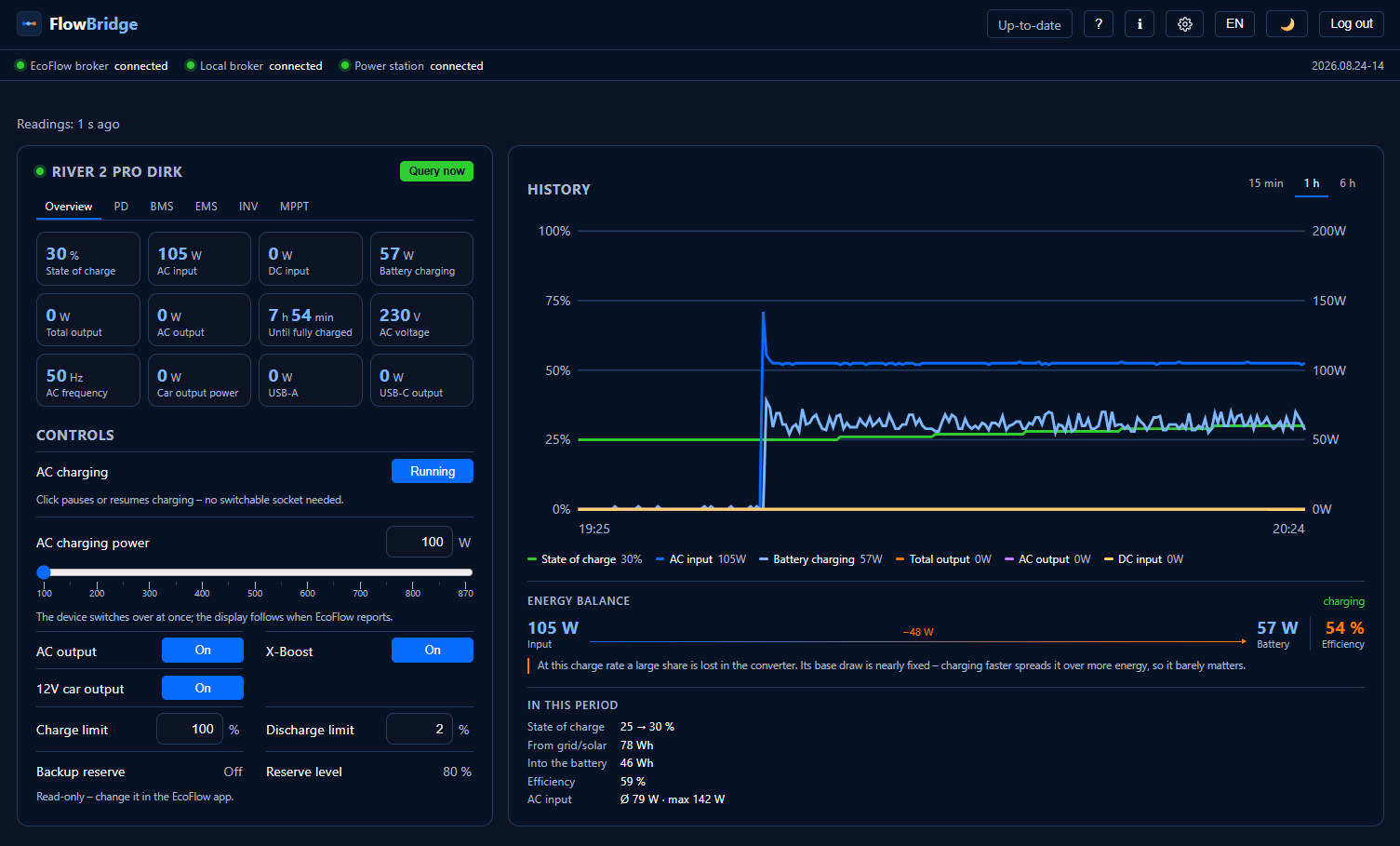
FlowBridge reads your EcoFlow power station through the official EcoFlow IoT Open Platform and mirrors it onto your own MQTT broker — Mosquitto, Home Assistant, EisBär SCADA, whatever you run. It also gives you a web dashboard with live values and control.
Your data stays in your house. FlowBridge talks to the EcoFlow cloud and to your broker; nothing else.
What it does
- Live values via MQTT push, not polling — seconds, not minutes
- Control: AC output, 12 V output, X-Boost, charge limit, discharge limit, charge power, charge pause — from the web UI or via MQTT
- Home Assistant discovery — devices appear on their own
- Topic export for EisBär SCADA (channel CSV + payload profile XML)
- Field inventory: records which fields your device actually delivers — useful for adding models
- Diagnostics package: report, masked configuration, topics and log in one ZIP, with keys redacted and serial numbers replaced by placeholders
Supported devices
| Model | Status |
|---|---|
| RIVER 2 Pro | verified against real hardware |
| DELTA 2 | prepared from documentation, not yet run on a device |
Other models will show their values but may not accept commands. The diagnostics report states the support level explicitly instead of guessing.
Quick start
services:
  flowbridge:
    image: cheetahlab/flowbridge:latest
    container_name: flowbridge
    restart: unless-stopped
    ports:
      - "8081:8080"
    environment:
      FLOWBRIDGE_CONFIG: /config/config.yaml
      TZ: Europe/Berlin
      FLOWBRIDGE_PASSWORD: "pick-a-good-password"
    volumes:
      - ./data:/config
Then open http://your-host:8081 and follow the setup dialog. You will need
an access key and secret key from the EcoFlow developer portal — create
them there, they are not your app password.
FLOWBRIDGE_PASSWORD protects the web interface from the first start on.
FlowBridge can switch your outputs; without a password anyone on your network
could. You can remove the line once it has started — the password is stored
hashed in the data folder.
Updating
Change the version tag in the compose file and recreate the container:
image: cheetahlab/flowbridge:2026.08.16-10
Recreating with :latest unchanged does not fetch anything — Docker sees
an image by that name already present and uses it. The running version is
shown in the top right of the web interface.
Interface language
German and English, switchable in the header. The default can be set permanently under Settings.
Licence
Apache License 2.0. Use it, run it, adapt it, redistribute it, build it into
your own software — freely, commercially and in closed products too. What has to
travel with a copy: the licence text, the NOTICE.md and a note stating which
files you changed. Both files sit in the image. Third-party components are
listed in THIRD-PARTY-NOTICES.md next to them.
FlowBridge is an independent project and is not affiliated with EcoFlow. "EcoFlow", "RIVER" and "DELTA" are trademarks of their respective owners.
Tag summary
Content type
Image
Digest
sha256:af6810bc2…
Size
60.1 MB
Last updated
about 2 months ago
docker pull cheetahlab/flowbridge