chocksy/cems-server repository overview
CEMS
Continuous Evolving Memory System
Persistent memory for AI coding assistants. Your agent remembers what you teach it — across sessions, projects, and teams.





Works with Claude Code · Cursor · Codex · Goose · any MCP-compatible agent
How It Works
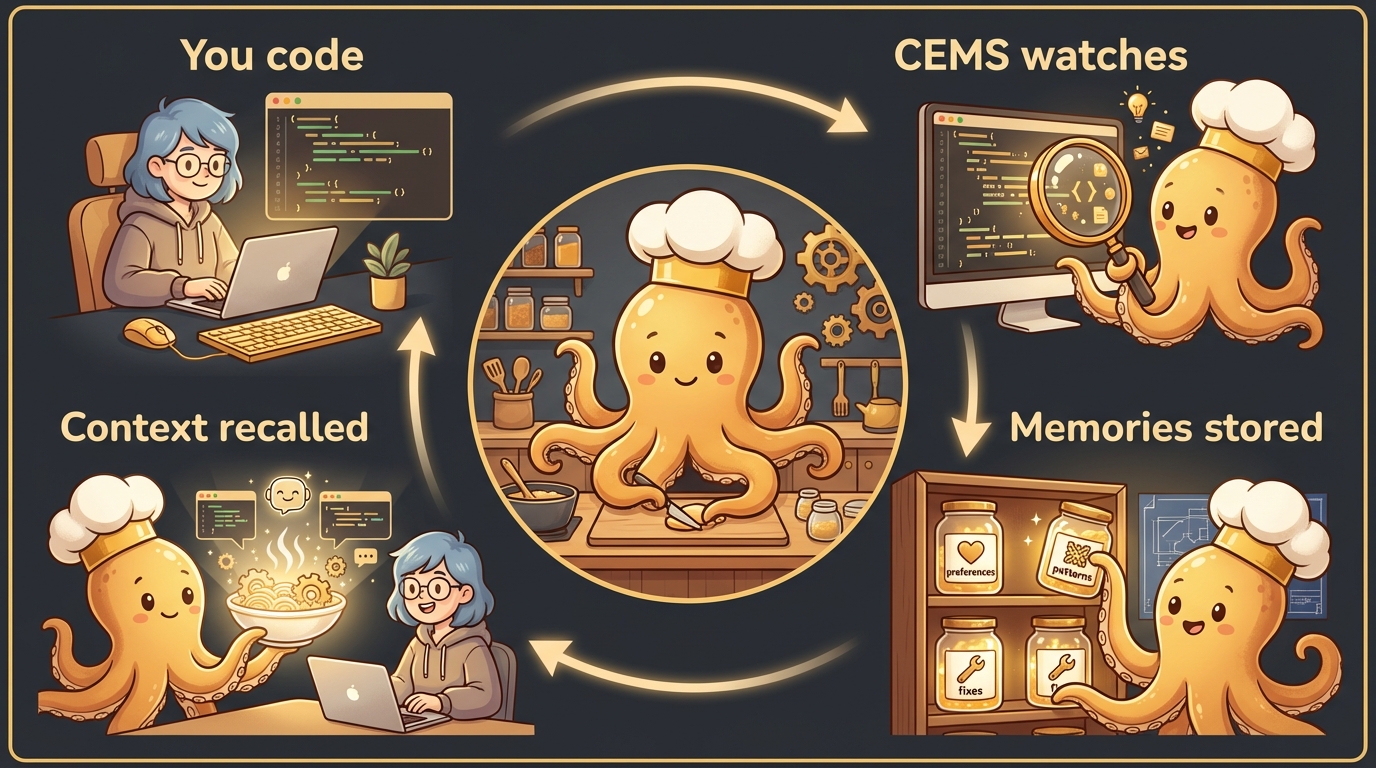
- You code — CEMS hooks into your IDE (Claude Code, Cursor, Codex, Goose)
- CEMS watches — Every prompt is enriched with relevant memories. Session learnings are extracted automatically.
- Memories stored — Preferences, conventions, architecture decisions, debugging fixes
- Context recalled — Next session, relevant memories are injected so your agent already knows your codebase
No manual tagging. No copying context. It just works.
Architecture
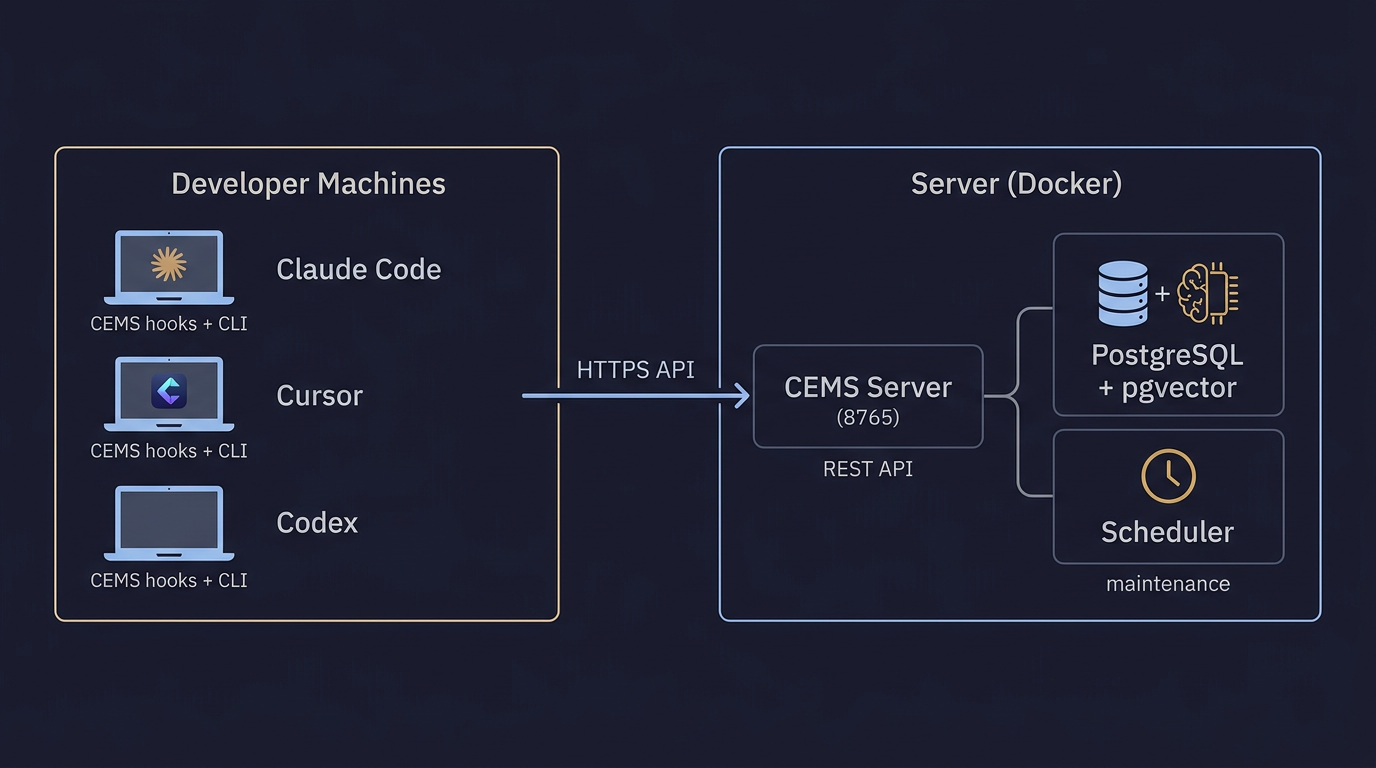
Quick Start
1. Deploy the server
# Download the compose file
curl -fsSLO https://raw.githubusercontent.com/chocksy/cems/main/deploy/docker-compose.yml

# Create .env
cat > .env << 'EOF'
POSTGRES_PASSWORD=your_secure_password
OPENROUTER_API_KEY=sk-or-your-key   # or use --private, see docs
CEMS_ADMIN_KEY=cems_admin_random_string
EOF

# Start (schema migrations run automatically at server start)
docker compose up -d
Want nothing to leave your network?
bash install-server.sh --private --yesruns the whole pipeline on local models. See Private mode.
2. Create users
cems admin --admin-key $CEMS_ADMIN_KEY users create alice
# Returns the API key — save it, shown only once!
3. Install the client
Each developer runs:
curl -fsSL https://getcems.com/install.sh | bash
Prompts for server URL and API key, then configures your IDE. Done.
Documentation
| Doc | What's inside |
|---|---|
| Deployment Guide | Docker Compose, Kubernetes, env vars, backups, production checklist |
| Private mode | Run the whole pipeline on local models: installer, cloud-init, hardware, cost |
| Client Setup | Install options, CLI commands, skills, hooks, updating, troubleshooting |
| Architecture | Storage, search pipeline, maintenance, observer daemon, MCP |
| API Reference | All REST endpoints with examples |
Development
git clone https://github.com/chocksy/cems.git && cd cems
uv pip install -e ".[dev]"
pytest
License
MIT
Tag summary
Content type
Image
Digest
sha256:494320836…
Size
102.4 MB
Last updated
5 days ago
docker pull chocksy/cems-server