christianbecker/ssh-multiplex-legacy
Multiplex SSH connections to multiple hosts with simultanious input, with legacy ssh client/options
347
christianbecker/ssh-multiplex-legacy repository overview
ssh-multiplex-legacy
Multiplex SSH connections to multiple hosts with simultanious input - using an old ssh client with legacy options on Alpine Linux with Docker.
Based on Project ssh-multiplex
A small shellscript using openssh with tmux (synchronize-panes).
You can use this client if you need to connect to very old devices that only supports legacy algorithms. Since some of the older algorithms have been found to be weak, newer versions of ssh clients leave them disabled.
WARNING! Please upgrade the old device if possible to a secure alternative! Only if you have no other option, use this client.
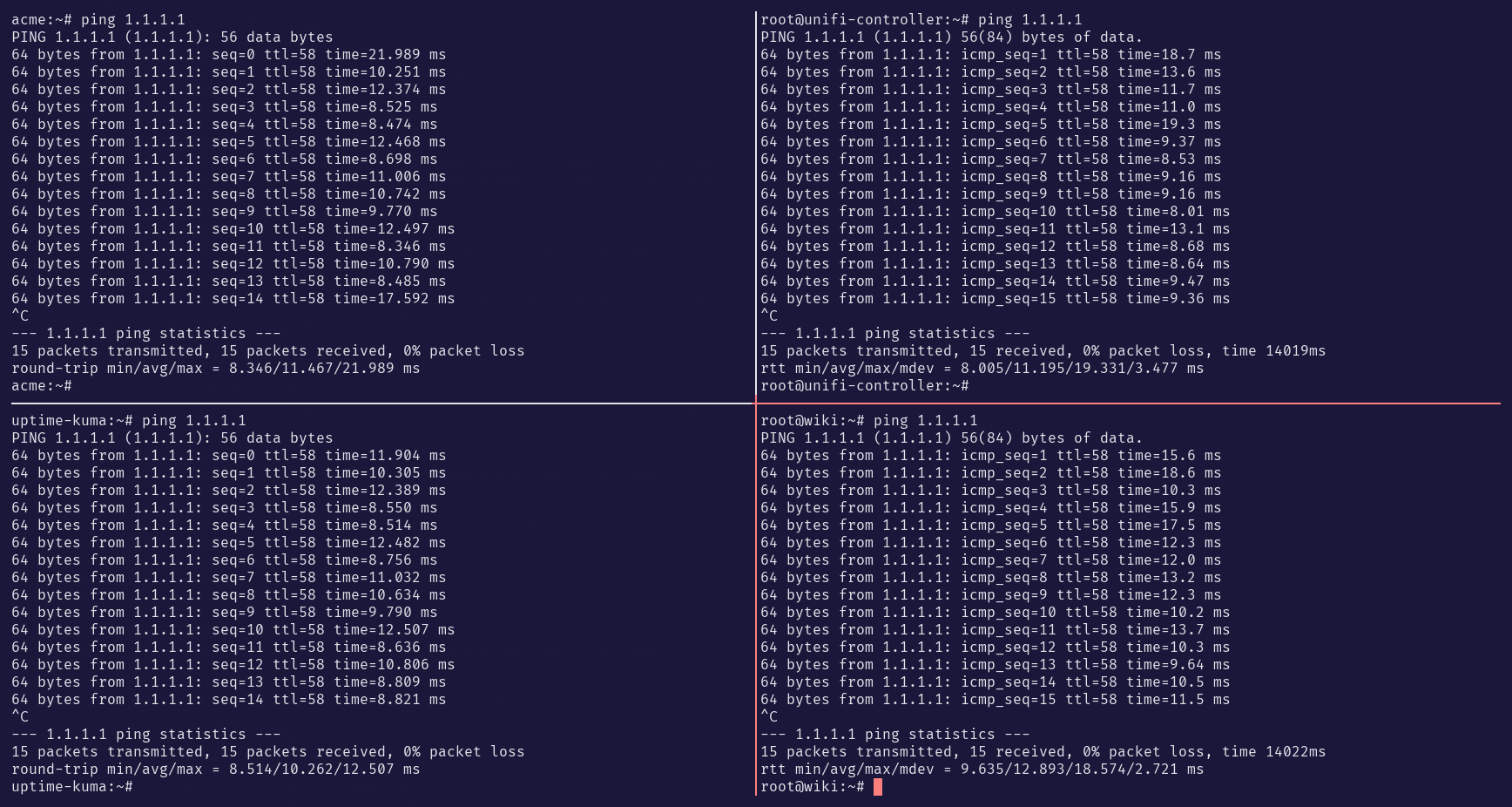
how to use it
If you just want to use the container from docker hub - proceed with step 3.
1.) OPTIONAL: BUILD the docker container
docker build -t christianbecker/ssh-multiplex-legacy .
2.) OPTIONAL: RUN the container - just to try if it works
docker run --rm -it christianbecker/ssh-multiplex-legacy USER@HOST1 USER@HOST2 USER@HOST3 USER@HOST4
(should connect to your old devices "HOSTx" as user "USER")
3.) USE the container
To use the container like a built in command in your system you can add the following alias to .bash_aliases or .bashrc:
alias ssh-multiplex-legacy='docker run --rm -it christianbecker/ssh-multiplex-legacy'
Then simply use ssh-multiplex-legacy followed with all legacy devices you want to connect to.
e.g. ssh-multiplex-legacy USER@HOST1 USER@HOST2 USER@HOST3 USER@HOST4
project links
Authors
- Christian Becker - christian-becker
License
This project is licensed under the MIT License - see the LICENSE file for details.
Tag summary
Content type
Image
Digest
sha256:9729d307f…
Size
4.8 MB
Last updated
over 3 years ago
docker pull christianbecker/ssh-multiplex-legacy