christt105/mnamer-telegram
Telegram bot that automates media library organization using mnamer.
1.0K
christt105/mnamer-telegram repository overview
mnamer-telegram
A Telegram bot to automate the organization of your media library using the powerful mnamer tool.
Warning
**Disclaimer:** This tool handles file movements and renaming. I am **not responsible for any data loss** or files being moved to incorrect locations. It is highly recommended to perform a test with dummy files or a backup before running it on your primary library.
Important
**Configuration Complexity:** Setting up Docker volumes and environment variables correctly can be complex depending on your OS and permissions. If you encounter any issues or have questions, please **open an issue** in this repository.
Features
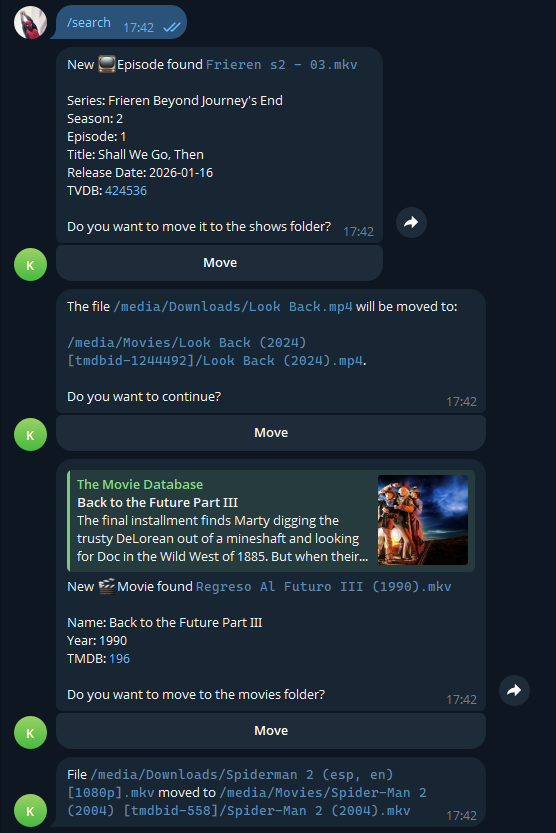
- Watch Folder Monitoring: Automatically detects new video files in your configured download directory.
- Automatic Organization: Uses
mnamerto rename and move files to your library (Movies/TV Shows). - Interactive Telegram Interface:
- Receive notifications when files are processed.
- Approve Moves: One-click confirmation to move files.
- Manual Correction: Reply with
tmdb <id>ortvdb <id>if the detection is wrong.
Setup & Deployment
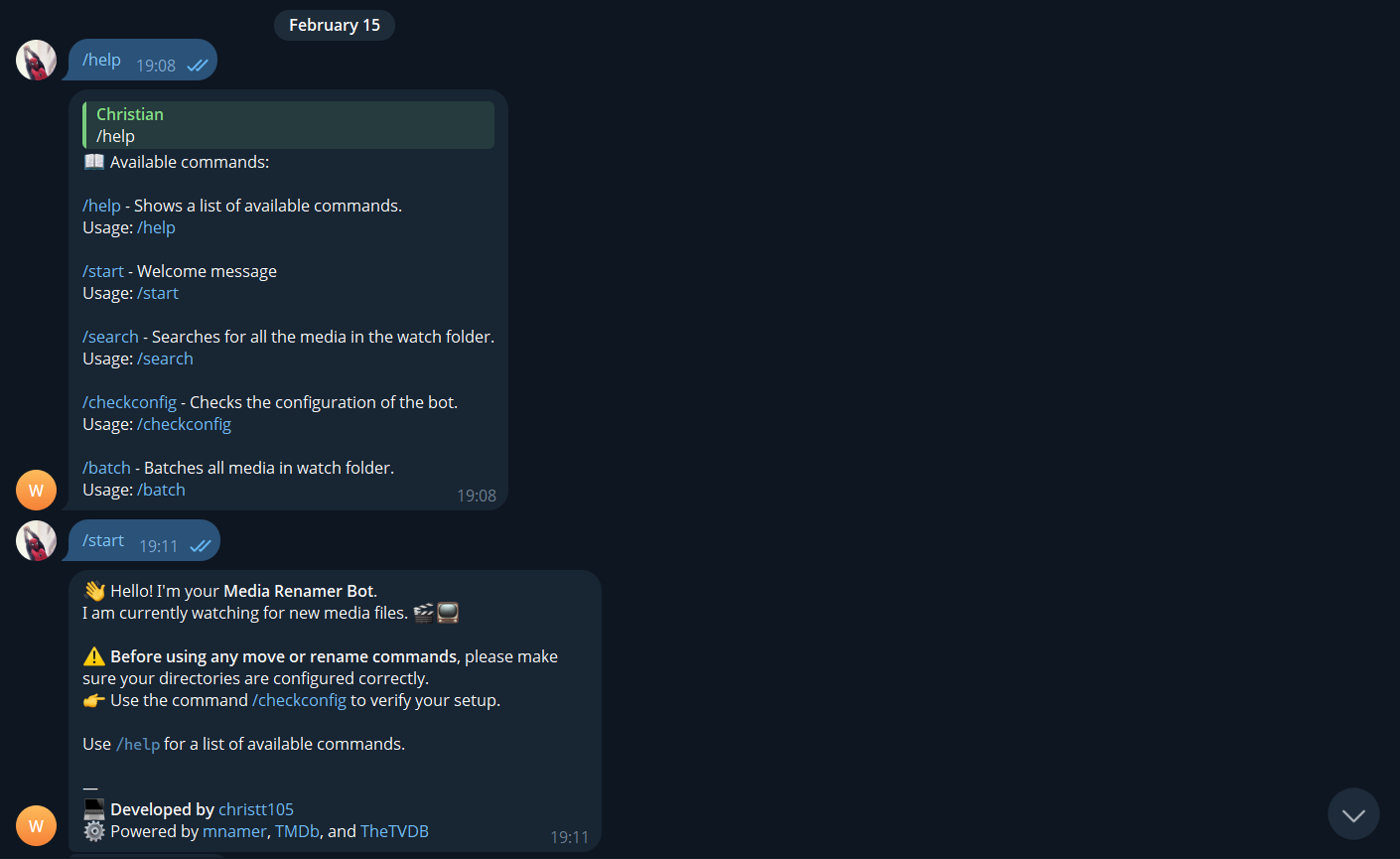
The recommended way to run this bot is via Docker Compose.
Prerequisites
- Docker and Docker Compose installed.
- A Telegram Bot Token (create your bot with @BotFather).
- Your Telegram User ID (from @username_to_id_bot).
Obtaining Telegram API Credentials
To get your TELEGRAM_API_ID and TELEGRAM_API_HASH:
- Log in to your Telegram account at my.telegram.org.
- Go to API development tools.
- Fill out the form (you can use any dummy data for URL/Description).
- Click Create application.
- Copy the
App api_idandApp api_hashvalues.
For more details, see the official guide.
Configuration
- Clone the repository.
- Create a
.envfile in the root directory (you can copy.env.example as a starting point):
Environment Variables
| Variable | Description | Default value |
|---|---|---|
| TELEGRAM_API_ID | Telegram API ID | n/a |
| TELEGRAM_API_HASH | Telegram API Hash | n/a |
| TELEGRAM_BOT_TOKEN | Bot token | n/a |
| TELEGRAM_AUTH_USER_ID | Authorized user ID | n/a |
| WATCH_DIR | Watch folder for scanning | /data/watch (in code) |
| MOVIES_DIR | Movies output folder | /data/movies (in code) |
| SHOWS_DIR | Shows output folder | /data/shows (in code) |
| MOVIE_FORMAT | Movie filename format string for mnamer | {name} ({year}){extension} |
| EPISODES_FORMAT | Episode filename format string for mnamer | {series} S{season:02}E{episode:02}{extension} |
| MOVIE_DIRECTORY | Movie output directory template | ${dirHandler.MoviesDirectory}/{name} ({year}) [tmdbid-{id_tmdb}] |
| EPISODE_DIRECTORY | Episode output directory template | ${dirHandler.ShowsDirectory}/{series} [tvdbid-{id_tvdb}]/Season {season:02} |
| LANGUAGE | mnamer/movie language code | en |
-
Review
docker-compose.yml(an example file is included in the repository):Performance Tip: Map a single volume (e.g.,
/mnt/data:/media) containing both your downloads and library folders. This allows the bot to move files atomically (without copying) when directories are on the same volume.services: bot-mnamer: image: christt105/mnamer-telegram:latest restart: unless-stopped env_file: .env volumes: - ./appdata:/data # Database location - /mnt/data:/media # Single volume for all mediaIn this example, your host
/mnt/datashould containdownloads,movies, andshowsfolders.
Running
Start the bot container:
docker compose up -d
View logs:
docker compose logs -f
⚠️ Known Limitations & Docker Compatibility
The real-time folder monitoring (FileSystemWatcher) is primarily designed and tested for Linux hosts.
If you are running Docker on Windows or macOS, host file events may not propagate correctly into the container. Use the /search command to scan manually, or check this link for more information:
mnamer formatting
mnamer-telegram uses mnamer format strings for MOVIE_FORMAT, EPISODES_FORMAT, MOVIE_DIRECTORY, and EPISODE_DIRECTORY. You can customize these values in your .env file.
For format details and examples, see:
Usage
- Automatic: The bot watches
/downloads(mapped path). When a video file is detected, it will message you on Telegram. - Scan: Send
/searchto the bot to scan the watch folder for existing files. - Corrections: Reply to any message with
tmdb <id>ortvdb <id>to force a match.
Contributions
Refactors, features, and pull requests are welcome!
Support the Project
If you find this bot useful, please consider starring the repository! ⭐

Attributions
This project heavily relies on and gratefully acknowledges:
- mnamer: The core media organization tool.
- TheMovieDB (TMDB): For movie metadata.
- TheTVDB: For TV show metadata.
Tag summary
Content type
Image
Digest
sha256:704d55e9e…
Size
270.5 MB
Last updated
4 months ago
docker pull christt105/mnamer-telegram