cibrandocampo/work-time-control
Work Time Control (WTC) it is a Time Control system that allows the registration of the Labor Day.
1.5K
cibrandocampo/work-time-control repository overview
Work Time Control
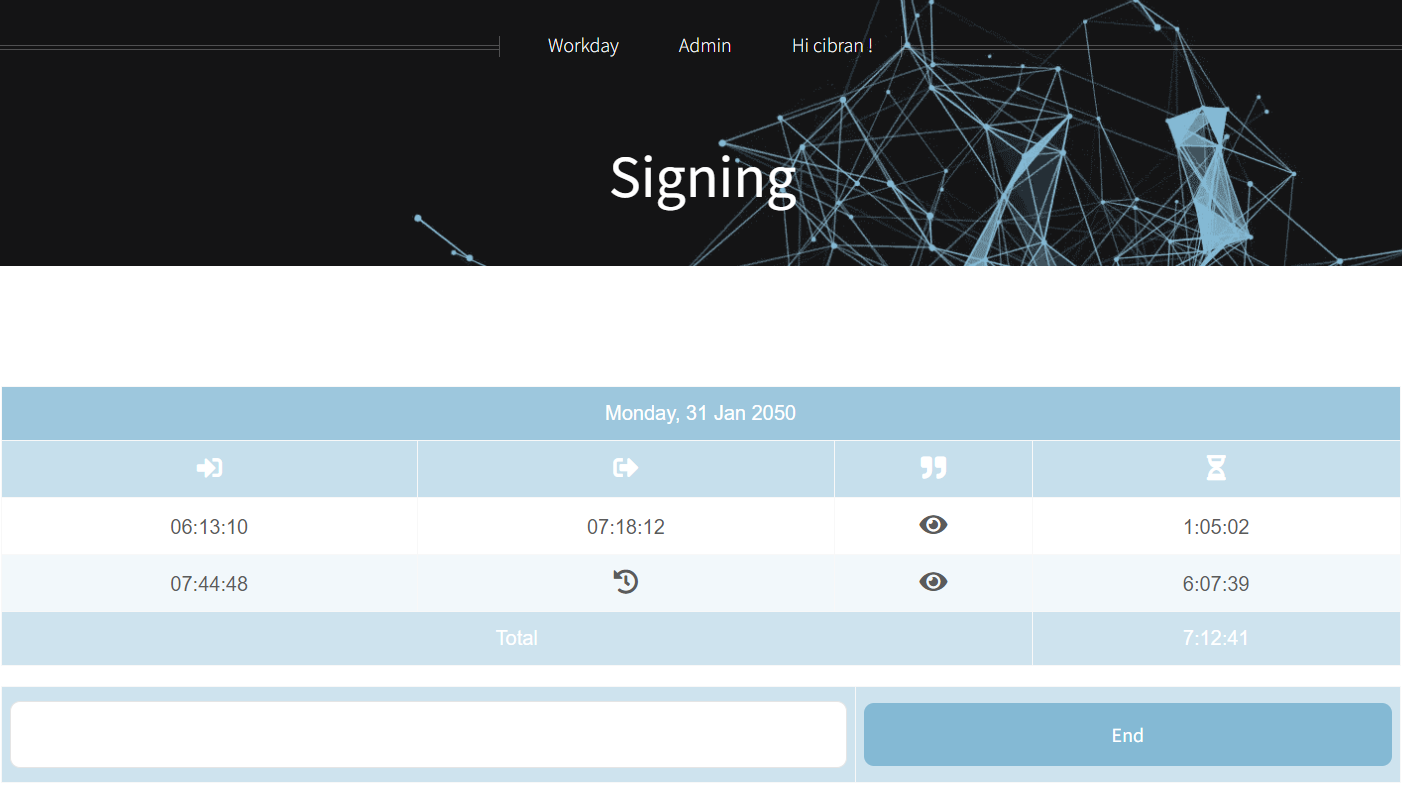
Work Time Control (WTC) it is a Time Control system that allows the registration of the Labor Day. The application is designed to record working hours and show them to the user via website or exporting all the information in excel format.
Although it is quite obvious, the system allows registering multiple users with their particularities such as timezone or weekly working hours for each.
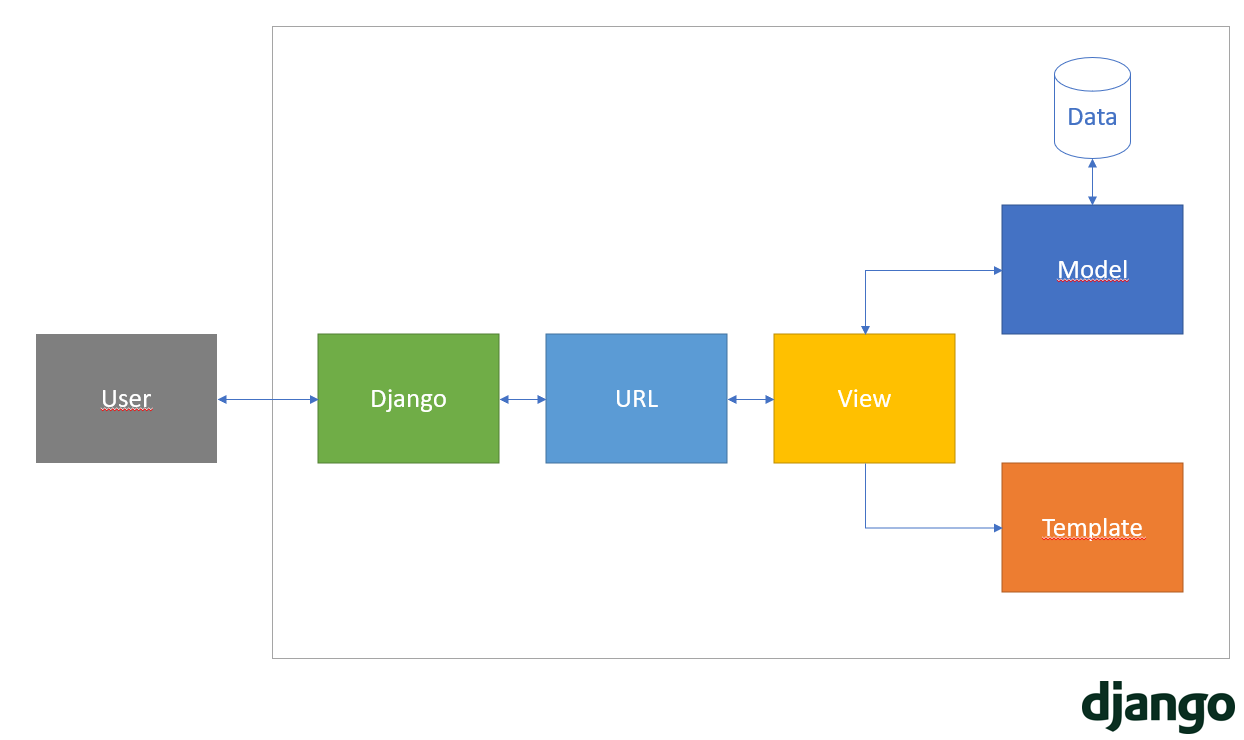
In this first version, the system is monobloc, based on the Django Framework, but it is designed to add the Django REST Framework module to separate the Front-End to the the Back-end in the next version.
Code
All the source code of the project is available in: GitHub repository
Design
As mentioned above, Django is used for the development of the application using the following technologies:
-
Back-End
- Python 3
-
Database
-
Front-End
- HTML5
- JS and JQuery Framework
- CSS and SCSS. FontAwesome for icons
-
Deploy
- Docker
Deploy
To make deployment as easy as possible, the entire application can be deployed through Docker. For this reason, a Dockerfile is included where the instructions to generate the Docker image can be found. Also, for simplicity, this image is available on Dockerhub: https://hub.docker.com/r/cibrandocampo/work-time-control
Or executing the command:
docker pull cibrandocampo/work-time-control:1.1.1
Enviroment variables
There are multiple variables that allow you to run the application with custom settings.
| Variable | Default |
|---|---|
| BACKUP_PATH | /backup/ |
| ADMIN_USERNAME | admin |
| ADMIN_PASSWORD | 9FAeHdPv6p |
| ADMIN_EMAIL | [email protected] |
| PORT | 8000 |
| WORKERS | 8 |
| BACKUP_INTERVAL (hours) | 12 |
| BACKUP_MAX_VERSIONS (number) | 3 |
| LOG_LEVEL (DEBUG, INFO, WARNING, ERROR, CRITICAL) | WARNING |
| LOG_PATH | /var/log/wtc.log |
| ALLOWED_HOSTS | * |
| CSRF_TRUSTED_ORIGINS | http://*127.0.0.1,https://*127.0.0.1 |
Maintenance
The system has an automatic backup system. The system dumps the contents of the database in an XML file stored in the indicated path (by default /backup/ ).
For this reason, it is recommended to mount this directory on a dcoker volume and keep it safe from the docker container.
Furthermore, when the container starts up, if it is the first run, if there are backup files, these are automatically loaded into the database.
Next Steps
This section describes and details the next improvements proposed in the project roadmap.
Technology
- Separation between the Back-end of the Fornt-end. Django REST Framework will be incorporated to convert the backend into an API-REST system, and a Front-end based on Vue.js will be designed. This solution will decouple the project allowing it to approach a more scalable architecture.
Scalability and maintainability
- A test case battery will be developed to certify the correct integrated operation with CI / CD tools
- Integrate the WTC project into the Github + DockerHub CI / CD system
Functionality
- Support work teams by sharing the hours worked by each of them.
iOS location issues
Go to iPhone settings > Privacy and security > location and make sure Safari is not set to "Never"
More info: Stackoverflow
Tag summary
Content type
Image
Digest
sha256:0ed148a81…
Size
69.7 MB
Last updated
over 2 years ago
docker pull cibrandocampo/work-time-control