cisecke/blinkt-cpu-info
Shows the CPU Temperature and CPU Load with Pimoroni Blinkt or LED SHIM
Image
0
534
cisecke/blinkt-cpu-info repository overview
CPU Temperature and Load shown with Pimoroni Blinkt and/or LED SHIM for Raspberry Pi.
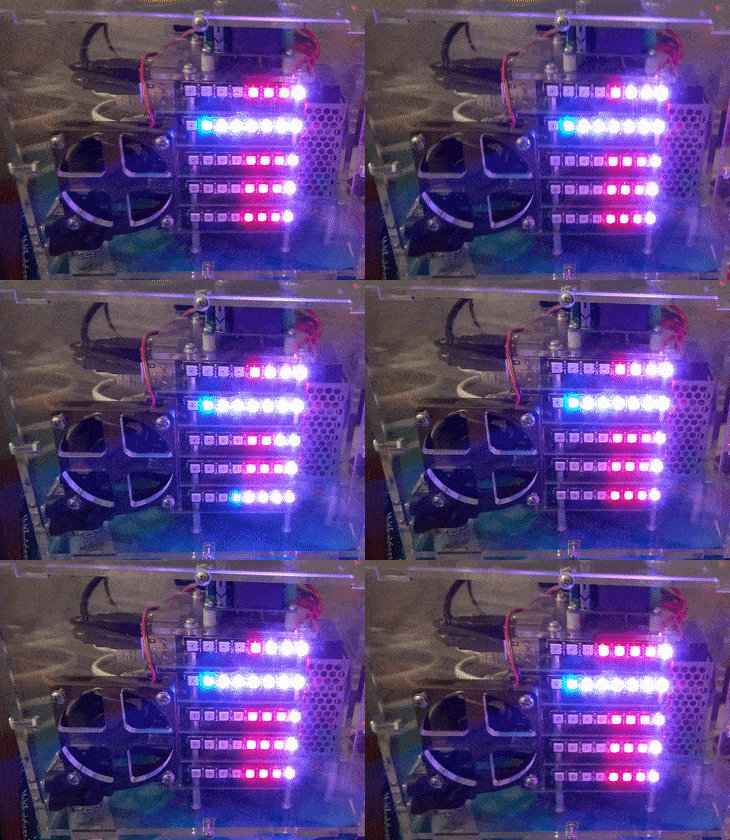
Usage
The following commands runs the CPU-Info Docker container.
- The short command for all that can't await it:
docker run -d \ --name blinkt-cpu-info \ --privileged \ --restart=unless-stopped \ -e Device=Blinkt \ cisecke/blinkt-cpu-info - The complete command with all arguments:
docker run -d \
--name blinkt-cpu-info \
--privileged \
--restart=unless-stopped \
-e Mode=Mixed \
-e Brightness=0.05 \
-e Interval=0.05 \
-e Smooth=True \
-e Direction=LTR \
-e Device=Blinkt \
-e Marker=False \
-e Segmented=False \
cisecke/blinkt-cpu-info
Privileged mode is needed to access the GPIO Header.
Parameters
When running the client, the following parameters are available
-e Mode=MixedThe Mode can be chosen betweenMixed(default),TempandLoad.-e Mode=Tempshows the temperature in red, it is divided in 10°C steps. As example for Blinkt 4 red LEDs means 40°C.-e Mode=Loadshows the CPU Load in blue, it is divided by the device LED count (Blinkt has 8 and SHIM has 28). As example for Blinkt 4 blue LEDs mean 50% CPU Load.-e Mode=Mixedcombines the other 2 modes and mixes the colors as purple.
-e Brightness=0.05sets the brightness of the LEDs from 0.0 to 1.0 (default 0.05 for BLINKT and 1.0 for LED SHIM).-e Interval=0.05sets the interval in which the values are updated (default 0.05).-e Smooth=Truesmoothens the colors of the LEDs, setFalseto deactivate (default True).-e Direction=LTRsets the orientation of the LEDs to left-to-right (LTR) or right-to-left (RTL) (default LTR).-e Device=BlinktThe Device can be chosen betweenBlinkt(default) andShim-e Marker=Trueshows 3 markers on the device for a better segment recognition, especially useful for the LED SHIM with it's 28 LEDs (default False for Blinkt and True for LED SHIM).-e Segmented=Trueshows the load of all 4 CPU Cores separated (default False for Blinkt and True for LED SHIM).
All parameters are optional and the values are case-insensitive, the default values are used if they are omitted.
If LED SHIM is used as Device, a higher Brightness than the Blinkt value should be used because Blinkt is much brighter than LED SHIM.
Future
- Make the docker image smaller.
- Add docker-compose file.
Changelog:
- 16-03-2019:
- 23-02-2019: Orientation added and base image changed to
balenalib/rpi-raspbian
More Info
- https://github.com/revsol/blinkt-cpu-info
- For issues, suggestions or questions just create an Issue on Github.
- Thanks to Pimoroni for their great toys.
- https://shop.pimoroni.com/products/blinkt
- https://shop.pimoroni.com/products/led-shim
Tag summary
Content type
Image
Digest
Size
78.6 MB
Last updated
over 7 years ago
docker pull cisecke/blinkt-cpu-info