claudyus/openvpn-status repository overview
OpenVPN Status 

A web-based application to monitor (multiple) OpenVPN servers.
Features
- WebSocket based real-time events
- Persistent event log
- Full material design
- Multi server support
- Mobile friendly
- Disconnect clients remotely
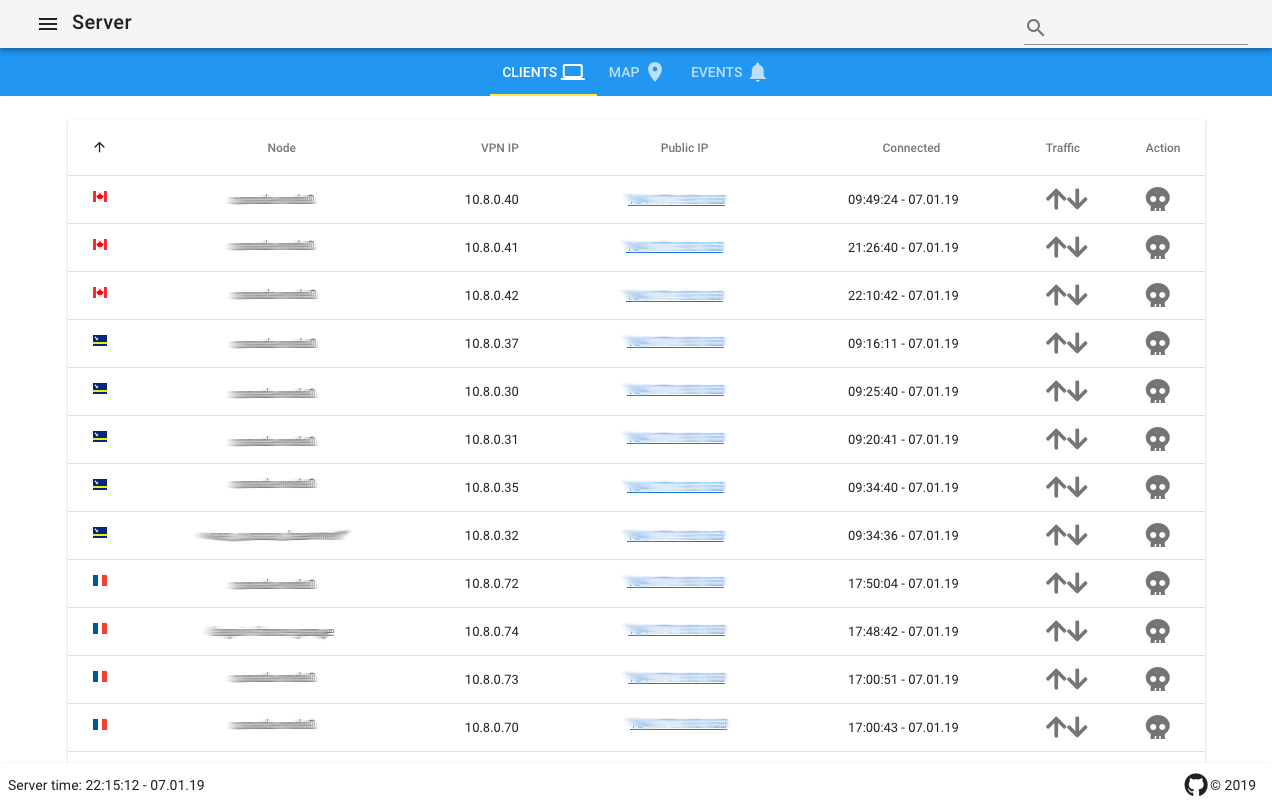
Client panel
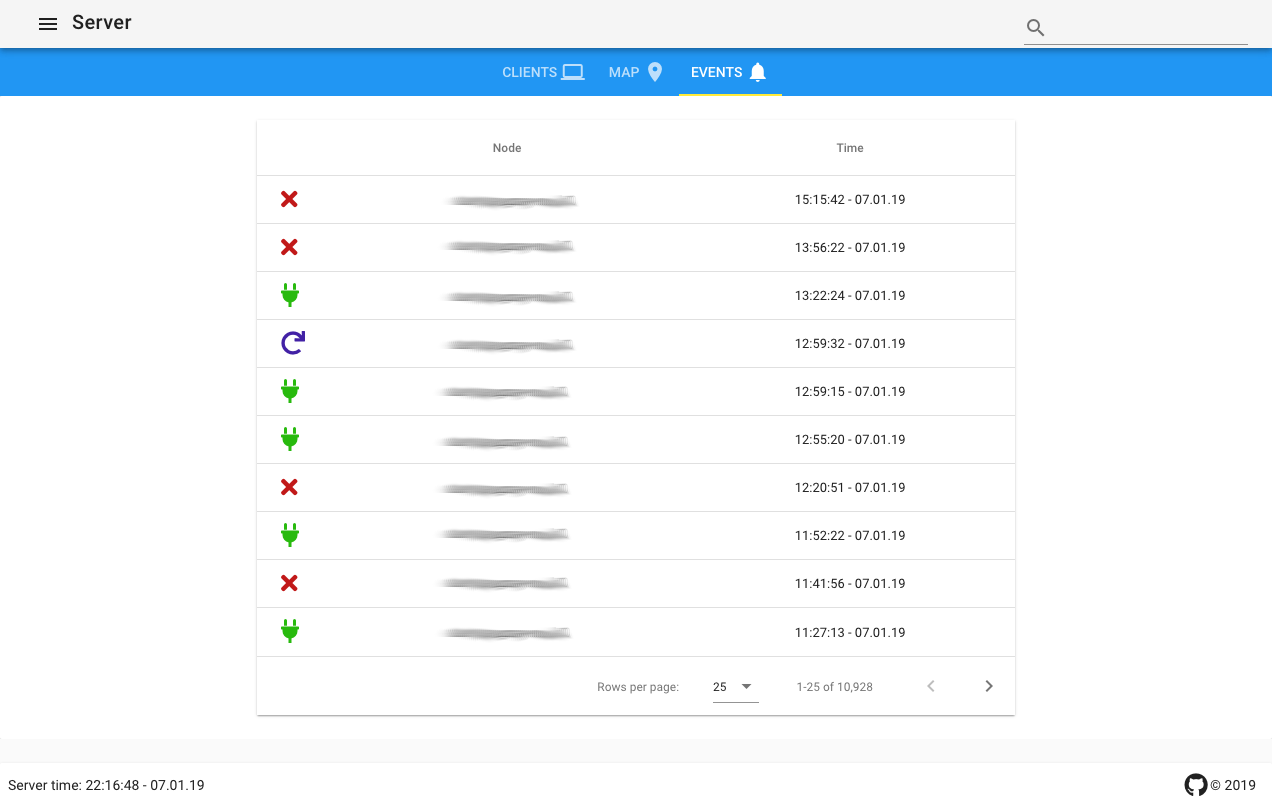
Event panel
Pre-requisites
- NodeJS 6 or higher
- npm package manager
Installation
Installation comes in two flavours. Either from source as per the following section or you can skip to the docker section.
1. Get the source
git clone https://github.com/AuspeXeu/openvpn-status.git
2. Install dependencies
cd openvpn-status
npm install
sudo npm install pm2 -g
3. Configuration
The configuration is handled in the cfg.json file.
| Option | Default | Description |
|---|---|---|
| port | 5000 | Port on which the server will be listening. |
| bind | 127.0.0.1 | Address to which the server will bind to. Change to 0.0.0.0 to make available on all interfaces. |
| servers | [{"name": "Server","host": "127.0.0.1","man_port": 7656}] | Array of servers. |
| username | admin | User for basic HTTP authentication. Change to '' or false to disable. |
| password | admin | Password for basic HTTP authentication. |
Example:
{
  "port": 5000,
  "bind": "127.0.0.1",
  "servers": [
    {"id": 0, "name": "Server A", "host": "127.0.0.1","man_port": 7656},
    {"id": 1, "name": "Server B", "host": "127.0.0.1","man_port": 6756}
  ],
  "username": "admin",
  "password": "YV3qSTxD"
}
4. OpenVPN configuration
Add the following line to your configuration file, e.g., server.conf. This will start the management console on port 7656 and make it accessible on 127.0.0.1, i.e. this machine.
management 127.0.0.1 7656 //As specified in cfg.json for this server
Restart your OpenVPN server.
5. Build
Before the application is ready to run, the frontend needs to be built. This is done using npm.
npm run build
Run
Manually
node server.js
As service
pm2 start pm2.json
pm2 save
This makes the application available on http://127.0.0.1:5000.
(optional) Running the service behind nginx as a reverse proxy
In order to integrate the service into your webserver you might want to use nginx as a reverse proxy. The following configuration assumes that the port is set to 5000 as it is by default.
server {
  listen 80;
  server_name [domain];

  location / {
    proxy_pass http://127.0.0.1:5000
    proxy_set_header X-Forwarded-Proto $scheme;
    proxy_http_version 1.1;
    proxy_set_header Upgrade $http_upgrade;
    proxy_set_header Connection "upgrade";
    proxy_read_timeout 86400;
  }
}
Docker
Ports
- 5000
Environment variables
| Variable | Description | Default value |
|---|---|---|
| AUTH_USERNAME | HTTP AUTH username | admin |
| AUTH_PASSWORD | HTTP AUTH password | admin |
| VPN_NAME | Name of the VPN | Server |
| VPN_HOST | Host of the VPN | openvpn |
| VPN_MAN_PORT | Management port | 7656 |
Docker-compose.yml
# Full example :
# https://raw.githubusercontent.com/AuspeXeu/openvpn-status/master/docker-compose.sample.yml

openvpn-status:
  image: auspexeu/openvpn-status
  container_name: openvpn-status
  ports:
    - 8080:5000
  environment:
    - AUTH_USERNAME=admin
    - AUTH_PASSWORD=YV3qSTxD
    - VPN_NAME="Remote employees"
    - VPN_HOST=openvpn
    - VPN_MAN_PORT=7656
  links:
    - openvpn
  depends_on:
    - openvpn
  restart: "unless-stopped"
Browser support
Find a list of supported browsers here
Acknowledgements
Maxmind
Maxmind provides all of the IP information used in this project to determine where the VPN clients are connecting from.
GoSquared
GoSquared provides the flag icons for this project. The source for the flag icons can be found here.
Tag summary
Content type
Image
Digest
Size
84.1 MB
Last updated
over 7 years ago
docker pull claudyus/openvpn-status